
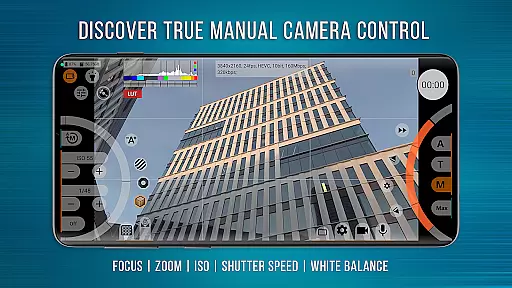
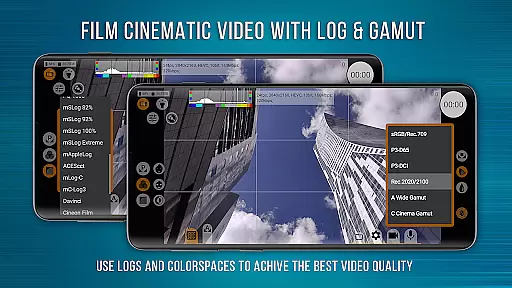
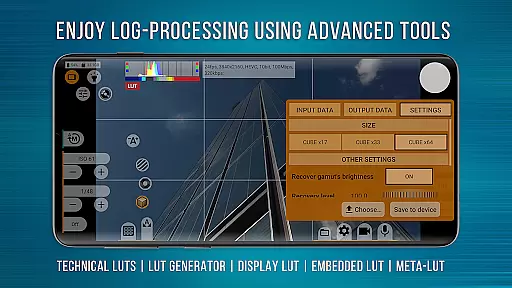
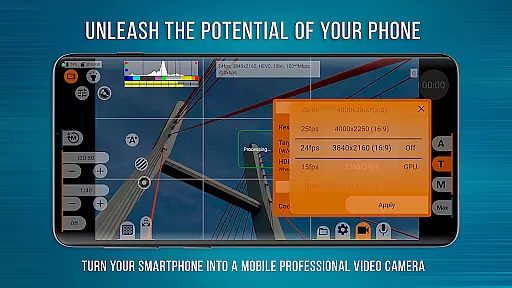
mcpro24fps Manual Video Camera is a professional-grade video camera app designed exclusively for Android devices. It offers advanced cinematic capabilities that were previously only available in professional camcorders. The app supports shooting in 10-bit, HDR video recording, and various Log modes, making it an ideal tool for videographers who require precise control over their footage.
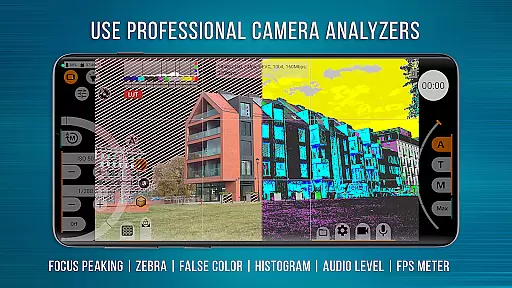
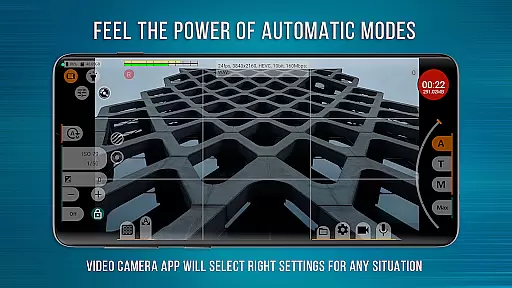
The application provides technical LUTs for seamless post-production, programmable focus and zoom features, and tools like Focus Peaking and Expo Peaking for complete frame control. With its responsive interface and reliable automatic modes, mcpro24fps transforms your smartphone into a powerful video camera capable of creating cinematic masterpieces.
This app is perfect for professional videographers working on festival films, music videos, live reports, commercials, and other projects that demand advanced technical capabilities. By leveraging the Camera2 API, mcpro24fps ensures optimal performance based on your device's technical specifications.
mcpro24fps stands out with its extensive feature set tailored for professional video production. One of its key highlights is the support for 10-bit shooting and HDR video (HLG/HDR10), allowing videographers to capture high dynamic range footage with greater color depth. The app also enables recording in Log mode without utilizing the GPU, mimicking the functionality of larger professional cameras.
The app includes numerous Log modes for different shooting scenarios, technical LUTs for post-production, and on-screen LUT for real-time frame control. Additional features include Deanamorphing for attached lenses, programmable focus and zoom controls, and advanced exposure tools like Spectral and Zebra. These functionalities provide videographers with precise control over every aspect of their shots.
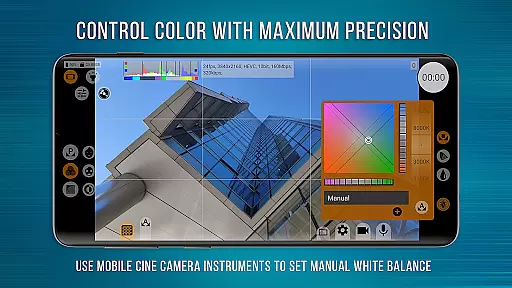
Other notable features include flexible sound settings, white balance adjustment in Kelvins, and metadata management. The app also supports multiple cameras, various codecs (AVC and HEVC), and resolutions specified by the Camera2 API. With these robust capabilities, mcpro24fps empowers users to produce professional-quality videos directly from their smartphones.
Real-time capture and preview functionality is essential for any professional-grade camera application. mcpro24fps offers an advanced real-time video capture system that ensures users can monitor their footage as it's being recorded.
The app supports a variety of frame rates including 24 fps, 25 fps, 30 fps, and even up to 60 fps where the device capabilities allow. This flexibility in frame rate selection enables videographers to achieve the desired cinematic effect.
Additionally, mcpro24fps provides options for optical and digital video stabilization, ensuring smooth footage even when shooting in motion or unstable conditions. The ability to preview these stabilizations in real time enhances the user's control over the final output.
With support for different resolutions and codecs like AVC (h264) and HEVC (h265), videographers can select the best settings for their specific needs while monitoring the results live. This feature is crucial for professionals who require precision and quality in their work.
While primarily a professional video camera app, mcpro24fps also includes features for enhancing video content through AI-powered tools. These enhancements focus on delivering natural-looking improvements without compromising the original footage's integrity.
The app allows videographers to apply technical LUTs (Look-Up Tables) for seamless color grading during post-production. These LUTs help maintain consistency across shots and provide a professional finish to videos.
For those requiring precise control over the frame while shooting, mcpro24fps offers on-screen LUTs. This feature lets users visualize how their final product will look, thus aiding in making necessary adjustments on the fly.
Moreover, additional GPU-based filters and noise reduction techniques ensure that the video retains its clarity and sharpness. By leveraging the phone's GPU resources, mcpro24fps delivers high-quality enhancements that feel natural and unobtrusive.
Advanced HDR support
Professional Log modes
Precise focus control
Extensive LUT options
High bitrate recording
Complex for beginners
Device compatibility issues
High system requirements
No built-in editor
Premium price point

Create funny photos and videos with the popular Time Warp Scan filter.
 4.90
4.90
Viewfinder, Light meter, Reciprocity failure time, DOF & Bellows Extension
4.60
Create Business Headshots, Polaroid Filter, Retake Photos,Profile Pics,AI Photos
4.50
A must-have app for landscape photographers
4.60
Add a dreamy vibe to your selfies and videos with soft style filters
4.0
Collage your moments in one tap: 1000+ layouts, filters, stickers, and texts.
4.90
Turn photos into cartoons & avatars! - Photo Editor, Cartoon Face!
3.90
Remote control the phone camera shutter from your smartwatch and take a picture
1.60
Edit photos with the picture generator: PS2 & AI Clay filters, cartoon effects.
4.50
Photo prints, cards, & gifts at Walgreens. Easy ordering & fast local pickup !
4.80
Effortlessly organize, view and share your photos & videos with Gallery app!
4.40
What celebrity do you look like? Celebs will find your celebrity match!
4.10
All-in-One Editor & AI Photo Enhancer, Collage, Cartoonify, Funny Stickers & BGS
4.10
Photobooth mini FULL app will allow you to add more fun to your parties
4.00
How would you look like with a differently shaped nose, chin or lips?
3.90
Remote control of the phone camera from your Wear OS smartwatch
3.70
Create amazing frames with up to five photos. Rounded corners, effects and more!
3.60
Superimpose one photo on top of another using the original Superimpose app!
3.20
Application for remote controlling DSLR
3.00


User Reviews