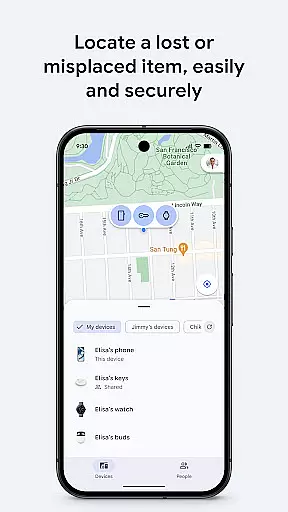
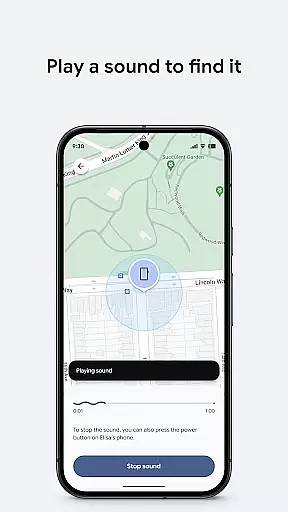
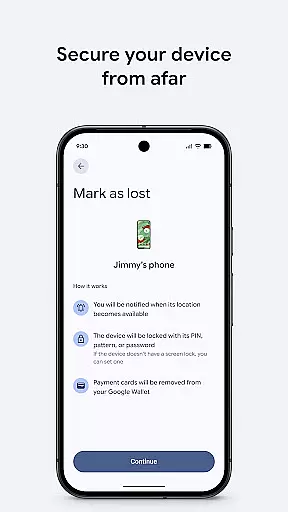
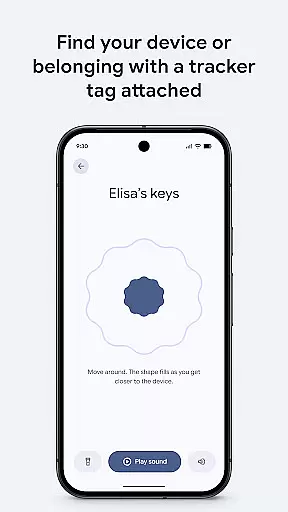
Google's Find Hub is a powerful tool designed to help users locate and manage their devices and personal items. The app provides real-time location tracking for phones, tablets, headphones, and other accessories, even when they are offline. Users can play a sound remotely to find nearby lost devices or take security measures such as locking or erasing data if the device is far away. Additionally, all location data within the Find Hub network is encrypted, ensuring privacy and protection from unauthorized access.
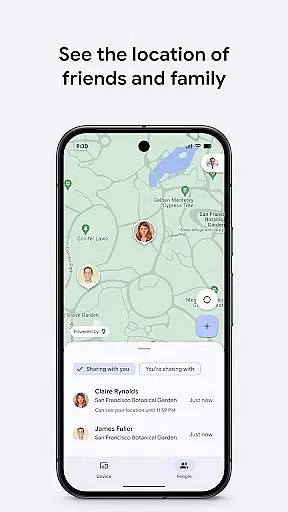
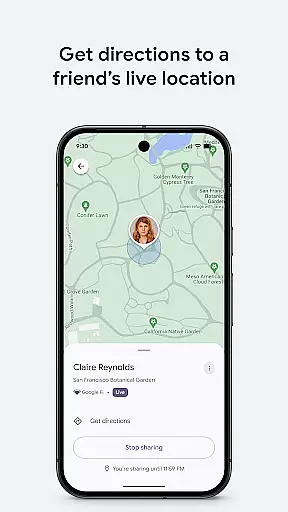
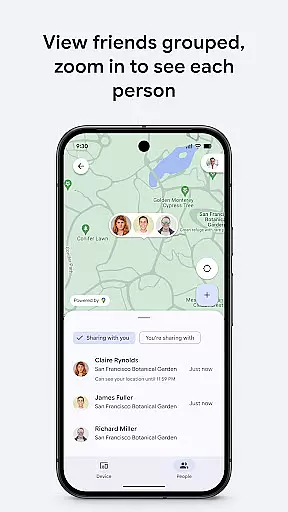
Beyond device tracking, Google's Find Hub also offers robust location-sharing features. Users can share their live location with friends and family to coordinate meetups or ensure loved ones reach their destinations safely. This combination of device management and location sharing makes the app an essential utility for both personal safety and asset protection.
Google's Find Hub stands out with its comprehensive set of features tailored for both device management and location sharing. One of its core functionalities is the ability to view the real-time location of multiple devices on a map, regardless of whether they are online or offline. For lost devices, users can remotely trigger a sound alert to locate them if they're nearby, or secure their data by locking or wiping the device clean. A custom message can be displayed on the lock screen in case someone finds the lost item.
In addition to device tracking, the app excels in location sharing capabilities. Users can temporarily share their live location with trusted contacts, making it easier to coordinate meetups or monitor the safety of family members. All location data is end-to-end encrypted, meaning that not even Google can access this information. These features collectively provide a secure, reliable, and user-friendly experience for managing both personal belongings and interpersonal connections.
Google's Find Hub offers a suite of core functions that are both accurate and effective, ensuring users can locate their devices with precision. The app leverages advanced mapping technology to display the real-time location of phones, tablets, headphones, and other accessoriesu2014even when they're offline.
In cases where devices are nearby but cannot be found visually, the app enables users to play a sound remotely, aiding in the physical retrieval of the item. This feature is particularly useful for locating lost gadgets within one's home or office premises.
For situations where retrieval isn't possible, Google's Find Hub provides options to remotely secure or erase the data on the lost device. Users can also set a custom message on the lock screen, which could facilitate contact from a good Samaritan who finds the device.
The interface design of Google's Find Hub is crafted to ensure simplicity and intuitiveness, making it accessible even to users who may not be tech-savvy. With clear visual indicators and straightforward navigation paths, users can quickly access the features they need without any learning curve.
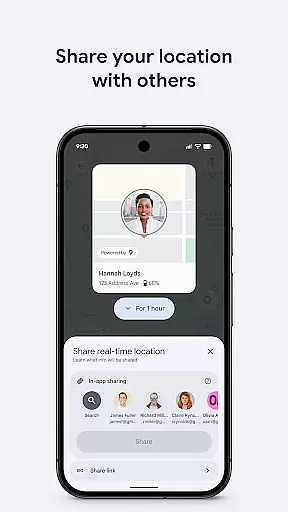
Sharing live locations with friends or family for coordination purposes is streamlined within the app. By simplifying how users interact with location sharing controls, Google's Find Hub ensures that managing privacy settings remains an effortless task.
All these functionalities are encapsulated in a clean layout that prioritizes user experience without compromising on providing powerful tools for device management and security.
User-friendly interface
Real-time tracking
End-to-end encryption
Remote device control
Live location sharing
Limited offline support
Requires Google account
Dependent on device compatibility
No advanced analytics
Occasional sync delays

A powerful, easy-to-use flight computer on your phone or tablet!
 3.80
3.80
Transfer Files, APK from Phone to Watch & Install.
4.5
Save any video in HD - paste the link, download fast and watch offline.
4.3
Keep track of your Palia friendships, tasks, and inventory with Palia Notebook
4.60
ADB support Android 4.X-Android 13(Support wireless pair mode).No root required!
4.70
Game Booster, GFX Tool is now compatible with newer game update
4.50
Button mapper, mouse toggle, sleep timer and a lot of another features
4.50
Mobile Security with Scam Protection | Malware & Virus Cleaner | Safe Browser
4.70
Enjoy a smooth mobile reading experience!
3.60
Connect wirelessly to your computer to watch movies, browse the web, play games
5.00
Support Fossify apps with a warm thank you!
5.00
Navigate with Ease and Style
4.90
Easily install aab(Android App Bundle) files on your Android device with our app
4.80
NFC Tools can read and write NFC tags.
4.70
Head tracking for PC sim games such as MSFS 2024 or Elite:Dangerous. No headset!
4.50
Screen Mirroring for Roku Sticks, Roku TCL TV and Roku Hisense TV
4.50
Just one-tap to easy translate in any language after calls within seconds.
4.20
View detailed information about your Nissan Leaf the dealer never shows you.
4.10
Undelete and recover your lost or deleted files with DiskDigger!
3.40


User Reviews