

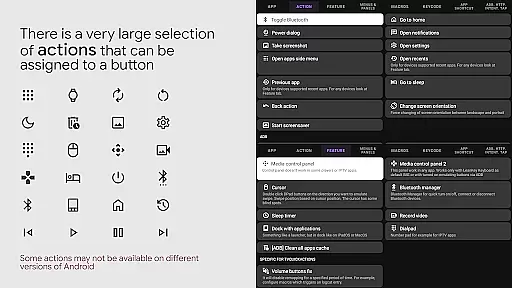
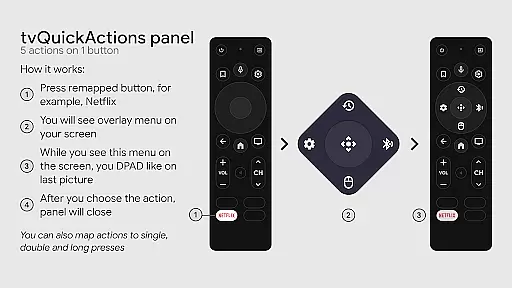
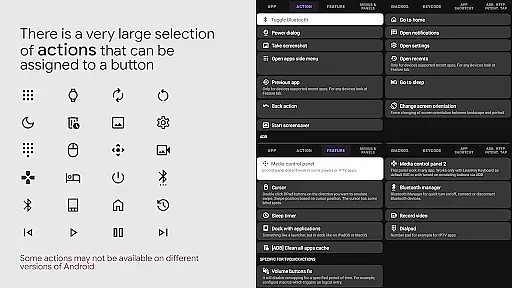
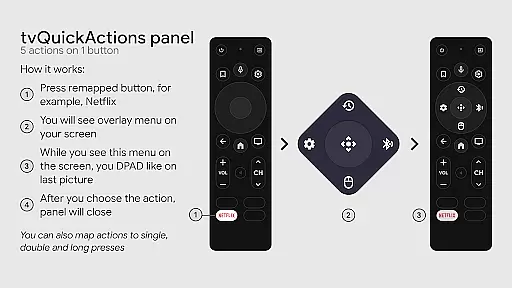
tvQuickActions Pro is an advanced button/key mapper specifically designed for TV devices, compatible with Android TV, Google TV, and AOSP on most devices. Its standout feature allows users to assign up to five actions per remote button, significantly enhancing device functionality.
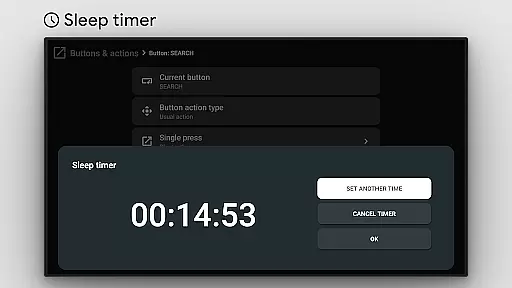
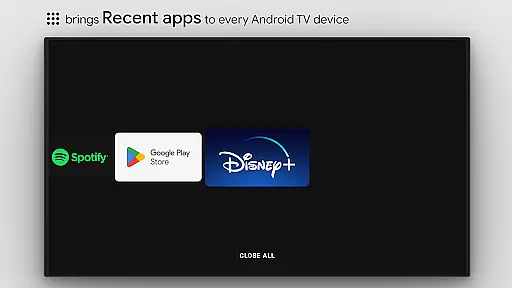
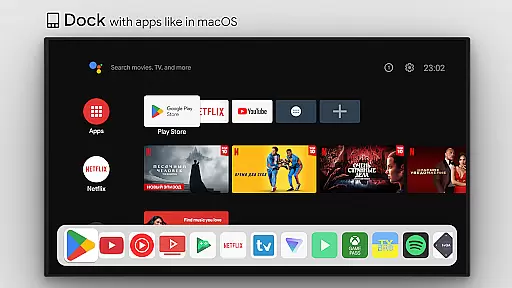
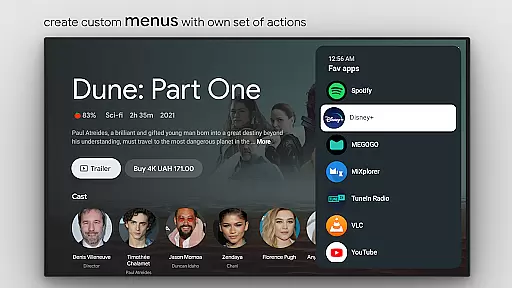
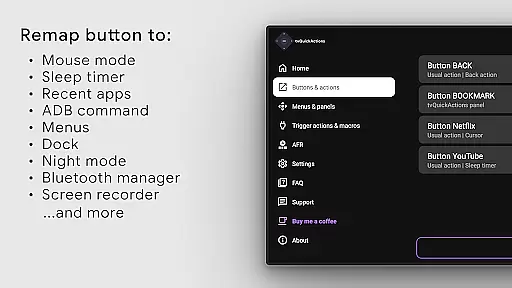
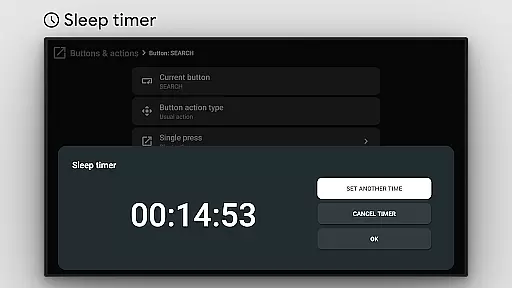
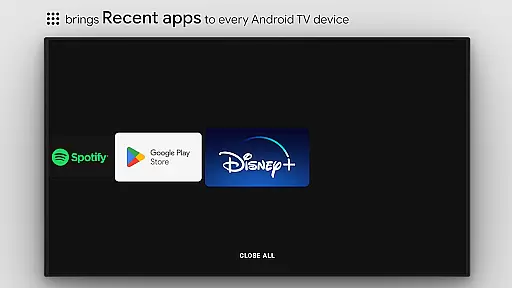
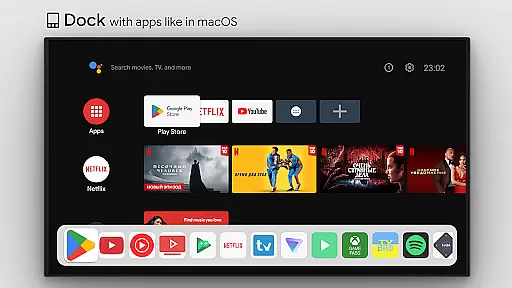
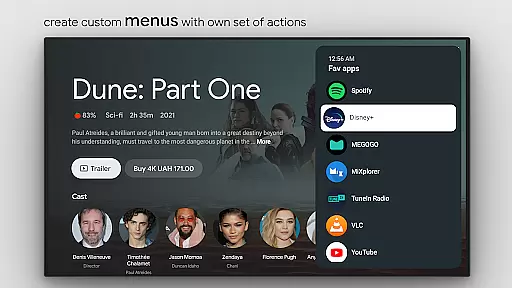
This tool transforms your TV experience by adding useful features such as app docks similar to macOS/iPadOS, recent apps management, custom action menus, and ADB command integration. It also supports practical functions like mouse toggle, sleep timer, dialpad, screen recording, night mode, and Bluetooth management.
Designed for power users, tvQuickActions Pro offers unique capabilities including auto framerate adjustment for Amlogic devices and remapping of special buttons on select hardware. The application's versatility makes it the most comprehensive mapper solution for TV devices currently available.
tvQuickActions Pro stands out through its extensive feature set tailored for TV device power users. The application's key strength lies in its ability to remap remote buttons with multiple actions while maintaining system-level integration through AccessibilityService API.
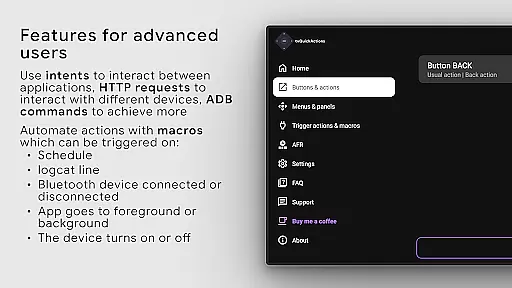
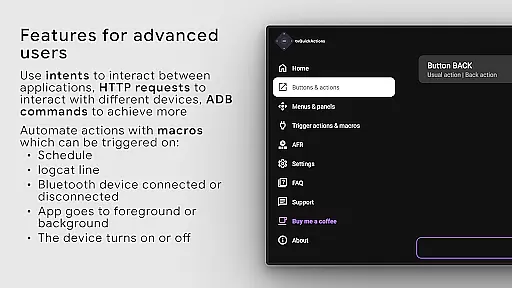
The app provides numerous productivity-enhancing features including recent apps management, custom action menus, and media control panels. Advanced users can leverage ADB commands as actions, create custom channels for Android TV home screens, and implement automated workflows using the AutoFrameRate feature.
Additional notable capabilities include support for remapping special buttons on specific devices, implementing power-on actions, and managing various system functions through intuitive shortcuts. These features collectively make tvQuickActions Pro an indispensable tool for maximizing TV device functionality.
tvQuickActions Pro is designed to provide highly accurate and effective button remapping for TV devices. The app supports Android TV, Google TV, and AOSP on most devices, ensuring broad compatibility. Its core functionality allows users to assign up to five actions to a single remote button, significantly enhancing the utility of their TV remote controls.
The app offers an extensive range of features including custom menus, recent apps management, and even user ADB commands as actions. These functions are implemented with precision, allowing seamless integration into the user's TV experience. For instance, users can toggle WiFi, Bluetooth, or control media playback directly from their remote.
Users benefit from the app's ability to enhance their TV's functionality without requiring advanced technical knowledge. By providing intuitive options like opening apps, shortcuts, intents, and keycodes, tvQuickActions Pro ensures that users can tailor their TV experience to their specific needs. This level of customization improves overall user satisfaction and device usability.
The effectiveness of tvQuickActions Pro is further highlighted by its unique features such as Auto Frame Rate for Amlogic devices and support for remapping Netflix buttons on specific devices. These specialized functions demonstrate the app's commitment to delivering precise and valuable tools for TV users.
tvQuickActions Pro excels in offering a simple and intuitive interface despite its complex functionalities. The app provides a dock system similar to macOS/iPadOS, making navigation straightforward and familiar for many users. This design choice ensures that even those new to button mapping can quickly adapt to the app's offerings.
One of the standout features is the ability to create custom menus with any actions, which simplifies access to frequently used functions. Users can easily set up actions for power-on events, sleep mode, or exiting, streamlining their interaction with the TV. The inclusion of a dial pad and screen recording further enhances the ease of use.
The app also includes a media control panel and quick change TV input options, both of which contribute to a more intuitive user experience. These features are accessible through clear and logical menu structures, reducing the learning curve typically associated with advanced TV management tools.
Overall, tvQuickActions Pro balances powerful functionality with an approachable interface, ensuring that users can harness its full potential without feeling overwhelmed. This combination of simplicity and depth makes it an invaluable tool for enhancing TV device usability.
Extensive customization options
Wide device compatibility
Unique multi-action mapping
Advanced automation features
Comprehensive media controls
Complex setup process
Device-specific limitations
Requires technical knowledge
Potential compatibility issues
Steep learning curve

A convenient photo, video, and file recovery tool.
 4.00
4.00
Complete kernel toolbox with features to manage and tweak your rooted device
4.30
Fluid navigation gestures for all of us!
4.30
Remote for Roku, Fire TV, Samsung TV, LG TV, Android TV, Chromecast and VIZIO TV
4.20
Small and simple app to Verify Root Access and BusyBox Install!
4.70
With videos, electrical calculators, and built-in ebook, Ugly’s has your answer.
4.50
The Ultimate Bluetooth Keyboard & Mouse. Securely control your PC, Mac, and more
4.50
Fast Video Downloader, Movie Downloader, Torrent Downloader & Adblock Browser
4.70
Clean up your phone, find files, play media, and share files offline
4.50
Easily install aab(Android App Bundle) files on your Android device with our app
4.80
Connect instantly to a fast, encrypted VPN with one tap
4.60
App to pay for FUTO Keyboard
4.60
Play your X-Box games remotely in 1080p with any controller and zero latency
4.60 4.50
4.50
Head tracking for PC sim games such as MSFS 2024 or Elite:Dangerous. No headset!
4.50
Just swipe the edge to do something!
4.40
Pro Emulator is an easy to use game console emulator for a range of consoles.
4.40
VESC Tool can monitor and configure VESC-compatible devices over BLE and Wifi
4.20
Amateur Radio app for APRS: Track friends, exchange messages, get tactical info.
3.90


User Reviews