
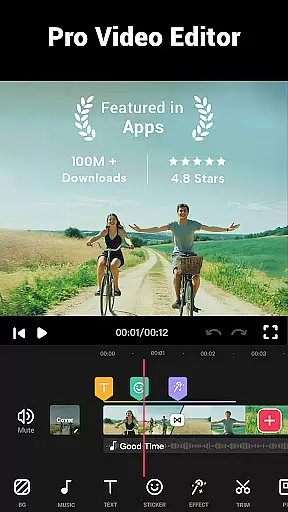

Video Maker is a versatile AI-powered video editing app that allows users to create professional-quality videos from photos and music. With its user-friendly interface, it's the ideal tool for both beginners and experienced creators looking to produce engaging content.
This all-in-one editor offers powerful features such as video trimming, cutting, speed adjustment, and adding transitions, filters, and soundtracks. Users can export their projects in stunning 4K resolution without any watermarks, making it perfect for sharing on platforms like YouTube, Instagram, and TikTok.
The app's intuitive design and comprehensive feature set make it especially suitable for creating vlogs, promotional videos, and social media content. Its ability to handle multi-layer editing with music, voice-overs, and special effects provides exceptional creative control.
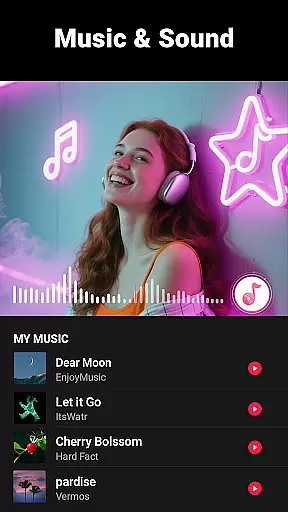
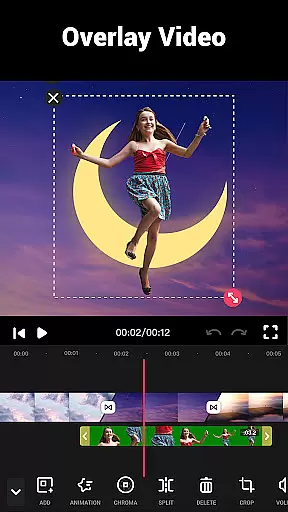
Video Maker stands out with its extensive range of professional-grade editing tools. The app supports multi-layer editing, enabling users to add music tracks, voice-overs, sound effects, and various visual elements like stickers and custom fonts.
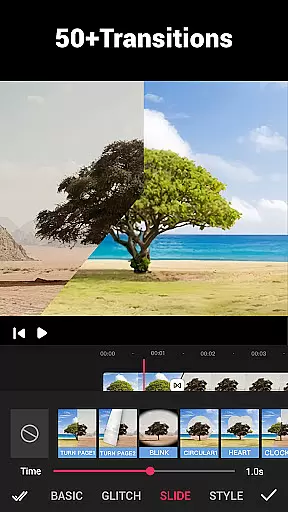
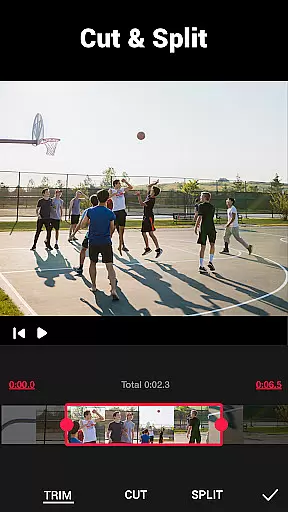
One of the key strengths is its robust video processing capabilities. Users can trim and split clips, apply 50+ transition effects, adjust playback speed from 0.2x to 100x, and extract audio from existing videos. The app also includes advanced color correction tools and supports HD quality exports up to 4K resolution.
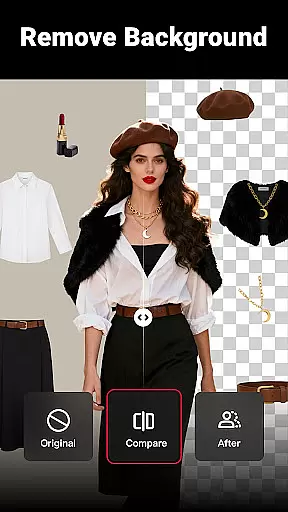
Additional notable features include background customization options, video compression settings, and aspect ratio adjustments for different social media platforms. These comprehensive tools make it an excellent choice for content creators who need precise control over their video production workflow.
Video format compatibility is a crucial feature for any video editing application, ensuring that users can work with a wide range of video files without conversion hassles. Video Maker excels in this aspect by supporting various popular formats, allowing creators to import and export videos seamlessly.
The app's powerful engine handles high-resolution footage, including 4K videos, maintaining the original quality throughout the editing process. This flexibility enables content creators to produce professional-grade videos suitable for platforms like YouTube and Instagram without worrying about format restrictions.
Moreover, Video Maker provides options for custom resolutions and quality settings during video export. Users can optimize their videos for different platforms or devices while retaining control over file size and clarity. The ability to compress and convert videos without significant quality loss adds another layer of convenience.
This comprehensive format support empowers users to focus on their creative process rather than technical limitations. Whether you're a beginner or a professional vlogger, the app's robust format compatibility ensures your projects will be compatible with various devices and social media platforms.
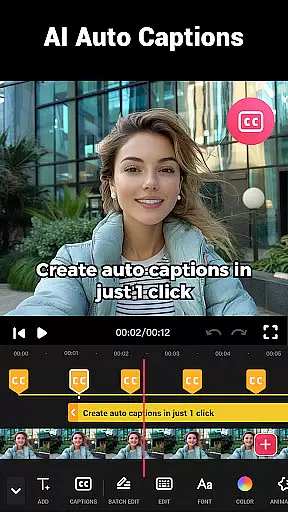
AI-powered editing features represent a significant advancement in video editing technology, and Video Maker incorporates these intelligent tools to enhance the creative process. The application utilizes artificial intelligence to automate complex editing tasks, making professional-quality editing accessible to users of all skill levels.
One notable AI feature is the automatic audio extraction and rhythm detection, which analyzes music tracks and suggests optimal cut points based on beats. This functionality helps users create perfectly synchronized music videos with minimal effort. Additionally, the app's AI-driven filters and effects adapt to video content, suggesting appropriate enhancements based on scene analysis.
The software also includes intelligent cropping and resizing tools that automatically adjust video dimensions for different social media platforms. These AI-powered features ensure that videos maintain their visual impact across various aspect ratios without losing important content. Furthermore, the app's machine learning algorithms continuously improve through user interactions, providing increasingly accurate suggestions over time.
These advanced AI capabilities significantly reduce editing time while maintaining high production values. By integrating artificial intelligence into its core editing functions, Video Maker enables creators to produce sophisticated video content efficiently, bridging the gap between professional and amateur video production.
User-friendly interface
4K export quality
No watermark
Multi-platform sharing
Comprehensive editing tools
Occasional performance lag
Advanced features may overwhelm beginners
Large file size
Some features require learning
Interface could be more modern

The smartest M3U IPTV Player your playlists have ever seen.
 4.0
4.0
Tik & Story Saver-Download ALL social media videos, photos & reels no watermark.
4.80
Play ALL formats in 4K & HD. Video downloader, MP3 player, Chromecast & more.
4.80
Stream high quality video from your camera over NDI protocol
4.3
VLC Remote lets you control your VLC Media Player on Mac, PC or Linux.
4.60
Fast & easy HD video downloader for all formats, support 4K playback & download.
4.60
Cast to Smart TV, Fire TV. Cast video, photo - Fast & Stable!
3.90
The essential companion to your Blue Iris PC software
2.50
This app is an emulator of some specific IPTV boxes
3.50
Support 1000+ Video Format, Subtitle Download, mp3 & Background Play, Cast On TV
4.60
HD video maker with no watermark, no ads & vlog maker with music, PIP, text
4.50
KineMaster, Your Ultimate Video Editor!
4.40
Fast video downloader & private browser. Save HD clips to watch offline.
4.40
Video player, file manager for all formats, 4K/HD media player supports subtitle
4.30
Powerful, professional, versatile teleprompter. Developed by an active film crew
4.00
1)AirPlay/DLNA Mirroring/Streaming, up to 4 connections; 2)Samba/NAS/DMS Player.
4.00
Download videos easily & play them all in one smart, powerful video manager.
3.40
Mix with Virtual DJ directly from your phone or tablet !
3.10
Client application for NextPVR software
3.00


User Reviews