

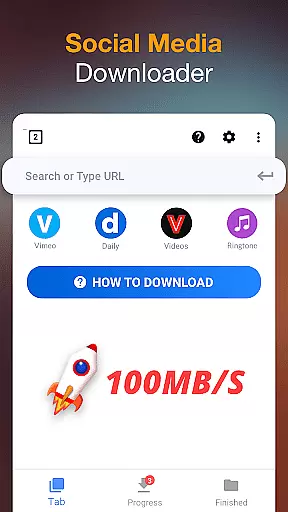



Video Downloader is a versatile tool designed for users who need to download and manage video content directly on their mobile devices. The app supports all popular video formats, including MP4, AVI, and WMV, making it suitable for various use cases. Whether you're looking to save online tutorials for offline viewing or create a personal media library, this app provides the necessary tools to make downloading seamless.
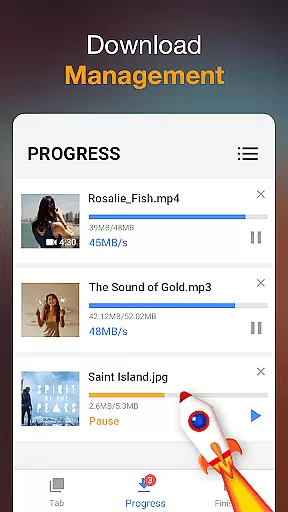
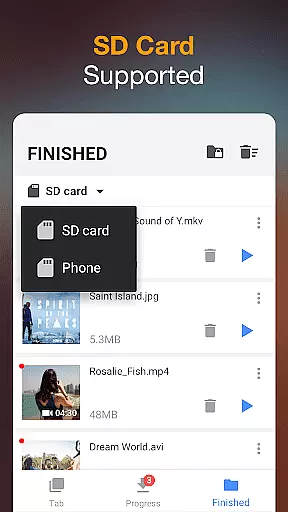
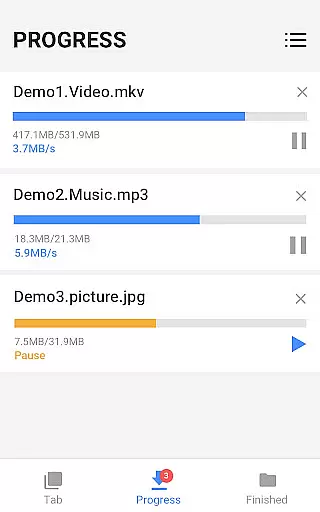
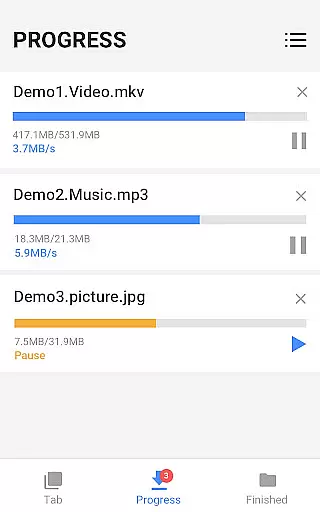
The application's powerful download manager allows users to pause, resume, and even cancel downloads, offering flexibility in managing large files. Additionally, its ability to auto-detect videos on web pages simplifies the process of acquiring content. With features like background downloading and SD card support, Video Downloader ensures that users can efficiently store and access their media without interruptions.
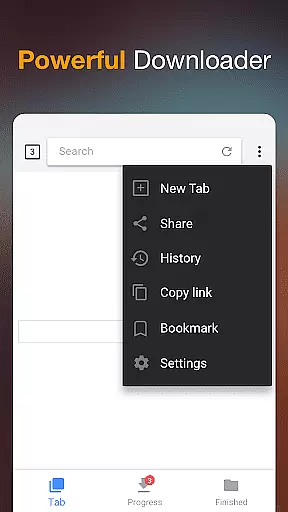
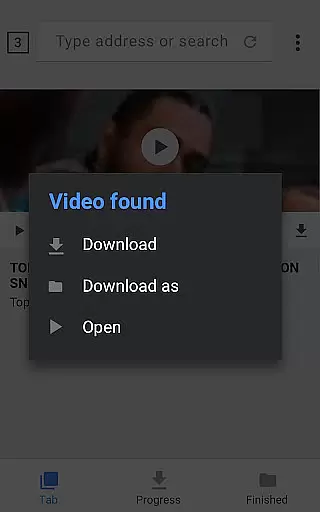
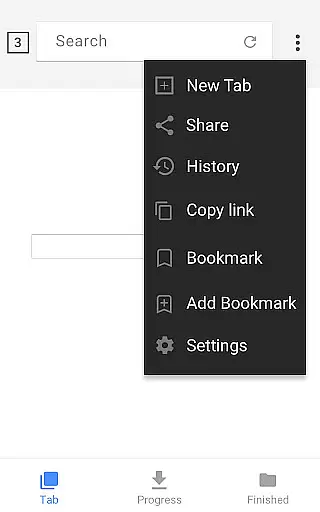
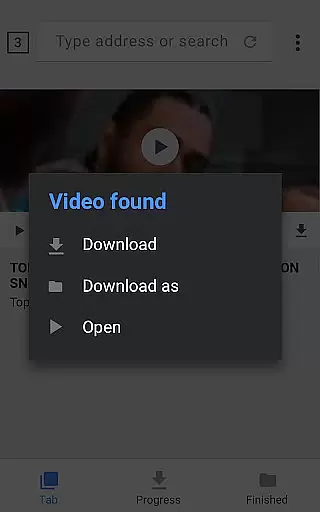
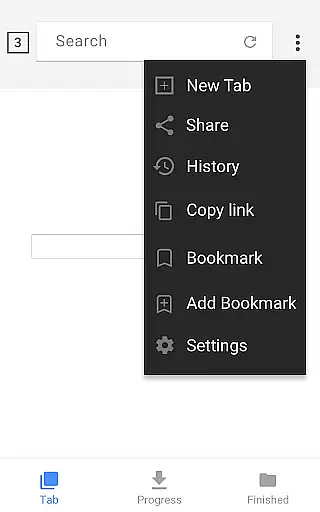
Video Downloader stands out with its comprehensive set of features tailored for efficient media management. One of its key capabilities is the built-in browser, which allows users to browse and detect downloadable videos from any website. This feature eliminates the need for switching between multiple apps, streamlining the entire download process.
Another notable feature is the app's robust download manager, which supports simultaneous downloads and offers options to pause and resume. Users can also preview videos before downloading, ensuring they only save the content they need. The app further enhances security by allowing downloads to be saved in password-protected folders, providing peace of mind for those concerned about privacy.
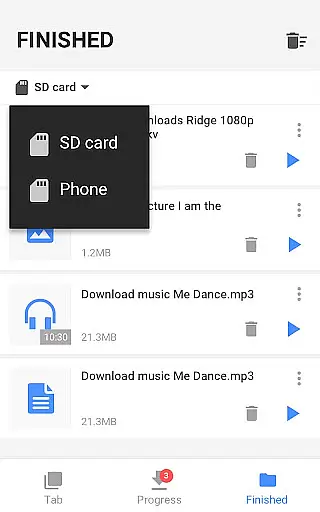
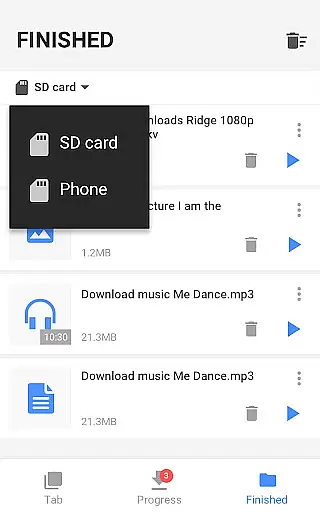
For users dealing with large files, the app supports high-definition video downloads and works seamlessly even with sizable media. Its compatibility with SD cards makes it an ideal choice for users who need extra storage space on their devices. These features collectively make Video Downloader a reliable solution for managing digital content on the go.
Video format compatibility is a crucial feature for any video player and editor application. The Video Downloader app excels in this area by supporting all major video formats including mp3, m4a, mp4, m4v, mov, avi, wmv, and more.
This extensive format support ensures that users can download and play videos from various sources without worrying about compatibility issues. Whether it's a high-definition movie or a simple audio file, the app handles them all with ease.
The built-in browser allows users to browse and auto-detect videos across websites, making it convenient to download content in any format. Once downloaded, the built-in player ensures smooth playback of these files, providing an uninterrupted viewing experience.
Moreover, the app supports downloads of large files and HD videos, ensuring that quality is not compromised. This comprehensive format compatibility makes Video Downloader a versatile tool for managing multimedia content on your device.
AI-powered editing features are transforming the way users interact with video content. The Video Downloader app incorporates several smart tools that enhance the video downloading and viewing experience through artificial intelligence.
One of the standout AI features is the auto-detection of videos. As users browse websites using the built-in browser, the app intelligently identifies downloadable video content, streamlining the process with just a single click.
In addition to intelligent detection, the powerful download manager offers advanced functionalities such as pausing, resuming, and removing downloads. These features are enhanced by AI algorithms that optimize download speeds and manage multiple file downloads efficiently.
Furthermore, the app provides options to save downloaded files in password-protected folders, adding a layer of security powered by intelligent recognition systems. This combination of AI-driven tools ensures a seamless, secure, and efficient video downloading and management experience.
User-friendly interface
Fast download speeds
Supports all video formats
Powerful download manager
Offline playback capability
Limited advanced editing tools
No cloud integration
Occasional ads in free version
Requires manual updates
Interface may feel outdated

Fast, private downloading, video saving, social media
 4.50
4.50
Your media, on your terms.
4.10
Fast video downloader & private browser. Save HD clips to watch offline.
4.40
Full HD Video mp3 Player, MP4 player play 1080p, File manager, Video Downloader
4.40
All in one HD video downloader & player for multiple formats with full privacy
4.70
Play and download HD videos from all sources — fast, simple, and all-in-one.
4.5
Watch IPTV on your Android device
4.60
Cast movies, tv shows and live streams to Chromecast, Roku, DLNA, Fire TV & more
4.60
Photo editor & video maker with music and slideshows.
4.10
Auto video maker with music & exclusive filters. Video editing made simple.
4.50
Fast & Private Video Downloader App. Save all videos easily from the Internet.
4.40
KMPlayer Plus (Divx Codec) officially support Divx codec.
4.30
Video Downloader is an utility that can save videos and music from web sites
4.20
Web Browser for LG TV to stream webvideos, online movies and livestreams in HD
4.20
Browser for Samsung TV to stream webvideos, online movies and livestreams in HD
4.10
A full editing room to accompany your Insta360 cameras and handheld gimbals.
3.30
Client application for NextPVR software
3.00
You can play SWF format file!
2.50
The smartest M3U IPTV Player your playlists have ever seen.
4.2


User Reviews