
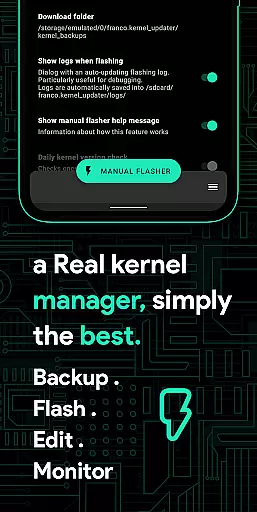
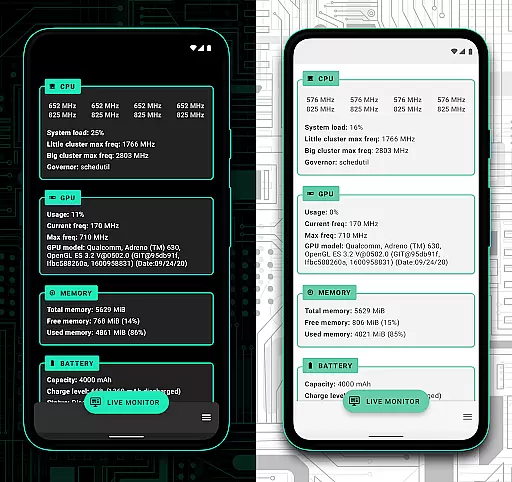
Franco Kernel Manager is a comprehensive toolbox designed for rooted Android users seeking to optimize their device performance. This powerful application provides an extensive feature set that caters to both novice and expert users, allowing them to manage, tweak, and enhance their device's kernel with ease.
With Franco Kernel Manager, users can significantly boost their device's performance and battery life while enjoying the convenience of flashing mods without the need for a custom recovery. The app offers tailored features that provide a superior user experience compared to similar tools on the market.
Whether you're looking to fine-tune your CPU frequencies, monitor battery consumption, or create per-app profiles for optimized settings, Franco Kernel Manager combines everything you need in one place, making it an indispensable tool for Android power users.
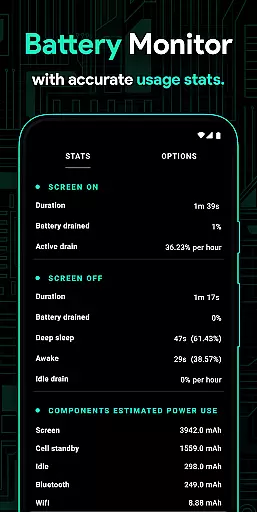
Franco Kernel Manager stands out with its rich array of features designed to supercharge your device. One of the key highlights is the detailed Battery Monitor notification, which provides insights into power consumption patterns, charging time estimates, and more, helping users maximize their device's battery life.
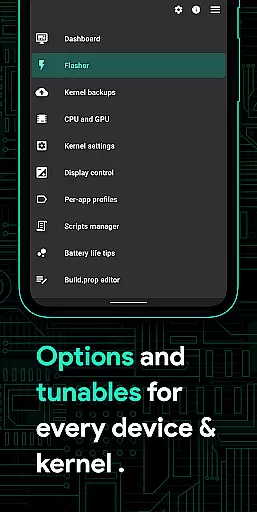
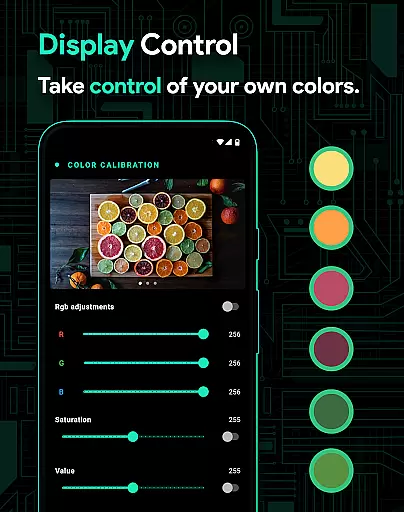
The app also includes advanced functionalities such as a build.prop editor, auto-flash capabilities for kernels and Magisk modules, and support for various GPU types including Adreno, Exynos, and Kirin. Additionally, users can benefit from powerful battery-saving tips, display color temperature presets, and High Brightness Mode (HBM) for supported devices.
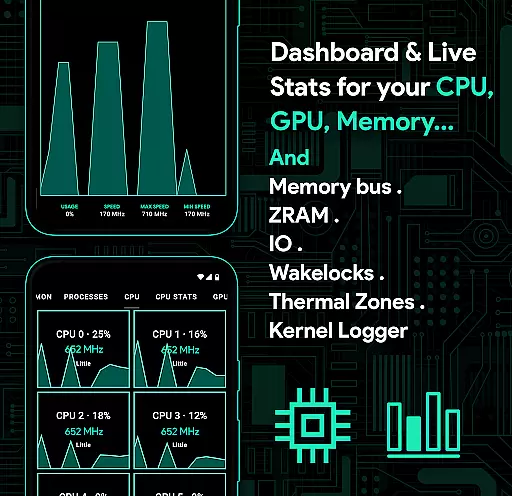
Other notable features include a kernel logger viewer for developers, custom kernel settings like IO scheduler tuning, wakelocks management, and the ability to create per-app profiles. With its intuitive interface and comprehensive feature set, Franco Kernel Manager empowers users to take full control of their device's performance and customization options.
Franco Kernel Manager is designed to provide users with a comprehensive toolbox for managing and optimizing their device's kernel. The app ensures core function accuracy by offering precise control over various system parameters, including CPU frequencies, GPU settings, and battery management. This level of detail allows both novice and expert users to tweak their devices effectively, ensuring optimal performance tailored to individual needs.
The effectiveness of Franco Kernel Manager lies in its ability to simplify complex tasks. For instance, users can flash kernels and mods without needing a custom recovery, thanks to the app's streamlined interface. Additionally, features like the Battery Monitor provide detailed insights into power consumption, enabling users to make informed decisions about their device usage. These capabilities ensure that every function within the app serves a practical purpose, enhancing the overall user experience.
By combining powerful tools such as build.prop editing, per-app profiles, and system health monitoring, Franco Kernel Manager empowers users to supercharge their devices. Whether it's boosting battery life or enhancing performance, the app delivers tangible benefits through its accurate and effective functionality. This makes it an invaluable tool for anyone looking to maximize their device's potential while maintaining ease of use.
A standout feature of Franco Kernel Manager is its commitment to interface simplicity and intuitiveness. Despite offering a rich set of advanced tools, the app maintains a user-friendly design that caters to all levels of expertise. The layout is clean and organized, ensuring that even those new to kernel management can navigate the app with ease. Clear labels and straightforward menus help demystify complex processes, making kernel tweaking accessible to everyone.
The intuitiveness of the app extends to its interactive elements. Users can create per-app profiles with just a few taps, specifying different settings for various applications. This flexibility is presented in a way that feels natural and easy to grasp, reducing the learning curve typically associated with such powerful tools. Moreover, features like automatic Night Shift and High Brightness Mode are seamlessly integrated, providing immediate benefits without requiring extensive setup.
Overall, Franco Kernel Manager strikes a perfect balance between functionality and usability. By prioritizing interface simplicity and intuitive design, the app ensures that users can harness the full power of their devices without feeling overwhelmed. This approach not only enhances user satisfaction but also encourages exploration and customization, ultimately leading to a more personalized and efficient device experience.
Comprehensive feature set
User-friendly interface
Advanced battery monitoring
Customizable per-app profiles
Auto-flash functionality
Requires root access
Complex for beginners
Limited to Android devices
No iOS support
Premium features may require payment

Change your GPS location instantly. Simulate routes anywhere in the world.
 4.90
4.90
Fluid navigation gestures for all of us!
4.30
Keep track of your Palia friendships, tasks, and inventory with Palia Notebook
4.60
Making emulation easy for everyone!
4.30
The Ultimate Bluetooth Keyboard & Mouse. Securely control your PC, Mac, and more
4.50
Planner and Tracker for Stardew Valley
4.60
Mirror your screen to Fire TV - Super fast and simple
4.40
Enhance your Beats
3.70
The ideal app to be the digital eye of your family
3.40
WiFi Signal Strength Meter help you detect WiFi Signal Strength in real time.
4.80
Creation, Learning, Entertainment & More — The All-in-One AI Search Engine
4.70
Canon PRINT is a companion app for your Canon printer.
4.60
Play your X-Box games remotely in 1080p with any controller and zero latency
4.60
Button mapper, mouse toggle, sleep timer and a lot of another features
4.50
Forza Tuning Calculator App for Forza Horizon 5, Motorsport and Earlier Titles
4.40
Clean up large files and similar photos, fast and easy to use
4.40
A convenient photo, video, and file recovery tool.
4.00
A powerful, easy-to-use flight computer on your phone or tablet!
3.80
PDF Reader - Document Viewer: Read, Manage & Organize Your Documents
3.10


User Reviews