
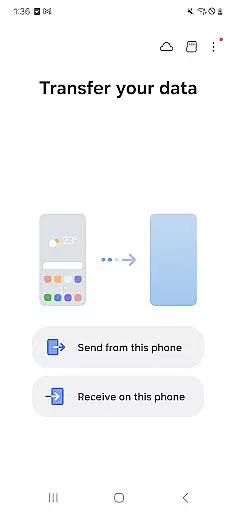
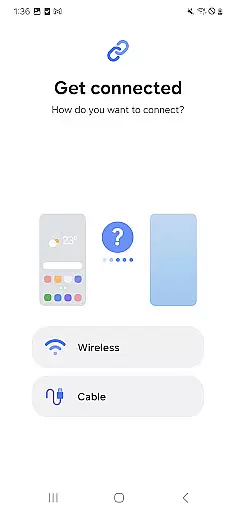
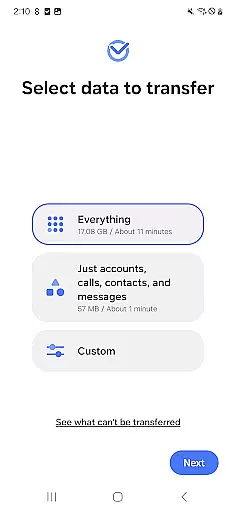
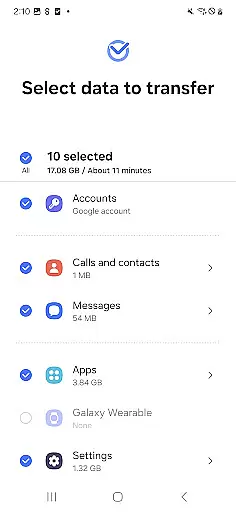
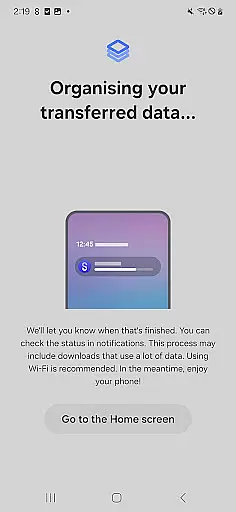
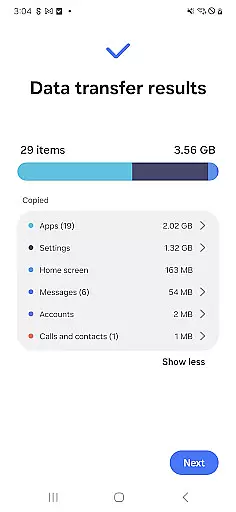
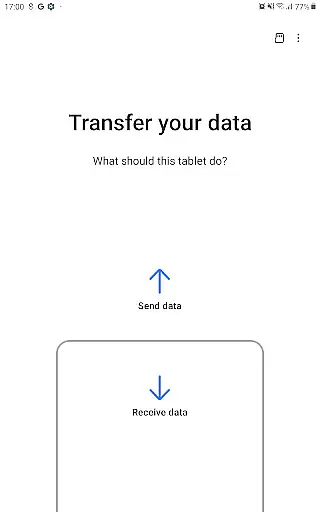

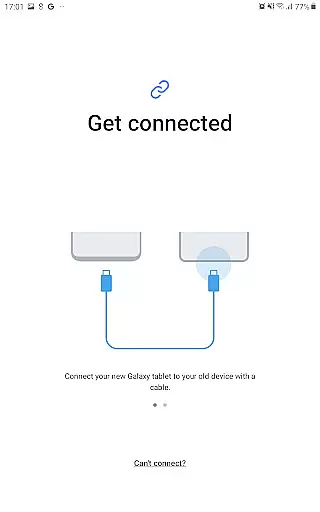
Samsung Smart Switch Mobile is a powerful migration tool designed to help users seamlessly transfer data from their old devices to new Galaxy smartphones. The app supports the transfer of contacts, messages, photos, music, videos, calendar entries, and even device settings. It caters to both Android and iOS users, offering multiple transfer methods including wired transfers, iCloud imports, and PC/Mac-based migrations via iTunes.
What sets this app apart is its compatibility with a wide range of devices, including not only Samsung Galaxy models but also other Android brands like HTC, LG, Sony, and more. With support for advanced features such as transferring app data and home layouts between Galaxy devices, it ensures a smooth transition experience while maintaining your personalized setup. Whether you're upgrading within the Galaxy ecosystem or switching from another brand, Smart Switch provides a reliable solution for all your data migration needs.
Smart Switch Mobile offers an impressive array of features that make device migration effortless. One standout capability is its ability to transfer DRM-free content, including music and videos, ensuring that your media libraries remain intact during the switch. Additionally, the app allows iOS users to migrate their data either through a direct wired connection using their device cable or by importing content from iCloud, providing flexibility based on user preference.
The app also includes practical tools such as Wi-Fi Direct connectivity for wireless transfers, QR code scanning for easy device pairing, and support for transferring call logs, memos, alarms, and wallpapers. For Galaxy-to-Galaxy transfers, users can take advantage of advanced options like moving app data and home screen layouts. These features are further enhanced by the app's compatibility with various permissions, ensuring secure access to necessary data while protecting user privacy.
Smart Switch Mobile is designed to ensure the highest level of accuracy and effectiveness in its core functions. The app facilitates seamless data migration, including contacts, messages, photos, and more, from your old device to a new Galaxy device. This process is handled with precision, ensuring that all transferred data retains its original quality and format.
The application supports a wide range of devices, including various Android brands and iOS devices. By providing multiple transfer methods such as wired, wireless, and cloud-based solutions, Smart Switch ensures that users can choose the most effective way to move their data. Each method is optimized for speed and reliability, minimizing the risk of data loss or corruption during the transfer process.
For users upgrading within the Galaxy ecosystem, Smart Switch offers additional functionalities like transferring app data and home layouts, enhancing the continuity of user experience across devices. These features are particularly beneficial for those who rely on specific app configurations for work or personal use.
Ultimately, the effectiveness of Smart Switch lies in its ability to simplify the device upgrade process while maintaining the integrity and completeness of user data. This reliability builds trust among users, making it an essential tool for anyone transitioning to a new Galaxy device.
The interface of Smart Switch Mobile exemplifies simplicity and intuitiveness, making it accessible even to users who may not be tech-savvy. Upon launching the app, users are greeted with clear instructions and intuitive icons that guide them through the data transfer process. This straightforward design eliminates confusion and ensures that users can initiate and complete transfers with minimal effort.
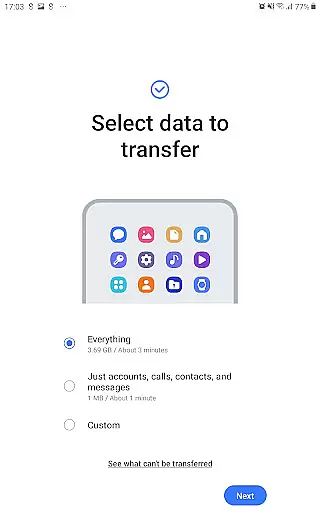
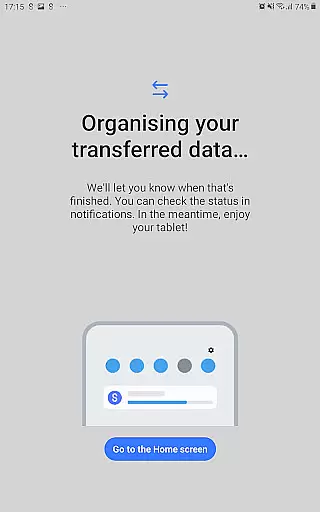
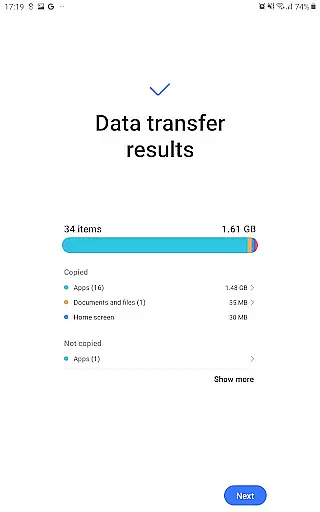
Smart Switch provides a step-by-step wizard that simplifies complex tasks such as transferring data from iOS or other Android devices. Each step is accompanied by visual aids and concise explanations, reducing the learning curve and allowing users to complete the migration process swiftly. This approach not only enhances user satisfaction but also reduces the likelihood of errors during data transfer.
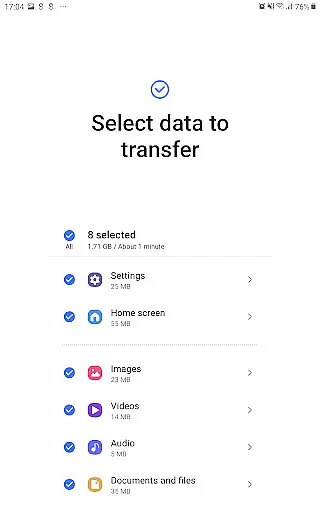
In addition to its easy-to-navigate interface, Smart Switch offers advanced settings for more experienced users. These options allow for customization of the transfer process, enabling users to select specific data types for migration. Despite these advanced features, the app maintains an uncluttered layout that prioritizes essential functions, ensuring that all users can achieve their desired outcomes efficiently.
Overall, the combination of a clean design, guided processes, and customizable options makes Smart Switch Mobile an exemplary tool in terms of interface simplicity and intuitiveness. Users can confidently manage their data transfers, knowing that the app's design prioritizes ease of use without compromising functionality.
User-friendly interface
Wide device compatibility
Flexible transfer options
Secure data handling
Comprehensive content support
DRM content not supported
Limited iOS functionality
Requires sufficient storage
Occasional connectivity issues
Permission requirements

Transfer Files, APK from Phone to Watch & Install.
 4.4
4.4
A convenient photo, video, and file recovery tool.
4.00
An easy-to-use calculator designed to save time calculating and bending conduit
4.30
VESC Tool can monitor and configure VESC-compatible devices over BLE and Wifi
4.20
Create your own live wallpaper or check out thousands already made presets
3.90
Detect hidden spy camera with advanced scanning {{ Premium version }}
4.00
Quickly check the frequency of the Earth
4.30
Pro Emulator is an easy to use game console emulator for a range of consoles.
4.40
Your personal health butler
3.60
Easily install aab(Android App Bundle) files on your Android device with our app
4.80
Play your X-Box games remotely in 1080p with any controller and zero latency
4.60 4.50
4.50
Quickly switch to an encrypted DNS server on Android TV
4.50
Screen Mirroring for Roku Sticks, Roku TCL TV and Roku Hisense TV
4.50
Game Booster, GFX Tool is now compatible with newer game update
4.50
Use your phone as a webcam on your computer over WiFi or USB.
4.40
Clean up large files and similar photos, fast and easy to use
4.40
PC precision for mobile gaming: dominate with keyboard and mouse!
4.30
A simple app to back up and restore SMS & MMS messages and call logs.
4.10


User Reviews