
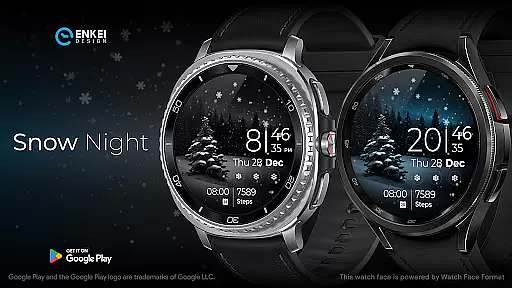
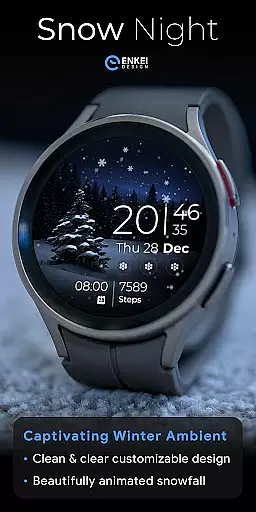
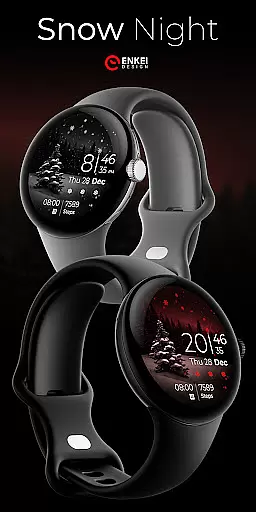
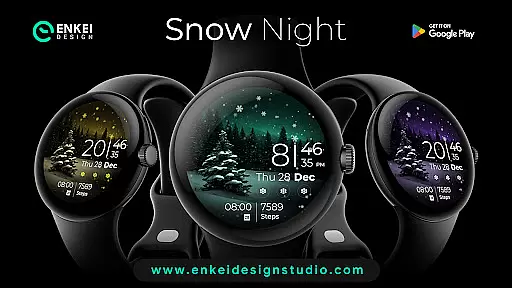
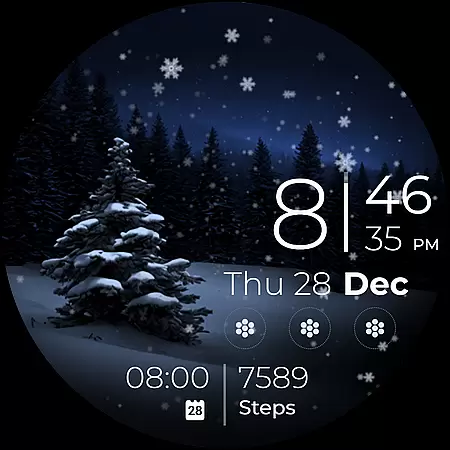
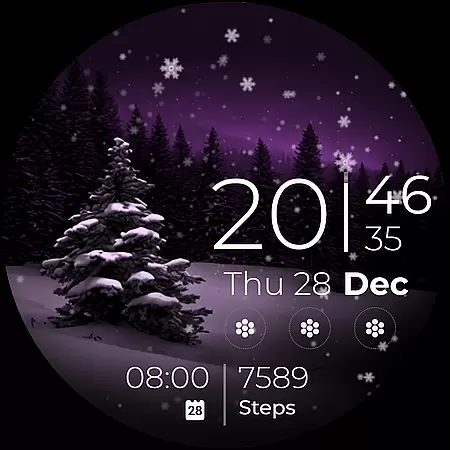
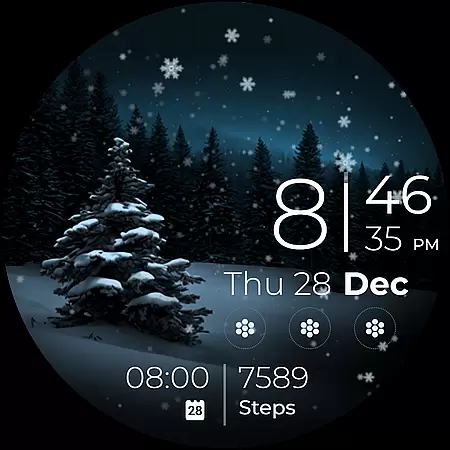
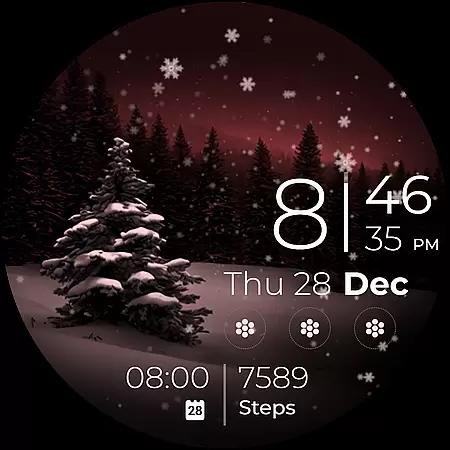
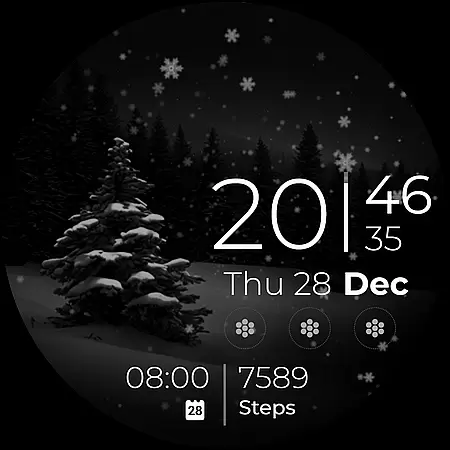
Snow Night is an artistic watch face designed for Wear OS devices, offering a captivating winter-themed experience. Featuring ambient snowfall animation and customizable options, it provides both aesthetic appeal and functional utility.
The watch face includes clear indicators for time, date, battery, and more, with tap interactions for quick access to essential apps. Users can personalize colors, AOD styles, and complications to create their ideal layout.
Optimized for devices running Wear OS 5.0 and newer, Snow Night combines beauty and practicality, making it perfect for users seeking a stylish yet functional smartwatch experience.
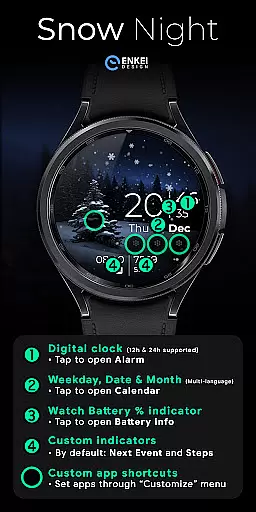
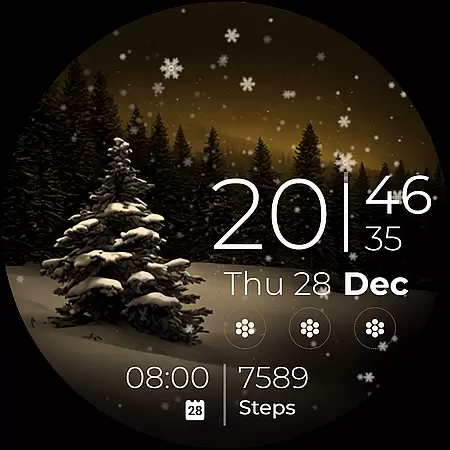
Snow Night stands out with its rich feature set tailored for customization and usability. The digital clock supports 12h/24h formats, while tap interactions allow users to open alarms, calendars, and battery info effortlessly.
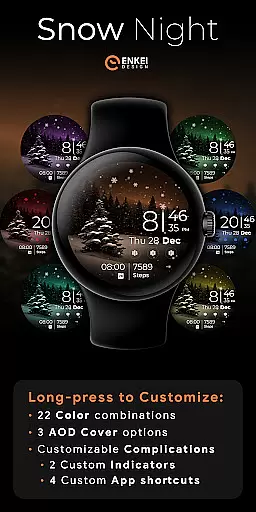
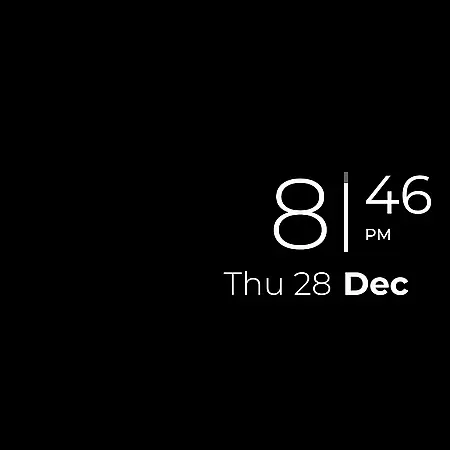
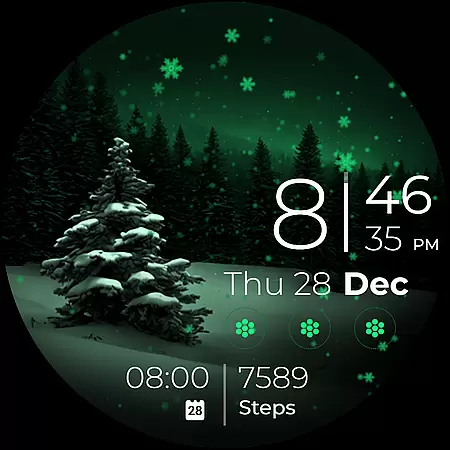
With four customizable app shortcuts and two short-text indicators, users can access their most-used apps and information instantly. Long-pressing opens a detailed customization menu with 22 color combinations and three AOD cover options.
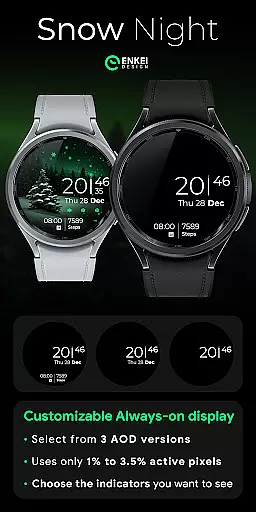
Powered by Watch Face Format, this watch face ensures low power consumption, using only 2%-4% active pixels. These features make Snow Night both versatile and efficient for everyday use.
Companion app integration is essential for Android Wear applications like Snow Night. This feature ensures seamless synchronization between the watch face and its companion app on your phone.
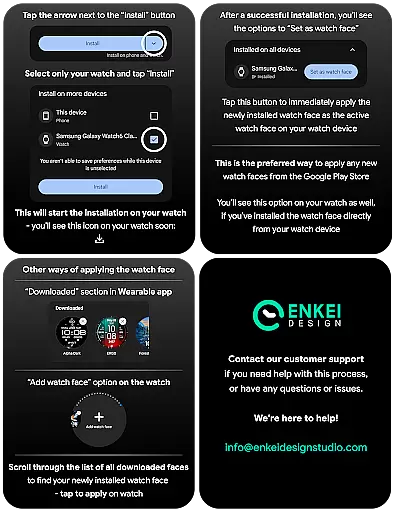
Snow Night's companion app serves as a bridge, allowing users to install the watch face directly onto their wearable device. It simplifies the setup process by providing clear installation instructions and directing users to the correct settings.
Through this integration, users can access additional customization options that are otherwise difficult to manage directly on the watch. The companion app provides an intuitive interface for adjusting settings such as color schemes, AOD styles, and complications.
This level of integration enhances user experience by offering expanded control over the watch face's features while maintaining ease of use. Users benefit from having a centralized location to manage their watch face preferences, ensuring a personalized and optimized display on their wearable device.
Device compatibility is a critical aspect of any Android Wear application, including Snow Night. This watch face is specifically designed for devices running Wear OS 5.0 and newer versions (API 34+), ensuring optimal performance on supported devices.
The developers have implemented strict compatibility checks to guarantee that Snow Night functions correctly on qualified hardware. This includes testing across various screen sizes, resolutions, and device capabilities to deliver a consistent user experience.
By targeting newer versions of Wear OS, Snow Night takes advantage of advanced features such as enhanced battery management, improved graphics rendering, and sophisticated animation support. These features contribute to the watch face's visually appealing snowfall animation and customizable elements.
Users benefit from this focused compatibility approach as it ensures stability, performance, and access to the latest smartwatch functionalities. The clear system requirements help users make informed decisions about installation, reducing potential technical issues and enhancing overall satisfaction with the product.
Beautiful snowfall animation
Highly customizable layout
Low power consumption
Multi-language support
Quick tap interactions
Limited to Wear OS 5.0+
No phone functionality
Premium-only features
Complex setup process
Fewer options for older devices

Highly customizable hybrid watch face for Wear OS, perfect for everyday use.
 4.60
4.60
Christmas Theme Watch Face for Wear Os
5.00
an Analog Watch Face for winter season with freeze winter background for Wear OS
4.4
Christmas is near, let's count together the days left until Santa comes
4.4
Be an elegant and classy secret agent, with this carefully detailed watch face
4.70
The most customizable minimal watch face. For Wear OS 5.0, API 34+ and later
4.70
Digital watch face. For Wear OS devices.
4.40
The #1 source of faces for your smartwatch!
4.00
Retro digital watch face with customizable colors and a unique lighting effect
4.60
Hyperlocal rain alerts by MyRadar using patent-pending technology, radar & more
4.80
The most customizable hybrid watch face. For Wear OS 5.0, API 34+ and later
4.70
Rose gold watch face with festive lights & customizable features.
4.60
Real-time results, stats, schedules and player profiles for all leagues
4.60
Calming & relaxing sounds for sleeping and stress relief. Stay focused all day!
4.20
Wear Os Watch Face - Animated Snow Effect & Magic Spark - 6 Scenes
4.10
Want to take charge of your health? Let Google Fit help you reach your goals.
3.50
Analog watch face with 8 complications and expedition styling
4.4
A watch face that fuses motorsport precision with contemporary smartwatch design
4.0
Fitness interactive virtual pet super fighter boy watch face
4.4


User Reviews