
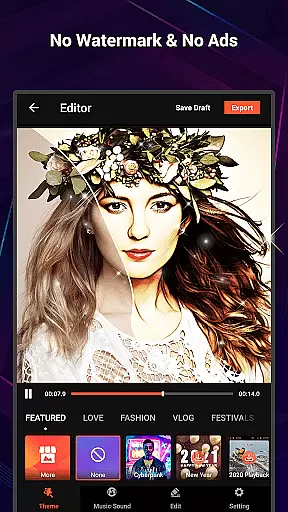
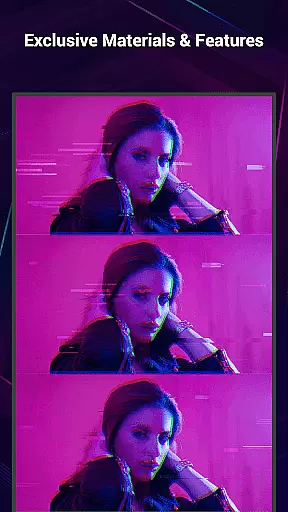
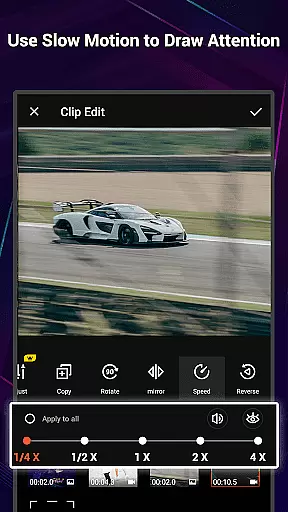
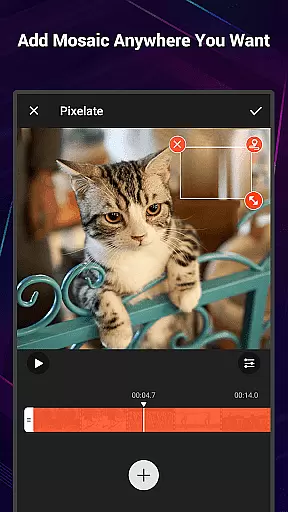
VideoShow Pro is a premium video editing application designed for both amateur and professional content creators. This app offers advanced features such as no watermark, ad-free interface, 1080p and 4K video export support, and access to exclusive materials. With its intuitive design, users can easily create stunning videos by integrating photos, music, filters, and sound effects.
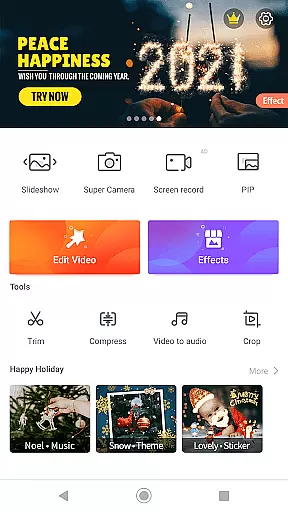
The app stands out with its rich toolbox that includes Ultra Cut, Fast Trim, Video Compression, and Video to MP3 conversion. These features allow users to refine their videos with precision. Whether you're editing a vlog, promotional video, or personal montage, VideoShow Pro provides the tools needed to produce high-quality content efficiently.
Ideal for social media influencers and video editors, this app enhances creativity while simplifying the editing process. The ability to add live dubbing, transitions, and various text styles makes it versatile for different types of projects. VideoShow Pro ensures an excellent video editing experience across multiple platforms.
VideoShow Pro boasts an array of powerful features tailored for seamless video editing. One of its key strengths is the ability to zoom and rotate videos effortlessly, giving creators more control over their visual storytelling. The app also supports mixing videos and photos, allowing users to craft dynamic narratives without the need for pre-transcoding.
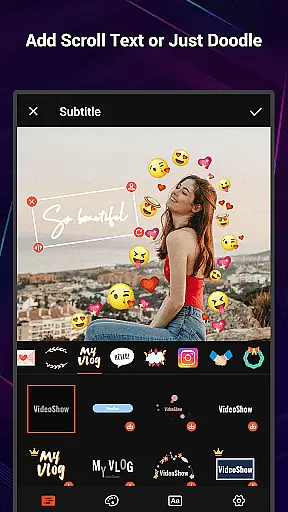
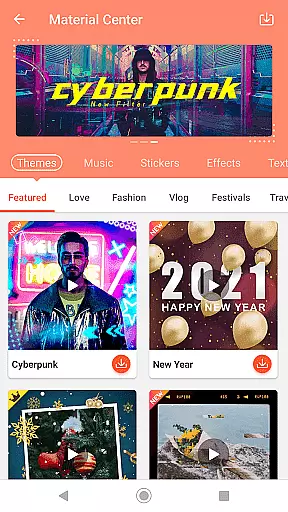
In addition to basic editing tools, VideoShow Pro offers a fantastic Materials Store filled with themes, music, text styles, stickers, sound effects, and fonts. Users can choose from elaborate themes like love, birthday, and friendship to instantly generate characteristic videos. The inclusion of square themes and modes caters specifically to social media enthusiasts looking to optimize content for platforms like Instagram and Facebook.
Another standout feature is the comprehensive toolbox, which includes Ultra Cut for merging video parts, Fast Trim for quick edits, Video Compression for reducing file size, and Video to MP3 conversion for extracting audio tracks. These practical tools ensure that users have everything they need to produce polished, professional-grade videos.
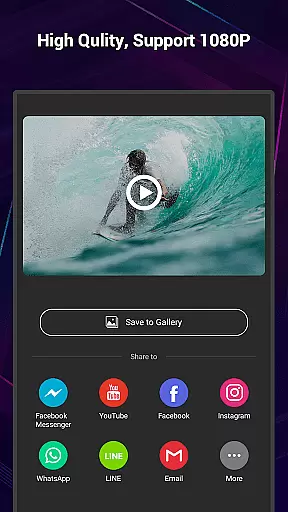
VideoShow Pro stands out with its exceptional video format compatibility, ensuring users can work seamlessly across various file types. The app supports importing and exporting videos in multiple resolutions, including 1080p and 4K quality, which caters to both standard users and professionals seeking high-definition outputs.
The application's ability to handle diverse formats without the need for pre-transcoding simplifies the editing process significantly. This means you can directly import videos from different devices and start editing immediately, saving valuable time and storage space.
Moreover, VideoShow Pro offers a versatile editing environment where users can mix video and photo files together effortlessly. This flexibility allows creators to produce content that combines different media formats into one cohesive project, enhancing storytelling capabilities.
With its comprehensive format support and resolution options, this video editor ensures that your projects maintain their original quality throughout the editing process. Whether you're creating social media content or professional-grade videos, VideoShow Pro's format compatibility provides the necessary foundation for producing visually stunning results.
VideoShow Pro incorporates advanced AI-powered editing features that revolutionize the video creation process. The application's intelligent tools enable users to apply up to 20 FX effects in a single video, enhancing visual storytelling with minimal effort.
The AI-driven functionality extends to automatic video enhancement, where smart algorithms analyze and optimize video parameters such as brightness, contrast, and color balance. These automated adjustments ensure that even novice editors can produce professional-looking content without requiring technical expertise.
Furthermore, the app's AI capabilities extend to its material suggestion system, which recommends appropriate themes, music, and effects based on video content analysis. This feature streamlines the creative process by providing context-aware suggestions that align with current video editing trends.
VideoShow Pro's AI integration also includes intelligent audio processing, allowing users to record live dubbing and automatically synchronize it with video content. These sophisticated features combine to create an intuitive editing experience that maintains professional standards while remaining accessible to users of all skill levels.
Ad-free experience
High-quality export options
Exclusive editing materials
User-friendly interface
Comprehensive toolbox
Paid subscription required
Advanced features may overwhelm beginners
Limited free material selection
Occasional performance lags
Large app size

A full editing room to accompany your Insta360 cameras and handheld gimbals.
 3.30
3.30
Client application for NextPVR software
3.00
Save photos and videos from social apps in one tap.
3.60
HD video & music player - All format support with floating & PIP mode!
3.80
Cast Videos from Web Browser, IPTV to Roku, Chromecast, DLNA, Smart TV +more
4.60
Watch a large amount of high-definition short drama content
4.60
Livestream, news, & gaming content. Watch, chat, and upload. Join Rumble today!
3.80
Fast private browser with secure, seamless access & supported video downloads!
4.00
Video&Drama Player All Format is a HD video player, music player
3.00
A Quick and Pro Video Editor
4.70
HD Video player all format, HD Videos, Cast & Subtitle. No annoying ads.
4.60
Search & download videos from net with all video downloader, auto-detect & safe.
4.60
Cast movies, tv shows and live streams to Chromecast, Roku, DLNA, Fire TV & more
4.60
Download website videos fast&privacy
4.40
Powerful Video Editor & Photo Editing App —— Quick Edits & Stunning Effects!
4.30
Powerful video player with advanced hardware acceleration and subtitle supports
4.20
Powerful, professional, versatile teleprompter. Developed by an active film crew
4.00
All in one multi protocols stream receiver for AirPlay, Cast and DLNA.
3.60
Play and download HD videos from all sources — fast, simple, and all-in-one.
4.0


User Reviews