
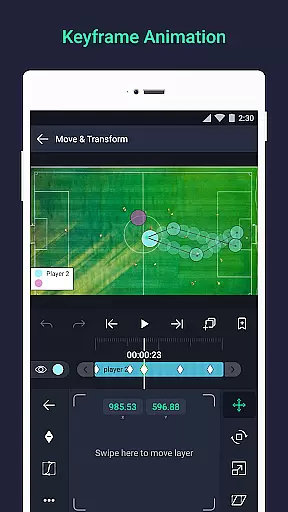
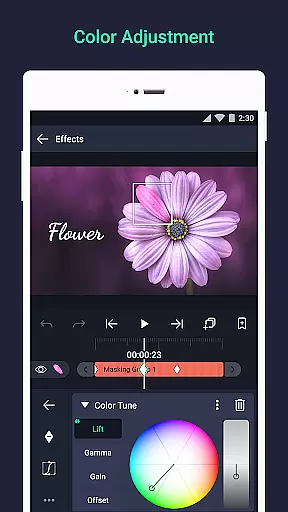

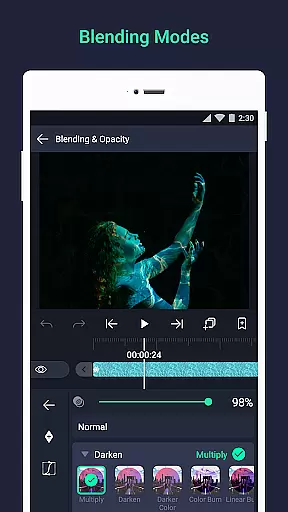
Alight Motion is a pioneering motion design app that brings professional-quality animation and video editing tools to your mobile device. With features like multi-layer support for graphics, video, and audio, it enables users to create sophisticated visual effects and motion graphics. The app supports both vector and bitmap editing, keyframe animations, and advanced color adjustments, making it an ideal choice for designers and content creators.
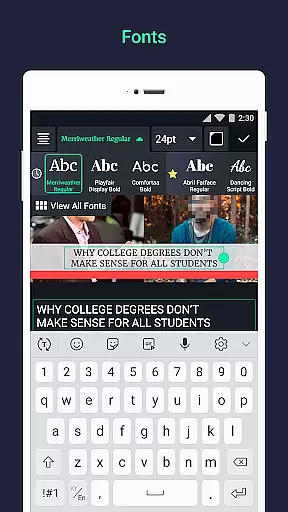
The application stands out with its unique offerings such as camera panning, zooming, focus blur, and fog effects. It also allows layer grouping, masking, and custom font usage for text, providing a comprehensive toolkit for creative expression. Whether you're crafting social media content or working on detailed motion projects, Alight Motion ensures smooth animations through velocity-based motion blur and easing options.
Available on Android, this app caters to professionals seeking robust design capabilities on the go. Its subscription model offers flexibility, allowing users to access premium features while enjoying the freedom of mobile creation.
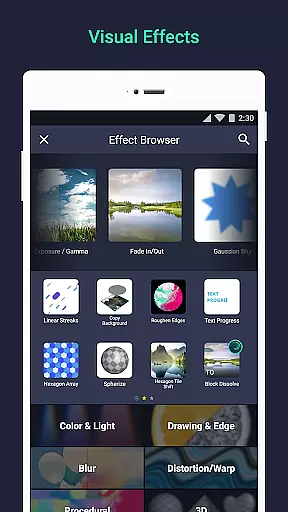
Alight Motion distinguishes itself through a rich set of features tailored for motion designers. One of its core strengths is the ability to add multiple layers of graphics, video, and audio, enabling complex compositions. Users can leverage 160+ effect building blocks to craft intricate visual effects, while keyframe animation provides precise control over every setting.
The app's versatility extends to character rigging, where parent-child layer linking and joint rigging allow for dynamic animations. Advanced camera tools let users experiment with pan, zoom, focus blur, and fog, adding cinematic depth to their work. Additionally, features like color adjustment, animation easing, and velocity-based motion blur ensure fluid, professional-grade motion.
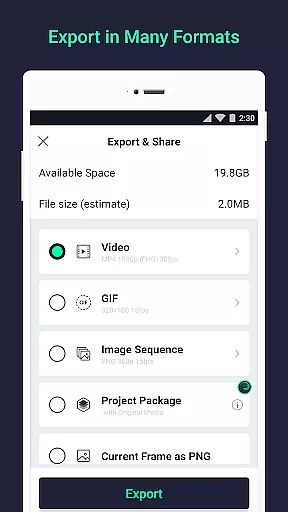
Export options are equally robust, supporting MP4 video, GIFs, PNG sequences, and still images. Sharing project packages facilitates collaboration, while solid color and gradient fills enhance creative possibilities. These features collectively empower users to produce high-quality content efficiently.
Video format compatibility is a crucial feature for any video editing application, ensuring users can work with various file types seamlessly. Alight Motion excels in this area by supporting multiple layers of graphics, video, and audio, which means you can import and export files in different formats without hassle.
The app allows exporting in MP4 video, GIF animation, PNG sequences, and stills, providing flexibility for both professional and casual users. This versatility ensures that whether you're creating motion graphics, animations, or editing videos, the format you need is supported.
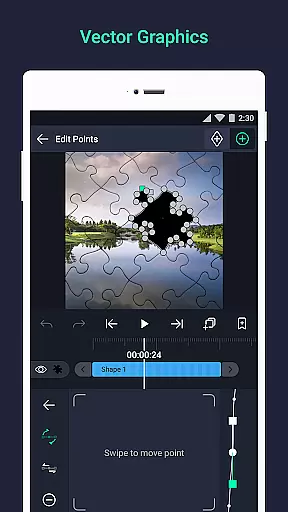
Moreover, Alight Motion's ability to handle vector and bitmap images enhances its compatibility. Users can edit vector graphics directly on their devices, making it an all-in-one tool for diverse video editing needs. The inclusion of custom font support for text adds another layer of format compatibility, essential for creative projects.
Ultimately, the extensive format support in Alight Motion not only broadens the scope of projects you can undertake but also simplifies the workflow, allowing creators to focus more on the creative process rather than technical limitations.
AI-powered editing features represent the cutting edge of video editing technology, automating complex tasks and enhancing creativity. Alight Motion incorporates several AI-driven tools that significantly improve the editing experience. One standout feature is the velocity-based motion blur, which creates smooth, professional-quality videos by simulating realistic motion effects.
In addition to motion blur, the app offers 160+ basic effect building blocks that users can combine to craft sophisticated visual effects. These AI-powered effects allow even beginners to produce high-quality animations and motion graphics with ease. The availability of keyframe animation for all settings further empowers users to create detailed and precise animations.
Alight Motion also includes advanced functionalities like linking parent and child layers, rigging character joints, and using cameras that pan, zoom, and support focus blur and fog. These features are enhanced by AI, making complex animations more accessible and less time-consuming. The ability to adjust colors and apply effects to borders, shadows, and strokes adds another dimension to the creative possibilities.
By leveraging AI-powered editing features, Alight Motion not only streamlines the editing process but also opens up new avenues for creativity, enabling users to bring their visions to life with unprecedented ease and precision.
User-friendly interface
Extensive feature set
Professional-grade tools
Flexible subscription plans
Active developer support
Requires significant RAM
Watermark on free version
Premium features locked behind paywall
Occasional performance issues
Steep learning curve

Powerful, professional, versatile teleprompter. Developed by an active film crew
 4.00
4.00
Video Player - Unlimited features, 30 days money back guarantee.
4.60
Video Downloader is an utility that can save videos and music from web sites
4.20
Fast video downloader & private browser. Save HD clips to watch offline.
4.40
Add date and time watermark to photos and videos
4.50
Find, download, and play torrents with the official BitTorrent® Pro app
4.70
Flud is a simple and beautiful BitTorrent client for Android.
4.80
This app is an emulator of some specific IPTV boxes
3.50
Fast private browser with secure, seamless access & supported video downloads!
4.00
GENRAL PRO - General Pro is the best video player that fully supports all formats.
4.70
Cast to Chromecast, Xbox, Fire Stick, Roku, DLNA, Smart TV & No Feature Limited!
4.50
KineMaster, Your Ultimate Video Editor!
4.40
Video player, file manager for all formats, 4K/HD media player supports subtitle
4.30
Web Browser for LG TV to stream webvideos, online movies and livestreams in HD
4.20
Your media, on your terms.
4.10
A full editing room to accompany your Insta360 cameras and handheld gimbals.
3.30
IPTV Player - Watch live TV from m3m & m3u8 playlist, stream IPTV on mobile
3.30
Browser for Sony TV to stream web videos, online movies and live tv
3.20
The smartest M3U IPTV Player your playlists have ever seen.
4.3


User Reviews