
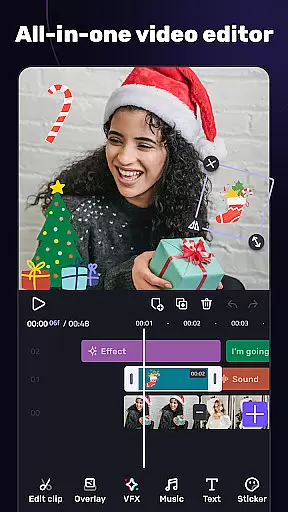
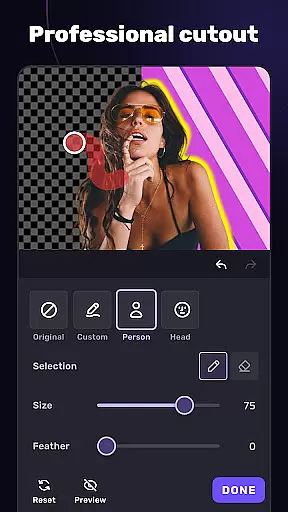
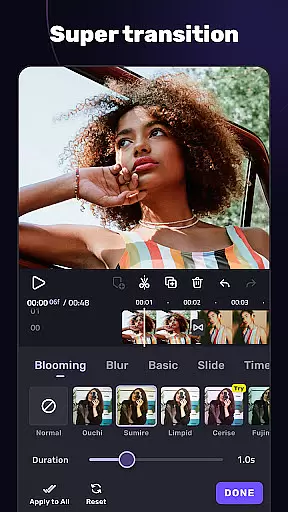
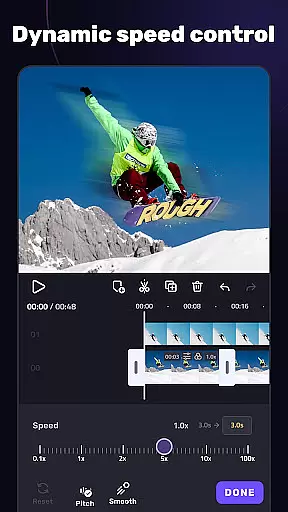
VivaCut is a versatile video editor and maker that caters to both casual users and professional content creators. With its intuitive multi-layer timeline, users can achieve frame-by-frame precision while editing videos with overlay features. The app provides essential tools such as trimming, splitting, and combining clips, along with advanced options like green screen effects and keyframe animations.
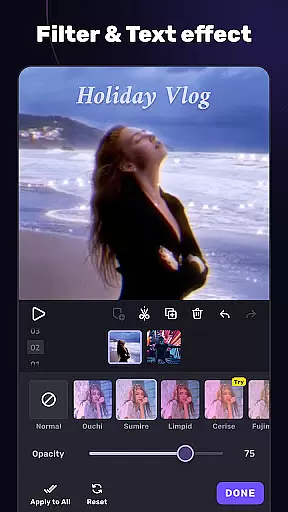
Designed for social media enthusiasts, VivaCut allows users to create cinematic videos enhanced by music, filters, and glitch effects optimized for platforms like YouTube, Instagram, and TikTok. Its Picture-in-Picture functionality and customizable transitions make it easy to produce visually stunning content. Whether you're looking to share fun moments or craft Hollywood-level edits, VivaCut delivers the tools needed to elevate your video projects.
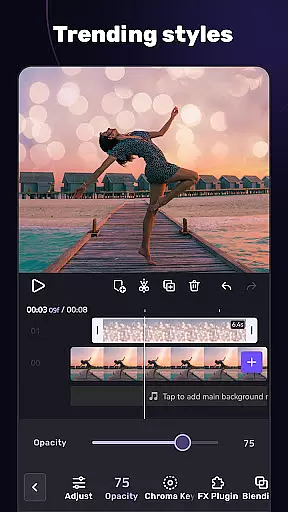
VivaCut stands out with its robust feature set tailored for diverse video editing needs. Basic functionalities include precise trimming, splitting, and merging of clips, alongside speed control for creating dynamic slow-motion or fast-paced sequences. Advanced tools like chroma keying enable seamless background replacements, while keyframe animation adds professional-grade motion effects to text, stickers, and masks.
The app also offers creative filters, glitch effects, and transitions that enhance visual storytelling. Users can blend videos using modes like Multiply or Screen, customize layers with opacity adjustments, and even extract audio from videos. With export resolutions up to 4K and one-click sharing to social platforms, VivaCut ensures high-quality output and effortless distribution of your edited videos.
Video format compatibility is a crucial feature for any video editing application, ensuring that users can work with a wide range of video files without conversion hassles. AI Video Editor supports an extensive array of formats, allowing creators to import and export videos in resolutions up to 4K. This versatility guarantees that whether you're editing footage from a professional camera or a smartphone, the app maintains the original quality while providing the flexibility needed for various project requirements.
The app's dedication to comprehensive format support extends to its rendering options. Users can customize video resolution settings, choosing between standard HD, Full HD, or Ultra HD outputs. This ensures that final exports are optimized for any platform, be it YouTube, Instagram, or TikTok. The ability to switch between different resolutions empowers content creators to balance between file size and video quality according to their specific needs.
Moreover, AI Video Editor doesn't just stop at supporting popular formats; it also includes robust tools for handling less common codecs. This forward-thinking approach means that as video technology evolves, users won't face limitations due to format restrictions. The app's developers consistently update the software to maintain compatibility with emerging standards, future-proofing the editing experience for all users.
By prioritizing broad format compatibility, AI Video Editor removes technical barriers, enabling creators to focus on their artistic vision rather than worrying about file conversions or compatibility issues. This commitment to seamless workflow integration makes the app an invaluable tool for both amateur enthusiasts and professional videographers seeking efficient, high-quality editing solutions.
AI-powered editing features represent a significant advancement in video editing technology, offering users unprecedented efficiency and creative possibilities. AI Video Editor harnesses artificial intelligence to automate complex editing tasks that traditionally required hours of manual work. From intelligent scene detection to automatic color correction, these features enable creators to produce professional-grade videos with minimal effort, making sophisticated editing techniques accessible to users of all skill levels.
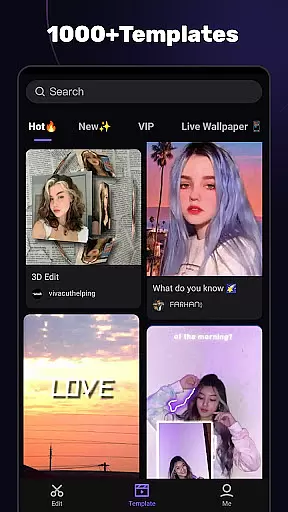
One of the standout AI capabilities is the smart template system, which analyzes video content and suggests optimal editing patterns. These templates include pre-configured transitions, effects, and filters that adapt to the imported footage characteristics. Additionally, the AI-driven audio processing engine can automatically detect and enhance voice tracks while reducing background noise, ensuring crystal-clear sound quality without requiring specialized knowledge from the user.
The application's machine learning algorithms also excel in visual enhancement tasks. They can intelligently upscale lower-resolution footage to higher definitions without significant quality loss, using advanced interpolation techniques. Furthermore, the AI-powered stabilization feature corrects shaky footage while preserving natural motion, resulting in smooth, cinematic sequences that would otherwise demand expensive equipment or extensive post-production work.
These AI-powered tools not only save time but also serve as valuable learning aids for aspiring editors. By observing how the AI processes different elements, users can gain insights into professional editing techniques. As the technology continues to evolve, AI Video Editor remains committed to integrating cutting-edge artificial intelligence solutions, ensuring that users always have access to the most innovative and effective editing tools available in the industry.
User-friendly interface
Advanced editing tools
High-quality export options
Wide range of effects
One-click social sharing
Subscription required
Complex for beginners
Limited free features
Occasional bugs
Ads in free version

Kodi media center, a free and open source cross-platform entertainment hub
 3.60
3.60
Client application for NextPVR software
3.00
Watch a large amount of high-definition short drama content
4.60
Live TV, anywhere in your home
3.80
GENRAL PRO - General Pro is the best video player that fully supports all formats.
4.70
IPTV Loader, loads your own Playlist. DOES NOT CONTAIN ANY LIST OR CHANNELS
4.60
Browser for Sony TV to stream web videos, online movies and live tv
3.20
The essential companion to your Blue Iris PC software
2.50
Flud is a simple and beautiful BitTorrent client for Android.
4.80
An easy-to-use and all-round screen recorder with audio
4.80
Cast Videos from Web Browser, IPTV to Roku, Chromecast, DLNA, Smart TV +more
4.60
Cast movies, tv shows and live streams to Chromecast, Roku, DLNA, Fire TV & more
4.60
Browser for Fire TV to stream webvideos, online movies, livestreams in HD
4.40
Movie maker & video editing app with AI effects and green screen
4.30
Your media, on your terms.
4.10
Browser for Samsung TV to stream webvideos, online movies and livestreams in HD
4.10
All format media Player, no need video converter any more!
4.00
Manage your IPTV live channels and VOD playlists (no playlist included)
3.80
Save photos and videos from social apps in one tap.
3.60


User Reviews