
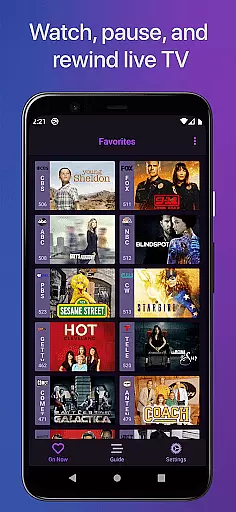
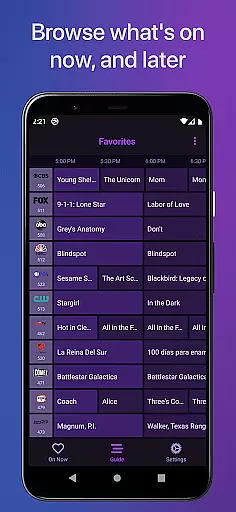
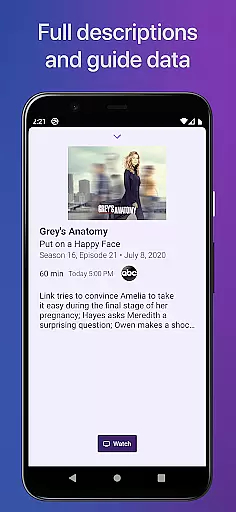
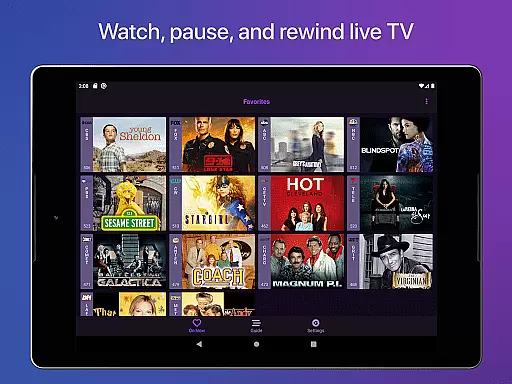
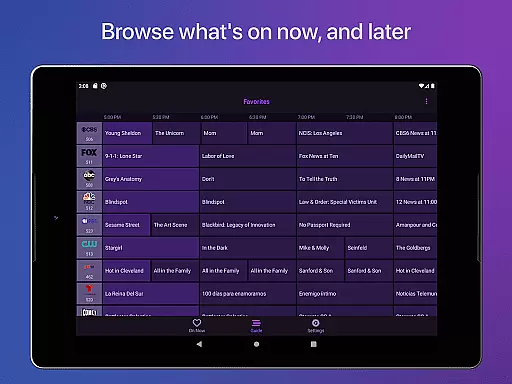
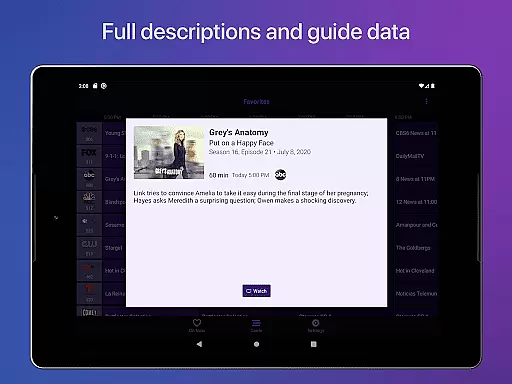
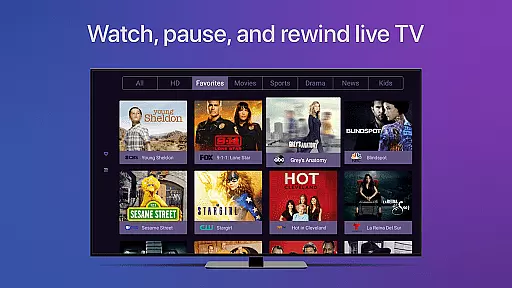
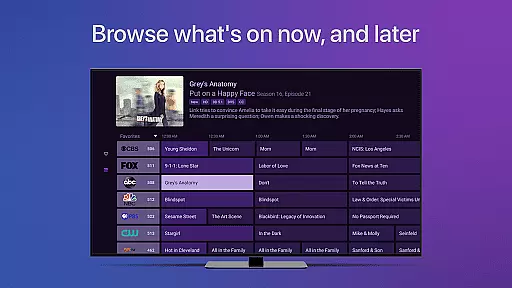
Channels for HDHomeRun is a versatile live TV streaming application designed specifically for Android users who own an HDHomeRun networked TV tuner. This app allows you to enjoy live television directly on your mobile device, offering features such as pausing, rewinding, and fast-forwarding live TV. With support for full HD streaming, 5.1 surround sound, closed captioning, and comprehensive guide data, Channels ensures a rich viewing experience.
The app stands out by integrating seamlessly with your existing streaming services, allowing you to watch live primetime TV, local news, and sports without switching inputs. It also supports the use of a single antenna for multiple TVs in your home, making it both cost-effective and convenient. Whether you're looking to catch up on sports, follow award shows, or stay updated with local news, Channels provides a comprehensive solution that enhances your TV viewing experience.
One of the standout features of Channels for HDHomeRun is its ability to provide a seamless live TV experience on your Android device. The app offers a complete electronic program guide, channel favoriting, and the option to jump back to the last viewed channel. Additionally, it supports auto discovery of HDHomeRun devices on your network, ensuring easy setup and management.
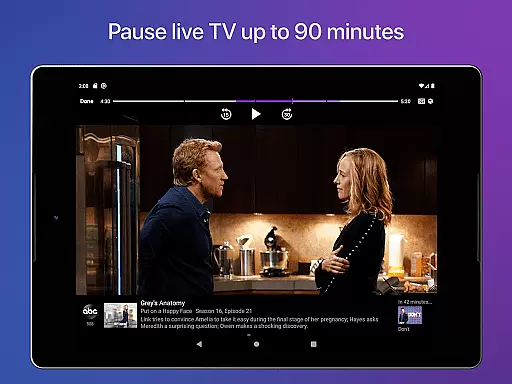
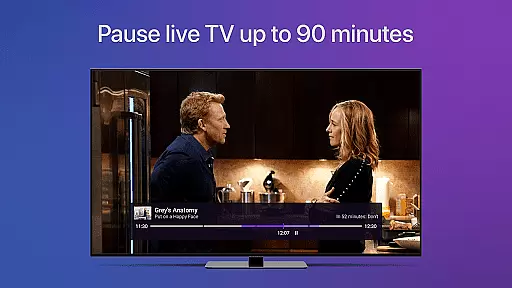
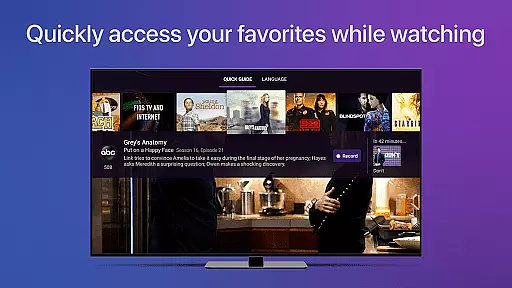
Channels also excels in user experience with innovations like the live TV buffer, which allows viewers to pause and rewind live broadcasts for up to 90 minutes. The Quick Guide feature lets users browse other channels while watching TV, and the app fully supports VoiceOver for visually impaired users. These features collectively ensure that Channels delivers not only on functionality but also on accessibility and convenience.
One of the key strengths of Channels for HDHomeRun is its extensive video format compatibility. The app supports a wide range of broadcast standards, ensuring that users can access their favorite channels without worrying about format restrictions. Whether you're using an antenna for over-the-air broadcasts or streaming from your cable provider, Channels ensures smooth playback across different formats.
The application leverages the capabilities of HDHomeRun tuners to deliver Full HD streaming directly to your Android device. This high level of compatibility allows users to enjoy crisp, clear images with minimal buffering, provided there is sufficient bandwidth. Additionally, the app supports 5.1 Surround Sound and closed captioning, making it a versatile solution for various viewing preferences.
For users who rely on multiple devices within their home network, this compatibility ensures a seamless experience across all screens. By supporting both local and cable TV streams, Channels eliminates the need for additional hardware or complicated setup processes. This makes it an ideal choice for those looking to simplify their entertainment systems while maintaining high-quality video playback.
While Channels for HDHomeRun primarily focuses on live TV streaming, it incorporates several AI-powered features that enhance the overall viewing experience. One notable feature is the automatic program guide data integration, which uses intelligent algorithms to fetch and display accurate channel information. This ensures that users always have up-to-date schedules without manual input.
The app's AI capabilities extend to its voice support functionalities, offering full compatibility with VoiceOver technologies. This feature is particularly beneficial for visually impaired users, as it provides audio descriptions of on-screen elements. Additionally, the auto-discovery function intelligently detects available HDHomeRun devices on your network, simplifying the initial setup process.
Another innovative aspect is the smart buffer management system. This AI-driven feature optimizes storage usage by dynamically adjusting the live TV buffer duration based on available device memory. Users can enjoy up to 90 minutes of rewind capability while the system efficiently manages resources in the background. These intelligent features demonstrate how Channels utilizes AI to create a more intuitive and user-friendly television experience.
User-friendly interface
Full HD streaming
Live TV buffer
VoiceOver support
Auto Discovery
Requires HDHomeRun tuner
No DRM stream support
Network dependency
Limited to home network
Additional subscription for DVR

HD Video player all format, HD Videos, Cast & Subtitle. No annoying ads.
 4.60
4.60
Fast video downloader & private browser. Save HD clips to watch offline.
4.40
HD video maker with no watermark, no ads & vlog maker with music, PIP, text
4.50
VLC Remote lets you control your VLC Media Player on Mac, PC or Linux.
4.60
Seamlessly connect and control your smart devices, anytime, anywhere with ease.
4.60
Browser for Samsung TV to stream webvideos, online movies and livestreams in HD
4.10
Web Browser for LG TV to stream webvideos, online movies and livestreams in HD
4.20
Manage your YouTube channel on the go
4.40
Make videos you’re proud to share with Edits, a video editor for creators.
4.70
IPTV Loader, loads your own Playlist. DOES NOT CONTAIN ANY LIST OR CHANNELS
4.60
Auto video maker with music & exclusive filters. Video editing made simple.
4.50
Fast & Private Video Downloader App. Save all videos easily from the Internet.
4.40
Create & edit videos with AI
4.30
Powerful Video Editor & Photo Editing App —— Quick Edits & Stunning Effects!
4.30
Make your own Animations, Video and Photo Edits, Visual Effects, and more!
4.00
A full editing room to accompany your Insta360 cameras and handheld gimbals.
3.30
IPTV Player - Watch live TV from m3m & m3u8 playlist, stream IPTV on mobile
3.30
Video player with powerful streaming playback and various convenient features.
2.10
The smartest M3U IPTV Player your playlists have ever seen.
4.3


User Reviews