
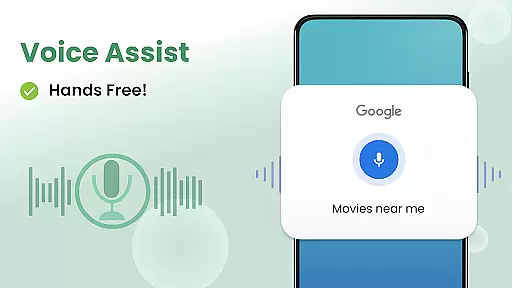

Big Keyboard is a personalization app designed to enhance the smartphone experience through an intuitive home screen layout and an enlarged keyboard feature. The app provides users with quick-swipe shortcuts, making it easier to access frequently used functions such as calling and messaging. Additionally, it includes a voice assistant tool for hands-free search operations, which is particularly useful for users seeking convenience and efficiency.
Beyond its core functionalities, Big Keyboard offers practical tools like a magnifier for reading small text, which proves invaluable in various situations such as reading menus in low-light environments. Users can also personalize their devices with free wallpapers and easily adjust display settings to suit their preferences, ensuring both comfort and style. These features collectively contribute to a more user-friendly and personalized smartphone experience.
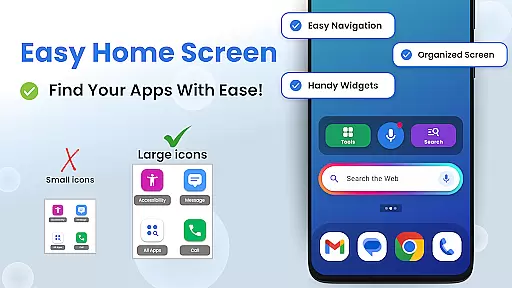
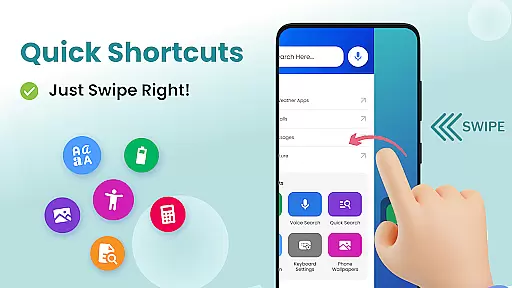
Big Keyboard stands out with its array of features tailored to simplify and enrich the mobile experience. One of the highlighted features is the new home screen experience, which boasts an intuitive design complemented by quick shortcuts accessible with a simple swipe. This functionality streamlines navigation and keeps essential tools at the user's fingertips.
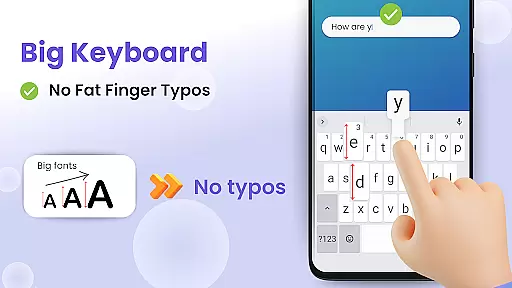
The enlarged keyboard is another significant feature, offering up to 70% more space than standard keyboards, thus reducing typos and enhancing typing speed. Coupled with hands-free voice assistance powered by Yahoo, users can perform searches effortlessly. Moreover, the inclusion of a magnifier and flashlight addresses everyday challenges, while easy shortcuts and built-in tools like a calculator further augment the app’s utility.
Personalization options are abundant, allowing users to customize their phone backgrounds with fun wallpapers. Accessibility settings are readily available, ensuring that users can tailor their device to their specific needs and preferences. Each feature has been thoughtfully integrated to provide tangible benefits, making daily interactions with the smartphone more enjoyable and efficient.
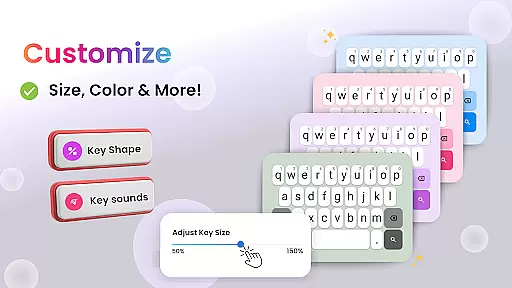
Customization is at the heart of Big Keyboard's offering, providing users with a versatile and personalized smartphone experience. The app allows you to modify your home screen layout with an intuitive design that supports quick-swipe shortcuts, making daily tasks more accessible than ever.
The standout feature is the sizable keyboard, which can be enlarged by up to 70%, ensuring that typos become a thing of the past. This adjustability extends beyond just size; it encompasses the overall typing experience, allowing users to type faster and with greater confidence without the need for precision tapping.
Moreover, the app offers built-in free wallpaper options, enabling users to personalize their phone backgrounds according to their preferences. Coupled with easy access to display and accessibility settings, Big Keyboard ensures that your device not only functions well but also reflects your personal style.
By integrating helpful tools like a magnifier and flashlight, Big Keyboard goes beyond mere aesthetics, enhancing usability in various scenarios such as reading menus in dimly lit environments. These customization options collectively contribute to a more comfortable and tailored user experience.
Theme compatibility is a crucial aspect of any personalization app, and Big Keyboard excels in this domain by ensuring seamless integration with various themes. Whether you prefer a minimalist look or vibrant designs, the app provides a cohesive visual experience that aligns with your chosen theme.
Big Keyboard's adaptive theming extends to its functional components, including the keyboard itself. Users can enjoy a consistent appearance across their device, from the home screen to input methods, creating a unified aesthetic that enhances the overall user interface.
In addition to visual consistency, the app maintains operational harmony with different themes. This means that regardless of the theme applied, all featuresu2014such as voice assistant tools, search functionalities powered by Yahoo, and even the calculatoru2014are easily accessible and function without hiccups.
Ultimately, Big Keyboard's commitment to theme compatibility ensures that users can express their individuality while enjoying a smooth and integrated smartphone experience. By prioritizing both form and function, the app guarantees that personal style does not come at the expense of usability.
Intuitive Home Screen
Enlarged Keyboard
Voice Assistant Tool
Magnifier Functionality
Customizable Wallpapers
Limited Design Options
Potential Compatibility Issues
Occasional Lag
Ads in Free Version
Learning Curve

Capture moments that pass like a storm, second by second.
 4.2
4.2
Beautiful realistic hybrid watch face with numerous customization options.
4.50
Fingerprint Lock Screen & Live Animations with 4K Wallpapers as Live Wallpaper
4.40
Personalize your phone with stunning HD and 4K wallpapers!
4.70
Try creating your own keyboard with "Keyboard theme for android" app now!
4.50
Romantic Kiss Stickers App. Start romantic messaging now!
4.30
300+ Stunning and well-designed widgets inspired by NOTHING.
4.70
Handcrafted pixel art icons, widgets & wallpapers
4.60
Transform your phone with stylish zipper lock themes and 4D live wallpaper
4.10
Customizable Glass widgets. Over 360+ stunning widgets and more!
4.70
Add cute Shimeji pets to screen, interact with them and relax with cute motions
4.60
Want to make your phone more special than ever?
4.60
3D, live, and moving wallpapers & themes in 4K and HD for your device.
4.50
AI-powered Copilot. Personalized keyboard with gifs, stickers & themes
4.40
Your home screen, just the way you like it.
4.30
Unique Fonts, typefaces and stylish text. Fonts for Instagram, Whatsapp & others
4.20
Unleash Your Creativity and Connect with Loved Ones with Lockscreen Drawing!
4.20
Customize glowing edges, wallpapers, and caller screen with EdgeAura.
3.50
Interactive Miniature Painting Catalogue
3.30


User Reviews