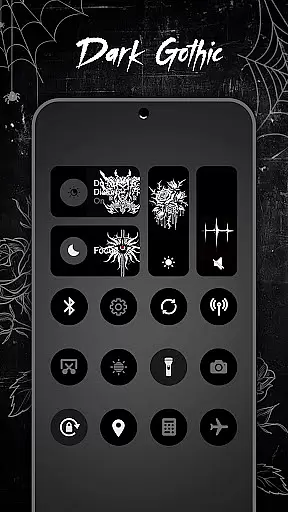
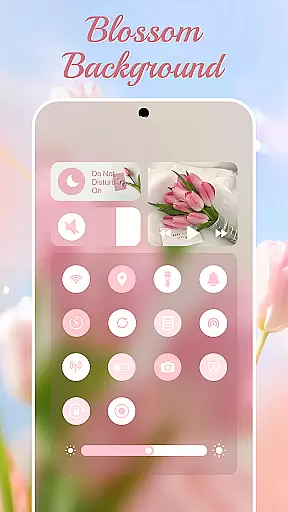
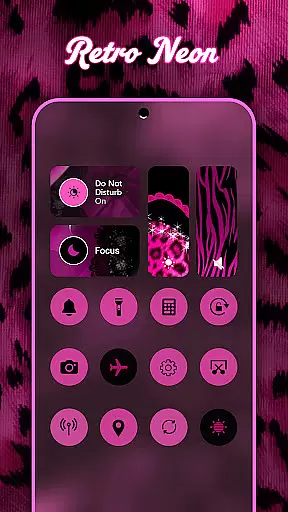
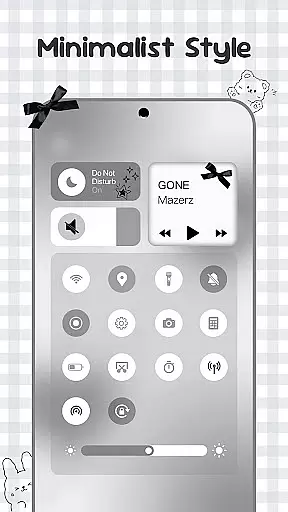
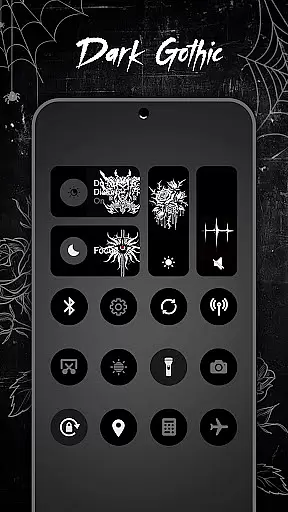
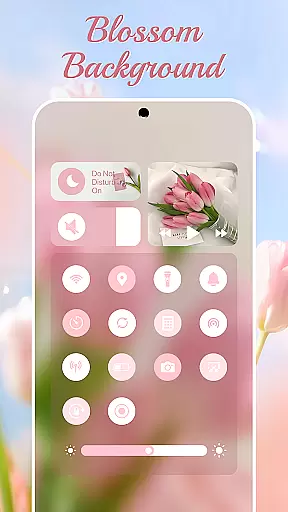
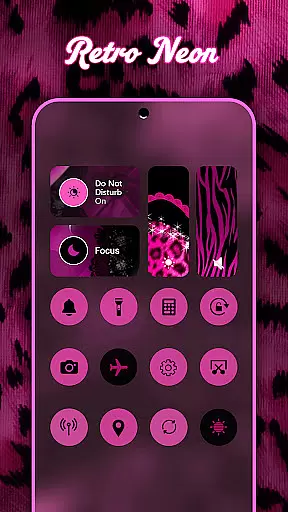
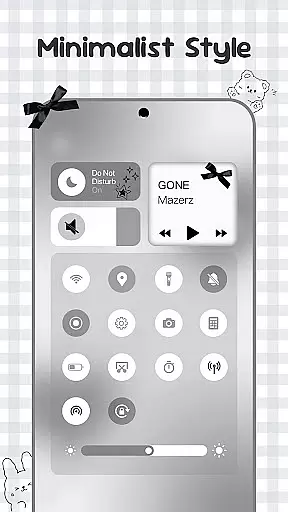
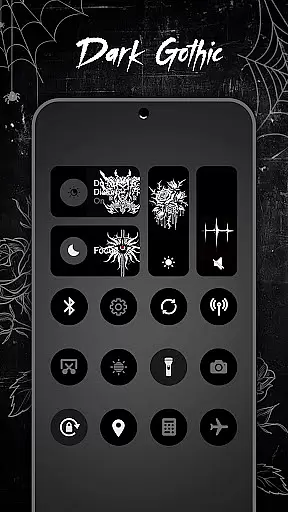
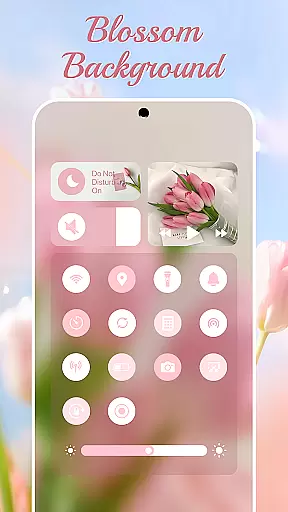
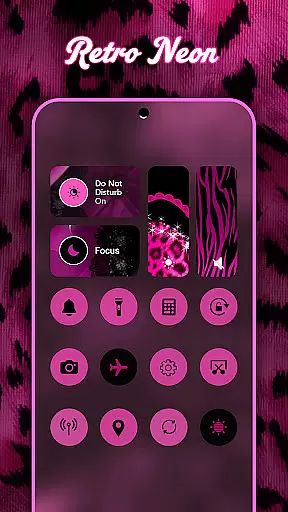
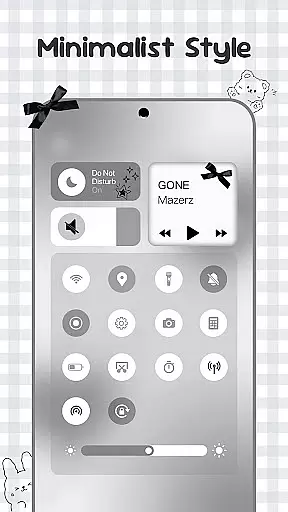
Control Widget is a highly customizable quick settings panel for Android devices, offering users both functional control and aesthetic personalization. It combines essential system controls with beautifully designed themes, allowing users to tailor their device's appearance while maintaining easy access to key functions.
The app features thousands of theme options including anime, K-pop, neon gradients, and more, enabling users to match their device's look to their personal style or mood. With one-tap transformations and live style updates, Control Widget makes it simple to keep your device looking fresh and unique.
This application is particularly useful for Android users who want to enhance their device's visual appeal without sacrificing functionality. The combination of practical tools and stylish design makes it an ideal solution for those seeking to personalize their mobile experience while maintaining efficient control over their device settings.
Control Widget stands out through its comprehensive feature set that blends functionality with personalization. The app provides essential controls such as brightness adjustment, volume control, Wi-Fi and Bluetooth management, and Do Not Disturb mode, all accessible through sleek, user-friendly interfaces.
What sets Control Widget apart is its extensive theme collection and customization capabilities. Users can choose from thousands of aesthetic themes across various categories including pop culture references, seasonal designs, and artistic styles. The app's unique request system allows users to commission custom themes, making it a truly personalized experience.
The implementation of Accessibility Services enables advanced features like music control and screen recording while maintaining system security. This technical integration demonstrates the app's commitment to providing both powerful functionality and beautiful design, making it a valuable tool for Android users seeking complete control over their device's appearance and performance.
Control Widget offers an extensive range of customization options that allow users to tailor their Android device's control panel to match their personal style and preferences. With thousands of aesthetic themes available, including Anime, K-pop, neon gradients, minimalism, and more, users can curate a unique look that resonates with their individuality.
The app provides live style updates, enabling users to switch panels anytime to align with their mood or home screen aesthetics. This flexibility ensures that the control panel is not just a tool for device management but also an extension of personal expression. The one-tap transformation feature makes it incredibly easy to apply these changes instantly, offering a seamless user experience.
By integrating functional tools such as brightness and volume sliders, Wi-Fi, Bluetooth, and Airplane Mode toggles, alongside creative theming options, Control Widget empowers users to enjoy both smart utility and stunning design. This combination enhances usability while providing limitless opportunities for personalization, making every interaction with the control panel a delightful and stylish experience.
Theme compatibility is at the heart of Control Widget's design philosophy, ensuring that each theme integrates seamlessly with various wallpapers, icon packs, and widgets. This harmonious integration allows users to maintain a cohesive and visually appealing home screen setup without compromising on functionality or aesthetics.
The app supports sleek and sync-ready themes that complement any customization choice, from minimalist designs to vibrant, themed collections. Whether you prefer soft coquette styles or sports-inspired looks, Control Widget adapts effortlessly to your vision, enhancing the overall visual coherence of your deviceu2019s interface.
Moreover, users have the option to request custom themes, allowing them to participate actively in the design process. This level of personal involvement ensures that every aspect of the control panel reflects the user's unique taste and requirements. By prioritizing theme compatibility, Control Widget delivers an unmatched personalized experience that elevates the quick-settings panel to new heights of creativity and practicality.
Highly customizable
User-friendly interface
Extensive theme library
One-tap transformations
Comprehensive control options
Requires accessibility permissions
May impact device performance
Premium themes available
Complex for beginners
Foreground service needed

Realistic animated snow on your wrist, with 10 images landscapes to choose from
 4.00
4.00
Unique Android Launcher
4.60
Bring adorable pets to life on your screen. Playful, interactive and full of fun
4.60
Turn your lock screen into fun with smile live wallpapers & animated wallpapers!
2.50
Try creating your own keyboard with "Keyboard theme for android" app now!
4.50
More than 3000+ themes and 9000+ wallpapers for everybody!
4.10
Unleash Your Creativity and Connect with Loved Ones with Lockscreen Drawing!
4.20
Modern Glass Icon Pack with glossy icons, clean minimal theme & aesthetic style
4.2
Your home screen, just the way you like it.
3.80
Customizable Glass widgets. Over 360+ stunning widgets and more!
4.70
A minimalist productivity launcher. One-hand-friendly. Zero ads.
4.70
Ultra realistic high quality analog watch face for Wear OS.
4.60
Customize your home screen with stunning themes, blur, widgets & icons.
4.60
Ultra realistic gold analog watch face with lots of customization options.
4.50
Customizable screen pets that play, climb, and keep you company.
4.50 4.50
4.50 4.50
4.50
Vibrant Adaptive Icons with Material You and Enhanced Monet Colors.
4.50
200+ Material Inspired Widgets
4.50


User Reviews