
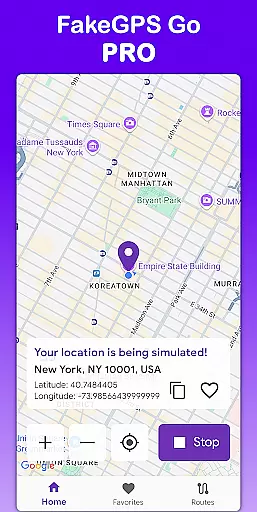
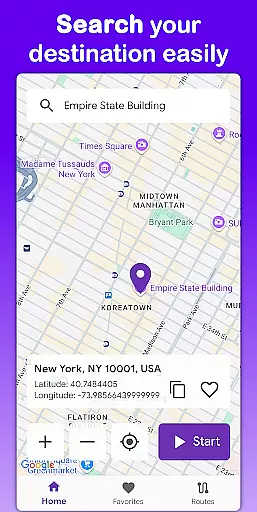
Fake GPS Go Pro is a powerful tool designed to instantly change your device's GPS location and simulate routes anywhere in the world. Whether you're testing apps, developing location-based services, or exploring virtual locations, this app gives you full control over your device’s position without requiring root access.
With its intuitive interface and high-precision GPS simulation, Fake GPS Go Pro is ideal for developers, testers, and users who want to explore different locations virtually. The app supports multilingual functionality, making it accessible to a global audience, while offering premium features like ad-free usage and unlimited route creation.
Fake GPS Go Pro offers a comprehensive set of features that make location spoofing both easy and efficient. One standout feature is the ability to instantly change your GPS location with just a few taps, allowing you to simulate being anywhere in the world. This is particularly useful for app testing and development purposes.
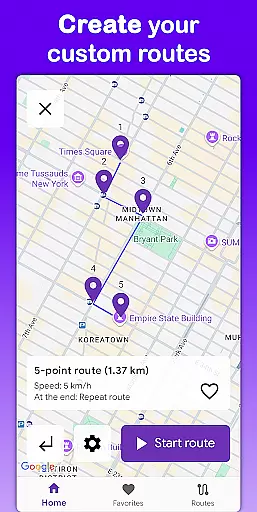
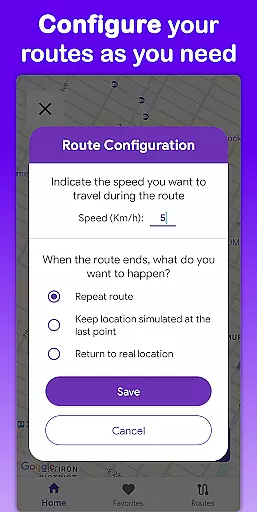
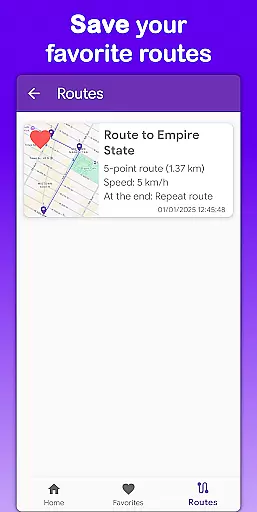
In addition, the app allows users to simulate movement by creating custom routes on the map. You can adjust the speed of movement and configure what happens when the route ends, such as stopping or repeating the path. Saved favorite locations and routes ensure quick access to frequently used spots, saving time and effort.
The app also provides multilingual support in 8 languages, ensuring accessibility for users worldwide. With no root required, Fake GPS Go Pro delivers a seamless experience across devices, while its lightweight design ensures minimal battery consumption.
Fake GPS Go Pro is designed to provide users with the most accurate and effective location spoofing experience available on Android devices. The app's core functionality allows users to instantly change their GPS location with just a few taps, offering precise control over geographic positioning.
The application supports advanced route simulation, enabling users to create custom paths by placing markers on the map. This feature is particularly useful for developers testing location-based services, as it allows them to simulate realistic movement patterns at adjustable speeds. Whether you're debugging an app or testing geofencing capabilities, Fake GPS Go Pro ensures your tests are reliable and consistent.
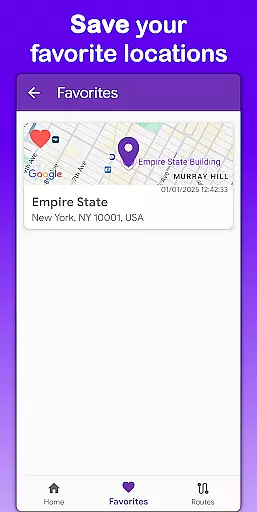
Another key aspect of the app's effectiveness is its ability to save favorite locations and routes. This feature streamlines workflows by eliminating the need to reconfigure frequently used settings, making repeated testing cycles more efficient. The multilingual support in eight languages further enhances usability across different regions and user groups.
Importantly, all these features work seamlessly without requiring root access, maintaining device security while providing professional-grade tools for developers, testers, and power users who need precise control over their virtual location data.
The user interface of Fake GPS Go Pro has been carefully designed to provide a straightforward and intuitive experience, even for those new to location spoofing technology. Upon launching the app, users are greeted with a clean, well-organized dashboard that presents all essential functions within easy reach.
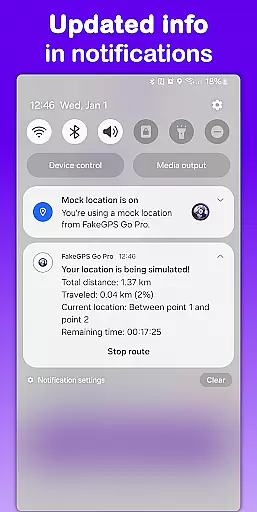
Changing locations is remarkably simple u2013 users can search for any global position through an integrated map interface or by entering specific coordinates directly. The app's one-tap activation system makes it incredibly easy to start and stop location spoofing, while clear visual indicators show when the virtual location is active.
For more advanced usage, the route simulation feature maintains this commitment to simplicity. Users can draw paths directly on the map interface using intuitive touch controls, set desired travel speeds from a straightforward menu, and choose endpoint behaviors without navigating complex settings. Saved locations and routes are accessible through dedicated tabs, ensuring quick access to frequently used configurations.
The app's thoughtful design extends to its multilingual support, making it accessible to a global audience. With all features clearly labeled and logically organized, Fake GPS Go Pro demonstrates how professional-grade tools can maintain user-friendly interfaces while delivering powerful functionality.
Easy-to-use interface
High precision GPS simulation
No root required
Multilingual support
Lightweight and battery-friendly
Limited to development use
Premium version costs money
Not all apps recognize spoofed locations
May require technical knowledge
Route customization can be complex

Quickly switch to an encrypted DNS server on Android TV
 4.50
4.50
Save any video in HD - paste the link, download fast and watch offline.
4.5
Keep track of your Palia friendships, tasks, and inventory with Palia Notebook
4.60
Signal Strength, Mobile, Wifi, Speed Test, Bad Signals, Cellular, 5G, LTE, 4G
4.20
Monitor car performance in real time and troubleshoot malfunctions.
4.80
Bedrock Together: Join any bedrock server on Xbox/PS
4.80
Planner and Tracker for Stardew Valley
4.60
Fun lie-detection pranks for friends and parties.
3.80
Fast VPN USA for any country. Super secure VPN for calls, streaming, games, TV.
4.40
Powerful collection of electronics tools and reference.A must for any enthusiast
4.90
Excellent scientific calculator with symbolic algebra, integrals, derivatives
4.80
Creation, Learning, Entertainment & More — The All-in-One AI Search Engine
4.70
Connect instantly to a fast, encrypted VPN with one tap
4.60
HD Camera captures every special moment.
4.60
Play your X-Box games remotely in 1080p with any controller and zero latency
4.60
With videos, electrical calculators, and built-in ebook, Ugly’s has your answer.
4.50
Screen Mirroring for Roku Sticks, Roku TCL TV and Roku Hisense TV
4.50
Screen Mirroring with sound for Samsung TV, LG TV, Sony TV, Smart TV and Browser
4.20
Smart and comfortable browsing experience.
3.80


User Reviews