
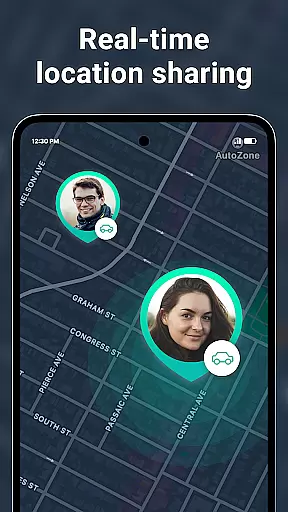
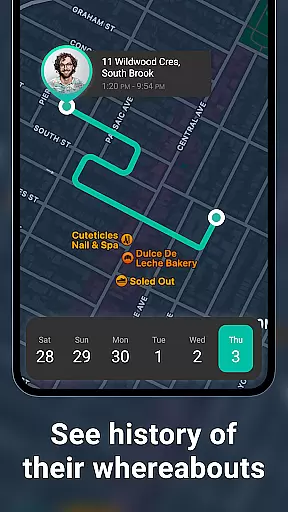
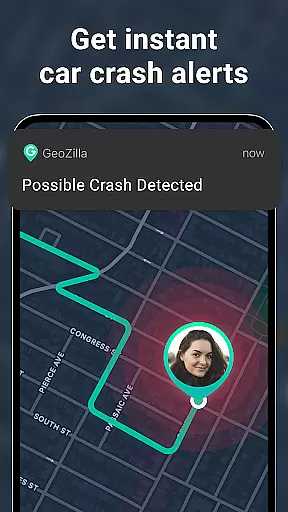
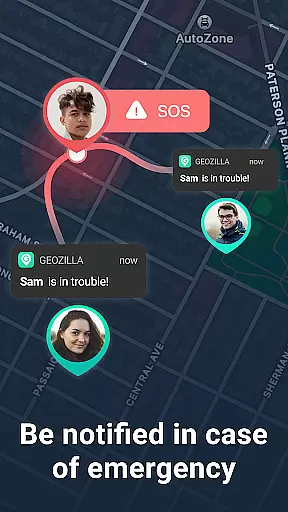
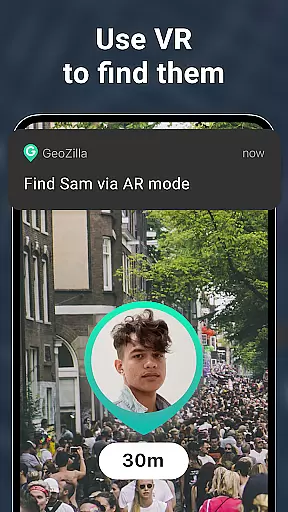

Geozilla is a comprehensive family safety and location-sharing app designed for Android Wear devices. It enables real-time GPS tracking, geofencing alerts, and driving behavior reports among trusted family circles. With features like arrival notifications, low battery alerts, and emergency SOS functionality, the app ensures peace of mind for families who prioritize safety and transparency.
The app also supports advanced functionalities such as AR Finder and crash detection, making it a versatile tool for both everyday and critical situations. Compatible with Wear OS, Geozilla allows users to monitor locations directly from their smartwatches, ensuring accessibility and convenience. Its strict adherence to privacy and consent protocols makes it a reliable choice for family-oriented safety solutions.
Geozilla offers an array of innovative features tailored for family safety. One standout capability is its live location sharing, which provides real-time GPS tracking of family members. This feature is complemented by geofencing technology that sends instant alerts when a member enters or exits predefined areas like home or school.
In addition to location services, Geozilla includes tools like driving insights and crash detection. These features analyze driving habits and send emergency notifications during accidents. The app's compatibility with Wear OS enhances its utility, allowing users to access location data directly from their smartwatches. Battery monitoring and AR Finder further enrich the user experience by addressing practical needs.
All features are built on principles of transparency and consent. Users maintain complete control over their data, and no information is shared without explicit permission. This commitment to privacy ensures that Geozilla remains a trusted solution for family safety.
Companion app integration is essential for wearable devices to function seamlessly with smartphones. Geozilla excels in this area by ensuring that its Android Wear application works in harmony with its mobile counterpart. This integration allows users to access critical features directly from their smartwatches, such as viewing the location of family members or sharing their own position without needing to take out their phone.
The app's architecture supports real-time data synchronization between the smartphone and the wearable device. This means that whether you're checking location history or receiving geofenced alerts, the information displayed on your smartwatch is current and accurate. Such a feature provides convenience and peace of mind, especially when you're on the move and cannot easily access your phone.
Moreover, Geozilla's companion app integration extends to sending notifications and alerts directly to the Wear OS device. Users can receive important updates like arrival and departure notifications, low battery warnings, and even emergency SOS alerts right on their wrist. This ensures that caregivers and family members are always informed and can respond promptly to any situation that may arise.
By prioritizing robust companion app integration, Geozilla enhances the overall user experience for families who rely on constant connectivity and transparent communication. The ability to manage safety features from a smartwatch not only adds a layer of convenience but also reinforces the app's commitment to keeping families safe and connected at all times.
Device compatibility is crucial for apps designed to work across multiple platforms, including Wear OS devices. Geozilla has been optimized to ensure broad compatibility with various Wear OS smartwatches, allowing users to enjoy its comprehensive safety features regardless of their chosen wearable technology. This wide-ranging support demonstrates the app's adaptability and dedication to serving diverse user needs.
Geozilla's compatibility with Wear OS goes beyond mere installation; it encompasses full functionality tailored for smaller screens and touch-based interactions. Users can expect an intuitive interface that makes navigation effortless, even on the limited real estate of a smartwatch display. Whether setting up geofences or checking location timelines, every action feels natural and responsive, enhancing the overall usability of the app.
In addition to supporting existing Wear OS devices, Geozilla stays updated with the latest advancements in wearable technology. This commitment ensures that new smartwatch models and software updates do not hinder the app's performance. Instead, users benefit from continuous improvements and optimizations that keep pace with technological evolution, providing a future-proof solution for family safety.
Ultimately, Geozilla's focus on Wear OS and device compatibility reflects its mission to deliver reliable and accessible safety tools to as many users as possible. By embracing the versatility of wearable tech, the app empowers families to stay connected and protected, no matter which devices they choose to incorporate into their daily lives.
Real-time GPS tracking
Emergency SOS alerts
Driving behavior reports
Wear OS compatibility
Transparent privacy controls
Limited to family use
Requires mutual consent
Premium features may cost extra
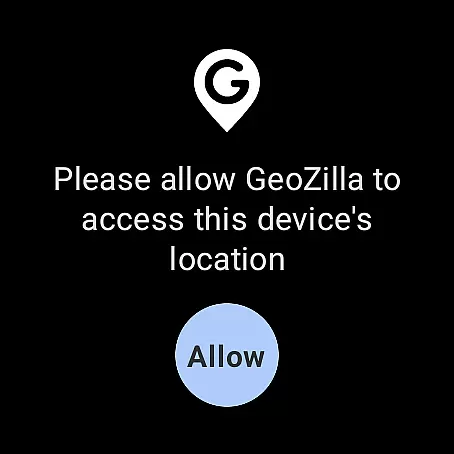
Dependent on device permissions
Background location drains battery

an Analog Watch Face for winter season with freeze winter background for Wear OS
 4.1
4.1
A modern premium sporty hybrid watch face for Wear OS by Ballozi
4.70
Structured watch face with seven complications and modular UI elements
3.90
Stay in touch with your friends and family using LINE!
3.40
Retro digital watch face with customizable colors and a unique lighting effect
4.60
A digital watch face that celebrates Christmas.
4.00
Viewer for Wyze/Yi/Eufy/Arlo/ONVIF/RTSP/P2P IP cams w/ adv. features & DIY DVR
4.00
Track your active life in one place and share the journey with friends.
4.40
Control your Samsung Smart TVs, appliances, and SmartThings-compatible devices
4.60
The most customizable minimal watch face. For Wear OS 5.0, API 34+ and later
4.70
Gym & home workout plans with strength training, exercise tracking, HIIT & more.
4.60
To-Do List: daily schedule planner, task organizer, to do reminder app, calendar
4.60
Stylish, Energizing and Modern Watch Face crafted by Dominus Mathias.
4.50
Calming & relaxing sounds for sleeping and stress relief. Stay focused all day!
4.20
Professional weather radar and more
3.90
A Wintery Snow Globe on Your Wrist; now celebrating Christmas!
4.2
Fitness interactive virtual pet super fighter boy watch face
4.5
Minimalistic design modern digital watch face.
4.5
Hybrid Vibrant Health Watch Face for Wear OS
4.3


User Reviews