
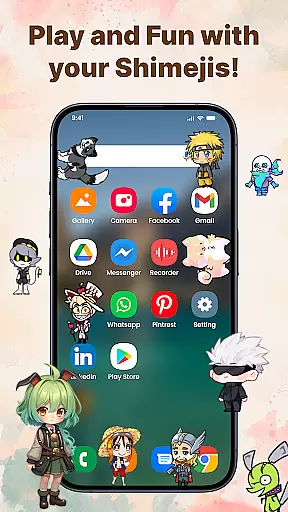
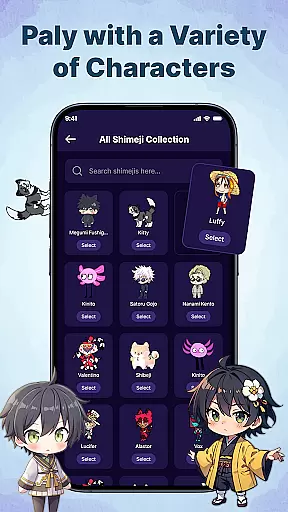
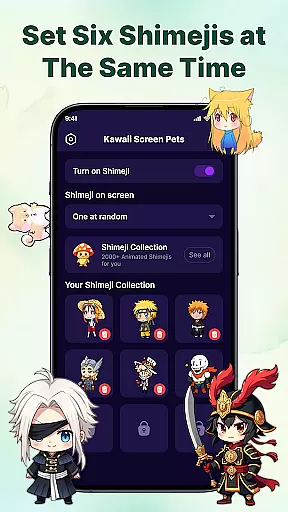
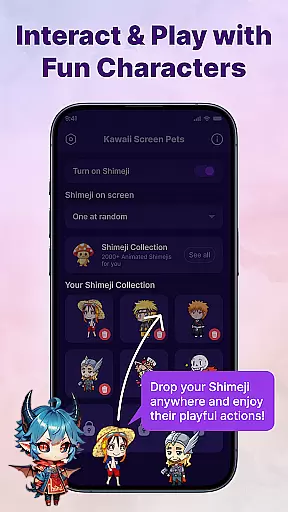
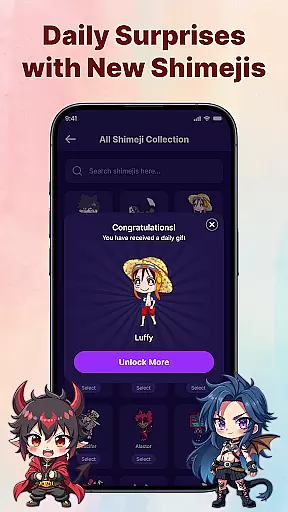
Kawaii Shimeji Screen Pet brings adorable animated characters to your device, offering both entertainment and personalization. This app allows users to select from hundreds of unique anime-inspired mascots that interact with the screen in real-time.
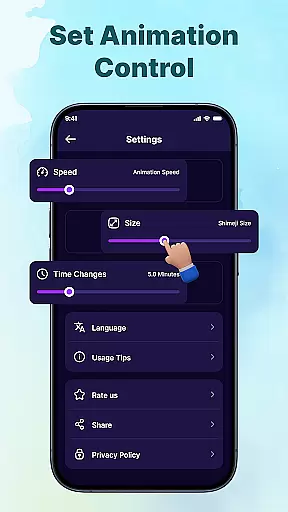
Users can customize animation speed, size, and even create their own characters using a built-in editor. These always-on companions provide endless fun while reflecting personal style through creative interactions.
Kawaii Shimeji Screen Pet stands out with its extensive customization options. Users can adjust animation settings, resize characters, and use an intuitive editor to design or modify mascots.
The app includes a vast library of pre-made characters, ranging from anime icons to popular memes. Additionally, interactive features let users toss, drag, or watch mascots climb across screen elements, creating a lively and engaging experience.
With import/export functionality, users can share designs within a vibrant community, making it more than just an app but a platform for creativity.
Customization is at the heart of Kawaii Shimeji Screen Pet, offering users a wide array of options to personalize their experience. The app allows you to adjust animation speed and size, ensuring your screen pets match your desired preferences perfectly.
Beyond basic adjustments, the built-in editor empowers users to create their own characters or modify existing ones. This feature provides endless possibilities for creativity, letting you design unique mascots that reflect your personal style.
For those seeking advanced customization, the app supports importing and exporting designs. This functionality not only enhances personalization but also fosters a creative community where users can share their creations. Such extensive customization options ensure that every user's screen pet is truly one-of-a-kind.
Kawaii Shimeji Screen Pet excels in theme compatibility, seamlessly integrating with various screen environments. Whether you're using different wallpapers or themes, these animated mascots adapt beautifully, enhancing your device's aesthetics without any clash.
The app ensures that Shimejis remain visible as you navigate through apps, play games, or work, maintaining visual harmony. Their ability to interact with screen elements like icons and widgets adds another layer of compatibility and engagement.
Moreover, the option to adjust speed, size, and animations means these pets won't just blend with your theme but will also suit your mood or activity. This flexibility makes Kawaii Shimeji Screen Pet an ideal choice for personalizing your digital space while ensuring all elements coexist harmoniously.
User-friendly interface
Highly customizable
Vibrant community support
Interactive animations
Wide character selection
No offline mode
Limited free options
Ads may interrupt
Requires storage space
Not all features are intuitive

Beautiful realistic hybrid watch face with numerous customization options.
 4.50
4.50
Themes - Widget & Wallpaper: Customize home screen, icon changer w unique themes
4.30
Ultimate widget creator. Design custom widgets for a truly unique home screen!
3.90
Want to make your phone more special than ever?
4.60
Unique Fonts, typefaces and stylish text. Fonts for Instagram, Whatsapp & others
4.20
Zip lock screen with magic wallpaper to decorate your phone with fun zipper lock
4.60
Handcrafted pixel art icons, widgets & wallpapers
4.60
Create unique, fun emojis with Funny Emoji Maker! Unlimited creativity!
4.00
Emoji Maker app - Design custom emojis and effortlessly blend them with Mixer
3.80
Winter's Journey: digital watch face for Galaxy Watch & Wear OS
4.80
Transform your phone with Launcher iOS 26 - Smooth & elegant iOS experience
4.50
Color phone with cool effects for call screen, flash alert & ringtones music
4.50
Your home screen, just the way you like it.
4.30
Design your screen with unique, vibrant clocks
3.80
Your go to Weather App & Home Screen. Get your weather at a swipe of a finger!
3.80
Adaptive Dot Style IconPack with Light & Dark Theme.
3.70
Customize glowing edges, wallpapers, and caller screen with EdgeAura.
3.50
HappyLighting is a Bluetooth lamp control software.
3.40
Custom edge gestures for volume control, brightness, apps, and shortcuts.
4.2


User Reviews