
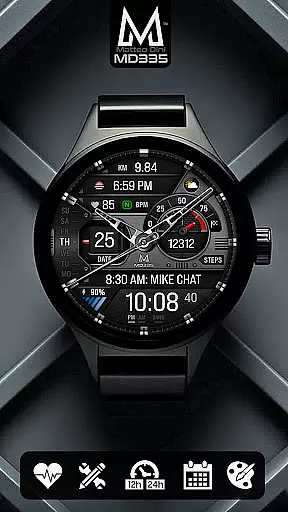
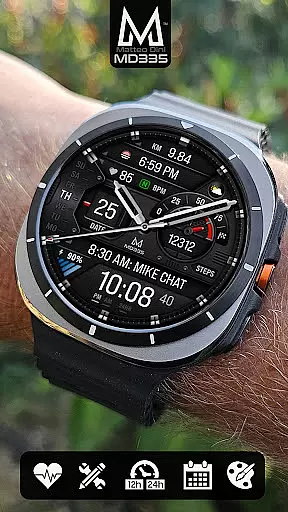
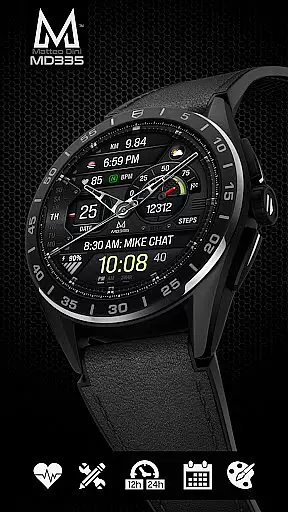
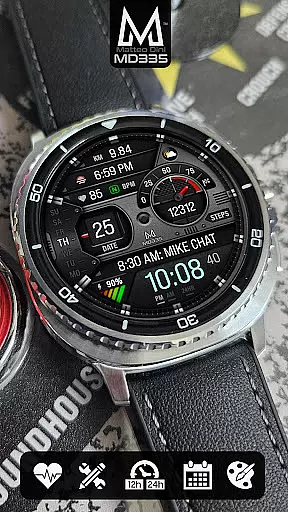
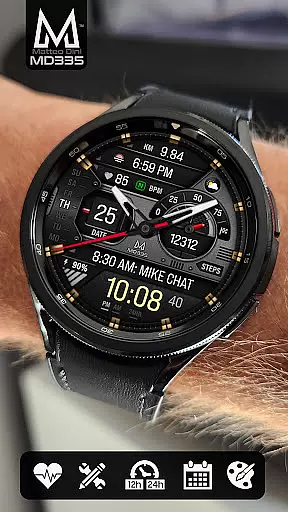
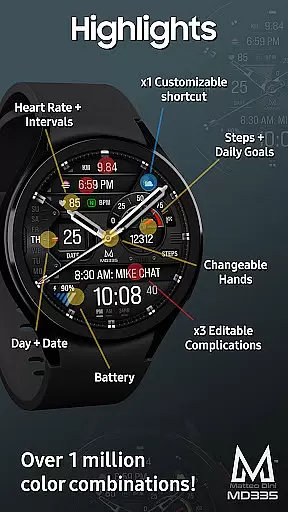
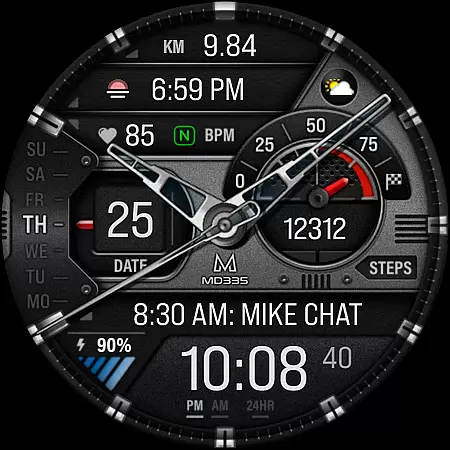
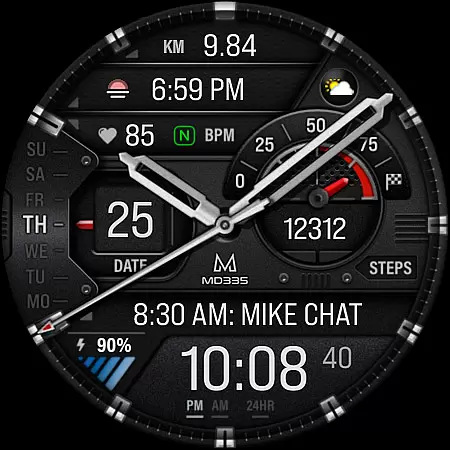
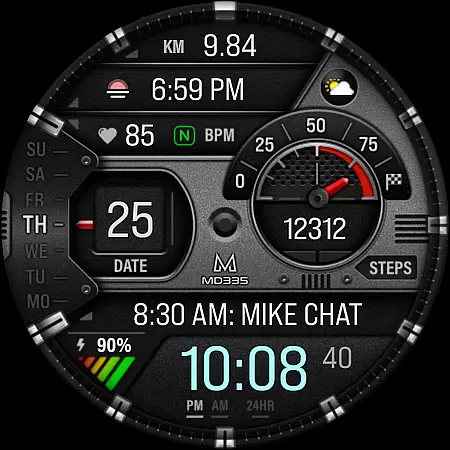
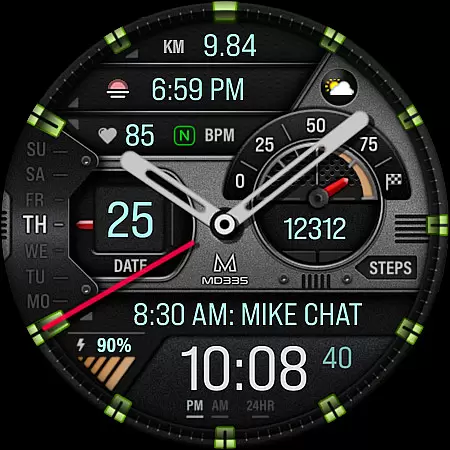
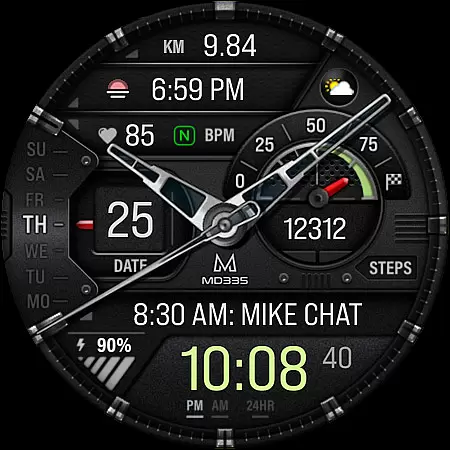
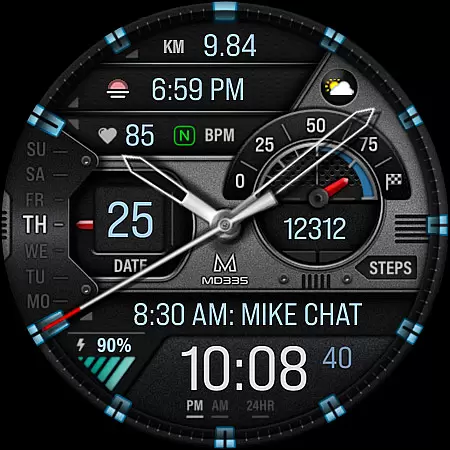
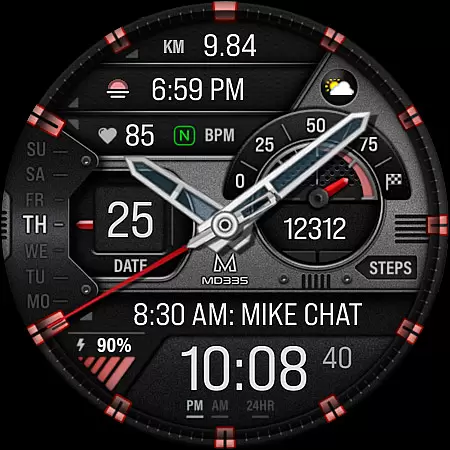
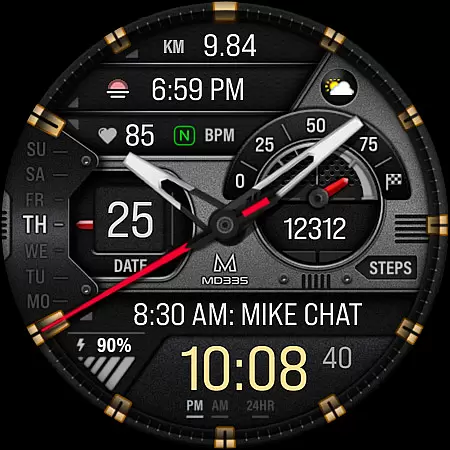
MD335 Hybrid watch face is a feature-rich, customizable watch face designed for Wear OS devices. It supports all Wear OS devices with API Level 33+ and offers users the ability to personalize their watch faces extensively. With 4 preset app shortcuts, 1 customizable shortcut, and 3 customizable complications, it provides quick access to essential functions like weather, heart rate, and more.
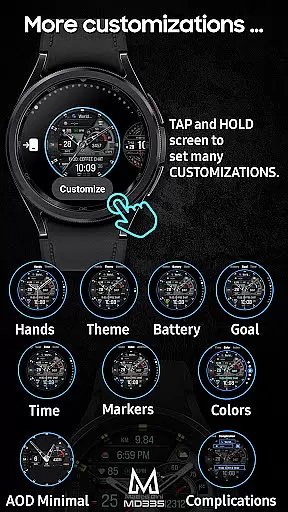
The hybrid design allows users to switch between 12/24hr formats based on phone settings, hide hands, and customize colors of time, battery level, and other elements. The watch face also includes minimal and full Always-On Display (AOD) modes, changeable themes, and supports various data types such as steps, daily goals, and UV index.
MD335 Hybrid watch face stands out with its extensive customization options. Users can choose from multiple complications that display data such as weather, health metrics, and world clock. The watch face features a hybrid design with hideable hands, allowing users to tailor the appearance to their preferences.
Functionality includes heart rate monitoring with intervals, step tracking, and daily goal setting. Users can customize app shortcuts directly on the watch, providing quick access to calendar, alarms, and battery status. Additionally, the watch face supports both dark and light themes, changeable colors, and markers, ensuring a personalized experience that adapts to different environments and user needs.
Companion app integration is crucial for hybrid watch faces like MD335, ensuring seamless synchronization between the watch and paired smartphone. This functionality allows users to customize their watch face directly from their phone, offering unparalleled convenience.
The MD335 Hybrid watch face leverages this integration by enabling users to modify various elements such as app shortcuts, complications, and color schemes through the Samsung Wearable app. Despite occasional loading issues with complex designs, customization directly on the watch remains a reliable alternative.
This level of integration enhances user experience by providing real-time updates and personalization options that adapt to individual preferences. Users can enjoy features like heart rate monitoring, step tracking, and customizable data displays, all synchronized effortlessly with their mobile device.
Ultimately, companion app integration empowers users to maximize their wearable's potential, ensuring that all vital information is accessible at a glance while maintaining a personalized aesthetic that suits their lifestyle.
Ensuring broad device compatibility is essential for any Wear OS application, including the MD335 Hybrid watch face. This watch face supports all Wear OS devices with API Level 33+ (Wear OS 4 and later), making it accessible to a wide range of smartwatch users.
Compatibility extends to popular models such as Samsung Galaxy Watch 4-8, Ultra, and Pixel Watch, guaranteeing a consistent experience across different hardware platforms. By adhering to these standards, MD335 ensures optimal performance regardless of the specific device in use.
Users benefit from this compatibility through access to advanced features like customizable complications, app shortcuts, and adaptive themes. These elements work harmoniously across supported devices, delivering a cohesive user interface that adapts to various screen sizes and resolutions.
By prioritizing Wear OS/device compatibility, MD335 Hybrid watch face not only reaches a larger audience but also provides a reliable and versatile solution for those seeking to enhance their smartwatch experience with sophisticated design options.
Highly customizable
Supports multiple complications
User-friendly interface
Hybrid design with AOD
Wide device compatibility
Complex setup process
Limited customer support
Preset app limitations
Requires additional apps
Some features not available on all watches

WTW M17 is a premium and luxurious hybrid watch face
 4.70
4.70
Christmas Theme Watch Face for Wear Os
5.00
Christmas - Festive - Christmas Village - Winter - Christmas lights
5.00
A full-featured Amazon Alexa voice assistant that can show you things.
3.70
Ideal for surviving in the wasteland left after nuclear fallout
4.50
Bold weather Digital watchface with forecast & optional animated background
4.40
Stylish, Energizing and Modern Watch Face crafted by Dominus Mathias.
4.50
Hybrid watch face for Wear OS with customizable complications by Matteo Dini MD
4.70
Track your active life in one place and share the journey with friends.
4.40
Your second brain for organizing your life: to-do, calendar, reminder.
4.70
Walking app for weight loss: walk & step tracker, pedometer, indoor treadmill
4.60
Highly customizable hybrid watch face for Wear OS, perfect for everyday use.
4.60
Real-time results, stats, schedules and player profiles for all leagues
4.60
Simple, helpful messaging by Google
4.60
Beautiful artistic animated digital watch face, with a customizable layout!
4.40
Wear Os Watch Face - Animated Snow Effect & Magic Spark - 6 Scenes
4.10
Get helpful reminders, take progress photos and find answers to your questions.
3.90
A watch face that fuses motorsport precision with contemporary smartwatch design
4.2
Funny animated watch face for Thanksgiving
4.2


User Reviews