
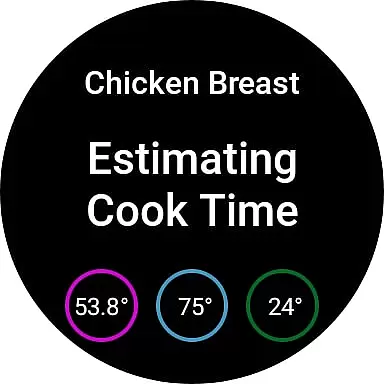
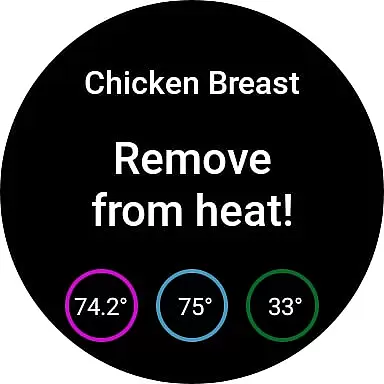
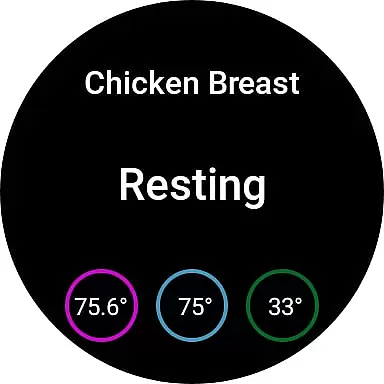
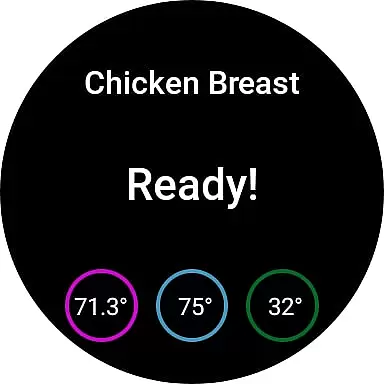
MEATER Smart Meat Thermometer is a revolutionary cooking tool designed specifically for Android Wear users. This wireless smart meat thermometer, paired with the MEATER app, allows you to achieve perfectly cooked meats every time without being tied to your kitchen or grill. The app provides estimated cook times and real-time monitoring through your smart device, sending audio and visual notifications when your food reaches the desired doneness.
What sets MEATER apart from other smart thermometers is its completely wireless design and advanced Guided Cook system. You can connect up to four probes simultaneously, making it perfect for cooking multiple cuts of meat to different preferences. Whether you're a beginner or an experienced chef, the app offers customizable cooking options and maintains a complete history of your previous cooks for easy reference.
This innovative solution transforms the cooking experience by combining convenience with precision. With support for Wear OS smartwatches and Android devices running Bluetooth LE, MEATER helps you focus on what matters most while ensuring your meals are cooked to perfection.
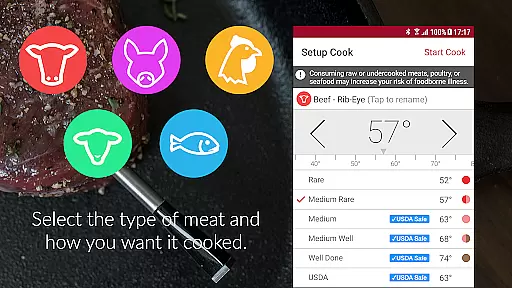
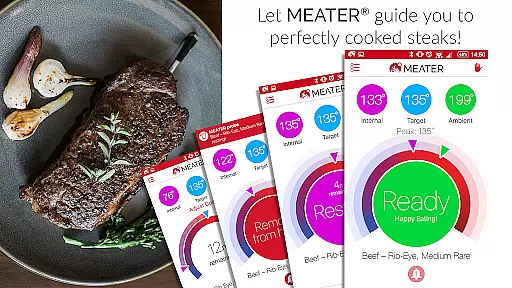
The MEATER Smart Meat Thermometer stands out with its array of sophisticated features tailored for both casual cooks and professional chefs. First and foremost, its wireless design eliminates the need for external wires, allowing for greater freedom of movement while cooking. The app's Guided Cook system takes the guesswork out of cooking by providing precise time estimates, heat removal alerts, and resting time recommendations based on the type of meat and cut you select.
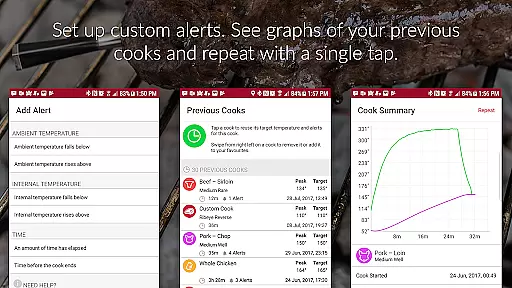
For those who prefer more control, the MEATER app offers fully customizable cooking parameters and alert settings. Users can adjust temperatures, set personal preferences, and even monitor their cooking progress directly from a Wear OS smartwatch. Additionally, the Previous Cooks feature lets you review and repeat successful recipes, ensuring consistent results every time you cook.
Another remarkable aspect is its ability to connect up to four MEATER probes simultaneously. This multi-probe capability makes it ideal for cooking various meats at different levels of doneness, catering to diverse preferences within a single meal. These features collectively create a seamless and enjoyable cooking experience that combines technology with culinary expertise.
Companion app integration is essential for smart devices like the MEATER Smart Meat Thermometer. The MEATER app serves as the control center for the thermometer, enabling users to monitor their cooking process without being tied to the kitchen or grill.
The app provides real-time temperature readings and cook time estimates through a user-friendly interface. This seamless connection allows for precise cooking guidance, ensuring meats are cooked to perfection every time. With support for up to four MEATER probes, it can handle multiple cooks simultaneously, catering to different preferences.
For those who appreciate convenience, the app sends audio and visual notifications directly to smart devices when food is ready. This feature not only enhances the cooking experience but also frees up time for other activities while dinner is being prepared.
Additionally, advanced customization options within the app cater to both novice and experienced chefs, offering tailored cooking experiences that adapt to individual skill levels and preferences.
Wear OS and device compatibility ensures that smart applications like MEATER can extend their functionality to wearable technology. The MEATER app supports Wear OS 3 and later, allowing users to check their cook progress on compatible smartwatches.
This compatibility means chefs can stay informed about their cooking even when they're away from their phones. By glancing at their wrists, they can see critical information such as current temperatures and estimated completion times, which keeps them engaged with the cooking process without needing constant phone access.
Moreover, the integration with Wear OS demonstrates MEATER's commitment to embracing modern technology trends. It enhances user convenience by providing timely updates right on the wrist, making it easier than ever to achieve perfectly cooked meals.
By supporting all Android devices with Bluetooth LE running Android 8 and above, MEATER ensures broad accessibility. This wide-ranging compatibility reflects the brand's dedication to delivering a versatile and reliable cooking assistant to a diverse customer base.
User-friendly interface
Wireless convenience
Multi-probe connectivity
Customizable settings
Guided Cook system
Requires separate probe purchase
Limited to Android 8+
Dependent on Bluetooth LE
No iOS compatibility
Subscription fees may apply

Precision analog watch face with 7 complications and style options
 4.5
4.5
MyNISSAN® lets you remotely control your car from your phone.*
4.50
A watch face that fuses motorsport precision with contemporary smartwatch design
4.4
Easy Voice Recorder is your everyday companion to record important moments.
4.70
Artistic Digital Watchface
4.0
Stylish digital watch face for Wear OS devices with customizable features
4.1
Hyperlocal rain alerts by MyRadar using patent-pending technology, radar & more
4.80
The #1 source of faces for your smartwatch!
4.00
Daily Weather forecast with 15 weather images for Day & Night plus Big Bold time
4.10
WTW M17 is a premium and luxurious hybrid watch face
4.70
A modern premium sporty hybrid watch face for Wear OS by Ballozi
4.70
A realistic hybrid watch face with many customization options.
4.60
Digital watch face. For Wear OS devices.
4.40
Connect, create, and collaborate with Gmail, part of Google Workspace.
4.10
A digital watch face that celebrates Christmas.
4.00
Animated Watch Face and Customizable with 24 Backgrounds. Perfect for Christmas!
3.90
A full-featured Amazon Alexa voice assistant that can show you things.
3.70
an Analog Watch Face for winter season with freeze winter background for Wear OS
4.4
3 Complications. All shadow on/off. 30 Themes color palette...
4.3


User Reviews