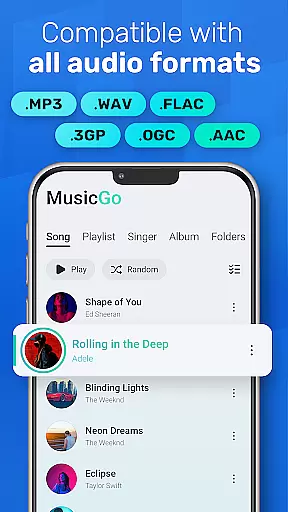
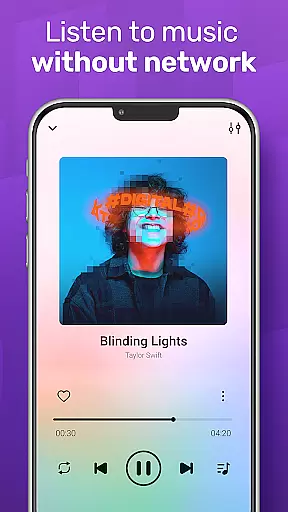
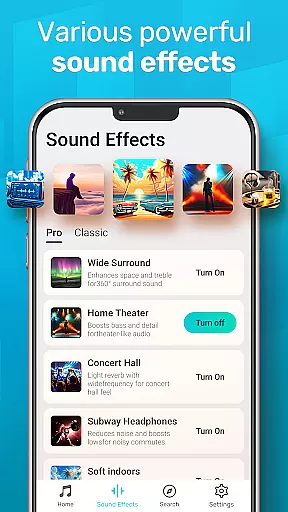
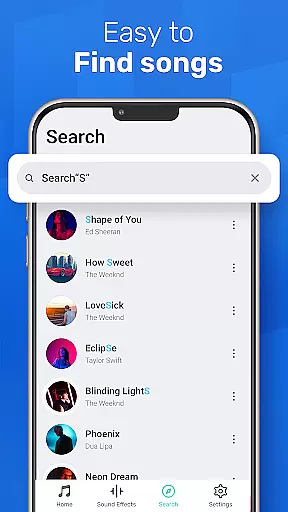
MusicGo is a versatile offline music player designed for audiophiles who demand both quality and functionality. Supporting all major audio formats including MP3, FLAC, WAV, and AAC, it ensures optimal sound delivery across devices. With over 20 built-in equalizer presets tailored to various music genres, users can customize their listening experience with ease.
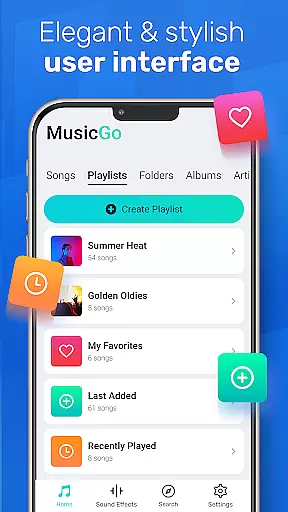
The app's intuitive interface combines style and usability, offering features like deep library scanning, automatic music refresh, and smart playlists such as Most Played and Recently Added. Whether managing files by album, artist, or playlist, MusicGo provides seamless navigation. Its elegant design includes customizable themes, making it a top choice for those who value aesthetics alongside performance.
MusicGo stands out with its robust feature set tailored for music enthusiasts. The app supports an extensive range of audio formats, ensuring compatibility with files like MP3, FLAC, WAV, MIDI, and more. This versatility allows users to enjoy high-quality playback without format restrictions, delivering a truly limitless experience.
One of the app's highlights is its powerful equalizer, featuring over 20 presets such as bass boost and reverb effects. These options cater to diverse musical tastes, from classical to rock. Additionally, MusicGo offers advanced library management tools, enabling users to browse by playlists, albums, or artists. Smart auto-playlists like Featured and Recently Played enhance accessibility, while background playback and Bluetooth support ensure uninterrupted enjoyment on the go.
MusicGo offers an extensive music library that supports all major audio formats including MP3, FLAC, WAV, MIDI, AAC, and APE. This ensures users have access to a wide variety of music options without worrying about format compatibility.
The app's deep scanning feature automatically refreshes the music library, allowing users to manage their files efficiently while ensuring that every song is delivered in optimal quality. With this comprehensive format support, MusicGo provides a truly limitless music experience tailored to audiophiles.
Regarding copyright authenticity, MusicGo respects intellectual property rights by enabling users to enjoy their legally acquired offline audio files. By focusing on personal music collections, it avoids streaming or distributing copyrighted materials without proper authorization.
One of MusicGo's standout features is its outstanding sound quality enhanced by over 20 built-in equalizer presets. These include options for various genres such as classical, dance, folk, and rock, catering to diverse musical tastes.
Users can customize their listening experience with bass boosts and reverb effects at their fingertips. This powerful equalizer ensures that each track sounds precisely how the listener prefers, making it a top choice for discerning music lovers.
In addition to superior sound customization, MusicGo supports high-quality audio formats like FLAC and WAV. This guarantees lossless audio playback, preserving the nuances of every composition and providing an unparalleled auditory experience.
Wide format support
Intuitive UI design
Powerful equalizer
Smart playlists
Offline playback
Limited social sharing
No cloud sync
Heavy on storage
Few premium features
Ads in free version

Your HD audio recorder on the go for music, meetings, ambience, animal sounds…
 4.30
4.30
Pay Once, no monthly payment
4.60
The Music Journey in Your Hands
4.30
Background pads for your band
3.80
VB-AUDIO Software / VBAN-Receptor allows listening to any VBAN Streams
4.10
The best music and audio player, with beautiful UI, music search and equalizer.
4.60
Powerful 10-Band equalizer pro with sound booster improves Android audio quality
4.30
Learn the notes on the guitar fretboard fast with this easy and fun app
4.60
Be a true music maker: create beats, mix and make music like a real DJ!
4.30
Listen to live FM radio stations, sports, music and news on global radios online
4.70
Save hundreds of dollars for a physical strobe tuner and instead use this app.
4.50
Let your Android device with the sound effects you want
4.50
Learn and play 2M+ music tabs & chords on guitar, ukulele, bass, and more
4.30
Network/Cloud Streaming, Visualization, Graphic Equalizer and Sound Effects.
4.20
PowerAudio is a powerful offline music player.
4.20
The official Sonos app
4.10
Powerful beat maker & DJ mixer to remix tracks, make music, & perform DJ mix
3.70
Simply convert wav to mp3. Clear. Reliable. Safe.
4.3
Make music anywhere. Turn your device into an instrument.
4.0


User Reviews