
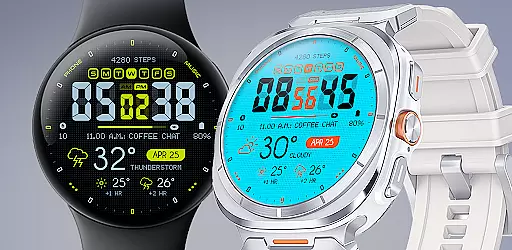
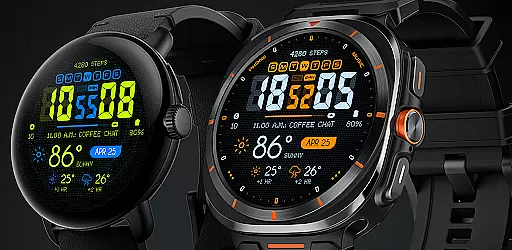
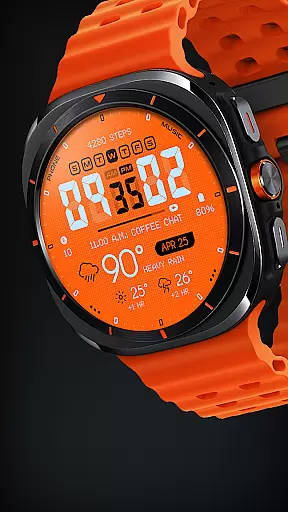
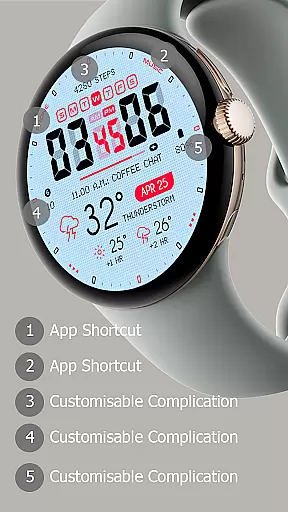
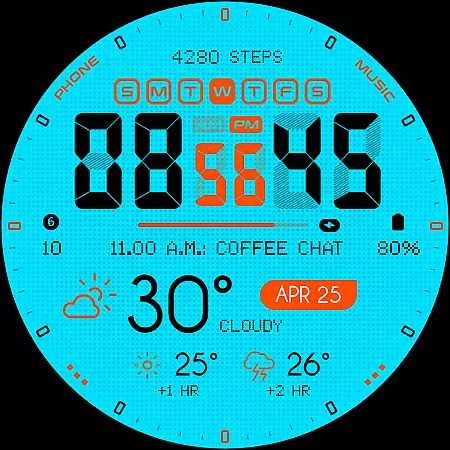
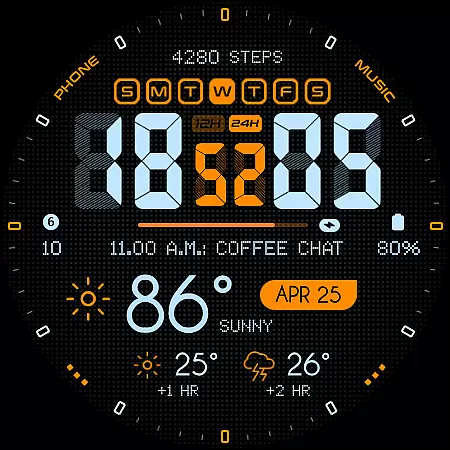
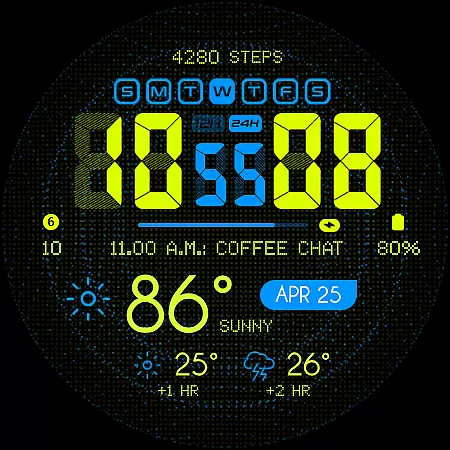
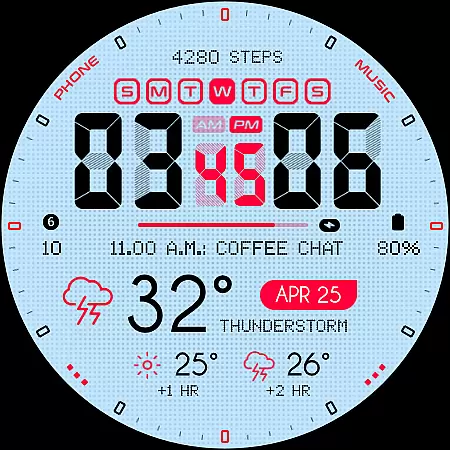
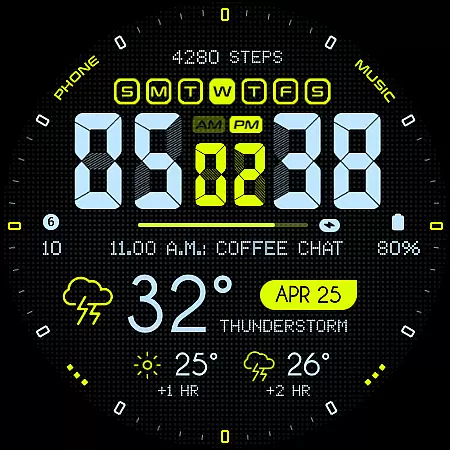
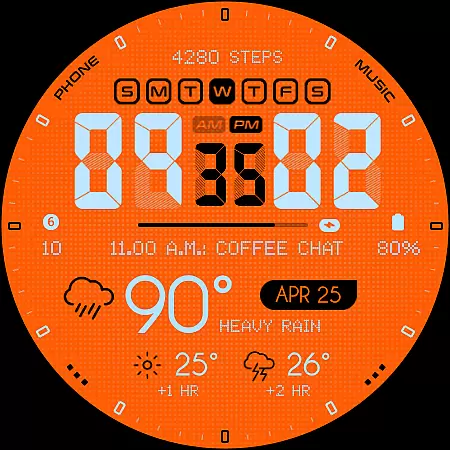
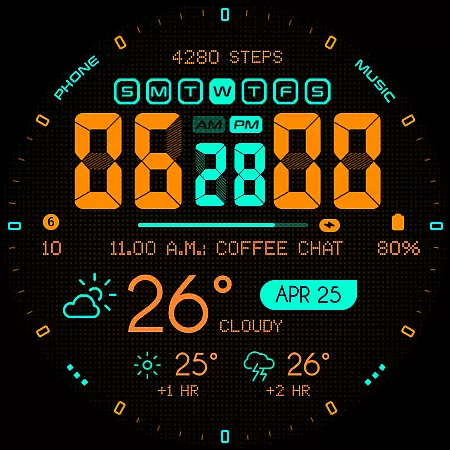
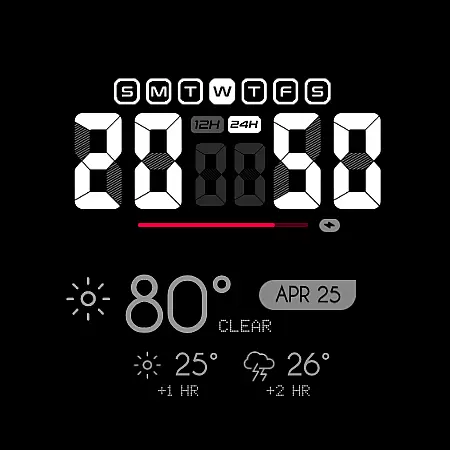
Oogly Atmos is a dynamic weather-themed watch face designed for Wear OS smartwatches. It combines vivid colors, real-time weather updates, and customizable features to deliver both style and functionality. The watch face displays current weather conditions alongside a 2-hour forecast, ensuring users stay informed at a glance.
With compatibility across Wear OS API 30+ devices, including Galaxy Watch 5, Pixel Watch, and Fossil smartwatches, Oogly Atmos offers versatile utility. Its animated background option adds movement, while the clean layout and customizable information cater to personal preferences. Whether you need practicality or inspiration, this watch face delivers an all-in-one solution.
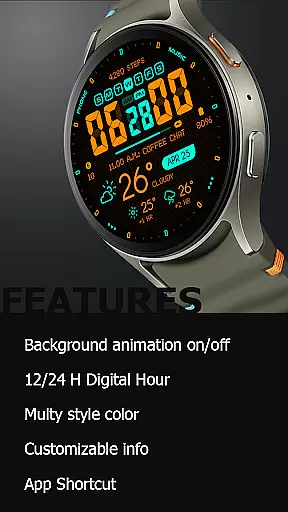
Oogly Atmos stands out with its bold design and functional versatility. Key features include support for both 12-hour and 24-hour time formats, catering to global user preferences. The optional animated background brings life to your watch face, while the index toggle allows for a minimalist layout when desired.
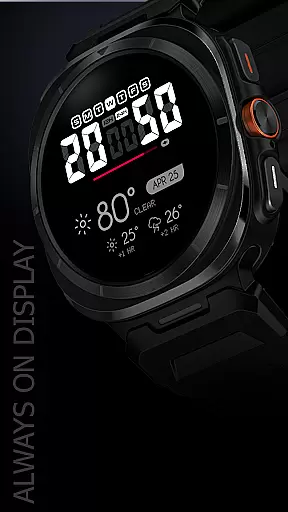
Customization is central to the experience, enabling users to personalize displayed information such as weather forecasts and notifications. Additional conveniences include app shortcuts for quick access and an Always-On Display mode that ensures visibility even when the watch is idle. These thoughtful features make Oogly Atmos adaptable to various lifestyles and needs.
Companion app integration is essential for a seamless wearable experience. Oogly Atmos ensures that your watchface works in perfect harmony with its companion app, providing real-time weather updates and customization options directly to your wrist.
The app allows users to toggle features such as the animated background and index display, ensuring a personalized experience tailored to individual preferences. With just one tap, you can activate or deactivate animations, catering to moments when you need focus or prefer dynamic visuals.
Additionally, the app supports a clean layout with customizable information, enhancing usability without compromising on style. This level of integration not only simplifies navigation but also enriches the overall utility of the watchface.
By maintaining compatibility with WEAR OS API 34+ and devices like Galaxy Watch 5, Pixel Watch, and others, Oogly Atmos guarantees reliable performance across various platforms, making it a versatile choice for tech-savvy users.
Ensuring broad device compatibility is crucial for any Wear OS application. Oogly Atmos is designed to work seamlessly with WEAR OS API 34+, supporting devices such as Galaxy Watch 5, Pixel Watch, Fossil, and other Wear OS devices with a minimum API of 30.
This wide compatibility range means that regardless of your device, you can enjoy the vivid colors and functional design of Oogly Atmos. The watchface displays current weather conditions and a 2-hour forecast, keeping you informed at a glance.
Features like 12/24 hour format, background animation control, and an always-on display are optimized for performance across supported devices. These elements ensure that users receive consistent quality and functionality, whether they're using a newer model or an older version within the compatibility range.
With dedicated support available via email or Telegram, users can resolve any issues quickly, ensuring uninterrupted service and satisfaction with their Oogly Atmos experience.
Real-time weather updates
Vivid color palette
Customizable layout options
Animated background feature
Cross-device compatibility
Limited to Wear OS
Requires API 30+
No iOS support
Premium feel may come at cost
Animation drains battery

Snowflake Rose Gold Watch Face - Digital, modern, & sleek with GYRO effect.
 4.10
4.10
Simple Analog-Digital Watchface For Wear OS 3.0 and Up Smartwatches
4.4
Digital watch face with big numbers and many customization for Wear OS devices
4.40
Fitness interactive virtual pet super fighter boy watch face
4.3
Structured watch face with seven complications and modular UI elements
3.90
Find EV charging stations
4.30
Stay in touch with your friends and family using LINE!
3.40
Funny animated watch face for Thanksgiving
4.3
Professional weather radar and more
3.90
Christmas Theme Watch Face for Wear Os
5.00
Real-time weather radar with temperatures, warnings, hurricanes, and widgets
4.80
Easy Voice Recorder is your everyday companion to record important moments.
4.70
Retro digital watch face with customizable colors and a unique lighting effect
4.60
Connect to your Bluelink equipped Hyundai vehicle from your smartphone.
4.50
Digital watch face. For Wear OS devices.
4.40
"PER27 Galaxy Digital" is a digital Wear OS watch face designed by PERSONA
4.10
Want to take charge of your health? Let Google Fit help you reach your goals.
3.50
Watch face designed for Thanksgiving Day. 7 Background Styles included.
3.20
Stylish digital watch face for Wear OS devices with customizable features
4.0


User Reviews