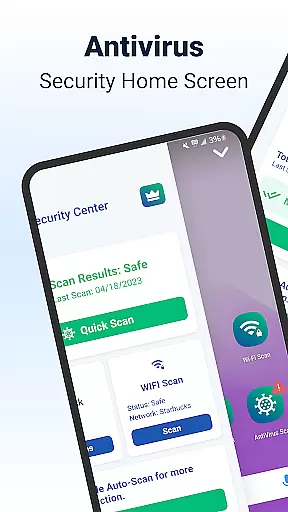
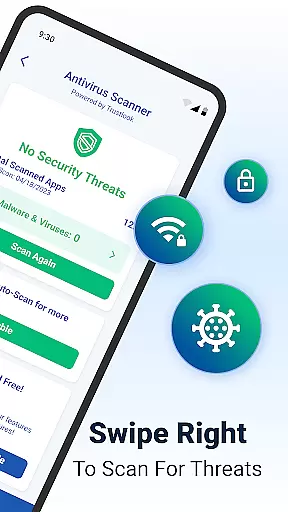
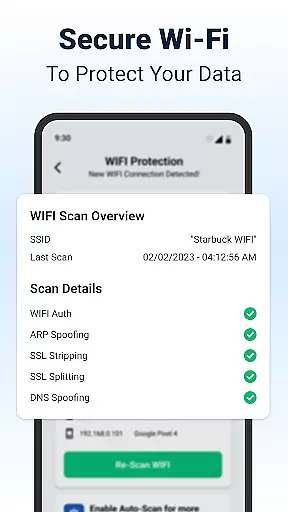
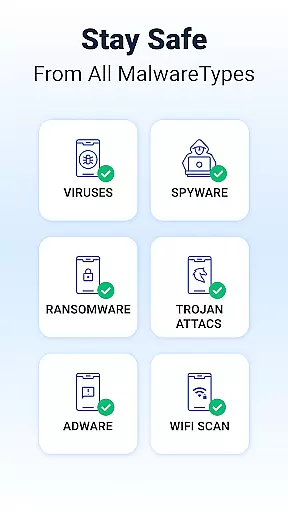
Shield Antivirus Home Screen is a comprehensive security solution tailored for Android devices, offering robust protection against viruses, malware, and cyber threats. The app leverages advanced AI-driven scanning technology with a 99% detection rate to ensure your device remains secure while maintaining privacy through features like secure WiFi scanning.
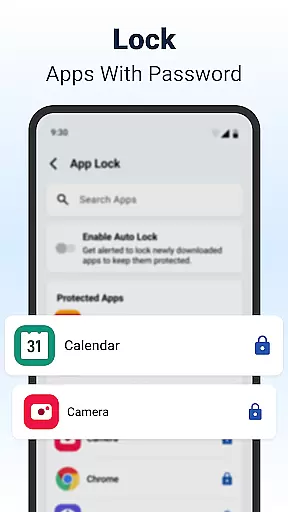
In addition to its core antivirus capabilities, Shield provides users with privacy tools such as AppLock, which secures sensitive apps using passwords or biometric authentication. Its customizable home screen enhances user experience by allowing personalization without compromising on security. With additional features like network device scanning and ARP spoofing protection, Shield ensures both functionality and safety.
This app is ideal for users seeking an all-in-one security solution that combines powerful threat detection with intuitive privacy controls. Whether you're at home or using public networks, Shield keeps your data protected while delivering a seamless and visually appealing Android experience.
Shield Antivirus stands out due to its diverse range of features designed to provide complete device protection. One key feature is the AI-driven antivirus scanner, which identifies and blocks malicious software with exceptional accuracy, ensuring less than 0.1% false positives. This allows users to scan their apps quickly and maintain peace of mind.
Another notable aspect is the inclusion of privacy-focused tools such as AppLock, which lets users secure sensitive applications via fingerprint or PIN. Additionally, Shield offers advanced WiFi scanning capabilities that detect potential network vulnerabilities, including DNS spoofing and SSL stripping. These features collectively enhance user privacy, especially when connected to unsecured networks.
Furthermore, Shield's customizable interface enables users to personalize their lock screens and app settings, blending style with security. For those seeking enhanced protection, upgrading to Shield Pro removes ads and unlocks additional premium features, making it a versatile choice for both casual users and security-conscious professionals.
Shield Antivirus Home Screen offers a wide array of customization options that allow users to tailor their Android experience. The app provides personalized lock screens and app settings, ensuring that security does not come at the expense of individual style.
With features like AppLock, users can secure sensitive apps using a password or fingerprint. Additionally, the ability to hide apps and customize privacy settings adds another layer of personalization. This ensures that your device remains both secure and uniquely yours.
The home screen transformation feature enhances user control by integrating intuitive privacy controls and custom settings. Users can modify their home screens to suit their preferences while maintaining top-notch security protocols.
Overall, Shield's customization capabilities empower users to create an environment where functionality meets personal flair, making it more than just a security app but also a tool for self-expression.
Theme compatibility is a standout feature of Shield Antivirus Home Screen, allowing users to seamlessly integrate various themes into their Android devices. Whether you prefer a sleek modern look or something more vibrant and colorful, Shield supports a broad range of themes to match your taste.
This flexibility extends beyond mere aesthetics; it ensures that all visual elements remain consistent across different sections of the app. From the home screen to privacy controls, every aspect of the interface aligns perfectly with chosen themes, providing a cohesive user experience.
Moreover, Shieldu2019s theme system works harmoniously with its advanced security features. Users do not have to compromise on protection when selecting visually appealing themes. Instead, they enjoy enhanced security alongside a personalized appearance.
In summary, Shield's robust theme compatibility makes it easy for users to maintain a stylish yet secure mobile environment, enhancing both usability and satisfaction.
Powerful AI-driven scanning
Advanced WiFi security
Customizable home screen
AppLock for privacy
Free essential features
Premium version costly
Occasional false positives
Ads in free version
Heavy on resources
Limited iOS support

Stunningly Different look with Line Icons and Neon Colors
 4.60
4.60
Winter's Journey: digital watch face for Galaxy Watch & Wear OS
4.80
Fingerprint Lock Screen & Live Animations with 4K Wallpapers as Live Wallpaper
4.40
Over 28,000 high quality icons to bring color & homogeneity to your phone.
4.60
Transfer your live wallpapers from Windows to Android using Wallpaper Engine!
4.00
App Icon Changer & Shortcut Creator. Customize your icons without any watermarks
4.30
Adaptive Dot Style IconPack with Light & Dark Theme.
3.70
Customize your home screen with stunning themes, blur, widgets & icons.
4.60
Modern Glass Icon Pack with glossy icons, clean minimal theme & aesthetic style
4.4
Only for Wear OS devices!
4.90
Dark icon pack based on One 8
4.80
Add cute Shimeji pets to screen, interact with them and relax with cute motions
4.60
Ultimate Gallery Lock App - Hide Pictures, Videos and Lock Apps Instantly!
4.60
Transform your phone with Launcher iOS 26 - Smooth & elegant iOS experience
4.50
Customizable screen pets that play, climb, and keep you company.
4.50
A light in the dark, a unique style and an andless cutomization!
4.30
Unleash Your Creativity and Connect with Loved Ones with Lockscreen Drawing!
4.20
Turn your lock screen into fun with smile live wallpapers & animated wallpapers!
2.50
Struggling to find apps? Use this app to locate and open any app on your phone!
2.20


User Reviews