
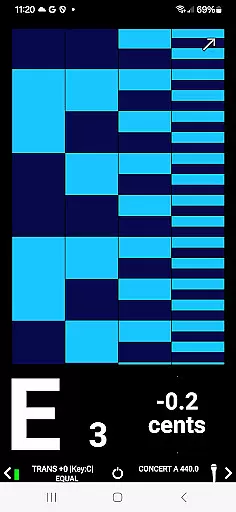
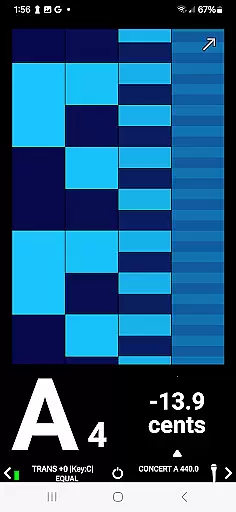
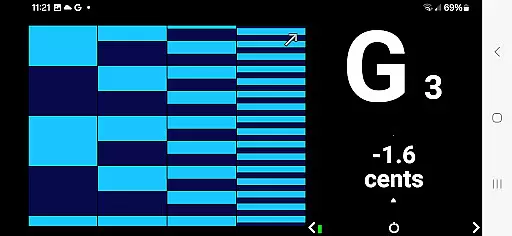
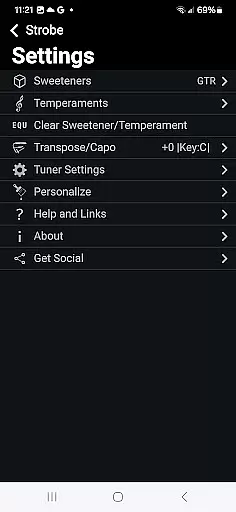
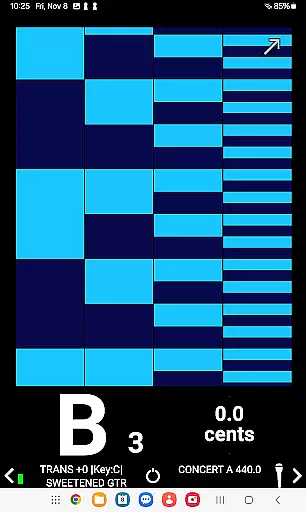
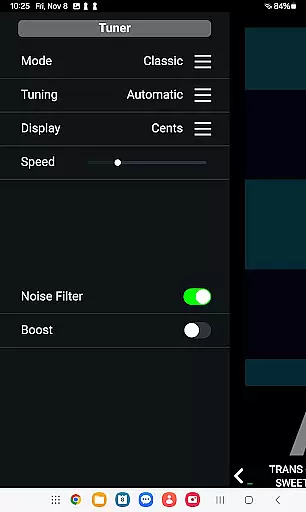
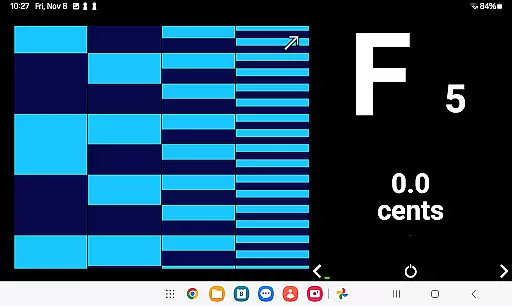
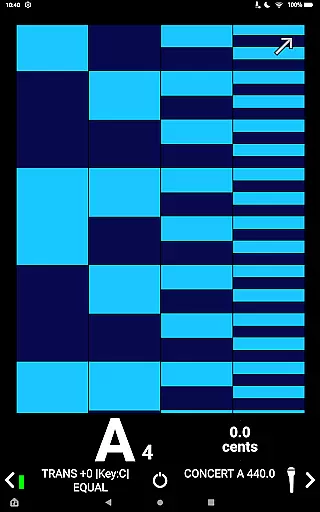
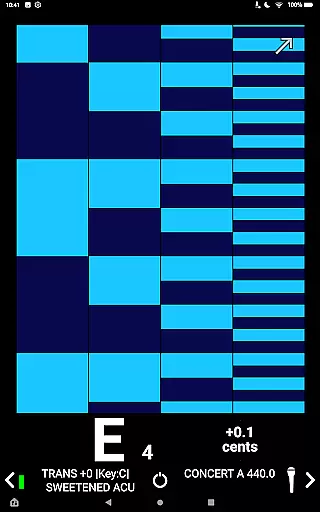
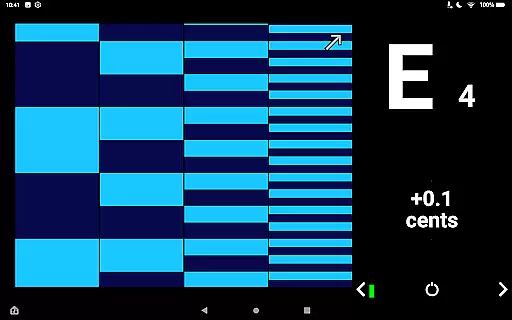
Strobe by Peterson is a premier mobile strobe tuner app that delivers unmatched speed and accuracy for musicians of all levels. Designed with precision in mind, this app offers ±0.1 cent tuning accuracy, making it the most reliable choice for perfect tuning. Its standout feature is the real-time cents-off display paired with strobe imaging technology, available in Classic and Guided modes, which provides instant visual feedback on pitch accuracy.
Beyond its core functionality, Strobe supports a wide range of instruments including guitars, pianos, brass, and woodwinds, ensuring versatility for various musical needs. Whether you're performing live, recording in the studio, or practicing at home, Strobe adapts to your environment seamlessly. The app also includes Sweetened Tunings and customizable display options, allowing users to tailor their experience to specific instruments or musical styles.
With over 75 years of expertise from Peterson, a leader in professional-grade tuners, Strobe brings gold-standard tuning technology to your fingertips. It works offline, supports multiple input sources, and offers an ad-free experience, making it an essential tool for both beginners and professionals seeking reliable and accurate tuning.
Strobe stands out with its advanced features tailored for musicians who demand precision and flexibility. One of its key highlights is the high-speed, ultra-accurate tuning capability, delivering ±0.1 cent precision through a real-time cents-off display and two strobe imaging modes—Classic and Guided. These modes allow users to choose their preferred visualization method, catering to different tuning styles and preferences.
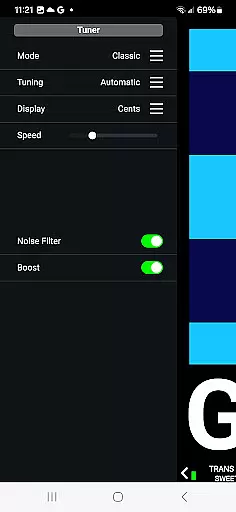
The app's compatibility with any instrument sets it apart from competitors. From guitars and basses to violins, pianos, and wind instruments, Strobe ensures accurate tuning across the board. Additionally, it offers Peterson’s renowned Sweetened Tunings, which enhance tonal accuracy for specific instruments or genres. Users can further customize their experience by adjusting the Concert A reference from 340Hz to 540Hz in precise increments and utilizing transposition settings ranging from -11 to +11 half steps.
Other notable features include offline functionality, support for multiple input sources such as internal microphones or external adapters, and an intuitive interface suitable for both beginners and professionals. With no ads to disrupt the tuning process, Strobe provides a seamless and professional-quality experience that upholds Peterson's legacy of excellence in tuning technology.
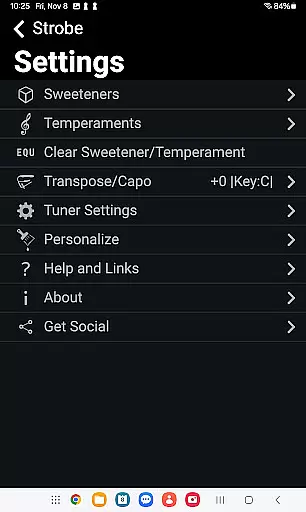
Strobe by Peterson offers a comprehensive music library that caters to musicians of all levels. The app includes four Guitar and Bass Sweeteners, namely GTR, ACU, 12S, and bAS, alongside 11 Historic Temperaments. These features provide users with a wide range of tuning options tailored to specific instruments or musical styles.
The inclusion of Sweetened Tunings adds warmth and tonal accuracy, enhancing the overall sound quality. Users can personalize their experience by selecting colors for the strobe display, making it not only functional but also visually appealing.
Regarding copyright authenticity, Strobe ensures that all its tunings and features are developed in-house by Peterson, a company renowned for its professional-quality tuners. With over 75 years of experience, Peterson's reputation guarantees that users receive a legitimate and high-quality product.
By choosing Strobe, musicians can trust that they are accessing a meticulously crafted music library that respects copyright laws while delivering unparalleled accuracy and customization options.
Strobe by Peterson stands out in the realm of audio quality options by providing u00b10.1 cent precision, which is the most accurate tuning available on mobile platforms. This level of accuracy is achieved through a live cents-off display and strobe imaging that offers real-time feedback, ensuring musicians can achieve perfect pitch every time.
The app supports multiple input sources, including internal microphones, USB interfaces, and external microphones via adapters. This versatility ensures consistent and reliable tuning results across different devices and setups, accommodating various musician preferences and needs.
Additionally, Strobe allows users to adjust the Concert A reference from 340Hz to 540Hz in whole or 0.1Hz increments and offers transposition settings adjustable from -11 to +11 half steps. These features provide further customization, catering to diverse musical contexts and requirements.
Overall, Strobe delivers an exceptional audio quality experience, combining precision, adaptability, and ease of use, making it an indispensable tool for both amateur and professional musicians seeking top-tier tuning capabilities.
Unmatched tuning accuracy
Versatile instrument compatibility
Customizable Sweetened Tunings
User-friendly interface
Offline functionality
Premium pricing model
Advanced features may overwhelm beginners
Limited free version availability
Requires manual adjustments for temperaments
External mic needed for best results

Fun & Easy Voice Changer – Record, Edit & Add Hilarious Effects!
 4.50
4.50
Equalizer, Bass Booster and Volume Booster (Eq & Bass) improve sound quality
4.30
Gorgeous UI, Powerful music Search and Equalizer, the great choice for you!
4.70
Network/Cloud Streaming, Visualization, Graphic Equalizer and Sound Effects.
4.20
The ultimate media player for Android devices
3.90
The alternative folder based music player.
4.20
Sheet music reader, piano & music note player. Play music score & learn to read.
3.90
Versatile MP3 recorder with auto-backup to Dropbox and Google Drive
4.10
One-tap booster for max volume - enjoy powerful sound with this audio booster
4.50
JBL PartyBox APP works with 110/310/710/120/320/520/Encore/Encore 2/Encore Ess 2
4.80
Performance-Synthesizer & Multi-Track-Sequencer, polyphonic + multi timbral!
4.70
Simple & Intuitive Metronome
4.70
Record, Mix & Master with all n-Track effects, 64-bit audio and Stem Separation.
4.70
Learn the notes on the guitar fretboard fast with this easy and fun app
4.60
Help you quickly get started with Shokz headphones
4.40
Manage your Sonos system directly from your home-screen!
4.40
A sleek, no-frills player designed for true music lovers.
4.20
Turn your Android phone into a professional audio analyser with up to 120 bands.
4.00
The Skullcandy App Experience
3.20


User Reviews