
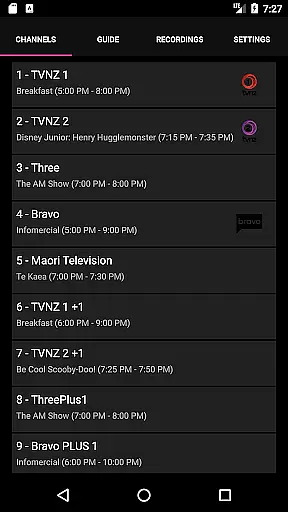
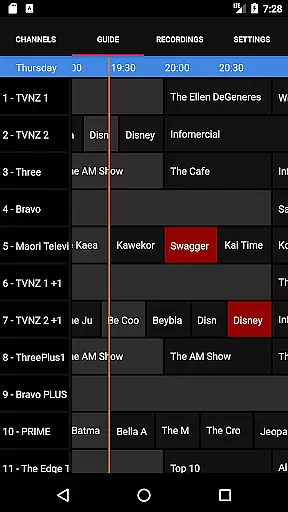
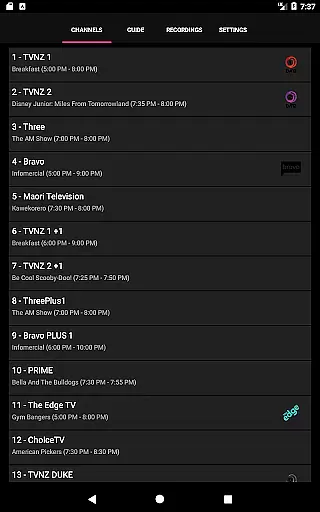
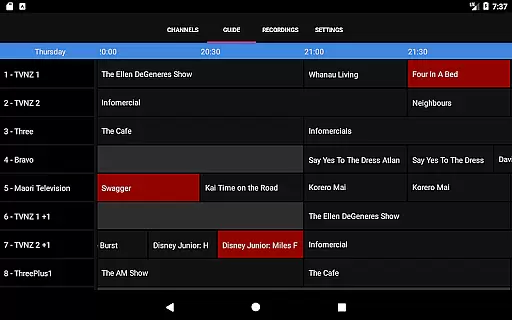
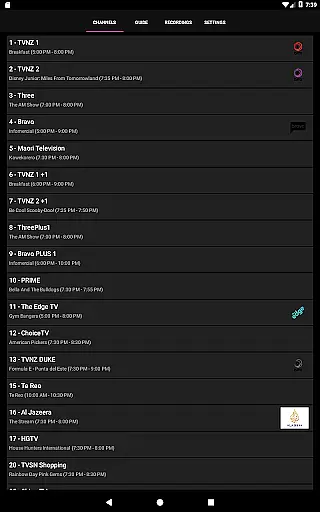
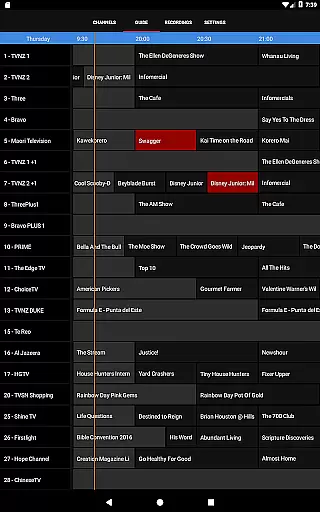
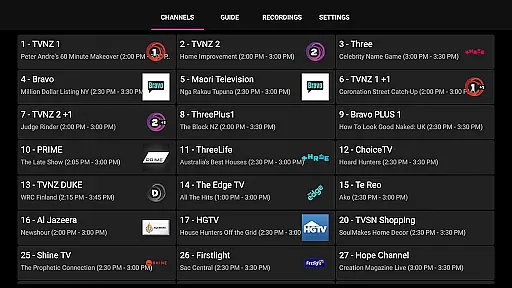
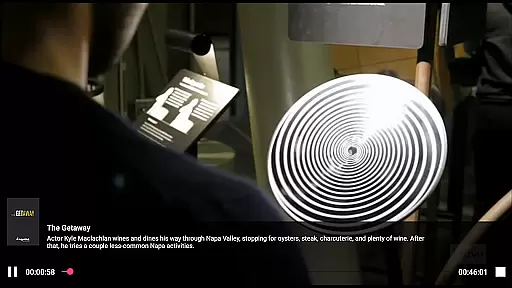
NextPVR is a versatile client application designed for users who want to manage their TV viewing experience directly from their mobile devices. It connects seamlessly with the NextPVR software installed on your Windows PC, enabling you to control live TV streaming, view electronic program guides, and schedule recordings remotely.
This app is perfect for those who already have a home media setup using NextPVR's free media center software. With support for various TV tuners and video capture sources, it allows you to enjoy live television or manage your recorded content from anywhere in your home. The ability to interact with your media center remotely adds significant convenience to your entertainment options.
By integrating smoothly with your existing NextPVR installation, this app enhances your TV management capabilities while maintaining ease of use and accessibility. Whether you're looking to catch up on your favorite shows or ensure you never miss an episode, NextPVR provides a comprehensive solution tailored to your viewing habits.
NextPVR offers a robust set of features that cater to avid TV watchers and tech enthusiasts alike. One of its standout functionalities is the ability to stream live TV directly to your device, allowing you to watch your favorite channels without being tied to your TV screen.
In addition to live streaming, the app provides an intuitive TV guide interface, making it easy to browse through available programs and plan your viewing schedule. Users can also manage their recording schedules right from their mobile devices, ensuring they never miss important broadcasts. This scheduling capability extends to series recordings, automating the process of capturing every episode of your preferred shows.
The app supports integration with ATSC, DVB, and Analog TV tuners, offering flexibility in how you receive your content. Furthermore, it allows you to access and play back previously recorded shows, giving you full control over your media library. These features collectively enhance user engagement by providing a seamless and interactive TV experience.
Video format compatibility is a crucial feature for any video player, ensuring that users can enjoy content in various formats without technical hindrances. NextPVR stands out by supporting a wide array of video formats, making it versatile for different user needs.
The app leverages the underlying capabilities of the NextPVR software, which is designed to handle multiple video codecs and containers. This ensures smooth playback of both recorded TV shows and other media files on your device.
For users, this means freedom from the constant need to convert or reformat files. Whether you're streaming live TV or playing back pre-recorded content, NextPVR's broad format support guarantees an uninterrupted viewing experience.
This compatibility not only enhances user convenience but also expands the range of content that can be enjoyed through the platform, solidifying NextPVR's position as a comprehensive media solution.
AI-powered editing features represent the cutting edge of video editing technology, enabling users to enhance their videos with minimal effort. While primarily a media player, NextPVR incorporates intelligent tools that assist in optimizing video playback and organization.
Although direct AI-driven editing like scene detection or auto-cropping isn't its main focus, NextPVR uses smart algorithms for managing recordings and streamlining the user interface. These subtle implementations help in categorizing content and improving accessibility.
Users benefit from these intelligent systems through more organized media libraries and personalized recommendations based on viewing habits. Such features make navigating large collections of videos more intuitive and enjoyable.
By integrating these advanced technologies, NextPVR not only plays videos but also enhances how users interact with their media library, offering a smarter and more engaging entertainment experience.
User-friendly interface
Comprehensive TV guide
Remote scheduling
Live TV streaming
Flexible tuner support
Requires PC setup
Windows only
No standalone use
Limited device compatibility
Dependent on network

You can play SWF format file!
 2.50
2.50
Your media, on your terms.
4.10
A Quick and Pro Video Editor
4.70
Tik & Story Saver-Download ALL social media videos, photos & reels no watermark.
4.80
IPTV Loader, loads your own Playlist. DOES NOT CONTAIN ANY LIST OR CHANNELS
4.60
All in one multi protocols stream receiver for AirPlay, Cast and DLNA.
3.60
Watch IPTV on your Android device
4.60
Flud is a simple and beautiful BitTorrent client for Android.
4.80
Web Browser for LG TV to stream webvideos, online movies and livestreams in HD
4.20
Video Trimmer, Video to MP3 Converter. Extract music from video, Easy & Fast.
4.80
Pro video editor app for Instagram, edit video with song, AI, effect & slowmo.
4.80
Auto video maker with music & exclusive filters. Video editing made simple.
4.50
Add date and time watermark to photos and videos
4.50
Browser for Fire TV to stream webvideos, online movies, livestreams in HD
4.40
Video player with 4K & 1080P support, popup play, background play and subtitle.
4.20
LumaFusion: The Ultimate Storytelling Experience for Video Editing
4.10
All format media Player, no need video converter any more!
4.00
Connect 2 UVC devices for recording and broadcast video/audio stream
3.90
Mix with Virtual DJ directly from your phone or tablet !
3.10


User Reviews