
VLC Remote is a powerful and user-friendly remote control application designed specifically for VLC media player. It allows users to effortlessly manage their media playback directly from their Android device. With features like automatic setup through a helper tool, the app simplifies the connection process between your smartphone and computer.
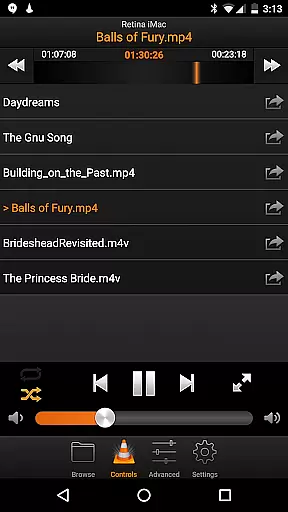
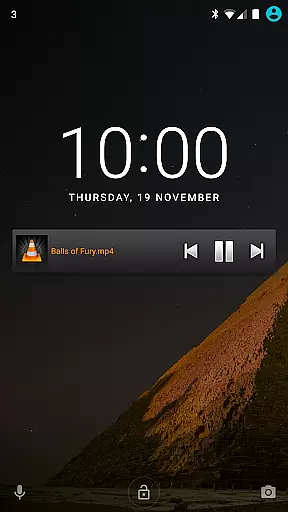
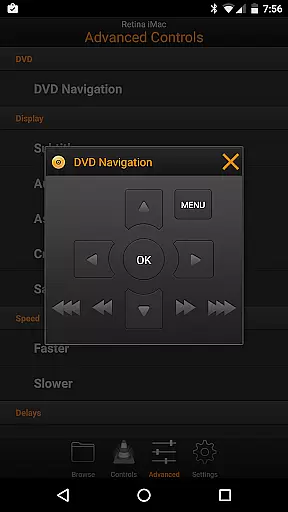
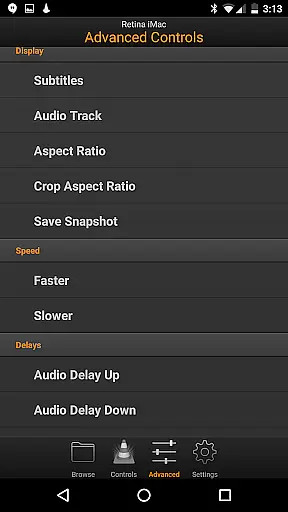
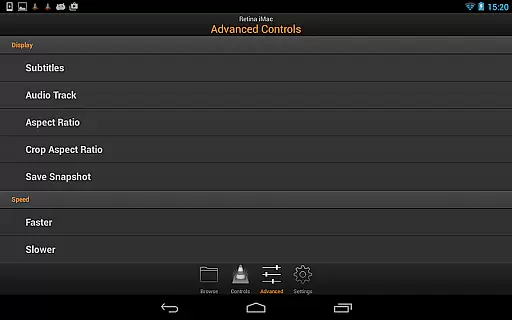
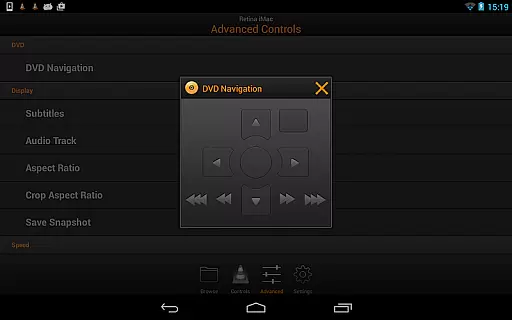
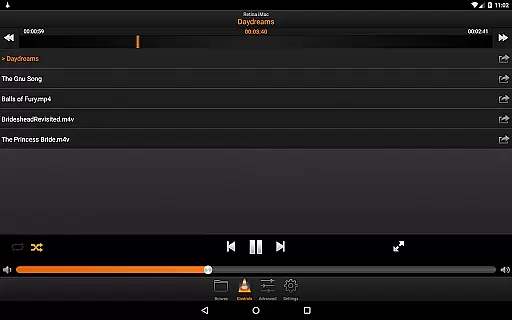
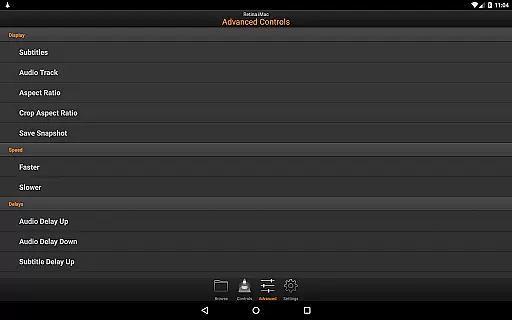
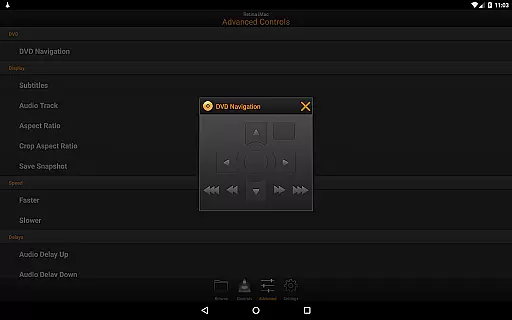
The app offers comprehensive controls including playback management, volume adjustment, DVD navigation, and even advanced settings like subtitle synchronization and aspect ratio adjustments. Whether you're at home or on the go, VLC Remote ensures you have complete control over your media experience without needing to be physically near your computer.
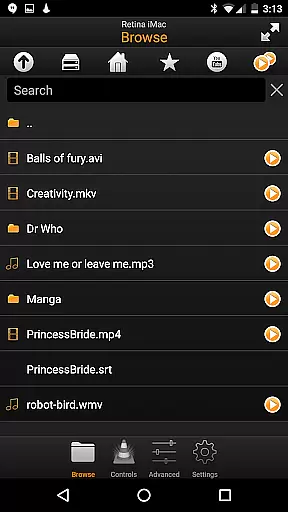
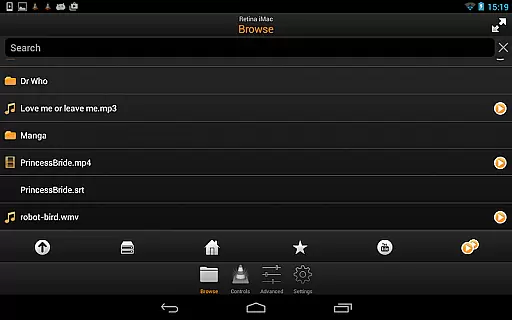
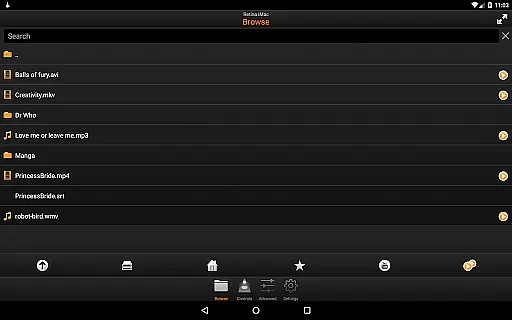
VLC Remote stands out with its intuitive interface and robust functionality. The app provides full browsing capabilities, enabling users to play any file from their computer library directly. Its automatic configuration feature eliminates complicated setup procedures, making it accessible even for less tech-savvy individuals.
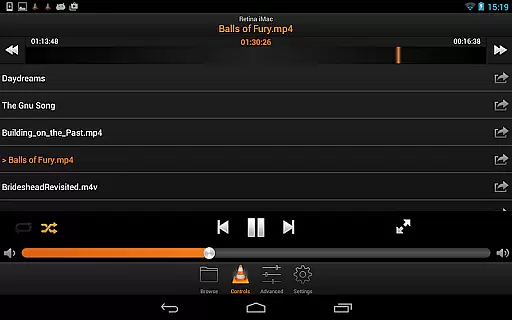
In addition to basic playback controls, the app includes specialized functions such as DVD menu navigation, fullscreen toggle, and detailed audio/video settings management. These features collectively enhance the overall user experience by providing unparalleled convenience and flexibility in controlling media playback from a distance.
One of the standout features of VLC Remote is its extensive video format compatibility. This ensures that users can control playback of virtually any video file type directly from their Android device.
The application supports all popular formats including MP4, AVI, MKV, and more. This wide-ranging compatibility eliminates the need for format conversion, allowing seamless control over your media library.
Users benefit from the ability to browse and play any file from their computer without worrying about format issues. The remote provides effortless access to external drives as well, ensuring all your video content is within reach.
This level of format support makes VLC Remote a versatile tool for managing multimedia files, enhancing user experience by providing reliable and unrestricted access to video content across different formats.
While VLC Remote does not focus on traditional video editing, it incorporates smart features that enhance the playback and management experience through intelligent controls.
The application allows users to adjust subtitles, aspect ratios, audio tracks, and playback delays with precision. These features offer a form of 'on-the-fly' editing that optimizes viewing experiences without altering the original file.
Additionally, full DVD controls and the ability to modify volume, position, and track selections provide users with comprehensive command over their playback environment. These functionalities mimic some benefits of AI-powered editing by adapting playback parameters in real-time.
By offering these advanced yet easy-to-use features, VLC Remote empowers users to customize their viewing experience dynamically, making it an essential tool for both casual viewers and multimedia enthusiasts.
User-friendly interface
Automatic setup helper
Comprehensive playback controls
Advanced DVD functionalities
Remote subtitle management
Limited to VLC player
Requires network connection
No iOS version available
Occasional connectivity issues
Some features need premium access

Connect 2 UVC devices for recording and broadcast video/audio stream
 3.90
3.90
Save photos and videos from social apps in one tap.
3.60
HD video & music player - All format support with floating & PIP mode!
3.80
Create photo video with music & template. AI video maker for stunning slideshow.
4.60
All format media Player, no need video converter any more!
4.00
AirMirror Receiver - Screen mirroring/cast web videos to Android TV by AirPlay.
4.40
Download videos and play them offline
4.70
AI Video Editor with Music, Filter, Slideshow, Effect, Merge & Trim Video.
4.80
Capture the moment and Cut
3.40
Fast & Private HD Video Downloader with Built-in Proxy Browser and Video Player.
4.50
Video Downloader, Multiple Resolution Options, Video Player
4.50
KMPlayer Plus (Divx Codec) officially support Divx codec.
4.30
Turn your phone into a wireless camera!
4.20
Video player with 4K & 1080P support, popup play, background play and subtitle.
4.20
Powerful, professional, versatile teleprompter. Developed by an active film crew
4.00
Cast to Smart TV, Fire TV. Cast video, photo - Fast & Stable!
3.90
Stream high quality video from your camera over NDI protocol
4.1
Powerful HD video player with support for all formats & subtitles.
4.4
Play and download HD videos from all sources — fast, simple, and all-in-one.
4.5


User Reviews