
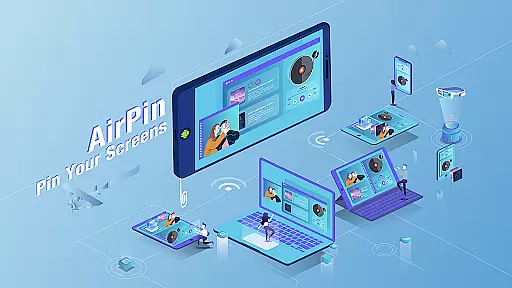

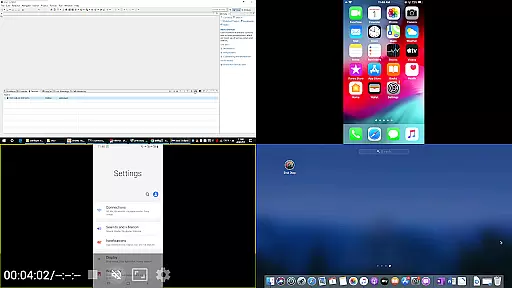
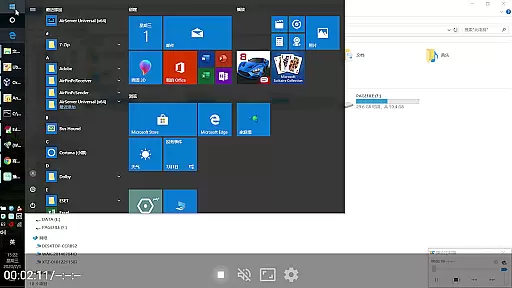

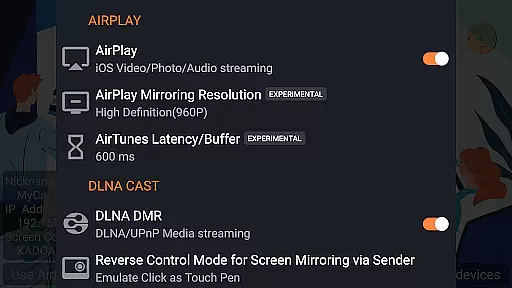
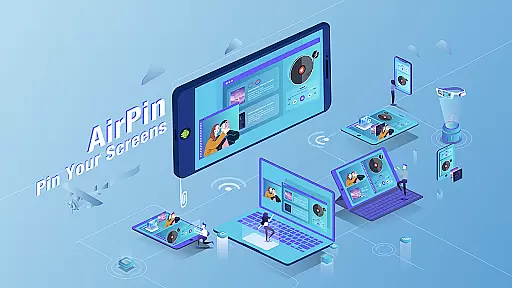

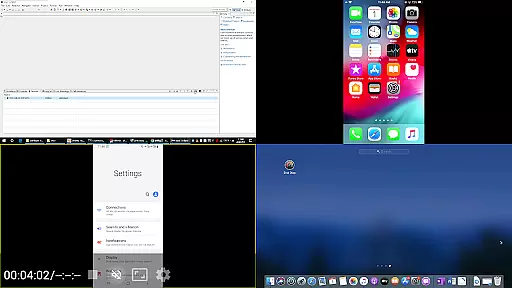
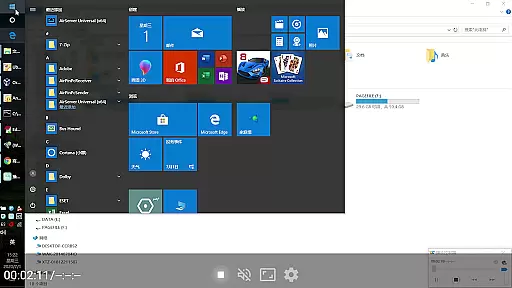


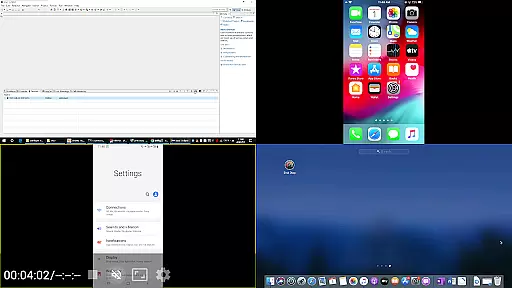
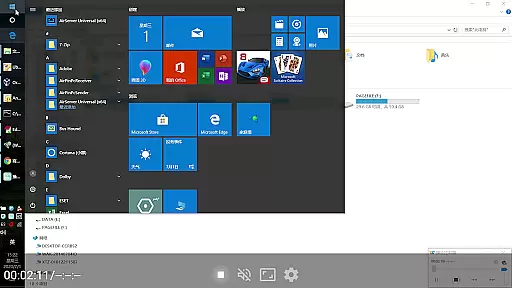


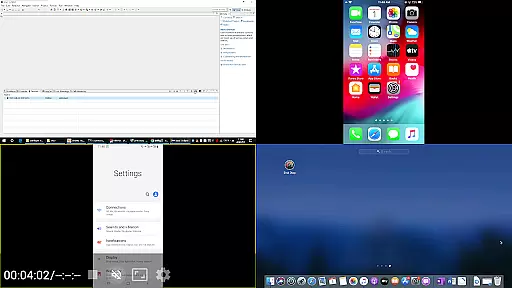
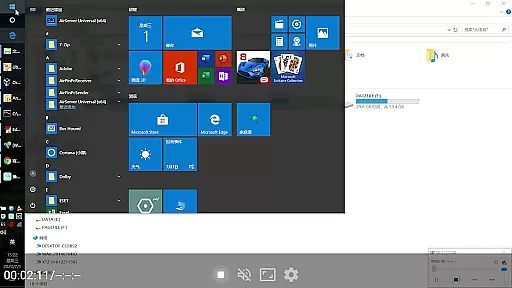

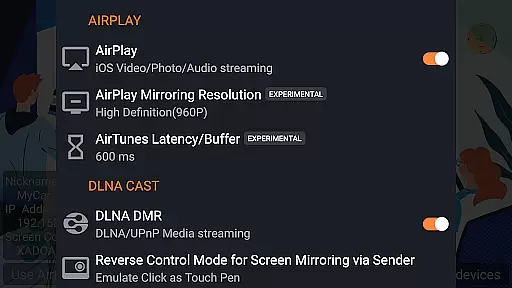
AirPin PRO is a cutting-edge screen mirroring and media streaming receiver app designed for Android phones, tablets, TVs, set-top boxes, and projectors. As the first Android application to support both AirPlay and DLNA since its initial release in July 2012, it enables users to share media and screens from Apple, Windows, and Android devices onto larger displays. With the PRO version, you can simultaneously display up to four device screens, enhancing collaborative and multimedia experiences.
The app's versatility extends beyond just screen sharing; it supports streaming video, music, and photos from various devices using different protocols. Whether you're connecting via AirPlay from an iPhone or iPad, using AirPinPcSender.exe on a Windows PC, or leveraging AirPinCast for Android devices, AirPin PRO ensures seamless connectivity. Its compatibility with multiple platforms makes it an essential tool for both personal entertainment and professional presentations.
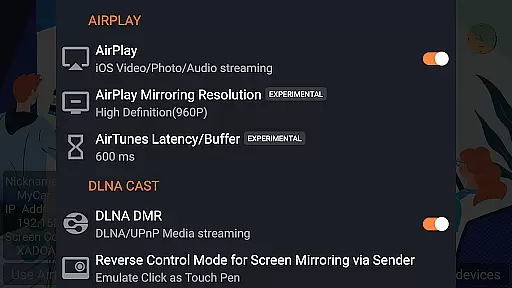
AirPin PRO stands out with its ability to display multiple device screens simultaneously, supporting up to four at once. It fully supports AirPlay video and music streaming as well as screen mirroring across all iOS and MacOS versions, making it indispensable for Apple users. Additionally, it was the first app to support the latest YouTube AirPlay streaming and introduced features like slideshow functionality for AirPlay photo streaming and password protection for added security.
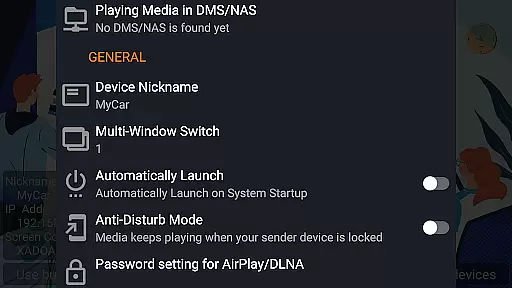
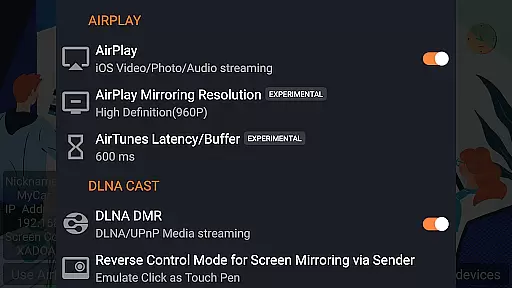
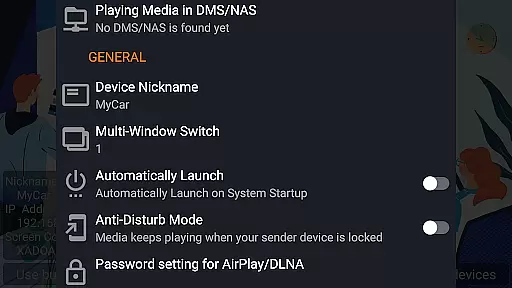
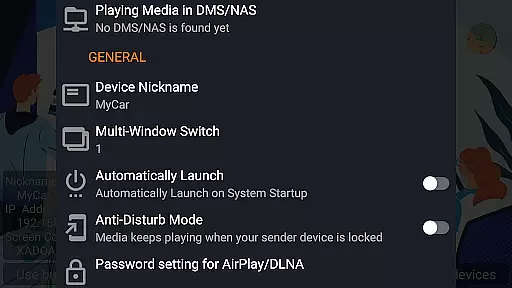
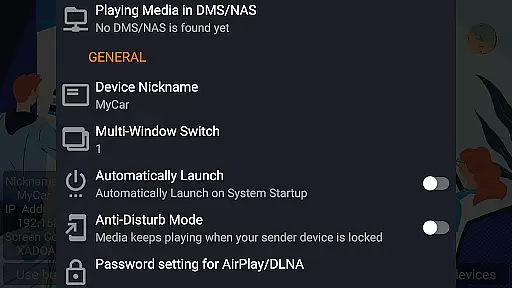
For Android-based TVs, AirPin PRO remains unique as the only app that functions as both a Renderer and Player. It allows direct pulling of media from DLNA, NAS, and Samba servers for playback and works seamlessly with AirPinPcSender.exe for Windows streaming and mirroring. The app also supports Android mirroring and streaming through AirPinCast, password protection, configurable automatic startup, service shutdown, background audio streaming without delay, anti-disturb mode, resuming playback from the last pause point, and external player support.
AirPin PRO stands out as a versatile screen mirroring and media streaming receiver app, supporting an extensive range of video formats. This ensures that users can enjoy content from various sources without worrying about compatibility issues.
With its foundation rooted in both AirPlay and DLNA support since its initial release in July 2012, AirPin PRO enables seamless sharing of media from Apple, Windows, and Android devices to a larger display. The application's ability to handle multiple device screens simultaneously further enhances the user experience by catering to diverse multimedia needs.
The app facilitates direct pulling of media from DLNA/NAS/Samba servers for playback, making it an invaluable tool for those looking to stream content from network-attached storage. Its compatibility with external players also means that users are not limited to built-in codecs, allowing for even broader format support.
While AirPin PRO is primarily designed for screen mirroring and media streaming, it incorporates several features that enhance the viewing experience akin to AI-powered editing capabilities. These include automatic service startup and configurable shutdown, ensuring minimal user intervention while maintaining optimal performance.
One notable feature is the anti-disturb mode, which allows videos to keep playing even when the controlling side exits the session. This uninterrupted playback mirrors intelligent editing functions by preserving continuity in media presentation, thus enriching viewer engagement.
Additionally, AirPin PRO supports continuing playback from its previous pause pointu2014a function reminiscent of smart editing tools that prioritize user convenience. Such features collectively contribute to a more refined and personalized media consumption experience on Android-based TVs and other supported devices.
Multi-screen display
First app with AirPlay & DLNA
Wide device compatibility
Advanced security features
Continuous updates
Paid PRO version
Complex setup
Device compatibility issues
Limited free features
Requires additional software

Kodi media center, a free and open source cross-platform entertainment hub
 3.60
3.60
Connect 2 UVC devices for recording and broadcast video/audio stream
3.90
Cast to Chromecast, Xbox, Fire Stick, Roku, DLNA, Smart TV & No Feature Limited!
4.50
KineMaster, Your Ultimate Video Editor!
4.40
This app was created to edit the metadata of music files.
4.20
Turn your phone into a wireless camera!
4.20
GENRAL PRO - General Pro is the best video player that fully supports all formats.
4.70
Make your own Animations, Video and Photo Edits, Visual Effects, and more!
4.00
Browser + Remote for Roku to stream webvideos, online movies and livestreams
4.60
Tik & Story Saver-Download ALL social media videos, photos & reels no watermark.
4.80
A Simple app to download Video & Music from the Internet.
4.70
Support 1000+ Video Format, Subtitle Download, mp3 & Background Play, Cast On TV
4.60
Seamlessly connect and control your smart devices, anytime, anywhere with ease.
4.60
Add date and time watermark to photos and videos
4.50
AirMirror Receiver - Screen mirroring/cast web videos to Android TV by AirPlay.
4.40
Web Browser for LG TV to stream webvideos, online movies and livestreams in HD
4.20
IPTV-Smarters Player Pro M3U - Watch Live Stream TV Channels with Chromecast
4.00
HD video & music player - All format support with floating & PIP mode!
3.80
Browser for Sony TV to stream web videos, online movies and live tv
3.20


User Reviews