
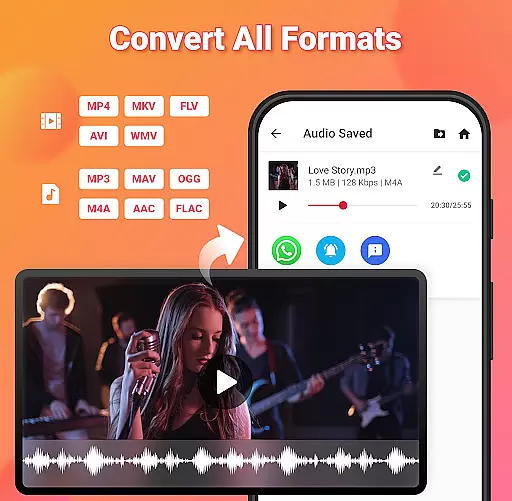
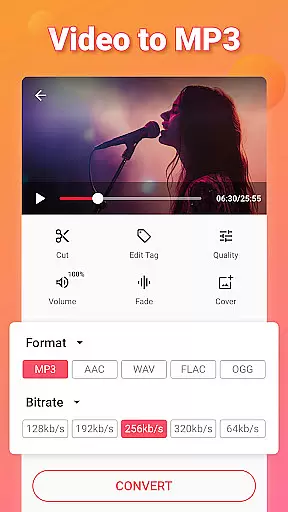
Video to MP3 is a versatile media converter tool that allows users to convert video files to high-quality audio formats. With support for multiple file types, including MP4, MKV, and AVI, this app makes it easy to extract music from videos and save them as MP3 files.
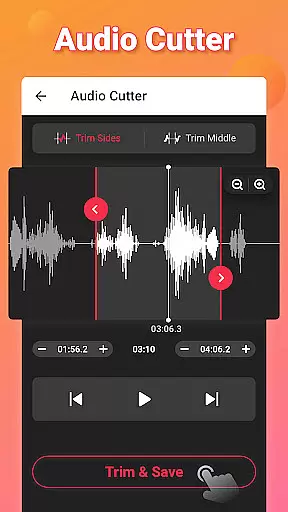
The application also features advanced editing tools such as an MP3 cutter, sound boost options, and fade-in/fade-out effects. Users can customize their audio files with album art and metadata tags, making it a comprehensive solution for all video-to-audio conversion needs.
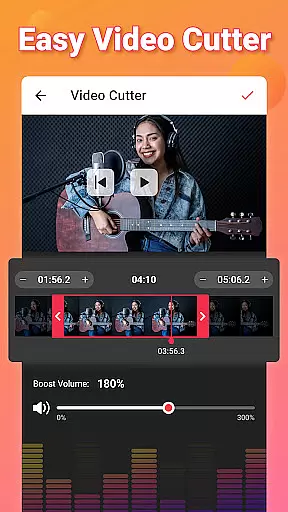
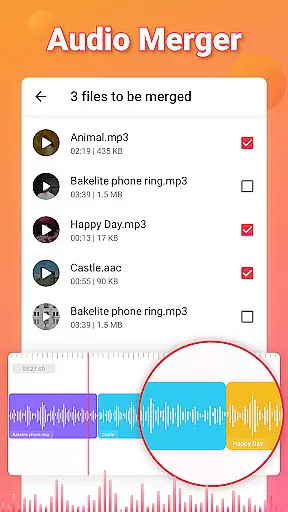
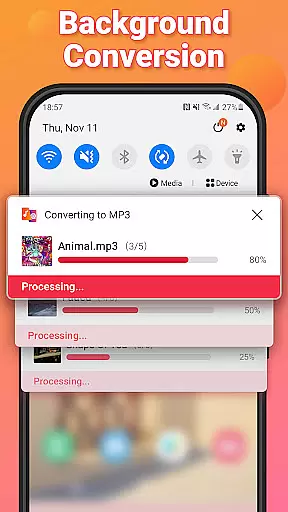
Beyond basic conversion, Video to MP3 offers powerful features like batch processing, which allows users to convert up to 15 videos at once. The built-in video trimmer helps isolate specific segments of a video for conversion, while the audio merger combines multiple tracks into one seamless file.
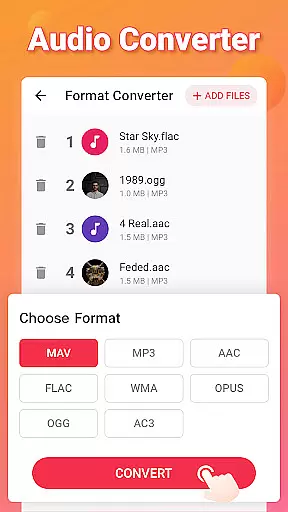
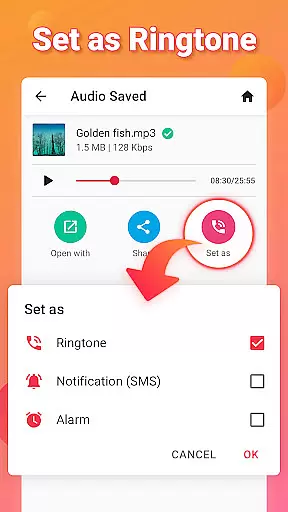
With bitrate settings ranging from 32kb/s to 320kb/s, users have control over the quality of their output. Additionally, the app supports various output formats, including AAC and M4A, and provides options to set converted files as ringtones or notification sounds.
Video to MP3 stands out with its extensive video format compatibility, ensuring users can convert nearly any video file to audio. The app supports a wide array of video formats including MP4, MKV, FLV, AVI, and WMV.
This broad compatibility is crucial for users who work with different video sources, allowing them to focus on content creation rather than format limitations. Whether it's converting MOV to MP4 or MKV to MP4, the app handles these tasks seamlessly.
The importance of this feature lies in its ability to save time and effort. Users no longer need to search for specific converters for different formats, as Video to MP3 provides a one-stop solution for all their conversion needs.
By supporting high-quality conversions, the app ensures that the audio extracted retains the quality of the original video, providing a superior user experience for those looking to extract music or audio from videos.
Beyond basic conversion, Video to MP3 incorporates AI-powered editing features that enhance the user's ability to manipulate and customize their media files. This includes options like the MP3 Cutter, Audio Merger, and Sound Boost functionalities.
These smart tools allow users to cut and trim audio files precisely, merge multiple audio tracks into one, and even increase the volume of the output without losing quality. Such features are powered by intelligent algorithms that understand audio patterns, ensuring edits are smooth and natural.
The inclusion of AI-driven features significantly boosts the app's value by catering to both casual users and professionals who require more control over their audio edits. It simplifies complex editing tasks, making them accessible to users without specialized knowledge.
Ultimately, these capabilities ensure that users can not only convert but also refine their audio files, creating personalized ringtones, alarms, or notification sounds with ease. This positions Video to MP3 as an indispensable tool for anyone involved in media editing.
User-friendly interface
Batch conversion support
High-quality audio output
Comprehensive format compatibility
Free to use
Limited advanced editing features
No cloud integration
Occasional ads in the free version
Interface may feel cluttered
Large file size

The smartest M3U IPTV Player your playlists have ever seen.
 4.1
4.1
Tik & Story Saver-Download ALL social media videos, photos & reels no watermark.
4.80
HD video maker with no watermark, no ads & vlog maker with music, PIP, text
4.50
Movie maker & video editing app with AI effects and green screen
4.30
All in one HD video downloader & player for multiple formats with full privacy
4.70
IPTV Player - Watch live TV from m3m & m3u8 playlist, stream IPTV on mobile
3.30
Browser + Remote for Roku to stream webvideos, online movies and livestreams
4.60
Browser for Fire TV to stream webvideos, online movies, livestreams in HD
4.40
Screen recorder with audio to take live videos & Screenshot in high quality!
4.70
Play ALL formats in 4K & HD. Video downloader, MP3 player, Chromecast & more.
4.80
A Simple app to download Video & Music from the Internet.
4.70
HD Video player all format, HD Videos, Cast & Subtitle. No annoying ads.
4.60
Video Player - Unlimited features, 30 days money back guarantee.
4.60
Fast, private downloading, video saving, social media
4.50
Turn your phone into a wireless camera!
4.20
IPTV-Smarters Player Pro M3U - Watch Live Stream TV Channels with Chromecast
4.00
Livestream, news, & gaming content. Watch, chat, and upload. Join Rumble today!
3.80
Save photos and videos from social apps in one tap.
3.60
This app is an emulator of some specific IPTV boxes
3.50


User Reviews