
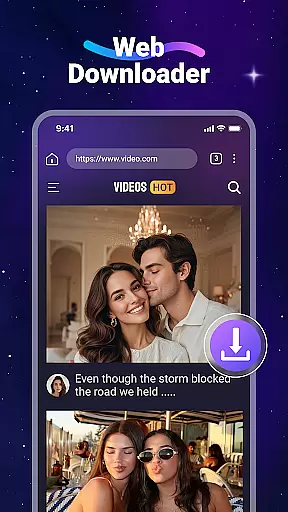
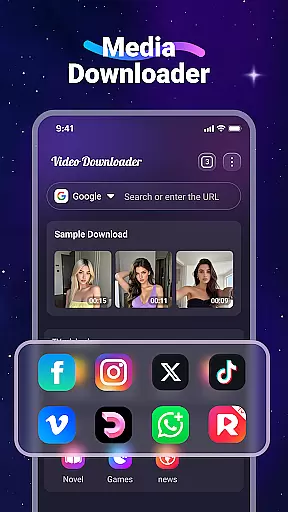


Video Downloader is a versatile utility app designed for users who want to download and manage videos and music directly from websites. The app allows you to save media files onto your device, enabling offline access without the need for internet connectivity. With its built-in player, you can watch videos or listen to music anytime, anywhere.
One of the standout features of Video Downloader is its fast download speed and support for all major file formats, including MP4, MP3, AVI, and more. Additionally, it offers a built-in web browser that automatically detects downloadable video content on web pages, making the process seamless and efficient. Whether you're looking to save online tutorials, music tracks, or any other media, this app provides a comprehensive solution for managing your downloaded files.
This app is particularly useful for users who travel frequently or have limited data plans. By downloading content in advance, you can avoid excessive data usage while still enjoying your favorite videos and music offline. Its user-friendly interface and robust functionality make it an essential tool for anyone seeking greater control over their media consumption.
Video Downloader stands out with its rich set of features tailored to enhance user experience. One of its key capabilities is the ability to download videos and music at high speeds, ensuring minimal wait times. The app's built-in media player supports multiple formats, allowing users to play downloaded files without needing additional software. This feature is especially valuable for those who want a seamless playback experience without compatibility issues.
Another notable aspect is the app's integrated web browser, which simplifies the process of finding and downloading media. When browsing websites, the app automatically detects downloadable video content and provides a convenient download button. It also supports background downloads, meaning you can continue using your device while files are being saved. Furthermore, the app allows users to organize their downloaded files efficiently through bookmarks and folder management options.
The inclusion of SD card support adds another layer of flexibility, enabling users to store large media files externally. This ensures that your device’s internal storage remains free for other important apps and data. Overall, Video Downloader combines speed, convenience, and versatility to deliver a powerful tool for managing digital media on the go.
Video Downloader stands out for its extensive video format compatibility, ensuring users can download and play a wide range of file types without hassle. This includes popular formats such as MP4, AVI, and MOV, alongside audio formats like MP3 and M4A.
The app's built-in player supports this variety, allowing users to enjoy their downloaded content offline seamlessly. Whether it's a documentary in WMV or a music track in PDF form, Video Downloader handles it all.
This versatility is crucial for users who source videos from different websites, each potentially using a distinct format. By supporting all major formats, the app ensures no content is left inaccessible due to compatibility issues.
Ultimately, this broad compatibility empowers users to manage their multimedia library efficiently, making Video Downloader an indispensable tool for anyone looking to enjoy videos without internet constraints.
Beyond downloading, Video Downloader incorporates AI-powered editing features that elevate the user experience. These tools allow for intuitive video modifications, including trimming, merging, and format conversion, directly within the app.
Users benefit from smart editing suggestions powered by AI algorithms, which streamline the editing process. Whether adjusting video length for social media or converting files for specific devices, these features ensure precision and ease.
The inclusion of AI not only simplifies complex editing tasks but also opens up creative possibilities for users. From enhancing video quality to extracting audio tracks, the app provides a comprehensive editing suite.
By integrating advanced AI capabilities, Video Downloader positions itself as more than just a downloaderu2014it's a complete video management solution, catering to both casual viewers and content creators alike.
User-friendly interface
Fast download speeds
Supports all major formats
Built-in media player
Background downloading
No YouTube support
Limited to legal downloads
Requires manual updates
Ads in free version
Storage permissions needed

Client application for NextPVR software
 3.00
3.00
Your media, on your terms.
4.10
Watch a large amount of high-definition short drama content
4.60
Tik & Story Saver-Download ALL social media videos, photos & reels no watermark.
4.80
Full HD Video mp3 Player, MP4 player play 1080p, File manager, Video Downloader
4.40
Download videos easily & play them all in one smart, powerful video manager.
3.40
Find, download, and play torrents with the official BitTorrent® Pro app
4.70
Connect EasyCap or UVC devices for recording and broadcast video/audio stream
3.60
convenient, safe and fast at Video Downloader & Player
4.60
Support 1000+ Video Format, Subtitle Download, mp3 & Background Play, Cast On TV
4.60
Watch IPTV on your Android device
4.60
Cast to Chromecast, Xbox, Fire Stick, Roku, DLNA, Smart TV & No Feature Limited!
4.50
Fast video downloader & private browser. Save HD clips to watch offline.
4.40
Powerful Video Editor & Photo Editing App —— Quick Edits & Stunning Effects!
4.30
1)AirPlay/DLNA Mirroring/Streaming, up to 4 connections; 2)Samba/NAS/DMS Player.
4.00
Live TV, anywhere in your home
3.80
Save photos and videos from social apps in one tap.
3.60
AirMirror is Receiver for Screen Mirroring and Casting from Apple Devices.
3.60
You can play SWF format file!
2.50


User Reviews