
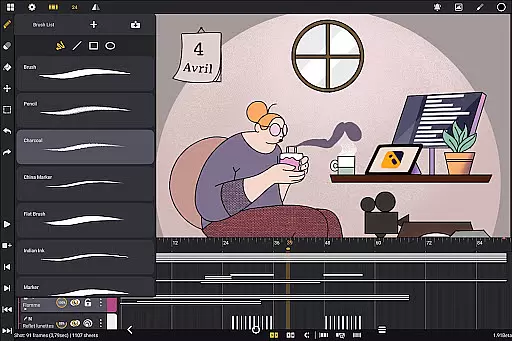
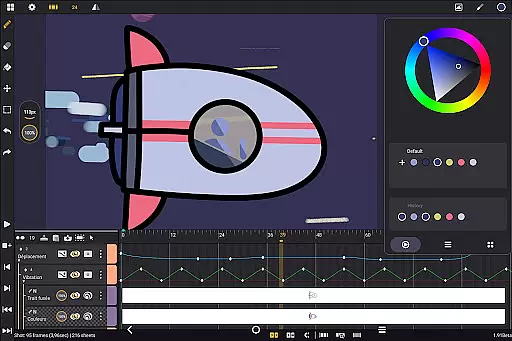
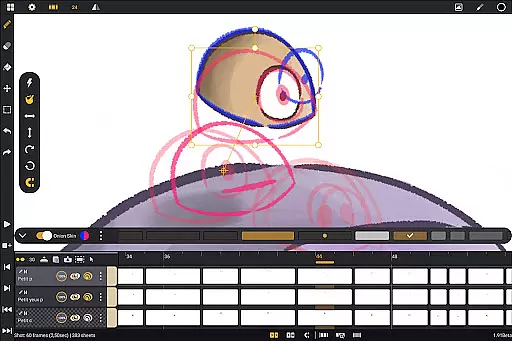
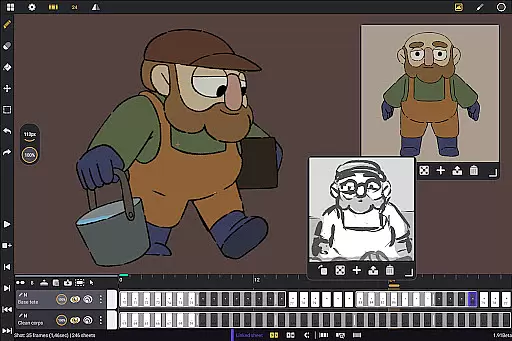
Callipeg is a professional-grade 2D hand-drawn animation app designed for Android devices, offering all the essential tools of a full-featured animation studio. It caters to both professional animators and beginners, providing an intuitive interface optimized for tablets and stylus support. The app allows users to create frame-by-frame or keyframe animations, develop storyboards, and produce complete shots with precision.
With features like adjustable frame rates up to 60 frames per second, canvas sizes up to 4K, and unlimited layer support, Callipeg ensures high-quality output suitable for professional projects. Its customizable workspace, onion skinning, and comprehensive drawing tools further enhance the creative process. Whether you're working on feature-quality animations or simple sketches, Callipeg provides the flexibility and functionality needed to bring your ideas to life.
Callipeg stands out with its robust set of features tailored for professional animators. One of its core strengths is the studio-like organization system, allowing users to arrange shots by dragging and dropping them into scenes and folders. Color tags and filters help manage assets effectively, while the integrated search function ensures quick access to specific shots. This organizational capability streamlines project management, especially for complex animations.
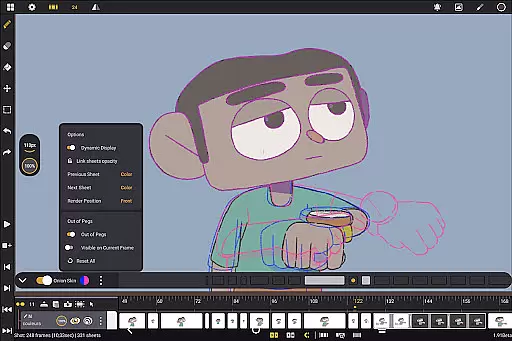
The app also excels in its drawing and animation tools. Users can access a versatile brush set including pencil, charcoal, and ink options, each customizable with smoothing, tip shape, and texture settings. Onion skinning displays up to eight frames before and after the current frame, with adjustable opacity and color settings. These features, combined with flexible import and export options in multiple formats such as .mp4, .gif, and .psd, make Callipeg a comprehensive solution for 2D animation on Android devices.
In the realm of 2D animation, having access to a comprehensive suite of creative tools is essential for producing high-quality work. Callipeg offers an all-in-one solution that caters to both professional animators and beginners alike. The app provides a versatile brush set including pencil, charcoal, ink, and more, allowing users to customize brushes' smoothing, tip shape, and texture.
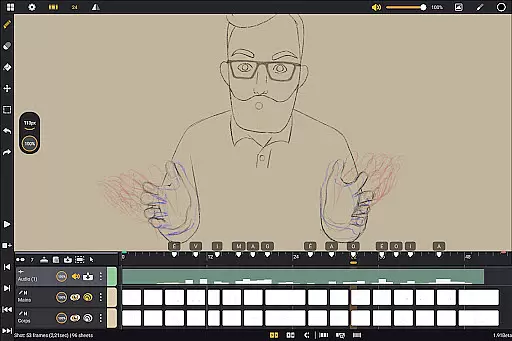
Callipeg's feature set extends beyond just drawing tools. It supports unlimited layers of various typesu2014drawing, video, transformation, audio, or groupu2014enabling creators to import images, video clips, and audio files for techniques like draw-over, rotoscopy, or lip-sync. This flexibility ensures that artists can execute their vision without being constrained by the software.
The app also includes animation-focused tools such as onion skinning, which displays up to eight frames before and after the current frame with adjustable opacity and color settings. These features help streamline the animation process, making it easier for users to produce smooth and professional animations directly on their Android devices.
Flexibility in canvas size and format compatibility is crucial for animators who need to meet professional standards while working on diverse projects. Callipeg addresses this need by offering a large canvas size of up to 4K resolution, ensuring that animations are crisp and detailed enough for any professional setting.
Besides its expansive canvas options, Callipeg allows users to adjust frame rates according to their project requirements, supporting rates of 12, 24, 25, 30, or 60 frames per second. This adaptability enables animators to tailor their workflow precisely to the demands of different animation styles and formats.
Exporting animations is made easy with Callipeg's support for multiple file formats such as .mp4, .gif, .png, .tga, .psd, and .peg. Additionally, importing and exporting project files in .json, .xdts, and .oca formats maintains timing and layer structure across industry-standard software. This level of format flexibility empowers creators to seamlessly integrate their work into broader production pipelines.
Professional-grade tools
No subscription model
High customizability
Active community support
Cross-platform compatibility
Stylus-dependent performance
Steep learning curve
Limited free resources
Large file sizes
Occasional bugs

Discover Cartoon Dream : Unleash Your Creativity with CuttingEdge AI
 4.50
4.50
Vidu is an AI video generator made for creators and aspiring makers.
3.30
Logo Generator powered by AI: Create stunning logos effortlessly!
4.70
Unleash Your Creativity with Draw Cartoon - AR Drawing App
4.10
Draw anime easily with AR guidance, sketch templates & trace tools!
3.10
AR Anime Drawing: How to draw anime with AR drawing & sketching apps!
4.00
Mobile pixel art editor. Simple. Fast. Portable.
4.80
AI Tattoo Generator: Create Tattoo Designs & Get Ideas! Ink & Stencil Maker
4.50
Sketch and paint on your device with the feel and freedom of drawing on paper
4.00
Turn your drawings into flipbook-style animations with simple creative tools
4.60
Castle is social media for creating and playing games!
4.60
Image resizer to resize, crop, rotate, flip, change dpi photo or picture in bulk
4.60
Nano Banana AI Image Generator, Anime Filter, AI Portrait, AI Photo Generator
4.30
Bring One UI 8.5 Icons to life -elegant dark icons with a modern, premium touch.
4.30
Customizable Outlined Fonts. Watch Face Format. Battery friendly Digital Clock.
4.20
Create Logos, Tattoos, AI Art & more with our AI Photo Generator & Design Editor
4.20
Floor Plan Creator lets you create, edit and share floor plans.
4.00
Art of Combination Wear OS Watch faces
4.2
Art of Combination Wear OS Watch faces
4.5


User Reviews