
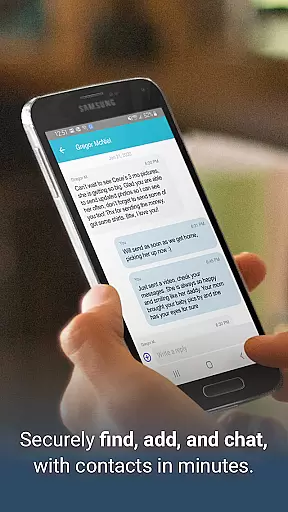
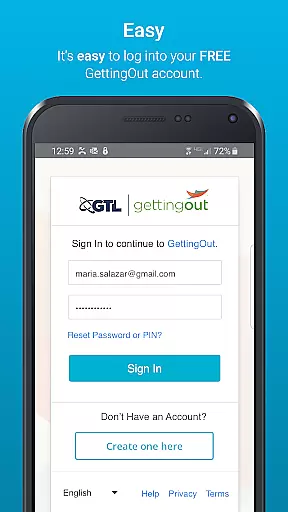
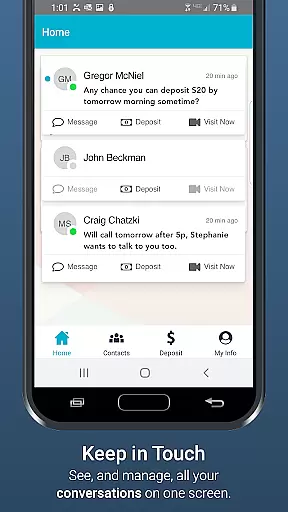
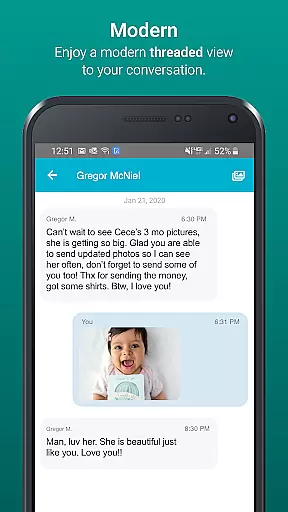
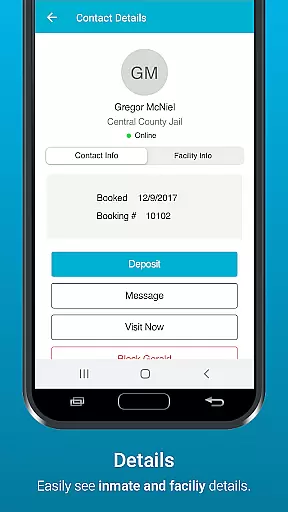
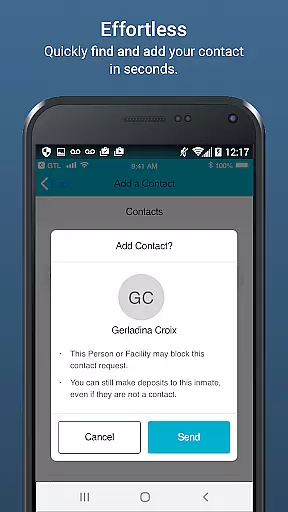
GTL's GettingOut mobile app is a specialized communication tool designed to facilitate meaningful connections between inmates and their loved ones. The app offers essential features such as secure messaging, photo and video sharing (in select facilities), and easy deposit management.
With its user-friendly interface, GettingOut ensures reliable communication even while users are on the go. By providing families with an accessible platform to stay connected, GTL supports the crucial relationships that help inmates reintegrate into society successfully.
The GettingOut app stands out for its comprehensive set of communication tools tailored specifically for inmate connections. Users can send and receive messages through an improved messaging system, share multimedia content like photos and videos where available, and manage their contacts efficiently.
Additional practical features include simple account top-ups and detailed transaction history tracking. The app also actively incorporates user feedback to enhance functionality and address any issues, ensuring continuous improvement based on real user experiences.
Effective task management is crucial for maintaining productivity, especially in communication-focused applications like GTL's GettingOut. This app excels in organizing essential tasks such as messaging, media sharing, and financial transactions within the inmate communication ecosystem.
The application provides a streamlined interface where users can manage deposits, send multimedia messages, and maintain contact lists efficiently. These features are designed to ensure that users can focus on what matters most u2013 staying connected with their incarcerated loved ones u2013 without being overwhelmed by complex processes.
By centralizing these core functions, GettingOut significantly reduces the time and effort required to handle various communication tasks. Users benefit from an intuitive layout that makes it easy to switch between different activities, enhancing overall efficiency and user satisfaction.
In today's mobile-centric world, reliable cross-device synchronization is essential for ensuring seamless user experiences. GTL's GettingOut app addresses this need by providing consistent access to critical communication features across multiple devices.
The application maintains real-time updates of messages, media, and account balances, allowing users to transition smoothly between their smartphones, tablets, or other mobile devices. This synchronization ensures that whether users are at home or on the go, they always have access to the most current information and communication tools.
This level of reliability in data synchronization not only enhances convenience but also builds trust among users who depend on consistent access to maintain vital connections. The robust infrastructure supporting these features demonstrates GTL's commitment to delivering dependable communication solutions.
User-friendly interface
Secure communication channels
Multimedia sharing capabilities
Free to download and use
Regular feature updates
Limited facility compatibility
Occasional connectivity issues
Transaction fees may apply
Feature restrictions in certain areas
Requires internet access

Native client for Forgejo and Gitea
 5.00
5.00
Professional calendar app for Google Calendar, MS Outlook & Exchange
4.20
All in one sketching tool. Technical and General drawing. Online Maps support.
3.70
Absolutely the best CNC machinist speed and feed calculator around. fswizard.com
4.60
IP Camera Viewer - Android TV : RTSP Surveillance camera viewer for Android TV
4.1
Make apps & sites with natural language prompts
4.10
Cloud storage, automatic phone backup, and more.
4.10
Understand anything with a personalized AI research assistant
4.80
Okta MFA
4.70
Quickly and easily keep track of your work shifts
4.70
Client for Nextcloud Deck
4.60
Experience Reading - Night Mode for Documents
4.40
Secure your apps with lock screens, use custom themes and different features.
4.40
Automates browsing any website and notifies you of important changes or events
4.30
Total remote control for your Android device, PC and cloud services (IFTTT)!
4.20
Activate Two Factor Authentication (2FA or Multi OTP), Password manager and more
4.10
A Revolutionary All-in-One Artificial Intelligence Tools
3.80
ID.me Authenticator is a simple and free Two Factor Authentication solution
3.50
A comprehensive suite of tools designed specifically for Lactation Consultants
4.2


User Reviews