
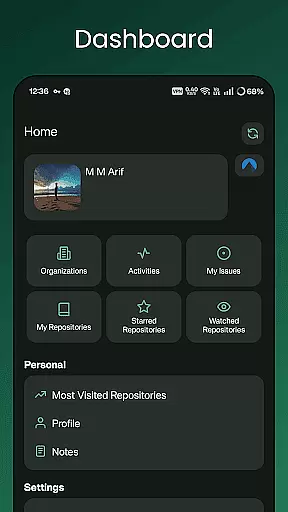
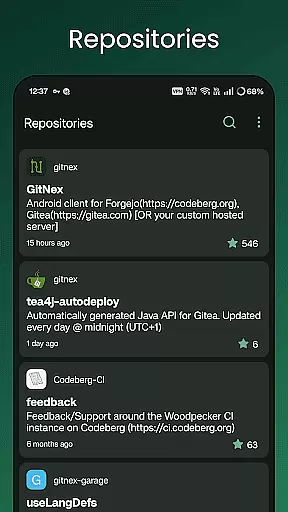
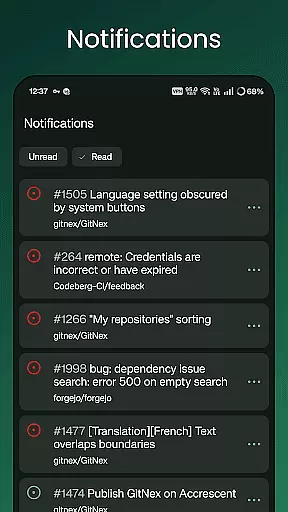
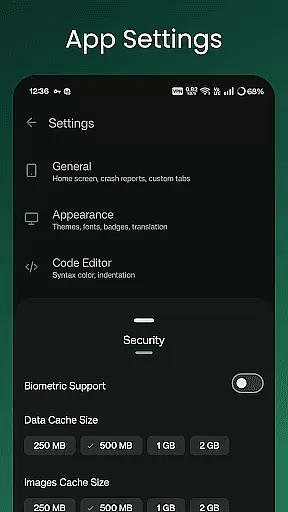
GitNex is a powerful open-source Android client designed for managing Git repositories on Forgejo and Gitea platforms. This productivity tool allows developers to efficiently handle multiple accounts, browse files and directories, and create various elements such as issues, pull requests, and wikis directly from their mobile devices.
The app provides comprehensive repository management features including issue tracking, milestone management, release handling, and wiki editing. With support for markdown, emoji, themes, and self-signed certificates, GitNex offers a complete solution for developers who need to manage their Git projects on the go while maintaining full control over their repositories.
GitNex stands out with its extensive feature set tailored for productivity-focused developers. The application supports multiple account management, enabling users to switch between different profiles seamlessly. Its integrated file and directory browser allows for easy navigation through repository structures, while the built-in file viewer helps quickly review code changes.
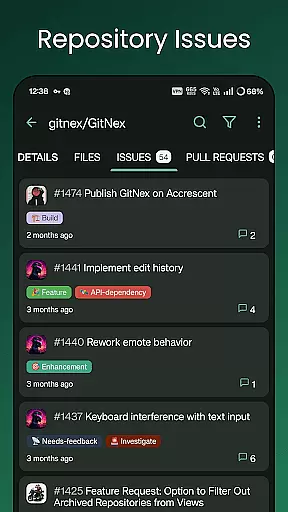
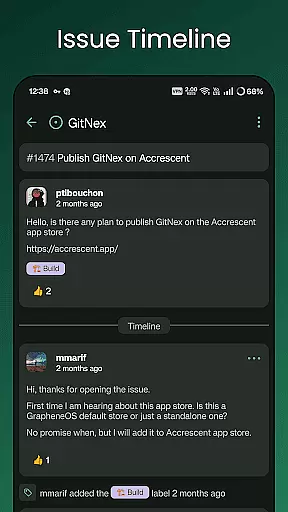
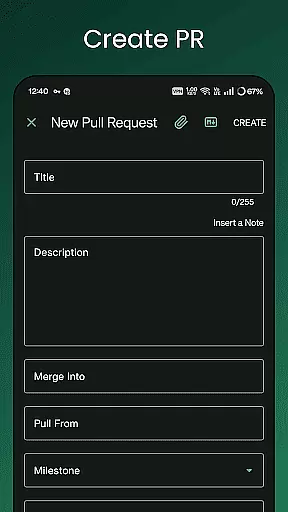
One of the key strengths of GitNex is its comprehensive creation tools. Users can create files, issues, pull requests, wiki pages, milestones, releases, and labels directly from their mobile devices. The app also provides detailed lists for pull requests, repositories, organizations, issues, labels, milestones, and releases, making project management more efficient.
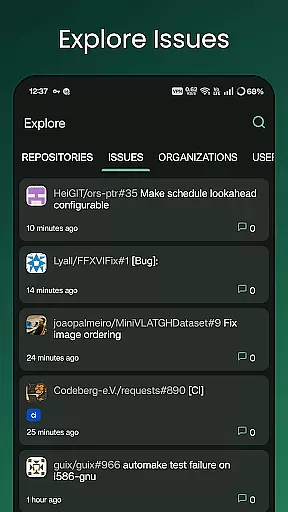
Additional notable features include an explore function for discovering repositories, issues, organizations, and users, complete profile viewing capabilities, markdown and emoji support, extensive settings options, notification management, repository commit tracking, and theme customization for personalized user experience.
Effective task management is crucial for productivity applications, and GitNex excels in this area by offering a comprehensive suite of features tailored for managing Git repositories on Forgejo and Gitea.
The app supports multiple accounts, allowing users to switch between different profiles seamlessly. This feature is particularly beneficial for developers who contribute to various projects across different platforms.
GitNex provides tools for creating and managing files, issues, pull requests, wikis, milestones, releases, and labels directly from the mobile interface. This extensive functionality ensures that users can perform most of their repository management tasks without needing to switch to a desktop environment.
Additionally, the app offers lists for pull requests, repositories, organizations, issues, labels, milestones, and releases, making it easier for users to keep track of their work and collaborate with others efficiently.
Cross-device synchronization is essential for ensuring that all changes made on one device are accurately reflected on others. GitNex addresses this need by providing reliable synchronization capabilities for Git repository management.
With support for notifications, users can stay updated on the latest activities within their repositories, such as new issues or pull requests. This real-time alert system helps maintain workflow continuity and ensures timely responses to collaborative efforts.
Furthermore, GitNex includes a file and directory browser along with a file viewer, enabling users to navigate through their repositories and inspect files directly from their mobile devices. These features enhance the overall user experience by providing quick access to important information.
The app also supports self-signed certificates, which adds an extra layer of security when connecting to private servers. This feature, combined with themes and extensive settings, allows users to customize their experience while maintaining secure connections across devices.
User-friendly interface
Multiple account support
Comprehensive feature set
Open-source development
Active community support
Steep learning curve
Occasional bugs
Limited iOS availability
No desktop version
Complex setup process

A Revolutionary All-in-One Artificial Intelligence Tools
 3.80
3.80
A customizable calendar for your Wear OS watch
4.20
When you Focus, so will your Bean in this cozy focus timer
4.30
The long-awaited modern gallery app for your Nextcloud server
4.70
Create study competitions, track your hours, and stay consistent with friends
4.5
Multilingual translator for text, voice, and image translation!
4.90
Secure your apps with lock screens, use custom themes and different features.
4.40
Use powerful, industry-leading AI tools to generate visual charts from any data
4.80
Put a lock on your cloud: Take the security of your data into your own hands
3.70
Scientific calculator for Android - looks and operates like the real thing!
4.90
Seamlessly integrate data and reports to build your presentation to impress
4.80
Direct Chat without saving contacts & Dual WA Account on Single Device
4.70
The Pro Version of Android's tiniest Notepad app. Just 0.3MB but feature-packed!
4.60
Subscribe to Webcal & .ics calendars and keep them up-to-date!
4.50
Make apps & sites with natural language prompts
4.10
Unlock AutoNotification
4.00
* block pre-roll ads, pop-up and forced redirect ads * Samsung certification app
4.00
Experience and share your SolidWorks designs on your Android® phone and tablet.
2.50
A simple, portable logger for POTA, SOTA, Field Day, and more
4.5


User Reviews