
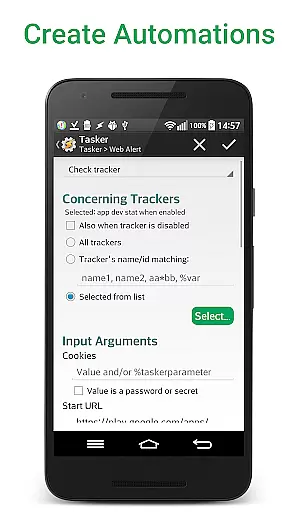
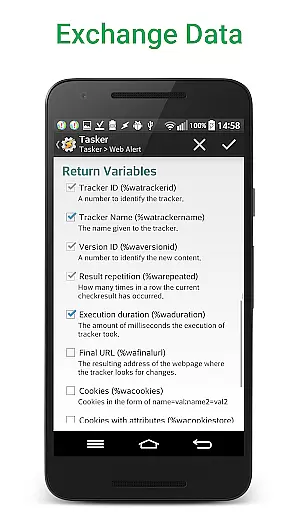
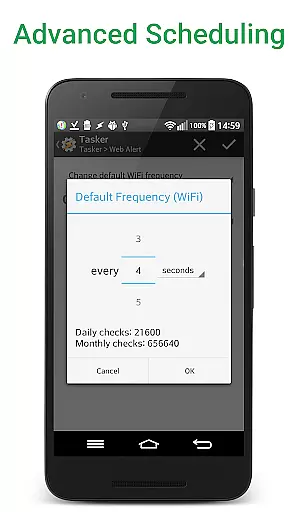
Web Alert (Pro) is a powerful productivity tool designed for professionals in web development and automation. This premium upgrade enhances the core functionality of the free Web Alert app by adding advanced monitoring capabilities.
The application excels in tracking website changes with precision. Users can set custom check frequencies as frequent as every 5 seconds, monitor specific text or numerical values, and apply sophisticated filters using RegEx, CSS, and jQuery selectors. Its parallel checking capability ensures efficient monitoring of multiple web pages simultaneously.
What sets Web Alert (Pro) apart is its comprehensive feature set for professional use cases. The application integrates seamlessly with automation tools like Tasker through an extensive plugin system, making it programmable without requiring coding skills. This makes it particularly valuable for developers and automation specialists who need granular control over web monitoring processes.
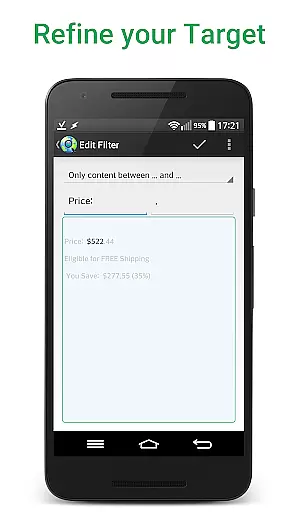
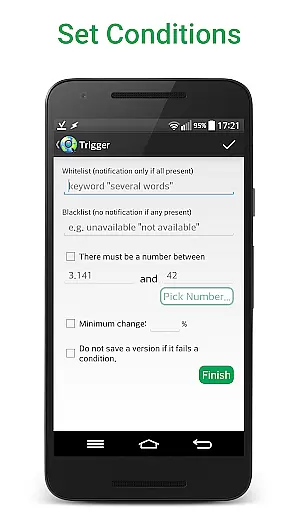
The application offers an impressive array of features that cater to both basic and advanced monitoring needs. At its core, Web Alert (Pro) provides precise control over how and when website changes are tracked. Users can define specific text ranges to monitor, set conditions for notifications based on keyword presence or absence, and even track percentage-based changes.
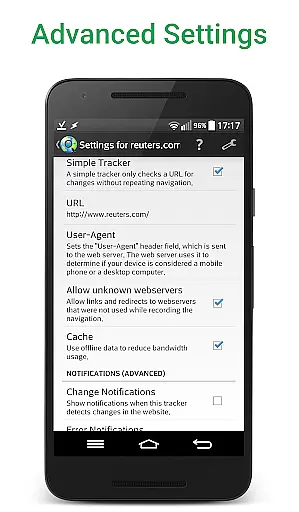
For power users, the application supports technical filtering options including regular expressions, CSS selectors, and jQuery selectors. These features enable monitoring of specific HTML elements or code patterns. The ability to export website versions as zip archives and import/export alerts adds to its professional-grade capabilities.
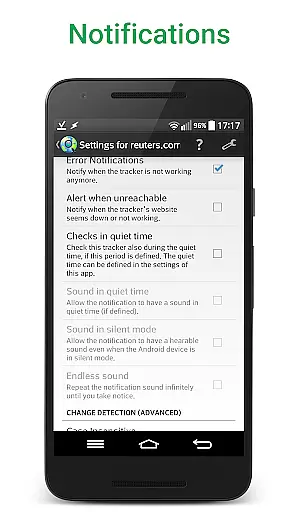
Advanced scheduling options allow users to define time ranges without checks or notifications, while the application's robust notification system includes features like duplicate alert management, URL modification, and accidental deletion protection. The Tasker plugin integration extends these capabilities further, enabling complex automation scenarios without programming knowledge.
Web Alert (Pro) offers advanced core task management features that are essential for monitoring web pages effectively. The app allows users to set custom frequencies for checks, ranging from every few seconds to specific time intervals, ensuring timely updates on any changes.
With parallel checks and the ability to filter text between specific words or monitor numerical changes, such as product prices, Web Alert (Pro) provides a comprehensive solution for tracking relevant information. Users can define time ranges without checks or notifications, tailoring their monitoring experience to fit individual needs.
The app also supports sophisticated notification settings, including alerts based on keyword presence or absence, making it an invaluable tool for professionals in web development or automation. This level of customization ensures that users receive only the most pertinent updates, enhancing productivity and efficiency.
Cross-device synchronization is a critical feature for users who need consistent access to their data across multiple devices. Web Alert (Pro) excels in this area by providing reliable synchronization options that ensure alerts and settings are seamlessly updated on all linked devices.
Users can export and import alerts, maintaining continuity in their monitoring tasks regardless of the device they are using. This functionality is particularly beneficial for professionals who rely on uninterrupted access to their monitoring data, whether they are at work, home, or on the go.
In addition to exporting website versions as zip archives, the app's robust synchronization capabilities allow users to restore accidentally deleted alerts, further safeguarding their data integrity. With Web Alert (Pro), users can trust that their monitoring tasks will remain consistent and reliable, no matter where they are accessed from.
Highly customizable monitoring
Advanced filtering options
Professional-grade features
Seamless Tasker integration
Comprehensive automation support
Requires separate free app
Complex for casual users
Premium price point
Limited beginner guidance
Technical knowledge needed

Easily read and manage all your PDF files
 4.10
4.10
App Lock with fingerprint, password: Lock apps & hide photos with lock screens
4.60
Cloud storage, automatic phone backup, and more.
4.10
Multilingual translator for text, voice, and image translation!
4.90
Enjoy classic gameplay with customizable features and retro-style graphics.
4.30
Great calculator for Android named one of USA TODAY's "25 Essential Apps".
4.90
AT&T Internet customers can use this app to personalize their Wi-Fi network.
4.40
Browse and view your photos and videos from the phone with photo & video hide.
4.10
QuickEdit is a fast, stable and full featured text and code editor.
4.20
A beautiful digital clock with autostart and many other functions
4.70
Direct Chat without saving contacts & Dual WA Account on Single Device
4.70
Subscribe to Webcal & .ics calendars and keep them up-to-date!
4.50
A Pixel Art watchface inspired by other iconic 90s designs for Wear OS devices!
4.40
When you Focus, so will your Bean in this cozy focus timer
4.30
Create and edit presentations with Google Slides, part of Google Workspace.
4.00
All in one sketching tool. Technical and General drawing. Online Maps support.
3.70
Smart PDF reader & editor to view, organize and manage PDF documents easily.
3.70
Make your handwriting beautiful, even more than pen on paper.
3.60
A comprehensive suite of tools designed specifically for Lactation Consultants
4.1


User Reviews