
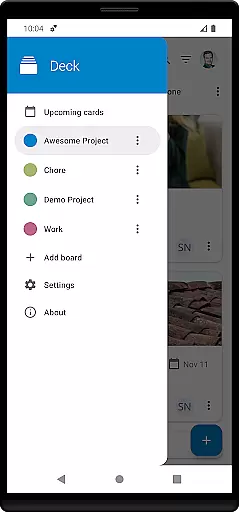
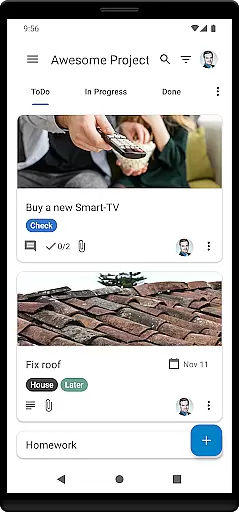
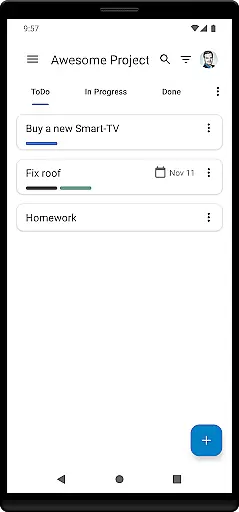
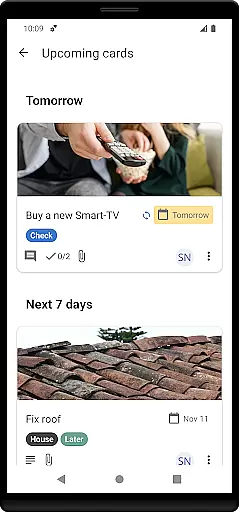
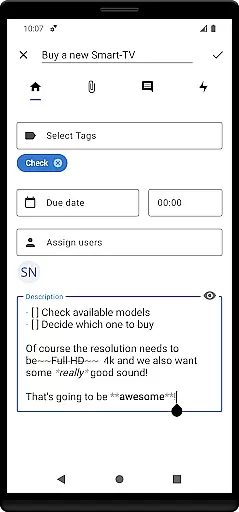

Nextcloud Deck is a productivity-focused application designed to streamline task management and team collaboration. This app allows users to create, organize, and manage cards, lists, and boards efficiently, making it an ideal tool for both personal task tracking and team-based projects.
One of the standout features of Nextcloud Deck is its offline functionality, ensuring that users can continue managing their tasks even without an internet connection. Additionally, the app supports multiple accounts, attachments, activities, and comments, providing a comprehensive platform for effective project management. With dark mode and multi-language support, Nextcloud Deck offers a customizable and accessible user experience tailored to individual preferences.
Whether you're coordinating with a team or organizing personal tasks, Nextcloud Deck provides a seamless solution that enhances productivity by keeping all your information structured and easily accessible.
Nextcloud Deck boasts a variety of features that cater to efficient task and project management. The app supports multiple accounts, allowing users to manage different projects or teams from a single interface. Its offline capabilities ensure uninterrupted productivity, regardless of internet connectivity.
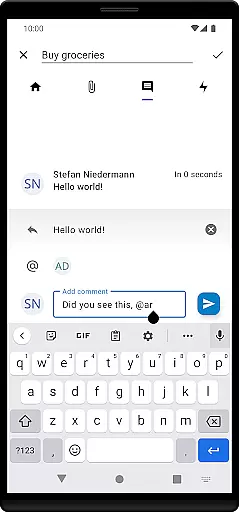
Users can manage cards, lists, and boards with ease, tagging items for better organization and attaching relevant files or documents. The app also tracks activities and facilitates communication through comment functionalities, ensuring that team members are always in sync. Furthermore, Nextcloud Deck's dark mode offers a comfortable viewing experience in low-light environments, while its availability in many languages makes it accessible to a global audience.
These features collectively enhance the app's usability and effectiveness, making Nextcloud Deck a versatile tool for both individual and collaborative task management.
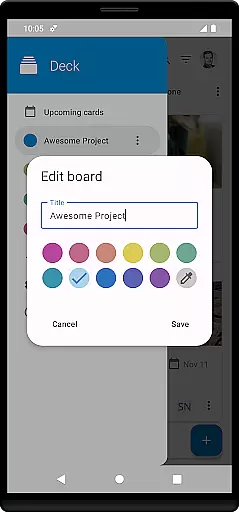
Nextcloud Deck offers a robust platform for managing tasks and projects efficiently. Its core task management feature allows users to create, organize, and track cards, lists, and boards with ease. This ensures that all project-related information is systematically arranged and accessible.
The app supports multiple accounts, enabling users to handle various projects across different Nextcloud instances without hassle. With the ability to manage tags, attachments, activities, and comments, it provides a comprehensive toolkit for organizing every aspect of your workflow directly from your mobile device.
One significant advantage is its offline functionality, which means you can continue managing your tasks even without an internet connection. Once online, all changes sync seamlessly with the Nextcloud server, ensuring data consistency and availability across all devices.
Cross-device synchronization is a pivotal feature of Nextcloud Deck, ensuring that all your updates are reliably mirrored across every connected device. Whether you're using a smartphone, tablet, or computer, any modification made on one device instantly appears on others, maintaining uniformity in your task management process.
This synchronization extends beyond mere task updates; it includes attachments, comments, and activities related to each card. Such thoroughness guarantees that team members collaborating on projects always have access to the latest information, fostering better communication and coordination.
Moreover, Nextcloud Deck integrates smoothly with the main Nextcloud ecosystem, including the Android app. This integration enhances reliability as users benefit from established security protocols and continuous improvements within the Nextcloud infrastructure, providing peace of mind regarding data integrity and privacy.
User-friendly interface
Offline functionality
Multi-account support
Comprehensive task management
Global accessibility
Requires Nextcloud setup
Limited standalone use
No built-in calendar
Dependent on third-party apps
Premium features cost extra

Ads Free App! Editor, Hide File, Copy, Move, Delete and Rename.. all facility av
 1.70
1.70
The Pro Version of Android's tiniest Notepad app. Just 0.3MB but feature-packed!
4.60
Protect and view your important info on your phone and tablet with eWallet®
4.80
Remotely view listen control and record cameras.
3.70
The AI assistant that thinks with you - write, code, and solve complex tasks
4.60
Subscribe to Webcal & .ics calendars and keep them up-to-date!
4.50
Understand anything with a personalized AI research assistant
4.80
Okta MFA
4.70
Seamlessly read, manage, and organize all your PDF files solution in one place
4.40
Multilingual translator for text, voice, and image translation!
4.90
Use powerful, industry-leading AI tools to generate visual charts from any data
4.80
Secure, fast, open-source, Remote Desktop Client for Windows and Linux with SSH
4.60
A simple Whisper AI keyboard for reliable speech transcription and rewording
4.60
When you Focus, so will your Bean in this cozy focus timer
4.30
Professional calendar app for Google Calendar, MS Outlook & Exchange
4.20
* block pre-roll ads, pop-up and forced redirect ads * Samsung certification app
4.00
⏰ Finally a timer app which can run multiple timers simultaneously on your watch
3.90
Smart PDF reader & editor to view, organize and manage PDF documents easily.
3.70
Experience and share your SolidWorks designs on your Android® phone and tablet.
2.50


User Reviews