
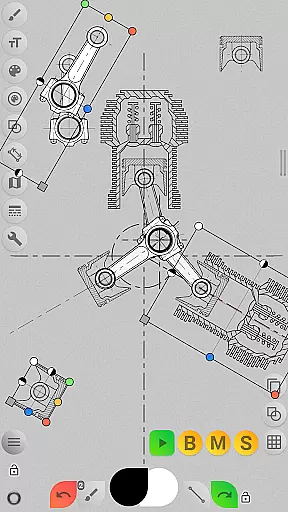
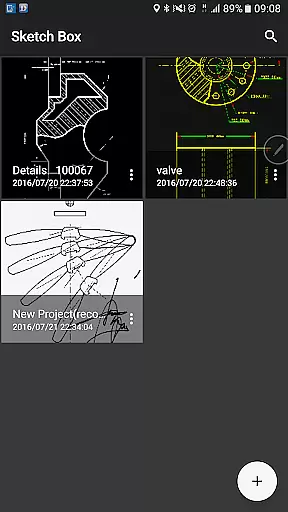
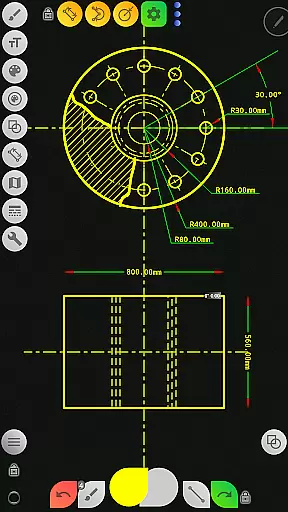
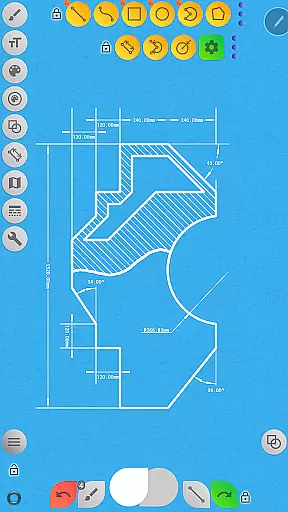
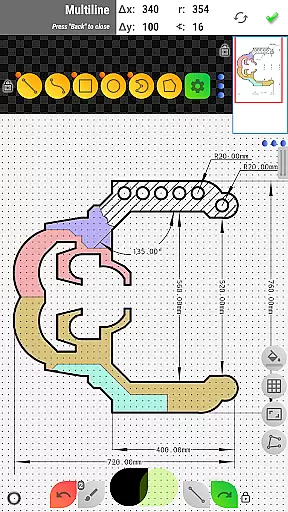

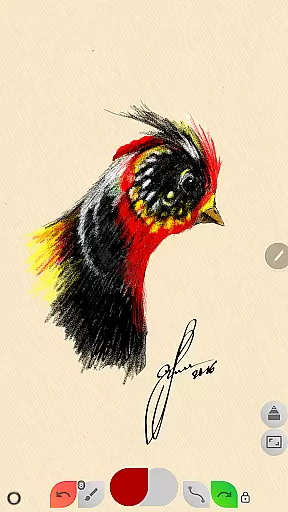
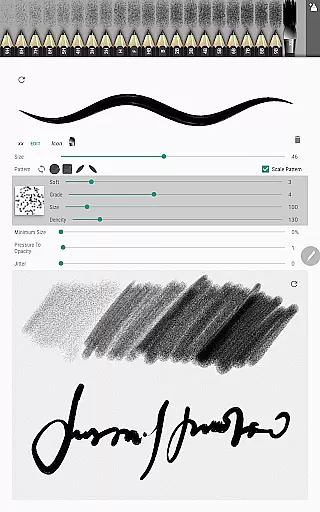
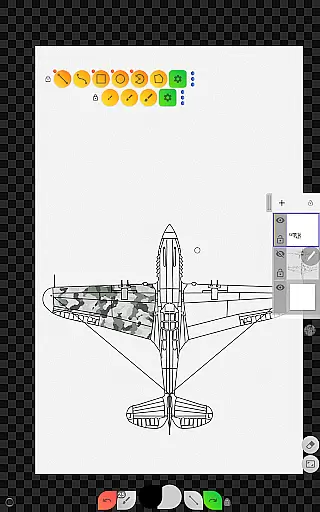
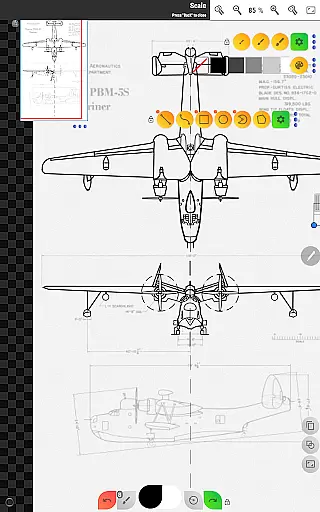
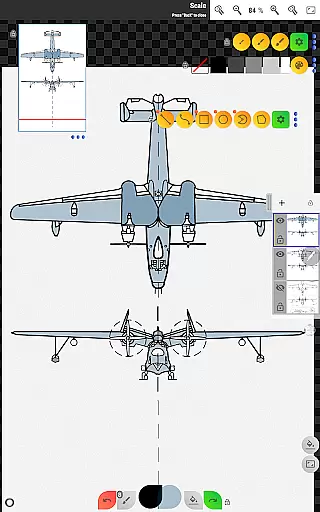
Sketch Box Pro is a versatile sketching and drawing tool designed for both technical drawings and general sketching needs. It serves as an alternative to vector CAD systems while maintaining the simplicity of traditional drawing tools. The app supports online maps, interactive map tools, and project-based workflows, making it suitable for engineers, designers, and creatives alike.
The application offers a unique combination of features from CAD systems and traditional drawing tools, allowing users to create precise technical sketches or freehand drawings. With support for projects created from scratch, online map snapshots, or device gallery images, Sketch Box Pro provides flexibility in project creation and management. Its portability makes it an ideal replacement for paper and pencil, ready to capture spontaneous ideas anytime, anywhere.
Sketch Box Pro's value lies in its ability to handle various drawing requirements efficiently. Whether you need to create detailed technical drawings or quick sketches, this app provides the necessary tools to produce professional-quality work on your mobile device.
Sketch Box Pro stands out with its comprehensive feature set that caters to both technical and artistic drawing needs. The app includes a Pencil Redactor for customizing brush characteristics, optimized multiline tools for continuous drawing, and free/radial selection tools for precise editing. These features demonstrate the app's commitment to providing flexible drawing capabilities.
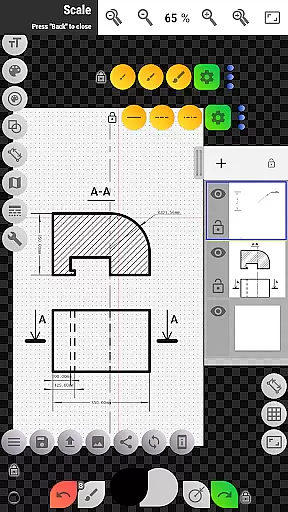
The application supports up to six layers in its Pro version, allowing users to manage complex drawings with features like layer locking, opacity control, duplication, and merging. Additional tools include basic shapes, predefined brushes, grid and dimension tools, scale settings, flood filling, hatching, and text tools. The copy tool enables efficient reuse of drawing elements across layers, while the rotation tool provides dynamic canvas manipulation.
Sketch Box Pro's online map support enhances its functionality by integrating Google Maps as a background for projects. Users can share locations, utilize an interactive compass tool, measure distances and areas, and display azimuths directly on the canvas. This combination of traditional drawing tools with advanced technical features makes Sketch Box Pro a powerful productivity solution for various drawing requirements.
Sketch Box Pro excels in core task management by offering a versatile platform for various drawing and sketching needs. The app supports technical drawings, general sketching, and even integrates with online maps to provide interactive tools.
With project-based functionality, users can create new projects from scratch, import snapshots from online maps, or use images from their device gallery. This flexibility ensures that every task, whether it's drafting technical plans or sketching spontaneous ideas, is managed efficiently within the app.
The layers support feature allows users to work with up to six layers in the Pro version, providing options to lock, adjust opacity, duplicate, clear, delete, merge layers downwards, or merge all layers. These capabilities enhance task management by enabling complex drawing organization and easy editing.
Overall, Sketch Box Pro empowers users to handle multiple drawing tasks seamlessly, making it an essential tool for anyone needing reliable and adaptable task management in their creative workflow.
Cross-device synchronization is crucial for maintaining productivity, and Sketch Box Pro ensures reliable performance across different devices. By allowing users to create, duplicate, and share projects, the app facilitates consistent access to important drawings no matter where you are.
Projects created in Sketch Box Pro can be stored and reused anytime later, ensuring that your work is always synchronized and up-to-date. Whether starting fresh or importing from online maps or galleries, these projects remain accessible, promoting efficient workflows.
In addition to project synchronization, the app offers export features to save drawings to your gallery or share them directly. This means that not only are your files reliably synced across devices, but they are also easily shareable with peers or clients, enhancing collaborative efforts.
By focusing on robust cross-device synchronization, Sketch Box Pro guarantees that users can depend on having their critical sketches and drawings available whenever needed, thus boosting overall productivity.
User-friendly interface
Comprehensive toolset
Flexible project creation
Advanced layer management
Unique map integration
Pro features require purchase
Steep learning curve
Limited free version
Occasional performance issues
Complex UI for beginners

Remotely view listen control and record cameras.
 3.70
3.70
IP Camera Viewer - Android TV : RTSP Surveillance camera viewer for Android TV
4.1
Customizable calendar widget for seamless event sync, planning & scheduling.
4.00
CalenGoo is a very flexible and feature-rich calendar app
4.40
Todo reminder
4.10
Stay on top of your to-dos with Google Tasks, part of Google Workspace.
4.60
Use powerful, industry-leading AI tools to generate visual charts from any data
4.80
Lightweight PDF, Word, Excel reader.
4.60
Put a lock on your cloud: Take the security of your data into your own hands
3.70
Protect and view your important info on your phone and tablet with eWallet®
4.80
Mind Map and brainstorm, note taking and idea collection
4.80
The long-awaited modern gallery app for your Nextcloud server
4.70
Planet Free VPN - The best Fast Unlimited and Secure VPN Without Logs
4.50
Automates browsing any website and notifies you of important changes or events
4.30 4.20
4.20
Total remote control for your Android device, PC and cloud services (IFTTT)!
4.20
All in One PDF Reader: Manage, Read and Edit your Documents
4.20
Activate Two Factor Authentication (2FA or Multi OTP), Password manager and more
4.10
Make your handwriting beautiful, even more than pen on paper.
3.60


User Reviews