
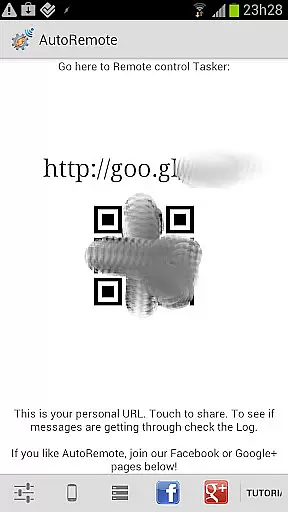
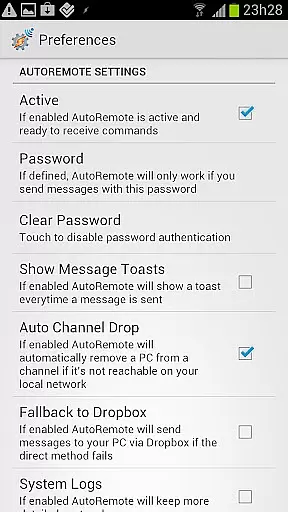
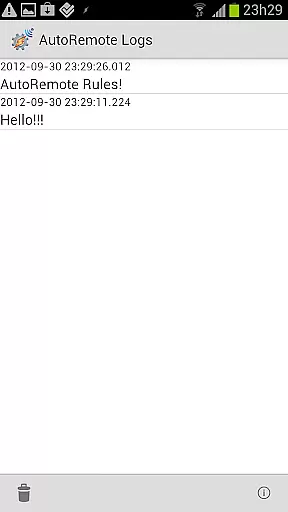
AutoRemote is a powerful productivity tool that allows users to remotely control their devices, including phones, PCs, and web services. With seamless integration capabilities, it supports IFTTT, Tasker, and other automation platforms, enabling users to create custom workflows. Whether you need to send push notifications or trigger specific actions on your devices, AutoRemote provides the flexibility to do so from anywhere.
The app's standout feature is its ability to facilitate communication between multiple devices, such as controlling a PC from an Android device or managing Android devices from a PC. This makes it ideal for tech-savvy users who want to streamline their digital life by automating routine tasks or accessing device functions remotely.
AutoRemote offers a wide range of features designed to enhance remote device management. One of its core functionalities is sending and receiving customizable messages via URL calls, which can be triggered from browsers, desktops, or even third-party services like Zapier. These messages can then be processed through Tasker profiles, allowing users to execute complex commands tailored to their needs.
Another notable feature is bi-directional messaging, which enables users to control one device from another or share links and text directly through Android’s Share menu. Additionally, advanced matching options and flexible command systems allow for precise customization. For example, users can set up location-based alerts or automate voice reminders, making it a versatile solution for both personal and professional use cases.
Core task management in AutoRemote refers to the app's ability to handle and organize various tasks across devices seamlessly. This feature is crucial for users who need to manage multiple workflows or automate processes between their phone, PC, and web services.
AutoRemote achieves this by enabling users to send push notifications that trigger specific actions in Tasker or standalone AutoRemote apps. For instance, you can set up a notification to activate a Tasker profile that performs a series of predefined actions on your Android device from anywhere in the world.
The benefit to users is immense as it allows them to remotely control their devices with customized commands. Whether it's sending a simple message to locate a misplaced phone or executing complex automation scripts, AutoRemote ensures these tasks are managed efficiently and effectively.
This level of control not only enhances productivity but also offers peace of mind knowing that important tasks can be executed without physical access to the device. It empowers users to create personalized solutions tailored to their unique needs, making daily operations smoother and more efficient.
Cross-device synchronization reliability is a cornerstone of AutoRemote's functionality, ensuring that data and commands sent between devices are consistently accurate and timely. This reliability is essential for maintaining seamless communication across different platforms such as Android, PC, and web services.
AutoRemote achieves this through robust protocols that facilitate bi-directional messaging. Users can send messages from a web browser, desktop application, or even other Android devices, confident that these messages will reach their intended destination without fail. The system supports advanced matching options and flexible command structures, allowing precise control over how messages are interpreted and acted upon.
For users, this means they can trust that their commandsu2014whether itu2019s requesting a phone's location or sharing content directly to another deviceu2014will be executed as intended. This reliability fosters confidence in using AutoRemote for critical tasks, knowing that the system wonu2019t falter under pressure.
Ultimately, cross-device synchronization reliability transforms how users interact with their technology ecosystem. By providing dependable and consistent performance, AutoRemote enables users to focus on leveraging its powerful features rather than worrying about potential failures in communication.
User-friendly interface
Highly customizable workflows
Seamless cross-device communication
IFTTT and Tasker integration
Innovative command system
Requires technical knowledge
Limited beginner support
Premium features may cost extra
Complex setup process
Occasional connectivity issues

All in one sketching tool. Technical and General drawing. Online Maps support.
 3.70
3.70
Planet Free VPN - The best Fast Unlimited and Secure VPN Without Logs
4.50
The upgraded version of Name Wheel with AI and the power to add your own wheels.
4.3
Mind Map and brainstorm, note taking and idea collection
4.80
Absolutely the best CNC machinist speed and feed calculator around. fswizard.com
4.60
All document reader, all in one file viewer read PDF, DOCX, XLS, PPT, TXT files.
4.60
A Pixel Art watchface inspired by other iconic 90s designs for Wear OS devices!
4.40
Share files & memories safely. Keep your photos and videos secure.
4.40
Put a lock on your cloud: Take the security of your data into your own hands
3.70
Scientific calculator for Android - looks and operates like the real thing!
4.90
Best Tool for the professionals Electrician, Electrical contractors, etc.
4.90
Protect and view your important info on your phone and tablet with eWallet®
4.80
Secure, fast, open-source, VNC and SSH Remote Desktop for Windows, Linux and Mac
4.70
Direct Chat without saving contacts & Dual WA Account on Single Device
4.70
The Pro Version of Android's tiniest Notepad app. Just 0.3MB but feature-packed!
4.60
App Lock with fingerprint, password: Lock apps & hide photos with lock screens
4.60
Translate text/voice/photos in 150+ languages. Offline & fast translator app.
4.50
Unlock AutoNotification
4.00
Ultimate Virtual AI Character for immersive Roleplay Chat. Perfect Companion
3.90


User Reviews