


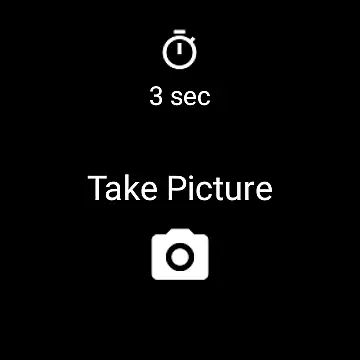
Camera Remote Watch is a smartwatch application designed to remotely control your phone's camera. This app allows users to take photos without physically interacting with their smartphones, making it ideal for group photos, selfies, or situations where touching the phone might cause instability. The app works seamlessly with Wear OS smartwatches and ensures that the captured images are stored directly in the phone’s gallery while also providing a preview on the watch itself.
One of the key features of Camera Remote Watch is its ability to provide instant feedback by showing a copy of the photo on the smartwatch screen immediately after it’s taken. This allows users to decide whether they need to retake the picture. Additionally, the app requires a stable connection between the phone and the watch, ensuring reliable performance during use. Whether you're using it for personal photography or professional setups, this app offers convenience and efficiency.
Camera Remote Watch offers several notable features that enhance the user experience. First, the app provides a simple interface on the smartwatch, allowing users to trigger the phone’s camera shutter with just a tap. This feature is particularly useful when taking pictures in scenarios where stability is crucial, such as long-exposure shots or group photos.
Another standout feature is the instant photo preview available directly on the smartwatch. After capturing an image, users can view a copy of the photo on their watch to ensure it meets their expectations. Furthermore, the app supports Wear OS devices, broadening its compatibility across various smartwatch models. These features collectively make Camera Remote Watch a versatile tool for photographers who value convenience and real-time feedback.
Real-time capture and preview functionality is essential for ensuring that users can take photos remotely with confidence. Camera Remote Watch offers a seamless experience by allowing users to trigger the camera shutter directly from their smartwatch. This feature ensures that you don't have to touch your phone, which is particularly useful in situations where you want to avoid any movement that might affect the shot.
The app provides an intuitive interface on both the phone and the watch. After setting up the camera view on your phone using the Camera Remote Watch app, you simply tap the camera button on your watch to take the picture. The photo is instantly saved to your phone's gallery, and a copy is displayed on the watch, enabling you to review it immediately. This instant feedback loop allows you to retake the photo if necessary, ensuring you capture the perfect moment every time.
Compatibility with Wear OS smartwatches further enhances its utility, offering a broader range of devices that can leverage this feature. Whether you're taking a group photo, capturing wildlife, or shooting in conditions where handling the phone is impractical, Camera Remote Watch delivers reliable performance. By providing real-time previews and instant capture capabilities, this app empowers users to take high-quality photos effortlessly.
AI beauty and enhancement features are increasingly popular in photography apps, aiming to improve photo quality while maintaining a natural look. Camera Remote Watch incorporates AI-driven enhancements that automatically adjust various aspects of your photos, such as lighting, contrast, and color balance. These adjustments ensure that your images look polished yet authentic, without appearing overly edited or artificial.
When you take a photo using Camera Remote Watch, the app processes the image to enhance its overall quality. It intelligently applies filters and corrections that adapt to different shooting environments, whether you're indoors or outdoors. This adaptive enhancement ensures that skin tones appear natural, landscapes look vibrant, and portraits retain their original charm. The result is a collection of photos that are visually appealing but still true to life.
Additionally, the app supports a wide range of devices, including those running Wear OS. This broad compatibility means more users can benefit from AI beauty enhancements regardless of their smartwatch model. With Camera Remote Watch, you can trust that your photos will not only be captured conveniently but also enhanced naturally, making them ready to share or print without additional editing.
User-friendly interface
Instant photo preview
Wide device compatibility
Convenient remote control
Seamless Wear OS integration
Requires stable connection
Slow photo download
Limited unsupported phones
Dependent on phone gallery
Watch display issues

Remote control of the phone camera from your Wear OS smartwatch
 3.70
3.70
All-in-One Editor & AI Photo Enhancer, Beautify & Retouch, Collage, Cartoonify
4.20
Viewfinder, Light meter, Reciprocity failure time, DOF & Bellows Extension
4.60
Create collages easily! Nice pic collage maker & background eraser for Instagram
4.50
Create Business Headshots, Polaroid Filter, Retake Photos,Profile Pics,AI Photos
4.50
Turn your phone into a professional camera - full DSLR manual photography
4.30
The original Rarevision VHS look seen everywhere!
4.70
Enhance, upscale, and transform your images — on your device, without limits
4.70
A unique animation app. Powerful, easy to use, and lots of fun.
4.30
Light-weight Media Gallery app for Android made with Jetpack Compose
4.60
A must-have app for landscape photographers
4.60
PhotoSync Bundle Add-On License. Enables all features and services in PhotoSync.
4.60
Movie camera, supports pro recording settings for filming. Try it and be amazed!
4.50
Create AI photos & videos with Enhancer; restore, fix, beautify, enhance photos
4.50
Effortlessly organize, view and share your photos & videos with Gallery app!
4.40
A light meter for true photographers.
4.20
Catch sunlight, sunrise sunset times and sun phases with the AR sun tracker.
4.10
Photo editor: face & body editor, beauty cam, filters and quality enhancer.
4.00
GCamera allows all GCam features on all phone models! Better photos with GCamera
3.30


User Reviews