
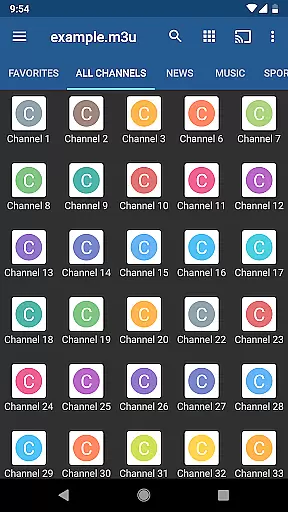
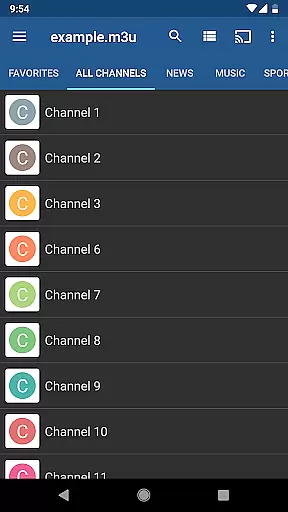
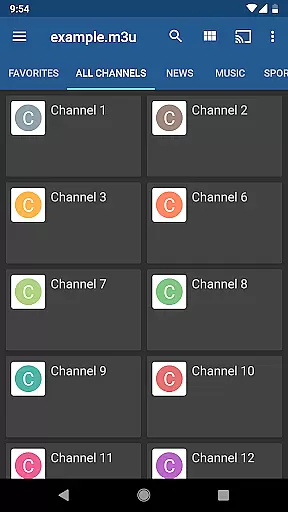
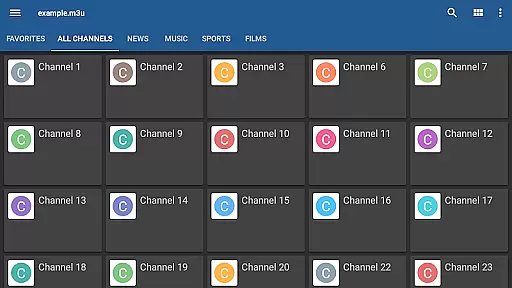
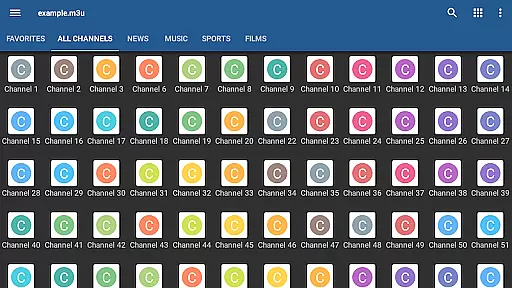
IPTV Pro is the premium version of IPTV app, offering an ad-free experience with advanced features for seamless TV streaming. It supports M3U and XSPF playlists, multicast streams via UDP proxy, EPG in XMLTV and JTV formats, and multiple viewing options like grid, list, or tile view.
Designed for both casual viewers and tech-savvy users, this app allows auto-play of the last channel, extended playlist history, and even parental controls. It's ideal for those who want to stream live TV channels from their Internet service provider or other web sources without interruptions.
The true value of IPTV Pro lies in its compatibility with various setups, including set-top boxes, and its ability to integrate effortlessly into your home entertainment system.
IPTV Pro stands out with its comprehensive feature set tailored for uninterrupted streaming. The app supports auto-start on device boot, making it perfect for dedicated set-top boxes. Its support for multicast streams via UDP proxy ensures smooth delivery of content within LAN environments.
With multiple viewing modes such as grid, list, or tile views, users can customize how they browse their channel lists. Parental controls add a layer of security, while EPG support in XMLTV and JTV formats provides detailed program information. Additionally, users can choose between internal and external video players based on their preferences.
These features collectively ensure IPTV Pro delivers a superior streaming experience that caters to diverse user needs, whether you're managing a home setup or a more complex network configuration.
One of the core strengths of IPTV Pro lies in its versatile video format compatibility, making it a powerful tool for users who want to enjoy a wide range of content without technical hindrances. The app supports M3U and XSPF playlists, which are commonly used formats for organizing multimedia content. This ensures that users can easily integrate their existing playlists into the IPTV Pro environment without worrying about conversion issues.
In addition to playlist support, IPTV Pro also excels in handling various types of streams, including multicast streams with UDP proxy functionality. This feature is particularly useful for users whose Internet Service Providers deliver content via multicast protocols. By setting up a compatible UDP proxy within your local network, IPTV Pro allows seamless streaming of these channels, enhancing accessibility and convenience.
The app further provides options for both internal and external video players, giving users the flexibility to choose their preferred playback method. Whether you prefer the integrated player for its simplicity or an external player for advanced features, IPTV Pro accommodates all preferences. This adaptability not only enhances user experience but also ensures that viewers can enjoy high-quality streams regardless of their specific setup or device limitations.
While IPTV Pro does not focus on AI-powered editing features in the traditional sense, it offers several functionalities that enhance the viewing experience through smart features and customization options. One notable aspect is the EPG (Electronic Program Guide) support in XMLTV and JTV formats. This feature empowers users to effortlessly navigate through TV schedules, set reminders, and manage their viewing preferences with precision.
Parental control is another significant feature that acts as a form of content management. By allowing users to restrict access to certain channels or programs, IPTV Pro ensures a family-friendly viewing environment. This feature is especially valuable for households with children, providing peace of mind for parents who want to monitor and control the content their kids are exposed to.
Additionally, IPTV Pro offers multiple viewing modes such as grid, list, or tile views of TV channels. These layout options enable users to personalize their interface based on their browsing habits and aesthetic preferences. While not AI-driven, these smart features collectively contribute to a more tailored and efficient user experience, ensuring that viewers have the tools they need to optimize their IPTV journey.
Ad-free experience
Auto-start on boot
Multiple viewing modes
Parental control options
EPG support in multiple formats
No built-in channels
Requires technical setup
Separate UDP proxy needed
Limited beginner guidance
Premium pricing

The smartest M3U IPTV Player your playlists have ever seen.
 4.0
4.0
Online Videos Player
3.90
Client application for NextPVR software
3.00
Watch full episodes of your favorite Cartoon Network and Cartoonito shows!
3.50
Play ALL formats in 4K & HD. Video downloader, MP3 player, Chromecast & more.
4.80
All in one HD video downloader & player for multiple formats with full privacy
4.70
Make your own Animations, Video and Photo Edits, Visual Effects, and more!
4.00
Download videos and play them offline
4.70
Fast & Private HD Video Downloader with Built-in Proxy Browser and Video Player.
4.50
A Simple app to download Video & Music from the Internet.
4.70
Find, download, and play torrents with the official BitTorrent® Pro app
4.70
Snaptubè Video Downloader app allows to download videos and music in Snaptube. .
4.60
AirMirror Receiver - Screen mirroring/cast web videos to Android TV by AirPlay.
4.40
Fast & Private Video Downloader App. Save all videos easily from the Internet.
4.40
This app was created to edit the metadata of music files.
4.20
Web Browser for LG TV to stream webvideos, online movies and livestreams in HD
4.20
1)AirPlay/DLNA Mirroring/Streaming, up to 4 connections; 2)Samba/NAS/DMS Player.
4.00
AI Video Editor:AI Music, Text to Video,Text to Speech,Auto Caption,Video Effect
4.00
Fast private browser with secure, seamless access & supported video downloads!
4.00


User Reviews