
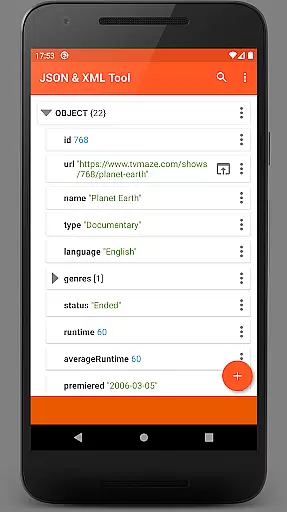
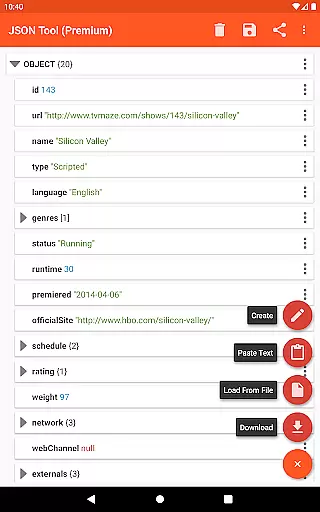
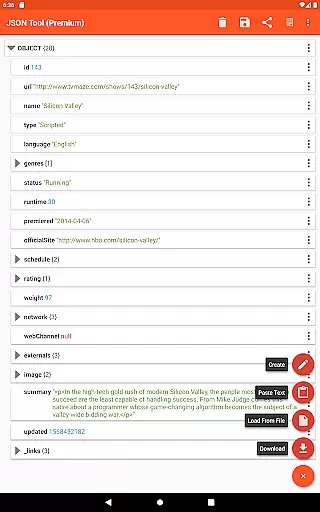
JSON & XML Tool Premium is a powerful productivity application designed for effortless creation, viewing, and editing of JSON and XML files. The app's standout feature is its simple hierarchical view that makes file navigation intuitive and efficient. Whether you're working on game addons or handling data conversion tasks, this tool provides the functionality needed to manipulate JSON and XML formats with ease.
Beyond basic editing, the app supports advanced features like JMESPath query language for element extraction and transformation. It also offers practical conveniences such as dark theme support, PDF exporting, and formatted text output. These capabilities make it an essential tool for developers and power users who frequently work with structured data files.
The app leverages Android's Storage Access Framework (SAF) for file management while maintaining security through minimal permission requests. This approach ensures both flexibility and safety when handling your important data files across different use cases and devices.
One of the key strengths of JSON & XML Tool Premium is its comprehensive set of file manipulation features. Users can perform detailed edits including renaming nodes, modifying values, and switching between Boolean, Number, and String types with ease. The app supports complex operations like element duplication, removal, and array reordering, making structural changes straightforward.
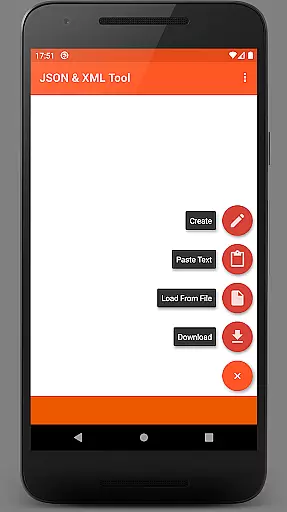
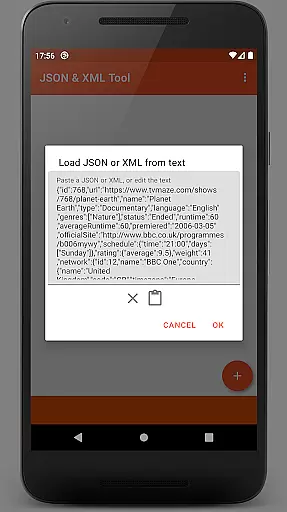
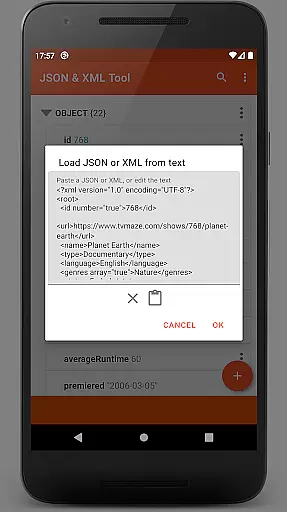
The app excels in its versatile file handling capabilities. You can load files through multiple methods including SAF-based internal picker, external file picker, direct URL download, or even text pasting. The built-in ACTION_SEND support enables seamless integration with other applications for both receiving and sharing file content.
Additional productivity features include professional-grade functions like PDF document export, JMESPath query support for data transformation, and automatic registration as JSON/XML handler upon installation. The app maintains high usability standards through thoughtful features like formatted text output, dark theme support, and proper permission management when accessing storage.
At the heart of the JSON & XML Tool Premium app lies its robust core task management system, which is essential for efficiently handling JSON and XML files. This productivity tool allows users to view, create, and edit these files with a simple hierarchical view, making data manipulation straightforward and intuitive.
The app's functionality shines through its support for various scenarios, such as editing game addons or converting between file types like JSON to XML. Its versatility ensures that whether you're a developer debugging configurations or a gamer tweaking settings, the app provides the necessary tools to complete your tasks effectively.
Users benefit from features like renaming node elements, modifying values, and switching between value types effortlessly. The ability to add, duplicate, and remove nodes, along with moving elements within arrays, empowers users to manage complex data structures with ease, enhancing productivity and saving valuable time.
While the JSON & XML Tool Premium app does not explicitly market itself as a cross-device synchronization tool, it offers reliable access to files across different devices through its integration with the Storage Access Framework (SAF). This means users can pick up their work on any device without worrying about data loss or inconsistencies.
The SAF integration allows users to load files using either an internal or external file picker, ensuring that they have flexible yet secure access to their documents. In cases where storage permissions are required, the app handles them gracefully, maintaining a seamless user experience.
By supporting actions such as downloading from the web, pasting text, or receiving files from other applications, the app ensures that users can reliably synchronize their workflow across devices. This reliability in accessing and manipulating JSON/XML data makes it an indispensable tool for anyone who needs consistent performance regardless of the device they are using.
Intuitive hierarchical view
Comprehensive editing tools
Versatile file handling
Advanced data transformation
Secure permission model
Premium version only
Requires technical knowledge
No cloud sync
Complex for beginners
Limited free support

QuickBooks Workforce lets teams view pay info and track time in one place.
 4.70
4.70
Experience real multitasking on your Android!
4.00
Mind Map and brainstorm, note taking and idea collection
4.80
Secure, fast, open-source, Remote Desktop Client for Windows and Linux with SSH
4.60
All in One PDF Reader: Manage, Read and Edit your Documents
4.20
ID.me Authenticator is a simple and free Two Factor Authentication solution
3.50
Access your phone's notifications, calls, apps, photos & texts on your PC
3.90
Use powerful, industry-leading AI tools to generate visual charts from any data
4.80
Simple notepad & memo. Take notes, to-do list, shopping list with reminders.
4.80
Android Wallet Password Manager
4.80
App lock - lock apps with fingerprint, password, pin or pattern, protect privacy
4.70
The Pro Version of Android's tiniest Notepad app. Just 0.3MB but feature-packed!
4.60
Planet Free VPN - The best Fast Unlimited and Secure VPN Without Logs
4.50
When you Focus, so will your Bean in this cozy focus timer
4.30
Professional calendar app for Google Calendar, MS Outlook & Exchange
4.20
Easily read and manage all your PDF files
4.10
Intelligent AI Assistant
4.10
Unlock AutoNotification
4.00
Ads Free App! Editor, Hide File, Copy, Move, Delete and Rename.. all facility av
1.70


User Reviews