
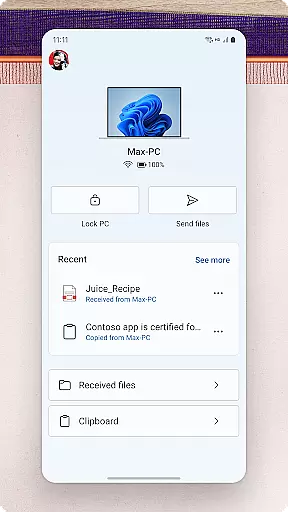
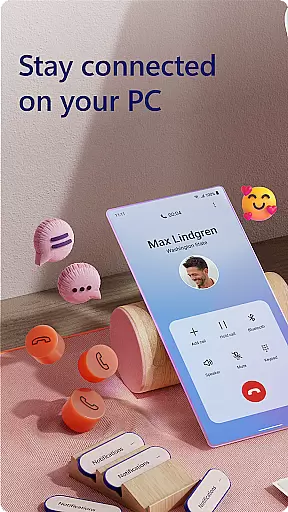
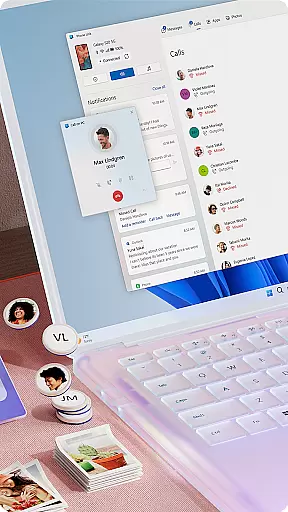
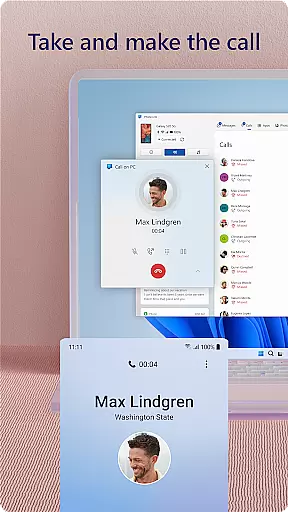
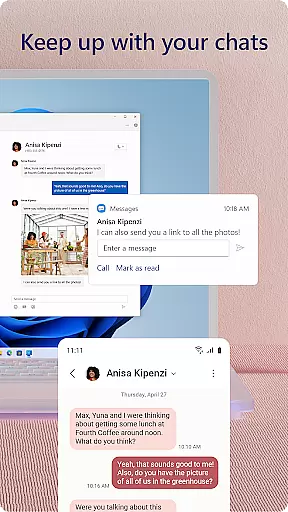
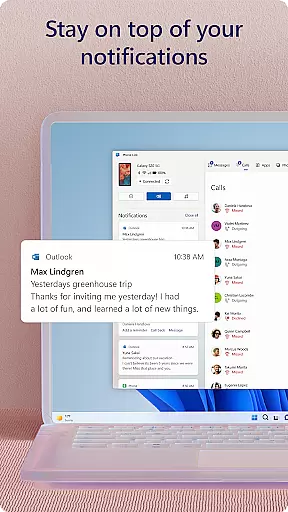
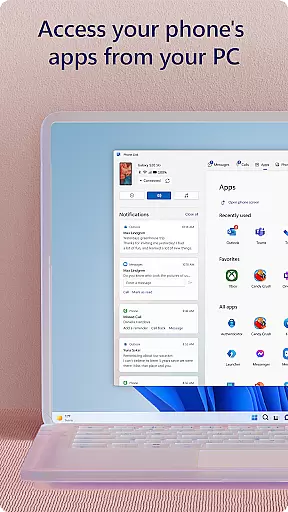
Link to Windows is a productivity-focused application that bridges the gap between your Android phone and Windows PC. This app allows users to seamlessly interact with their mobile device directly from their computer, streamlining workflows and enhancing connectivity. Key functionalities include managing notifications, making calls, and accessing mobile apps from the PC interface.
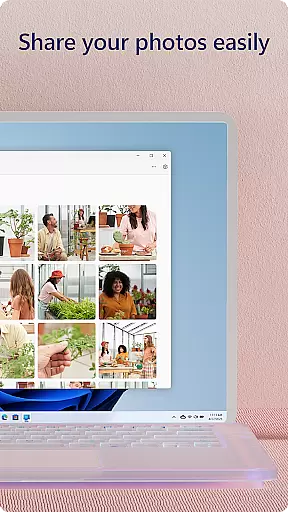
The app supports advanced features like drag-and-drop file sharing, copying, and pasting content across devices, and instant photo access. These capabilities are further optimized for select Microsoft Duo, Samsung, and HONOR phones, offering an integrated experience without requiring additional downloads. With its focus on cross-device synergy, Link to Windows transforms how users handle multitasking in both personal and professional settings.
Link to Windows offers a robust set of features designed to maximize productivity and streamline device management. Users can make and receive calls directly from their PC, provided the system meets Bluetooth requirements. The app also enables real-time notification management, allowing users to stay updated without switching between devices.
One standout feature is the ability to run favorite mobile apps on the PC screen, which enhances multitasking efficiency. Drag-and-drop functionality simplifies file transfers, while cross-device copy-paste ensures seamless content sharing. For compatible devices, exclusive tools like Phone Screen provide even deeper integration, letting users control their phone entirely from the PC interface.
Accessibility is another core aspect, as the app supports screen readers for visually impaired users. By leveraging the larger display, keyboard, mouse, and touchscreen of the PC, this app redefines convenience and usability for Android users working in Windows environments.
Core task management is essential for productivity applications, and Link to Windows excels in this area by seamlessly integrating your Android phone with your Windows PC. This app allows you to handle calls, text messages, notifications, and even mobile apps directly from your computer.
The app's functionality extends to managing tasks that traditionally required direct interaction with your phone. You can make and receive calls, respond to texts, and manage notifications without ever needing to pick up your device. This streamlines your workflow and keeps you focused on the task at hand.
Link to Windows also supports file sharing between devices, enabling users to drag and drop files or instantly access photos. This feature eliminates the need for cumbersome emailing or cloud uploads, making it easier than ever to share information between devices.
By centralizing these functions on your PC, Link to Windows enhances productivity by reducing context-switching and allowing you to utilize a larger screen, keyboard, and mouse for interacting with your phone's content.
Cross-device synchronization reliability is crucial for ensuring that all your data and interactions are consistent across multiple platforms. Link to Windows provides a reliable connection between your Android phone and Windows PC, offering features like cross-device copy and paste, file drag-and-drop, and instant photo access.
This synchronization is particularly beneficial for users of select Microsoft Duo, Samsung, and HONOR phones, where the integration is seamless and requires no additional downloads. The Quick Access tray makes it easy to find and use the Link to Windows app, enhancing the overall user experience.
Exclusive features such as Phone screen and Apps further enhance this reliability by allowing full control over your phoneu2019s apps from your PC. These capabilities ensure that whether you're editing documents or managing notifications, the process is smooth and uninterrupted.
For those relying on accessibility services, Link to Windows offers an Android keyboard navigation feature that works with screen reading tools on the PC. This ensures that all users, regardless of their needs, can benefit from the app's robust synchronization capabilities.
Seamless cross-device integration
Enhanced multitasking capabilities
User-friendly interface design
Advanced accessibility options
Exclusive features for select devices
Limited to specific devices
Requires Windows 10 or later
Some features need Android 11
Bluetooth dependency for calls
File sharing has compatibility constraints

The long-awaited modern gallery app for your Nextcloud server
 4.70
4.70
Ads Free App! Editor, Hide File, Copy, Move, Delete and Rename.. all facility av
1.70
Android Wallet Password Manager
4.80
Send files, sync SMS, notifications & clipboard across devices via local network
4.40
Stay on top of your to-dos with Google Tasks, part of Google Workspace.
4.60
Multilingual translator for text, voice, and image translation!
4.90
Functional QR scanner and barcode reader that requires little storage space.
4.60
Create and edit presentations with Google Slides, part of Google Workspace.
4.00
Lightweight PDF, Word, Excel reader.
4.60
Simple notepad & memo. Take notes, to-do list, shopping list with reminders.
4.80
App lock - lock apps with fingerprint, password, pin or pattern, protect privacy
4.70
Absolutely the best CNC machinist speed and feed calculator around. fswizard.com
4.60
Fill, sign & send docs, forms, agreements & contracts via electronic signature.
4.50
Professional calendar app for Google Calendar, MS Outlook & Exchange
4.20
Wake up & get tasks done! Add alarms & reminders on the Clock Launcher.
4.00
Ultimate Virtual AI Character for immersive Roleplay Chat. Perfect Companion
3.90
AI Video AI Image Private LLM AI Browser Llama Gemma Ollama Connect LLM Studio
4.1
Create study competitions, track your hours, and stay consistent with friends
4.5
IP Camera Viewer - Android TV : RTSP Surveillance camera viewer for Android TV
4.3


User Reviews