
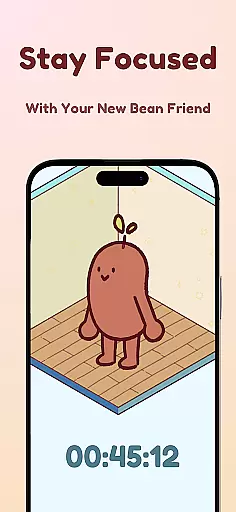
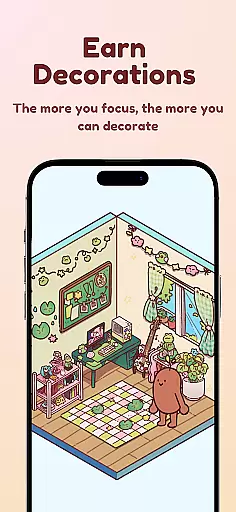
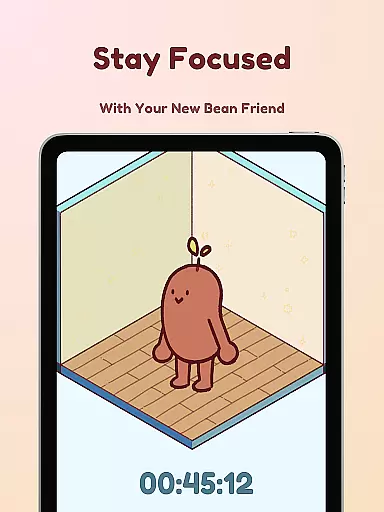
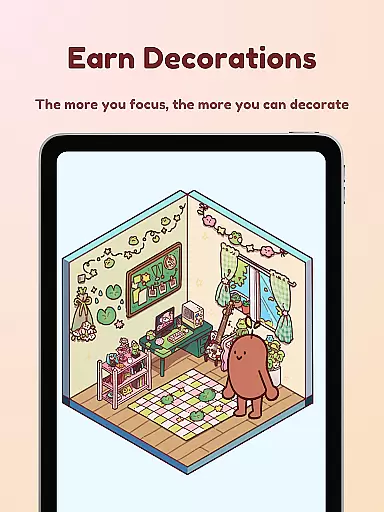
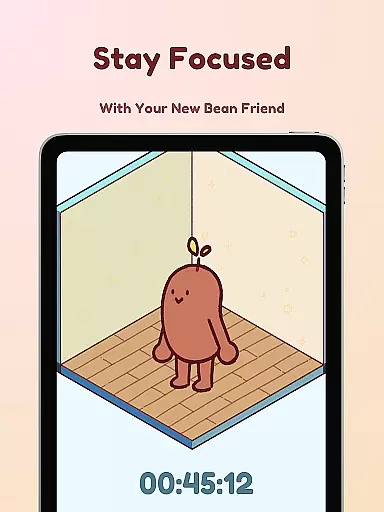
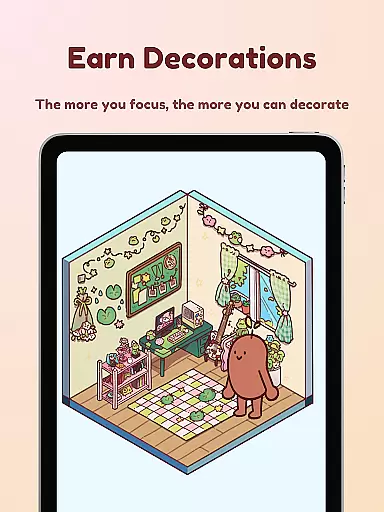
Focus Friend is a productivity app designed to help users maintain focus during work or study sessions through gamification. Developed by online educator Hank Green, this app features a unique 'Bean Friend' character that reacts based on your focus habits. When you complete a session successfully, your Bean Friend rewards you with prizes to decorate its virtual room. The app is particularly beneficial for students and professionals who struggle with maintaining concentration over long periods.
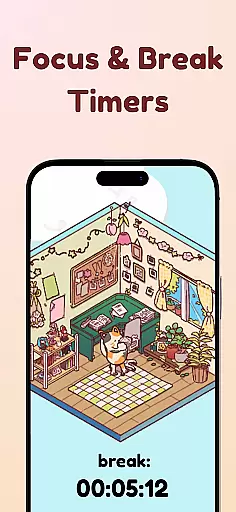
The app includes several productivity-enhancing features such as Live Activity, which allows you to see your timer progress even when your phone is locked. It also offers a Deep Focus Mode that locks distracting apps during your sessions. With break timers aligned with the Pomodoro technique, hundreds of decoration options, and various Bean Skins to customize your companion, Focus Friend creates an engaging environment that motivates users to stay focused while having fun.
Focus Friend stands out with its innovative approach to productivity by incorporating gamification elements into focus sessions. One of the key features is the Live Activity function, enabling users to track their timer progress on their phone's lock screen. This ensures that users remain aware of their session status without needing to unlock their device.
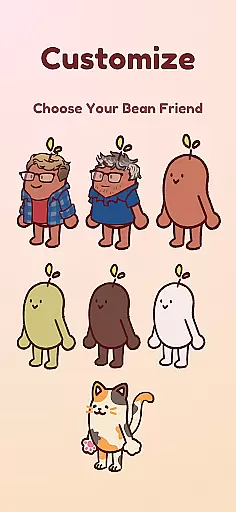
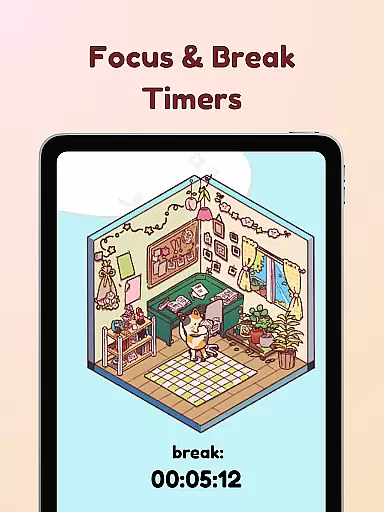
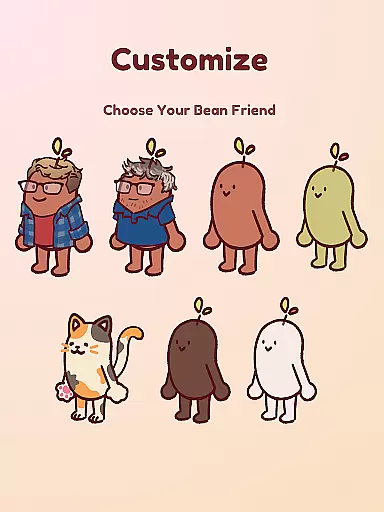
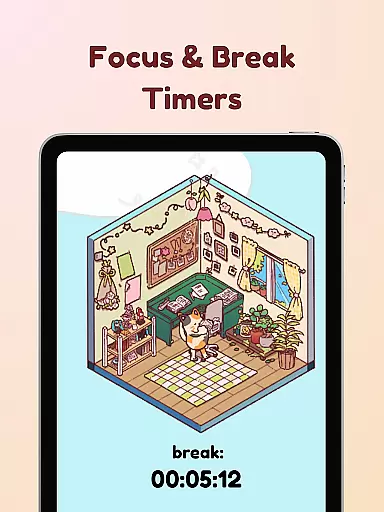
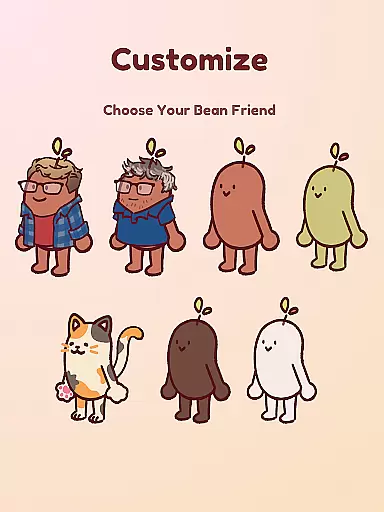
Another notable feature is the Deep Focus Mode, which helps eliminate distractions by locking access to apps that may interrupt your concentration. Additionally, the app supports the Pomodoro method with dedicated break timers, allowing users to decorate their Bean Friend's room during breaks. With hundreds of decoration options and multiple Bean Skins including Coffee Bean, Edamame Bean, and even characters like Hank and John Green, Focus Friend provides a personalized and enjoyable experience that enhances productivity while keeping users entertained.
At the heart of Focus Friend lies its core task management system, designed to help users maintain focus and productivity. This innovative timer app, created by online educator Hank Green, uses gamification to keep users engaged in their tasks.
The app features a live activity function that allows users to track their timer progress even when their phone is locked. This ensures continuous motivation and commitment to the task at hand, providing an uninterrupted focus session that keeps the user's virtual Bean Friend happy.
Moreover, Focus Friend offers a deep focus mode that locks distracting apps during focus sessions, ensuring that users can concentrate without interruptions. By combining these features with a reward system for completing tasks, the app creates an effective task management solution that is both enjoyable and beneficial for maintaining long periods of concentration.
Focus Friend excels in cross-device synchronization reliability, allowing users to maintain consistency across multiple devices. Whether you're switching from your phone to a tablet or computer, the app ensures that your focus sessions and earned rewards are seamlessly synced.
This synchronization feature extends to the app's break timers as well, which encourage users to decorate their virtual spaces using the Pomodoro method of productivity. Regardless of the device used, users can access their full collection of decorations and customize their Bean Friend's room according to their preferences.
With hundreds of decorations and various Bean skins available, the reliable synchronization means users never lose their progress or customizations. This comprehensive approach to cross-device support enhances the overall user experience, making Focus Friend a versatile tool for anyone looking to improve their focus while enjoying a bit of fun in their breaks.
User-friendly interface
Engaging gamification
Customizable Bean Skins
Effective focus timer
Pomodoro method support
Limited free decorations
Requires constant app updates
Some features are behind a paywall
May not suit all productivity styles
Occasional app crashes

Seamlessly integrate data and reports to build your presentation to impress
 4.80
4.80
All in one sketching tool. Technical and General drawing. Online Maps support.
3.70
Wake up & get tasks done! Add alarms & reminders on the Clock Launcher.
4.00
8 custom complications. Custom Time Fonts. Beautiful color schemes. A++ Design.
5.00
Secure, fast, open-source, Remote Desktop Client for Windows and Linux with SSH
4.60
Activate Two Factor Authentication (2FA or Multi OTP), Password manager and more
4.10
Functional QR scanner and barcode reader that requires little storage space.
4.60
Enjoy classic gameplay with customizable features and retro-style graphics.
4.30
Seamlessly read, manage, and organize all your PDF files solution in one place
4.40
Scientific calculator for Android - looks and operates like the real thing!
4.90
Use powerful, industry-leading AI tools to generate visual charts from any data
4.80
Secure, fast, open-source, VNC and SSH Remote Desktop for Windows, Linux and Mac
4.70
Stay on top of your to-dos with Google Tasks, part of Google Workspace.
4.60
Planet Free VPN - The best Fast Unlimited and Secure VPN Without Logs
4.50
Automates browsing any website and notifies you of important changes or events
4.30
Access your phone's notifications, calls, apps, photos & texts on your PC
3.90
Ultimate Virtual AI Character for immersive Roleplay Chat. Perfect Companion
3.90
Make your handwriting beautiful, even more than pen on paper.
3.60
Experience and share your SolidWorks designs on your Android® phone and tablet.
2.50


User Reviews