
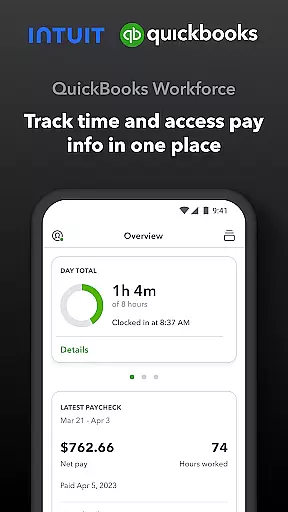
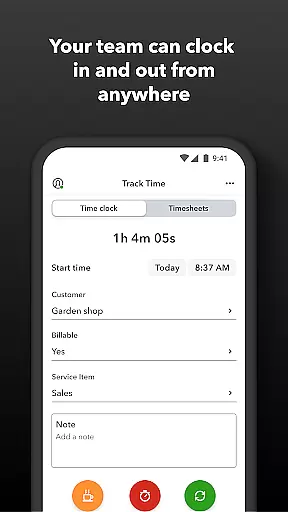
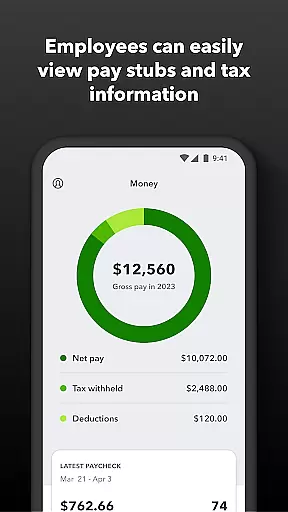
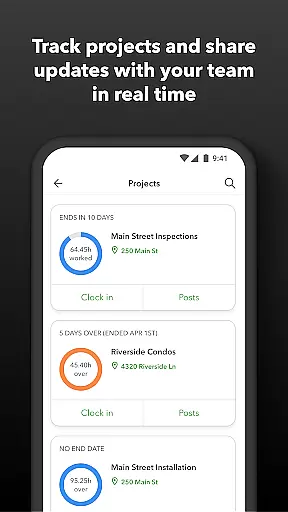
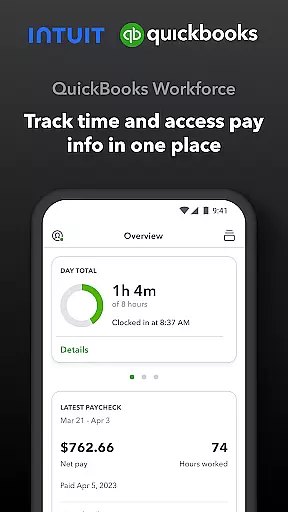
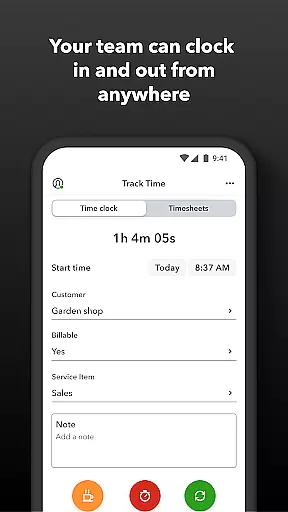
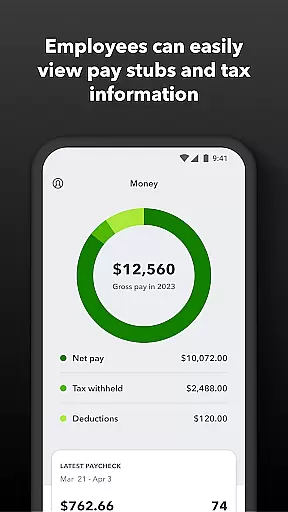
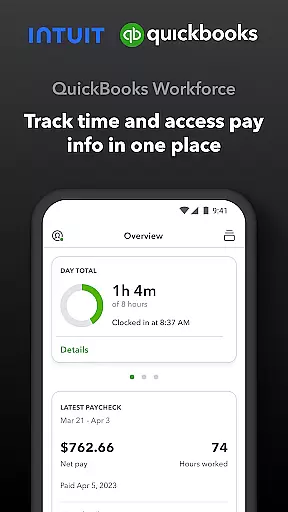
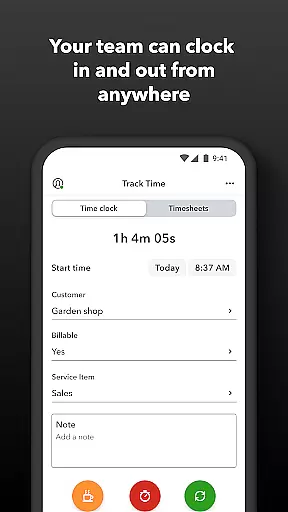
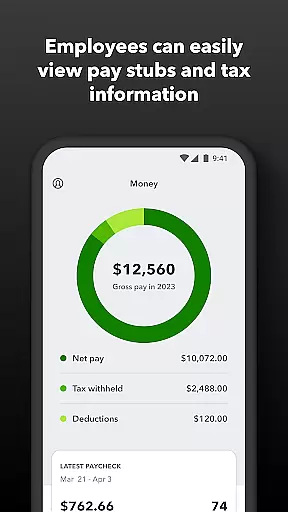
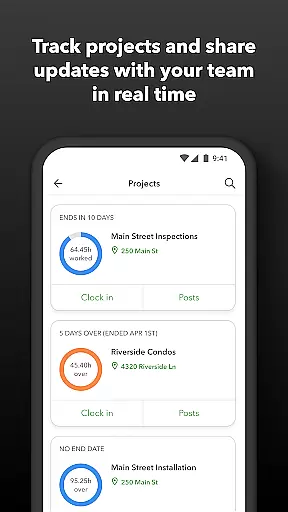
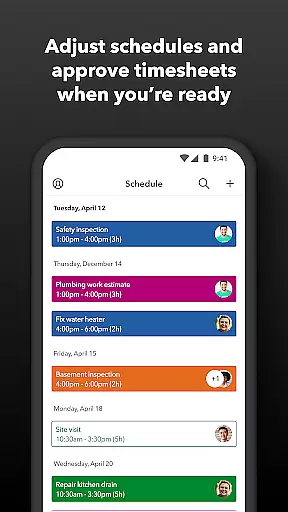
QuickBooks Workforce is a comprehensive productivity app designed for businesses using QuickBooks Payroll and QuickBooks Time. It allows teams to view pay information and track time seamlessly in one place. Employees can access pay stubs, W-2s, and other pay-related data anytime, anywhere. The app also supports offline time tracking, enabling users to clock in and out even without Wi-Fi or service.
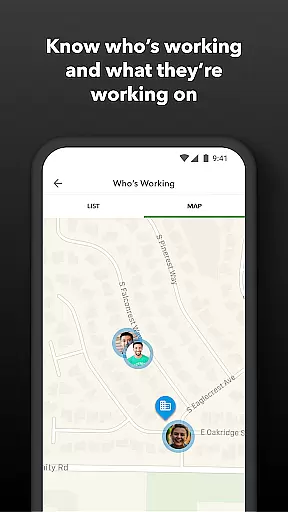
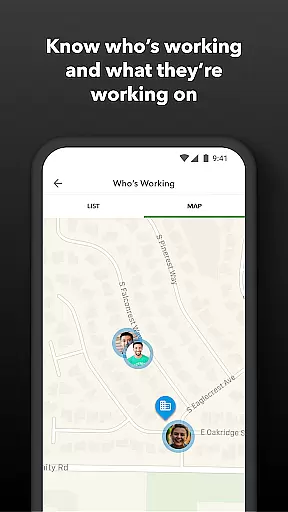
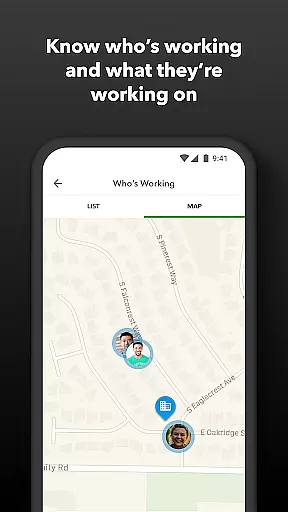
In addition to basic payroll features, the app offers advanced functionalities such as GPS location-based time tracking, submitting and managing paid time off, and editing timesheets. Employers benefit from real-time monitoring of who's working and where, setting up geofences for automatic clock-ins, and generating detailed reports in multiple formats. This integration with QuickBooks Online ensures seamless data flow, reducing manual entry errors and enhancing overall efficiency.
QuickBooks Workforce stands out with its robust feature set tailored for both employees and employers. For employees, it provides easy access to pay stubs and W-2s, along with flexible time tracking options like offline clocking and GPS-based tracking. Users can manage their schedules, switch jobs, pause tracking, or take breaks effortlessly.
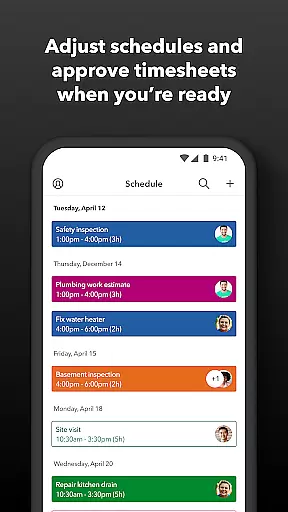
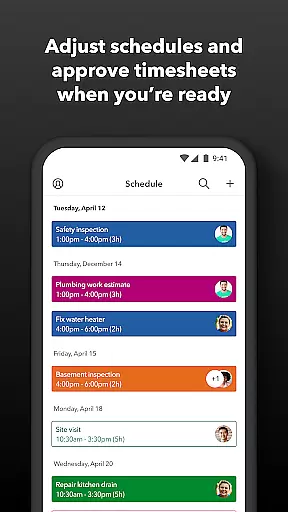
For employers and admins, the app offers powerful tools such as approving, editing, or deleting timesheets, scheduling by job or shift, and receiving alerts if employees don't clock in as scheduled. Real-time visibility into team activities helps in overseeing productivity and adjusting resources accordingly. Additionally, the app integrates seamlessly with various payroll, accounting, and invoicing software, ensuring accurate time data replaces traditional paper timesheets, thus making payroll and invoicing faster and less costly.
Task management is a critical component of productivity applications, enabling users to organize, track, and prioritize their work efficiently. QuickBooks Workforce excels in this area by offering comprehensive tools that cater to both employees and employers.
For team members, the app provides essential features such as clocking in and out, even without Wi-Fi or service, submitting and tracking paid time off, sick days, and holidays, editing timesheets, managing job schedules, and switching jobs. These capabilities ensure that employees can manage their tasks effectively, regardless of their location or internet connectivity.
Employers and admins benefit from advanced functionalities like approving, editing, or deleting timesheets, scheduling by job or shift, seeing who's working and where in real time, setting up geofences for automatic clock-ins and clock-outs, creating or modifying schedules, and receiving alerts if employees don't clock in as scheduled or approach overtime. These features empower managers to oversee operations seamlessly and make informed decisions.
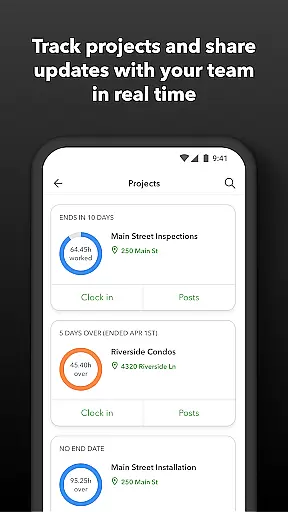
The value derived from QuickBooks Workforce's task management extends beyond mere organization; it enhances overall productivity by streamlining processes, eliminating manual data entry, integrating with other software solutions, and providing detailed reports in multiple formats. This holistic approach ensures that businesses can operate more efficiently while maintaining accurate records and compliance.
Cross-device synchronization is vital for ensuring that all team members have access to the most up-to-date information, regardless of the device they are using. QuickBooks Workforce addresses this need by providing reliable synchronization across various platforms, enhancing collaboration and consistency within teams.
The app allows employees to access pay stubs, W-2s, and other pay information anytime, anywhere. This flexibility ensures that workers can stay informed about their earnings and benefits, fostering transparency and trust between employers and employees. Additionally, the ability to edit timesheets and manage job schedules from any device means that updates are reflected instantly across the board.
For employers and admins, the app offers real-time visibility into who is working and where, along with the capability to approve, edit, or delete timesheets and create or modify schedules. The integration with QuickBooks Online and QuickBooks for PC (Pro, Premier, & Enterprise) ensures that data flows seamlessly between systems, reducing errors and saving time. Furthermore, integrations with other payroll, accounting, and invoicing software enhance the app's versatility and reliability.
By prioritizing cross-device synchronization, QuickBooks Workforce not only improves operational efficiency but also protects businesses against labor disputes and audits through detailed time logs. Accurate time data replaces paper timesheets, making payroll and invoicing faster and less costly, ultimately contributing to a more streamlined and cost-effective business operation.
User-friendly interface
Comprehensive payroll features
Real-time reporting
Seamless QuickBooks integration
Advanced time tracking
Limited free version
Subscription costs
Complex setup
Occasional bugs
Learning curve

Easily read and manage all your PDF files
 4.10
4.10
Send files, sync SMS, notifications & clipboard across devices via local network
4.40
Absolutely the best CNC machinist speed and feed calculator around. fswizard.com
4.60
Secure, fast, open-source, Remote Desktop Client for Windows and Linux with SSH
4.60
All document reader, all in one file viewer read PDF, DOCX, XLS, PPT, TXT files.
4.60
Subscribe to Webcal & .ics calendars and keep them up-to-date!
4.50
Use powerful, industry-leading AI tools to generate visual charts from any data
4.80
Seamlessly read, manage, and organize all your PDF files solution in one place
4.40
Note taking, handwriting, record audio, PDF annotation, planner & journal
4.20
Multilingual translator for text, voice, and image translation!
4.90
We're working to become the best machining app on the market! www.cncdirt.com
4.80
aCalendar+ makes your day, week and month
4.70
Quickly and easily keep track of your work shifts
4.70
Scan paperwork into PDF/JPG, generate your own e-signature and send fax or email
4.70
Fill, sign & send docs, forms, agreements & contracts via electronic signature.
4.50
A lightweight JSON & XML files creator, editor and viewer (Premium Version)
4.40
Cloud storage, automatic phone backup, and more.
4.10
Wake up & get tasks done! Add alarms & reminders on the Clock Launcher.
4.00
Experience and share your SolidWorks designs on your Android® phone and tablet.
2.50


User Reviews