
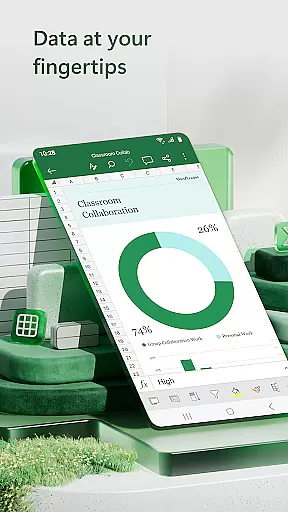
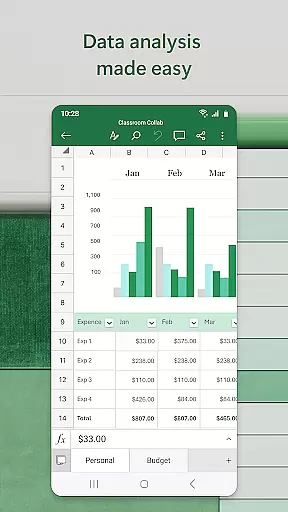

Microsoft Excel is the go-to productivity app for creating, editing, and sharing spreadsheets. It offers advanced tools for budgeting, data analytics, chart creation, and financial management. With its robust features, users can track expenses, compile charts, and analyze data on-the-go. The app provides a seamless experience across devices, making it ideal for both personal and professional use.
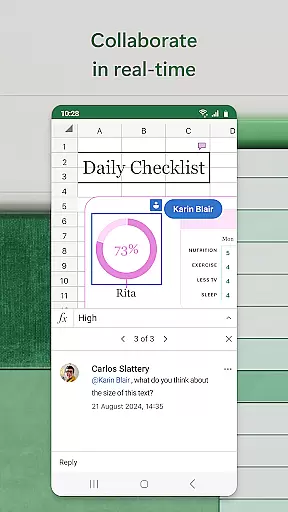
The app includes modern templates for budgets, task lists, and financial analysis. Its familiar formulas and calculation tools allow users to manage workbooks efficiently. Additionally, collaboration features enable teams to work together in real-time, enhancing productivity and streamlining workflows.
Excel stands out with its comprehensive set of features tailored for productivity. Users can create detailed charts and spreadsheets using built-in templates designed for accounting, budget planning, and expense tracking. The app supports complex calculations and data analysis through pivot tables and visualization tools, ensuring that insights are easily digestible.
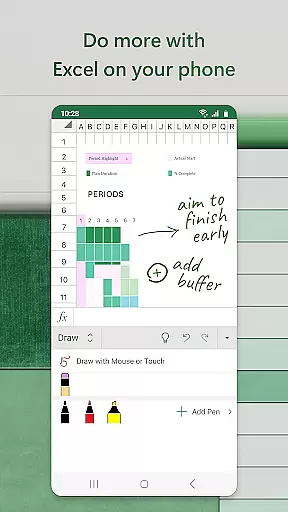
One of the key strengths of Excel is its ability to facilitate collaboration. You can share files and worksheets with colleagues, allowing them to edit or comment directly. The draw tab feature on touch-enabled devices lets you annotate charts and highlight worksheet sections effortlessly. These capabilities make Excel an indispensable tool for anyone looking to enhance their productivity and manage data effectively.
Microsoft Excel revolutionizes core task management by offering a comprehensive suite of tools that streamline productivity and organization. The app provides modern templates for creating budgets, task lists, and financial analyses, empowering users to manage their tasks efficiently.
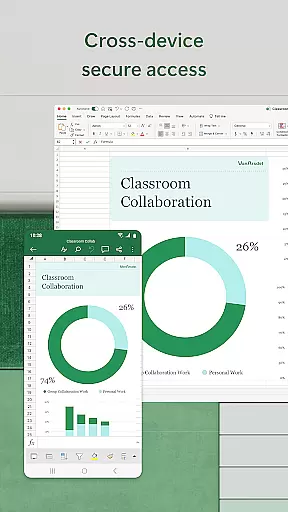
With its robust formatting options and familiar formulas, Excel ensures that workbook sheets and charts are easier to read and operate consistently across all devices. This uniformity allows users to transition seamlessly between their phone, tablet, or computer while maintaining the integrity and functionality of their spreadsheets.
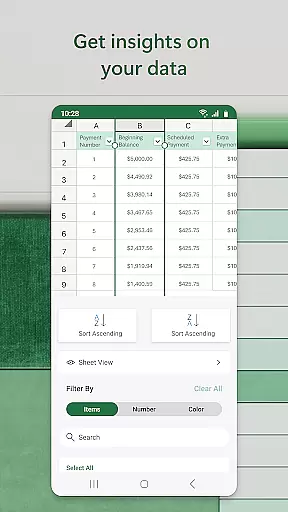
Excel's capabilities extend beyond simple data entry; it includes advanced features like sort and filter columns, which enhance data analysis. Users can annotate charts, highlight parts of worksheets, and even write equations using the draw tab on touch-enabled devices, making task management more interactive and engaging.
Ultimately, Microsoft Excel's task management features offer a versatile platform for users to organize, analyze, and optimize their workflows, ensuring they stay productive and efficient in both personal and professional settings.
Cross-device synchronization is a cornerstone of Microsoft Excel's reliability, enabling users to access and edit their documents from any device with ease. Whether you're switching from your phone to your tablet or PC, Excel ensures that your files are always up-to-date and consistent across all platforms.
This seamless integration is facilitated by signing in with a free Microsoft account, which allows for real-time updates and backups. As a result, users can collaborate on spreadsheets, share files, and leave comments without worrying about version control issues or data loss.
For those with a qualifying Microsoft 365 subscription, the experience is further enhanced with additional features and cloud storage options. This subscription model not only guarantees reliable synchronization but also unlocks the full potential of Excelu2019s productivity tools, ensuring that users have access to the latest updates and security enhancements.
In summary, Microsoft Excel's cross-device synchronization reliability ensures that users can work confidently and collaboratively, knowing their data is secure and accessible wherever they go.
Robust formatting tools
Wide array of templates
Real-time collaboration
Data visualization features
Cross-device compatibility
Complex for beginners
Requires subscription
Limited free features
High system requirements
Occasional sync issues

 4.20
4.20
Unlock AutoNotification
4.00
Planet Free VPN - The best Fast Unlimited and Secure VPN Without Logs
4.50
8 custom complications. Custom Time Fonts. Beautiful color schemes. A++ Design.
5.00
Access, manage and transfer files on Android, PC, Mac, NAS and cloud storages.
4.30
Best Tool for the professionals Electrician, Electrical contractors, etc.
4.90
A beautiful digital clock with autostart and many other functions
4.70
Quickly and easily keep track of your work shifts
4.70
Seamlessly read, manage, and organize all your PDF files solution in one place
4.40
Seamlessly integrate data and reports to build your presentation to impress
4.80
Absolutely the best CNC machinist speed and feed calculator around. fswizard.com
4.60
The AI assistant that thinks with you - write, code, and solve complex tasks
4.60
Experience Reading - Night Mode for Documents
4.40
A lightweight JSON & XML files creator, editor and viewer (Premium Version)
4.40
A customizable calendar for your Wear OS watch
4.20
Customizable calendar widget for seamless event sync, planning & scheduling.
4.00
Secure, open-source, SPICE and SSH Remote Desktop for QEMU KVM virtual machines
4.00
Access your phone's notifications, calls, apps, photos & texts on your PC
3.90
Ads Free App! Editor, Hide File, Copy, Move, Delete and Rename.. all facility av
1.70


User Reviews