
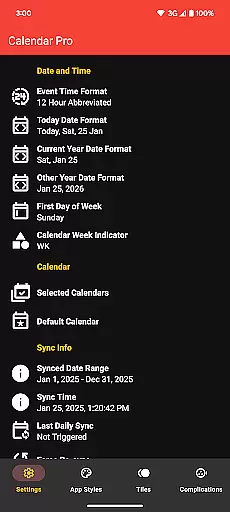
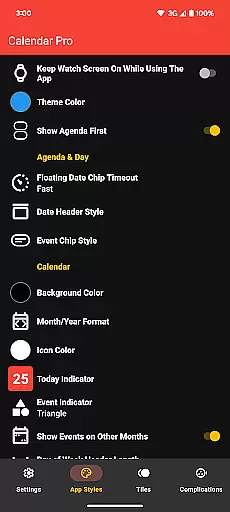
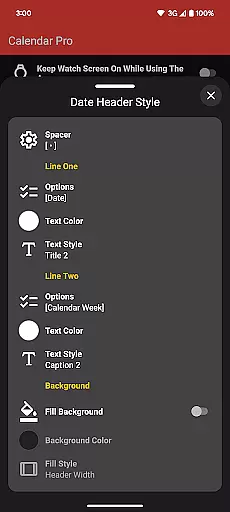
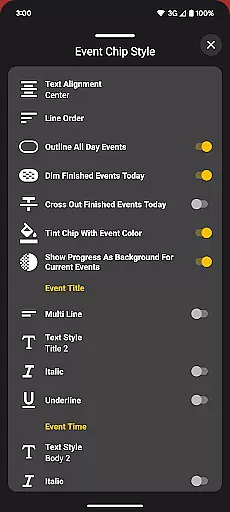
Calendar Pro for Wear OS is a comprehensive calendar solution designed specifically for wearable devices. This productivity app allows users to seamlessly sync all their phone calendars directly to their Wear OS smartwatch, ensuring they never miss an important event while on the go.
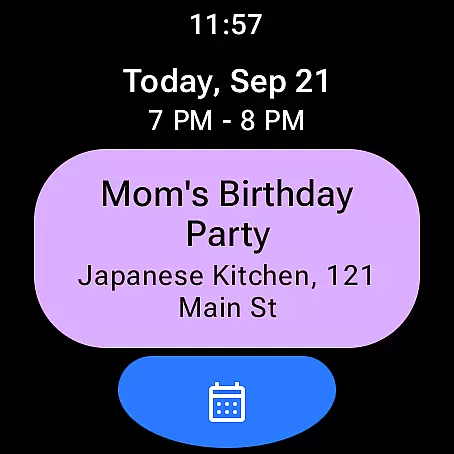
The application stands out with its extensive customization options and robust feature set. Users can view, add, edit, and delete events directly from their watch interface. With support for multiple calendar services including Google Calendar, Outlook, and Samsung Calendar, it provides a unified scheduling experience across platforms. The app's true value lies in its ability to deliver desktop-grade calendar functionality in a wearable format, making it indispensable for busy professionals.
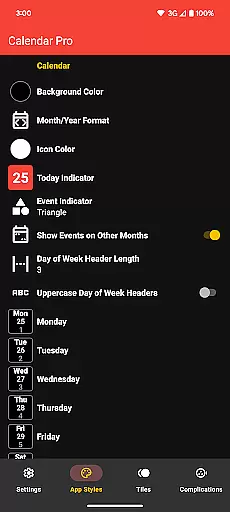
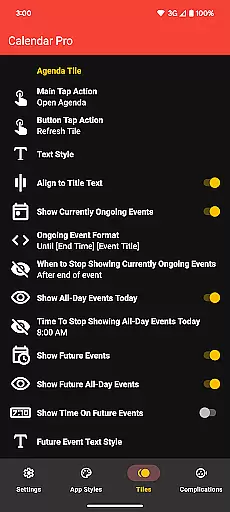
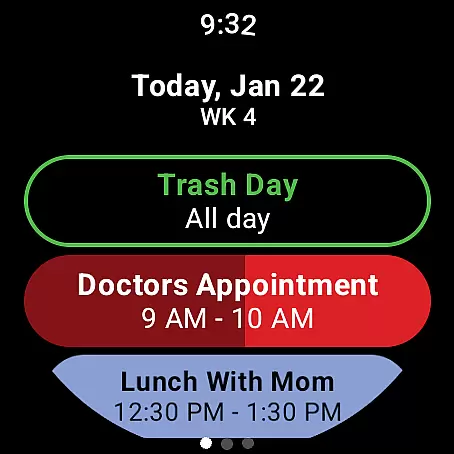
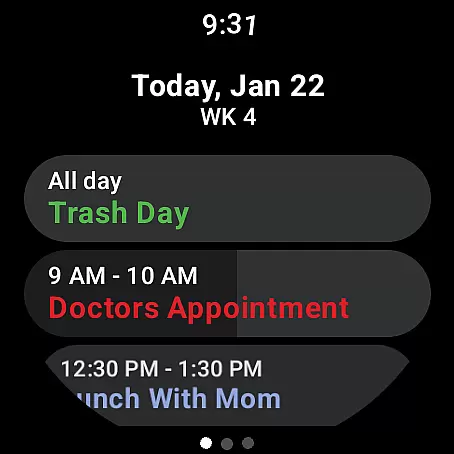
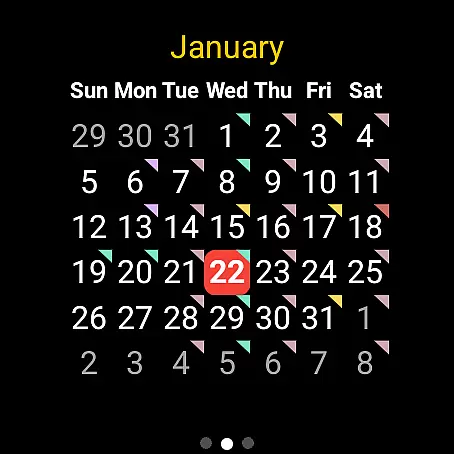
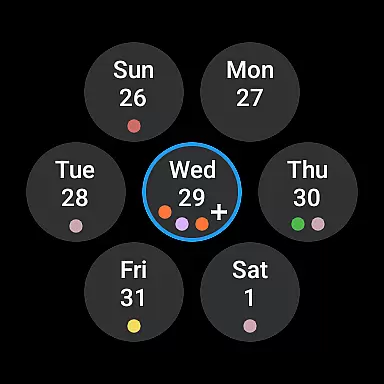
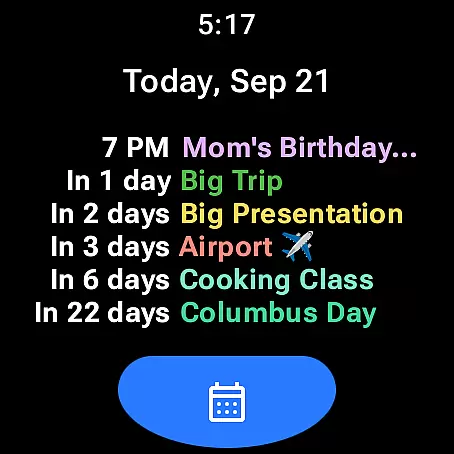
Calendar Pro distinguishes itself through its rich feature set tailored for wearable devices. The app offers multiple display formats including month view, agenda, and various tile configurations, each with extensive customization options. Users can personalize everything from background colors to event indicator shapes, creating a calendar experience that perfectly matches their preferences.
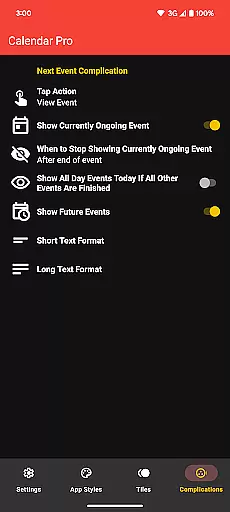
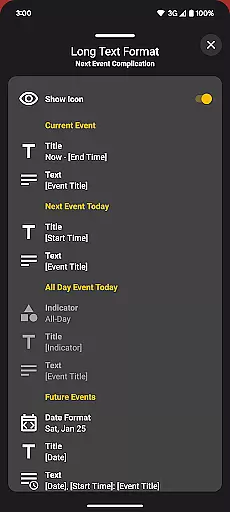
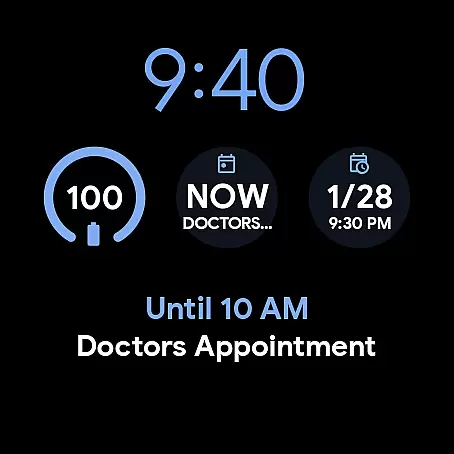
A key innovation is the Next Event complication which provides at-a-glance information about upcoming commitments. The app also supports various watch faces and complications, allowing users to display calendar information directly on their watch face. Advanced features like progress indicators for ongoing events and customizable notification options demonstrate the app's attention to detail. These features collectively enhance productivity by delivering critical information exactly when and where users need it most.
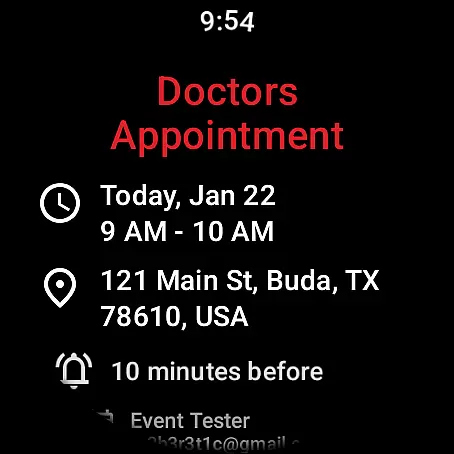
Calendar Pro for Wear OS excels in core task management by offering users the ability to add, edit, and delete events directly from their Wear OS watch. This seamless interaction ensures that managing your schedule is not only convenient but also efficient.
The app syncs the next 12 months of events to your watch, providing a comprehensive overview of your upcoming engagements. With customizable month calendars and agenda views, users can tailor the interface to suit their preferences, ensuring they never miss an important date or meeting.
Furthermore, Calendar Pro supports a wide range of calendar services including Google Calendar, Outlook Calendar, and Samsung Calendar. This compatibility ensures that no matter which service you use, your events are always up-to-date and accessible right from your wrist.
Cross-device synchronization is a critical feature of Calendar Pro for Wear OS, ensuring that all your calendars from your phone are reliably synced to your Wear OS watch. This synchronization happens in real-time, providing users with the most current view of their schedule at any given moment.
With dedicated tiles for month calendar, agenda, week view, and next event, users have quick access to their schedule in various formats. These tiles update automatically as changes are made on the paired smartphone, maintaining consistency across devices.
In addition to visual updates, Calendar Pro offers complications like the Next Event complication, which can be customized to show ongoing, upcoming, or future events. This level of detail and control ensures that users are always aware of their schedule, enhancing productivity and time management.
Extensive customization
Multiple calendar support
Offline functionality
One-time purchase
Cross-platform sync
Requires phone app
Complex setup
Premium price
Limited free version
Device compatibility

Pwnagotchi companion app
 4.20
4.20
Make apps & sites with natural language prompts
4.10
Font maker keyboard with your own handwriting
4.10
Multilingual translator for text, voice, and image translation!
4.90
ID.me Authenticator is a simple and free Two Factor Authentication solution
3.50
The AI assistant that thinks with you - write, code, and solve complex tasks
4.60
Secure, open-source, SPICE and SSH Remote Desktop for QEMU KVM virtual machines
4.00
Tally and goal counter for Wear OS & mobile
4.50
Seamlessly read, manage, and organize all your PDF files solution in one place
4.40
Best Tool for the professionals Electrician, Electrical contractors, etc.
4.90
Scientific calculator for Android - looks and operates like the real thing!
4.90
Absolutely the best CNC machinist speed and feed calculator around. fswizard.com
4.60
Functional QR scanner and barcode reader that requires little storage space.
4.60
Automates browsing any website and notifies you of important changes or events
4.30
Experience real multitasking on your Android!
4.00
Smart PDF reader & editor to view, organize and manage PDF documents easily.
3.70
Find and delete junk files & block unwanted notifications & manage files
3.70
Simple and reliable communication between inmates, friends and family
3.20
The upgraded version of Name Wheel with AI and the power to add your own wheels.
4.2


User Reviews