

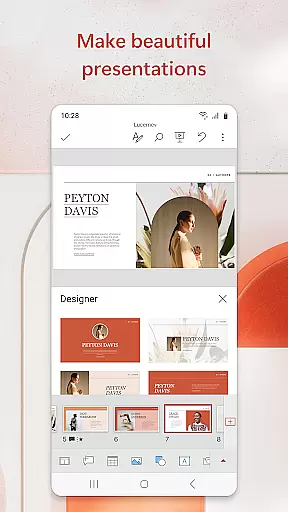
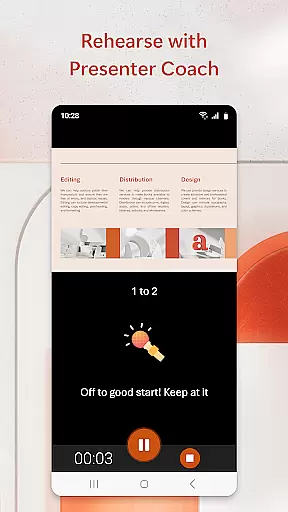

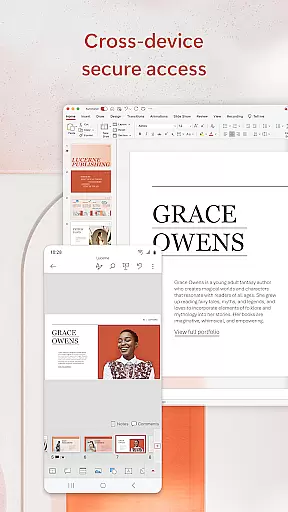
Microsoft PowerPoint is the quintessential presentation app that empowers users to create, edit, and view slideshows on the go. With its mobile version, you can seamlessly sync your presentations across devices, ensuring consistency and eliminating worries about multiple file versions. The app includes Presenter Coach, an AI-driven tool that helps refine public speaking skills by providing real-time feedback and suggestions.
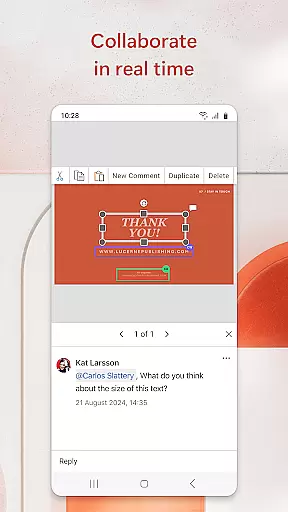
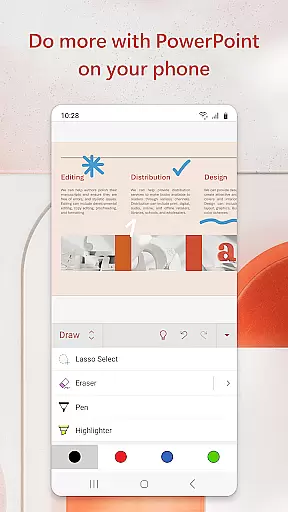
This productivity powerhouse allows for collaboration in real time, enabling teams to work together efficiently regardless of location. Users can customize their presentations with music, graphics, charts, photos, and videos, making each slideshow not only informative but also engaging. Whether crafting quarterly reports or delivering yearly summaries, PowerPoint's templated designs help elevate the quality of your presentations.
PowerPoint stands out with its comprehensive feature set tailored for creating impactful presentations. The Presenter Coach offers invaluable assistance by helping users practice their delivery with a presentation timer and provides real-time suggestions to improve pacing and articulation. This ensures that every presentation is delivered confidently and professionally.
The app facilitates collaboration through integrated comments and the ability to share presentations with team members for feedback and edits. It supports various media types including photos and videos which can be inserted directly from your device. Additionally, PowerPoint's synchronization capabilities mean that whether you're working on a phone, tablet, or PC, your presentation will always be up-to-date across all devices.
Microsoft PowerPoint offers robust core task management features that streamline the process of creating, editing, and presenting slideshows. The app allows users to efficiently organize their presentation tasks, ensuring that each slide is meticulously crafted and aligned with the overall objectives.
The application's intuitive interface enables users to manage multiple presentations simultaneously without compromising on quality or performance. With seamless synchronization across devices, PowerPoint ensures that users can pick up right where they left off, regardless of the device they are using.
PowerPoint's collaboration tools further enhance task management by allowing real-time edits and feedback from team members. This feature not only improves productivity but also fosters a collaborative environment where ideas can be shared and refined effortlessly.
By integrating advanced features like Presenter Coach, PowerPoint equips users with the necessary tools to refine their delivery and present with confidence. This holistic approach to task management makes PowerPoint an indispensable tool for anyone looking to create impactful presentations.
Cross-device synchronization is a critical feature of Microsoft PowerPoint, ensuring that users have a reliable and consistent experience across all their devices. Whether you're working on a smartphone, tablet, or desktop, PowerPoint maintains the integrity and formatting of your presentations, allowing for seamless transitions between devices.
This reliability is achieved through cloud-based technology that automatically saves and updates your work in real time. As a result, users can access the most recent version of their presentations from any location, eliminating the risk of version conflicts or data loss.
PowerPoint's synchronization capabilities extend beyond mere file storage. The app provides users with the ability to view and edit presentations offline, with changes being synced once an internet connection is re-established. This flexibility ensures that productivity is never hindered by connectivity issues.
Furthermore, the integration with Microsoft 365 enhances cross-device functionality by offering additional security and management features. Subscribers benefit from advanced encryption and compliance protocols, safeguarding their data while providing peace of mind. Overall, PowerPoint's synchronization reliability empowers users to focus on their content, knowing that their work is securely backed up and always up-to-date.
User-friendly interface
Real-time collaboration
AI-powered Presenter Coach
Seamless cross-device syncing
Highly customizable templates
Requires subscription for full features
Limited offline functionality
Advanced tools need learning
Auto-renewing subscriptions
Privacy concerns with data access

Secure, fast, open-source, VNC and SSH Remote Desktop for Windows, Linux and Mac
 4.70
4.70
Planet Free VPN - The best Fast Unlimited and Secure VPN Without Logs
4.50
Send files, sync SMS, notifications & clipboard across devices via local network
4.40
The upgraded version of Name Wheel with AI and the power to add your own wheels.
4.5
Customizable calendar widget for seamless event sync, planning & scheduling.
4.00
Todo reminder
4.10
Functional QR scanner and barcode reader that requires little storage space.
4.60
Seamlessly read, manage, and organize all your PDF files solution in one place
4.40
Put a lock on your cloud: Take the security of your data into your own hands
3.70
Simple notepad & memo. Take notes, to-do list, shopping list with reminders.
4.80
The long-awaited modern gallery app for your Nextcloud server
4.70
All document reader, all in one file viewer read PDF, DOCX, XLS, PPT, TXT files.
4.60
Lightweight PDF, Word, Excel reader.
4.60
Access, manage and transfer files on Android, PC, Mac, NAS and cloud storages.
4.30
A customizable calendar for your Wear OS watch
4.20
Make apps & sites with natural language prompts
4.10
* block pre-roll ads, pop-up and forced redirect ads * Samsung certification app
4.00
Take control of your clipboard with Clipper!
3.90
IP Camera Viewer - Android TV : RTSP Surveillance camera viewer for Android TV
4.2


User Reviews