

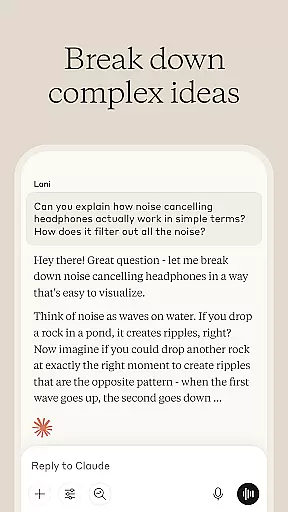

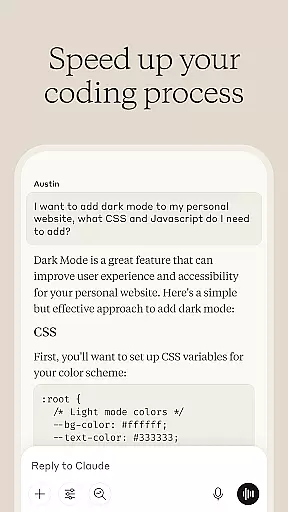
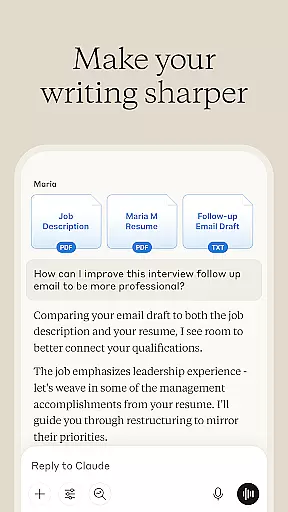


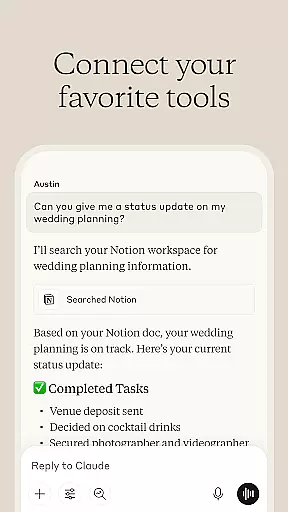
Claude by Anthropic is an advanced AI productivity tool designed to enhance your problem-solving capabilities. This versatile application serves as both a thinking partner and a practical assistant, helping users write, research, code, and tackle complex challenges with precision. Available on mobile platforms, Claude expands what you're capable of by providing expert-level assistance across multiple domains.
The app excels in four key areas: writing assistance, research support, coding help, and visual analysis. Whether you need to refine rough ideas into polished content, dig deeper into research questions, debug complex code, or analyze visual materials, Claude delivers professional-grade support. Its ability to handle voice commands makes it particularly useful for hands-free operation, while its integration with various document types and programming languages ensures maximum flexibility.
For professionals and students alike, Claude proves invaluable when working on multifaceted projects. Imagine preparing a crucial business report where you can collaborate with the AI to develop content, analyze data, and create visual representations - all within a single platform. The application's advanced reasoning capabilities, powered by Anthropic's latest models, ensure reliable and accurate assistance for your most important challenges.
Claude distinguishes itself through its comprehensive feature set that addresses multiple productivity needs. The application's writing assistant capability goes beyond basic editing, engaging users in collaborative refinement of content from social media posts to complex reports. It helps explore tone, structure, and clarity through iterative processes, ensuring your unique voice shines through in every piece of writing.
The research functionality provides substantial depth, allowing users to search across Google Drive, Gmail, Calendar, and the web while maintaining accurate citations. Its coding assistance covers numerous programming languages including Python, JavaScript, and React, offering not just debugging help but also conceptual explanations. The visual analysis feature supports various file types, enabling text extraction, language translation, and technical diagram interpretation.
What sets Claude apart is its multimodal approach to productivity enhancement. The voice command capability allows for hands-free operation, perfect for brainstorming sessions. The application's ability to handle projects beyond users' current expertise makes it particularly valuable for skill expansion. With support for over 100 languages and advanced reasoning capabilities, Claude provides a comprehensive productivity solution that adapts to various professional and academic challenges.
At the heart of productivity lies effective task management, and Claude excels in this area. The AI assistant helps users organize their workflow by breaking down complex projects into manageable tasks. This structured approach ensures that nothing falls through the cracks and every step is accounted for.
Claude's collaborative nature means it works with you to prioritize tasks, set deadlines, and track progress. Whether you're planning a project or structuring ideas, Claude provides iterative feedback that refines your approach. This results in more efficient work processes and clearer paths to completion.
The true value of Claude's task management capabilities is seen in its adaptability. It can handle everything from simple to-do lists to intricate project plans, adjusting its support based on your specific needs. Users benefit from having an intelligent assistant that grows with their evolving workload.
In today's multi-device world, reliable synchronization is crucial for maintaining productivity. Claude ensures that your work is seamlessly updated across all your devices, whether you're using a smartphone, tablet, or computer. This consistency allows you to pick up right where you left off, regardless of the device you're using.
The synchronization process is not just about convenience; it's about data integrity. Claude employs robust systems to ensure that all your information is accurately reflected across platforms. This means your documents, research, and coding projects remain consistent and up-to-date wherever you access them.
Users can trust Claude to maintain the integrity of their work while providing the flexibility to work from anywhere. With real-time updates and cloud-based storage, your productivity is no longer tied to a single device, empowering you to work more freely and efficiently.
Advanced AI capabilities
Multimodal functionality
Comprehensive language support
Reliable accuracy
Versatile application
Premium features cost
Learning curve present
Occasional limitations
Resource intensive
Subscription required

We're working to become the best machining app on the market! www.cncdirt.com
 4.80
4.80
Remotely view listen control and record cameras.
3.70
aCalendar+ makes your day, week and month
4.70
Functional QR scanner and barcode reader that requires little storage space.
4.60
Translate text/voice/photos in 150+ languages. Offline & fast translator app.
4.50
Subscribe to Webcal & .ics calendars and keep them up-to-date!
4.50
Access, manage and transfer files on Android, PC, Mac, NAS and cloud storages.
4.30
Simple notepad & memo. Take notes, to-do list, shopping list with reminders.
4.80
Browse and view your photos and videos from the phone with photo & video hide.
4.10
Direct Chat without saving contacts & Dual WA Account on Single Device
4.70
Lightweight PDF, Word, Excel reader.
4.60
A lightweight JSON & XML files creator, editor and viewer (Premium Version)
4.40
Automates browsing any website and notifies you of important changes or events
4.30 4.20
4.20
The ultimate file manager for rooted devices. The original and still the best.
4.00
Take control of your clipboard with Clipper!
3.90
Access your phone's notifications, calls, apps, photos & texts on your PC
3.90
A Revolutionary All-in-One Artificial Intelligence Tools
3.80
ID.me Authenticator is a simple and free Two Factor Authentication solution
3.50


User Reviews