
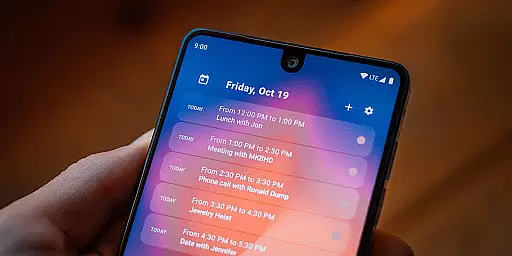
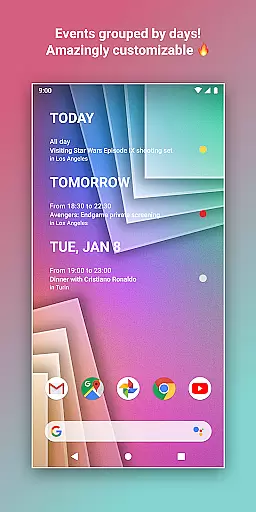
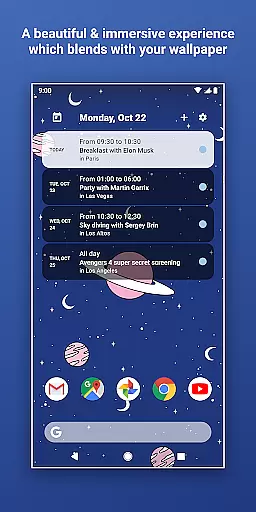
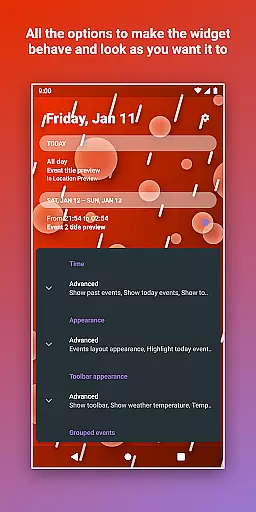
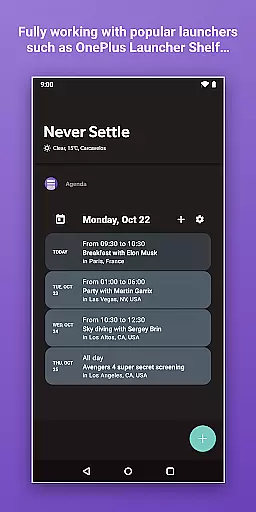
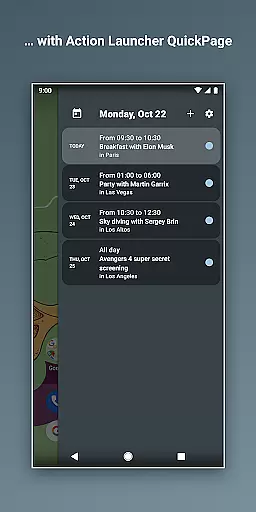
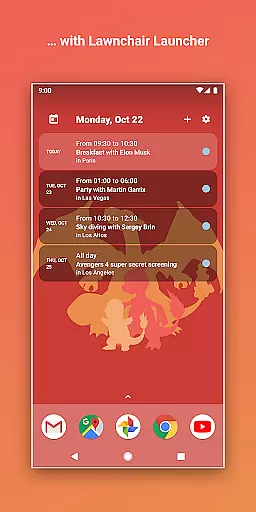
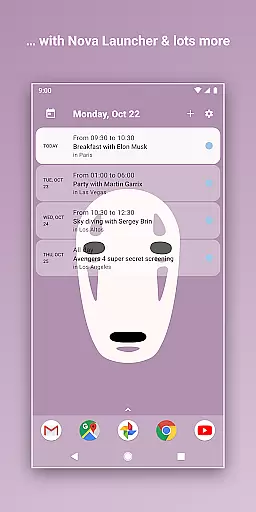
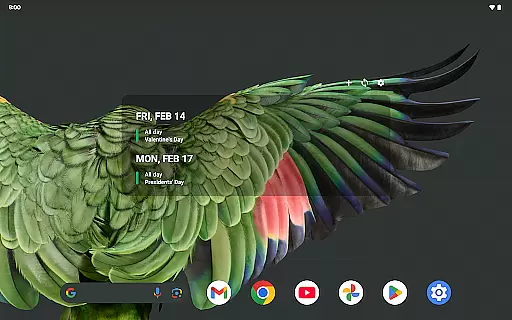
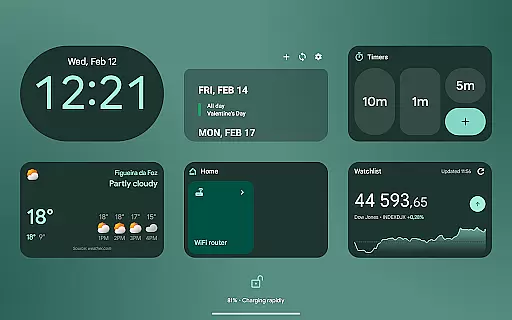
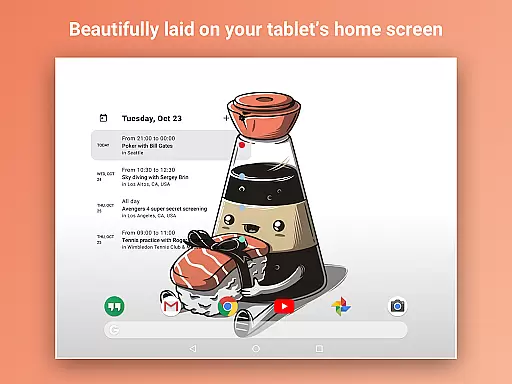
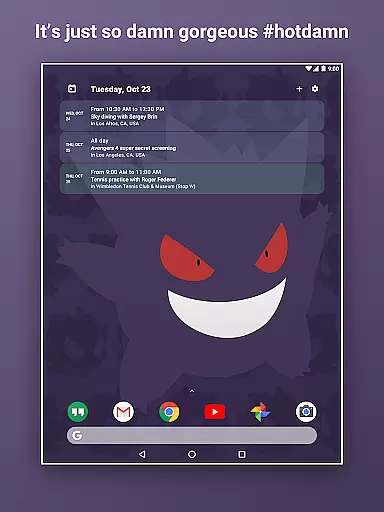
Home Agenda is a highly customizable calendar widget and planner designed to streamline your daily schedule management. This productivity tool allows users to sync events from multiple calendar services, including Google Calendar and Outlook, ensuring all important dates are centralized in one accessible location. The app's instant synchronization feature ensures that any changes made in connected calendars are immediately reflected on your home screen widget.
What sets Home Agenda apart is its exceptional customization options. Users can personalize the widget's appearance by creating unique themes and adjusting widget sizes to match their preferred style. With its modern interface and real-time notifications, this app transforms your Android home screen into an interactive planning hub. Whether you need to quickly view your agenda or make on-the-fly adjustments to your schedule, Home Agenda provides a seamless experience while maintaining optimal performance with minimal battery impact.
Home Agenda distinguishes itself through several innovative features that enhance user experience. The app's Custom Design functionality lets users build personalized themes and adjust widget dimensions, allowing for complete aesthetic control over how their calendar information is displayed. This level of customization extends beyond mere visual preferences, as users can tailor the widget's size and layout to fit their specific organizational needs.
The Instant Sync capability connects seamlessly with major calendar platforms, automatically updating events across all linked services. This ensures users always have the most current information at their fingertips. The Easy Planning feature enables quick addition and modification of events directly from the home screen widget, streamlining the scheduling process. Furthermore, the app's commitment to privacy and security is evident in its 100% local data processing policy, meaning no user information is tracked or shared with third parties, providing peace of mind for security-conscious professionals.
Effective task management is essential for maintaining productivity and staying organized in today's fast-paced world. Home Agenda excels in this area by offering a customizable calendar widget that syncs with your events from Google Calendar, Outlook, and more.
This seamless integration allows users to quickly view, add, and edit events directly from their home screen, ensuring they never miss an important appointment or deadline. The app's instant sync feature ensures that all updates are reflected in real-time across devices, providing a reliable and up-to-date overview of your schedule.
Moreover, the ability to personalize the widget sizes and themes enhances user engagement by allowing individuals to tailor the appearance to match their preferences. This level of customization not only makes planning more enjoyable but also helps users maintain focus on their tasks without unnecessary distractions.
By combining powerful task management capabilities with a clean, modern interface, Home Agenda transforms your home screen into a dynamic planning hub, boosting productivity while keeping you effortlessly organized.
In our interconnected world, reliable cross-device synchronization is crucial for maintaining consistency and accessibility across multiple platforms. Home Agenda addresses this need by providing optimized performance for daily use, ensuring low battery impact while delivering accurate and timely updates.
The app supports hassle-free integration with popular calendar services like Google Calendar and Outlook, enabling automatic syncing of events and schedules. This means whether you're at work, home, or on the go, your calendar remains current and accessible wherever you are.
Furthermore, Home Agenda prioritizes user privacy and control over personal data. Unlike many other apps, it operates 100% locally, meaning no tracking or ads compromise your information. This commitment to privacy ensures that your synchronized data stays secure and private, giving you peace of mind as you manage your schedule.
With its robust synchronization features and dedication to user privacy, Home Agenda stands out as a dependable tool for anyone looking to stay organized and efficient across all their devices.
User-friendly interface
Extensive customization options
Real-time event synchronization
Strong privacy protection
Minimal battery consumption
Limited reminder functionality
No built-in task manager
Requires manual setup
Occasional sync delays
Basic free version

Device's storage information in a simple and clear graphical form (infographics)
 4.10
4.10
CalenGoo is a very flexible and feature-rich calendar app
4.40
Cloud storage, automatic phone backup, and more.
4.10
Translate text/voice/photos in 150+ languages. Offline & fast translator app.
4.50
Calendar 2023 widget for Android. Appointment scheduler, planner, and reminder
4.60
A comprehensive suite of tools designed specifically for Lactation Consultants
4.2
Share files & memories safely. Keep your photos and videos secure.
4.40
Understand anything with a personalized AI research assistant
4.80
QuickEdit is a fast, stable and full featured text and code editor.
4.20
8 custom complications. Custom Time Fonts. Beautiful color schemes. A++ Design.
5.00
Secure, fast, open-source, VNC and SSH Remote Desktop for Windows, Linux and Mac
4.70
Quickly and easily keep track of your work shifts
4.70
Pwnagotchi companion app
4.20
Experience real multitasking on your Android!
4.00
Create and edit presentations with Google Slides, part of Google Workspace.
4.00
Mega cloud explorer plugin for Solid Explorer
3.80
Find and delete junk files & block unwanted notifications & manage files
3.70
Easiest event planning, volunteer signups & parent teacher conference scheduling
2.20
Ads Free App! Editor, Hide File, Copy, Move, Delete and Rename.. all facility av
1.70


User Reviews