
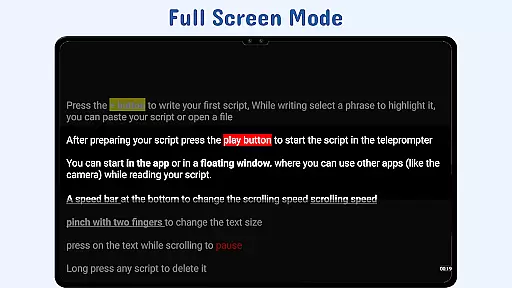
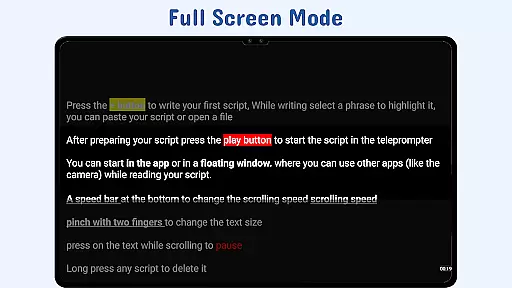
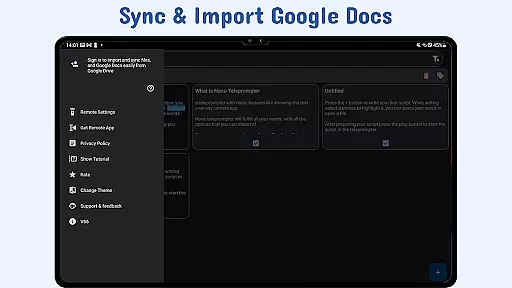
Nano Teleprompter is a productivity-focused teleprompter app designed to streamline script management and delivery for content creators, public speakers, and live streamers. With its intuitive interface, the app offers seamless integration with Google Drive, enabling real-time syncing of scripts created in various formats such as Google Docs, MS Word, RTF, TXT, and HTML.
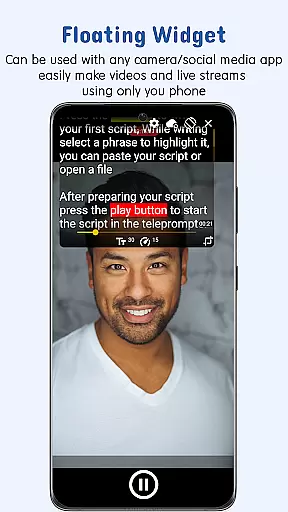
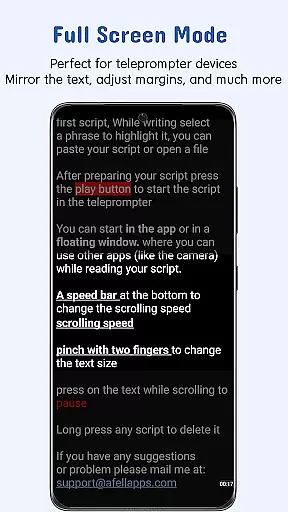
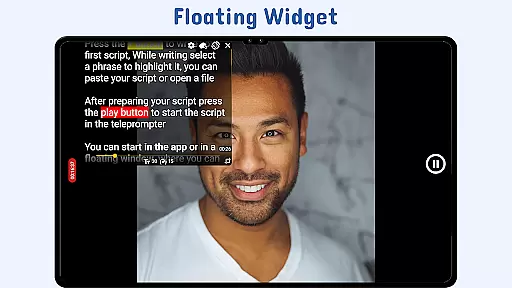
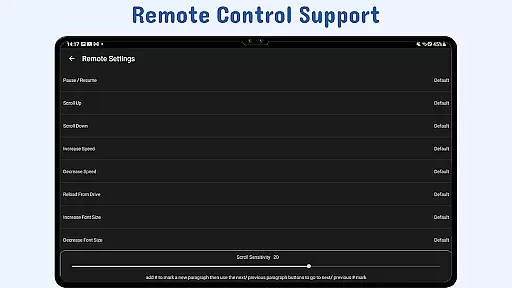
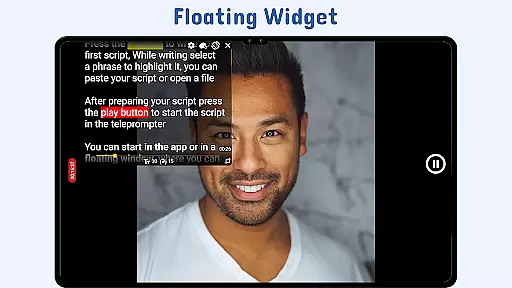
One standout feature is the floating teleprompter widget, which allows users to overlay scripts on top of any camera app while recording in both landscape and portrait modes. The app also supports customizable text and background settings, gesture controls, adjustable scroll delays, and remote control functionality, ensuring a smooth and hands-free experience tailored to individual preferences.
Whether you're recording videos, delivering speeches, or live streaming, Nano Teleprompter ensures your scripts are always accessible and easy to read. Its cloud-based sync system keeps your files updated across devices, making it an ideal tool for professionals who need reliable access to their content anytime, anywhere.
Nano Teleprompter stands out with its robust set of features tailored to enhance productivity and flexibility. A key highlight is the floating teleprompter widget, which can be resized and positioned freely over any camera app, allowing users to record professional-quality videos without interrupting their workflow. This feature works seamlessly in both landscape and portrait orientations, catering to diverse recording needs.
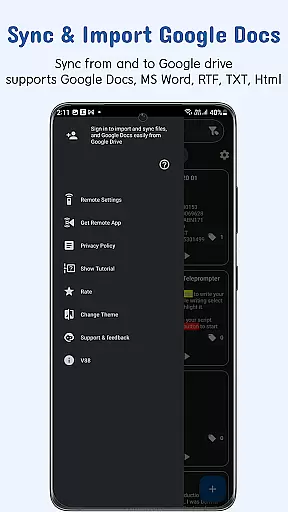
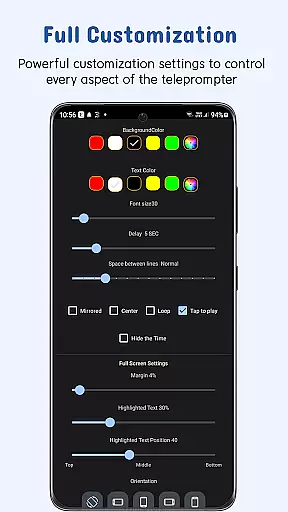
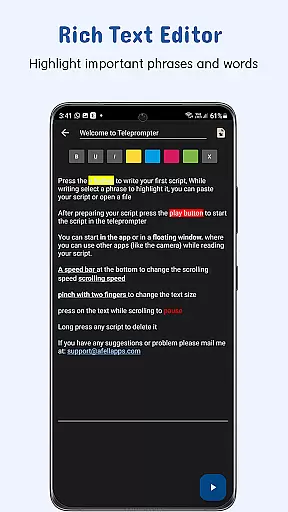
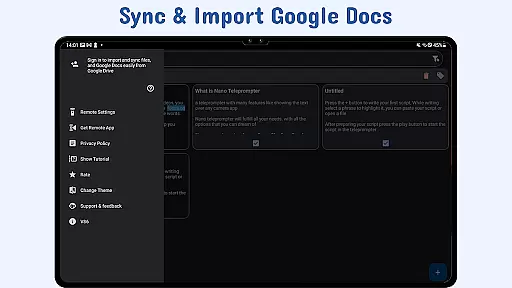
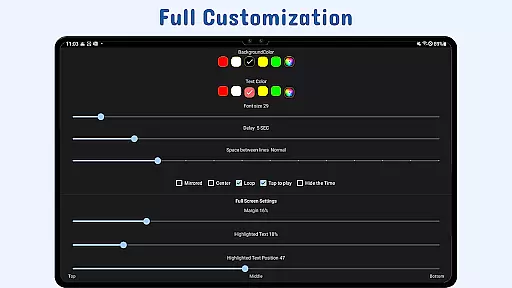
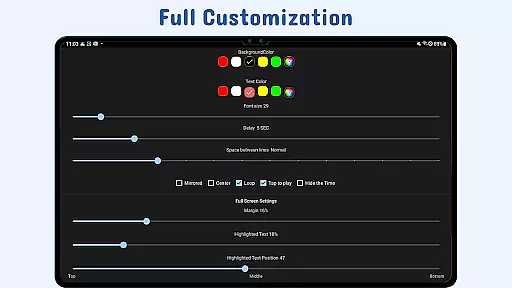
The app's real-time Google Drive integration is another major advantage. Users can create, edit, and manage scripts directly in Google Drive, with automatic updates reflected in the app. Supported file formats include Google Docs, MS Word, RTF, TXT, and HTML, providing versatility for different types of content creators. Additionally, the app offers customizable text settings, including font size, color, line spacing, and background opacity, ensuring optimal readability under various conditions.
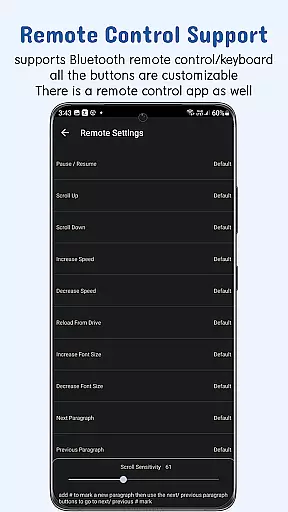
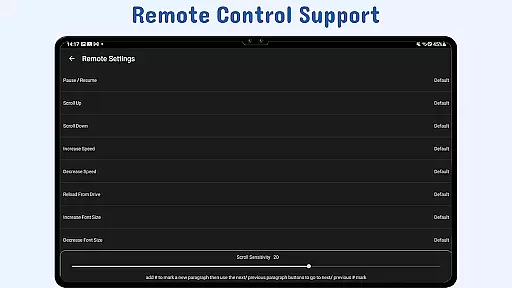
Other notable features include gesture controls for zooming and resizing, adjustable scroll delays for better synchronization, and remote control support for hands-free operation. These functionalities empower users to maintain complete control over their scripts while focusing on their performance or presentation.
In the realm of productivity, effective task management is paramount, and Nano Teleprompter excels in organizing and presenting your scripts seamlessly. The app's core functionality revolves around managing teleprompting tasks with precision.
Nano Teleprompter offers real-time Google Drive sync, ensuring that any script modifications are automatically updated within the app. This feature allows users to create, edit, and manage their scripts using Google Drive, providing unparalleled flexibility and accessibility.
Users benefit from customizable text and background options, gesture controls, and adjustable scroll delay, all of which contribute to a personalized and efficient teleprompting experience. These tools ensure that users can tailor the app to their specific needs, enhancing readability and performance.
The ability to sync across devices via Google Drive adds another layer of convenience, allowing users to access their scripts from multiple devices effortlessly. This ensures that whether you're recording videos, live streaming, or delivering speeches, Nano Teleprompter provides a reliable and adaptable solution for all your teleprompting needs.
Cross-device synchronization is a critical feature for modern productivity apps, enabling users to maintain consistency and reliability across different platforms. Nano Teleprompter addresses this need by offering robust synchronization capabilities through Google Drive.
The app supports seamless integration with Google Drive, allowing users to import changes and new files automatically. This means that whether you're editing scripts on your PC or writing directly in the browser, Nano Teleprompter will reflect these updates in real time, ensuring that your content is always current.
With support for various file formats such as Google Docs, MS Word, RTF, TXT, and HTML, Nano Teleprompter caters to diverse user preferences and requirements. This versatility ensures that users can work with their preferred tools while maintaining synchronization across devices.
Ultimately, Nano Teleprompter's cross-device synchronization not only enhances productivity but also provides peace of mind, knowing that your scripts are securely backed up and accessible wherever you go. This reliability makes it an indispensable tool for anyone relying on consistent and accurate teleprompting services.
User-friendly interface
Real-time cloud sync
Customizable text options
Remote control compatibility
Cross-device accessibility
Limited offline functionality
Premium features locked behind paywall
Occasional sync delays
Requires stable internet
Learning curve for beginners

Total remote control for your Android device, PC and cloud services (IFTTT)!
 4.20
4.20
Professional calendar app for Google Calendar, MS Outlook & Exchange
4.20
The Pro Version of Android's tiniest Notepad app. Just 0.3MB but feature-packed!
4.60
Secure, fast, open-source, Remote Desktop Client for Windows and Linux with SSH
4.60
Make apps & sites with natural language prompts
4.10
Cloud storage, automatic phone backup, and more.
4.10
Create and edit presentations with Google Slides, part of Google Workspace.
4.00
Best Tool for the professionals Electrician, Electrical contractors, etc.
4.90
Secure your apps with lock screens, use custom themes and different features.
4.40
Native client for Forgejo and Gitea
5.00
QuickBooks Workforce lets teams view pay info and track time in one place.
4.70
App lock - lock apps with fingerprint, password, pin or pattern, protect privacy
4.70
A beautiful digital clock with autostart and many other functions
4.70
Client for Nextcloud Deck
4.60
Absolutely the best CNC machinist speed and feed calculator around. fswizard.com
4.60
Experience Reading - Night Mode for Documents
4.40
Activate Two Factor Authentication (2FA or Multi OTP), Password manager and more
4.10
Take control of your clipboard with Clipper!
3.90
Mega cloud explorer plugin for Solid Explorer
3.80


User Reviews