
Google Slides is a powerful productivity app that allows users to create, edit, and collaborate on presentations directly from their Android devices. The app offers a comprehensive set of features including real-time collaboration, offline access, and automatic saving. Whether you need to build a new presentation or modify an existing one, Google Slides provides all the necessary tools to make your work efficient and seamless.
One of the standout features of Google Slides is its ability to facilitate teamwork. Multiple users can work on the same presentation simultaneously, making it ideal for group projects or business meetings. Additionally, the app supports integration with other Google Workspace services, enhancing its utility for professional environments. With smart suggestions and beautiful design templates, Google Slides ensures that even novice users can create visually appealing slides instantly.
Google Slides boasts an array of features designed to enhance productivity and creativity. Users can add and rearrange slides, format text and shapes, and present directly from their mobile devices. The app also supports PowerPoint file compatibility, allowing users to open, edit, and save files without any hassle.
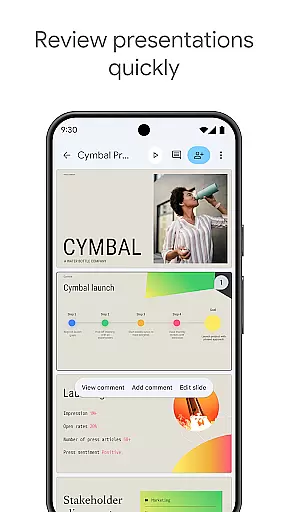
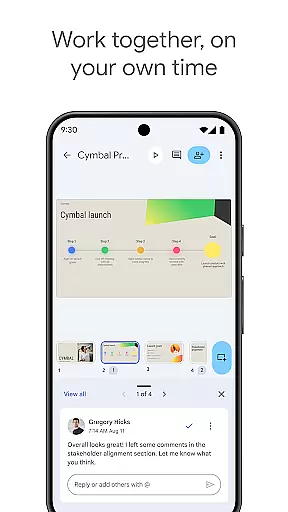
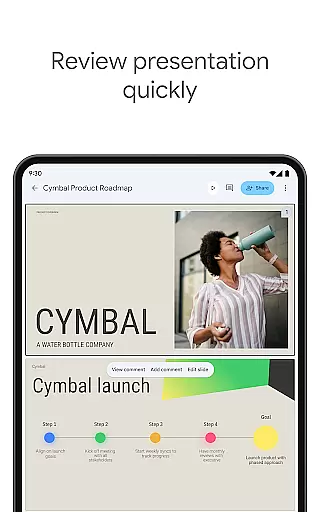
Collaboration is at the heart of Google Slides. The app enables real-time editing and commenting, ensuring that teams can work together efficiently. For Google Workspace subscribers, additional features such as advanced permission settings and a wide selection of templates are available. These functionalities not only streamline the presentation creation process but also offer greater flexibility and control over content sharing and editing.
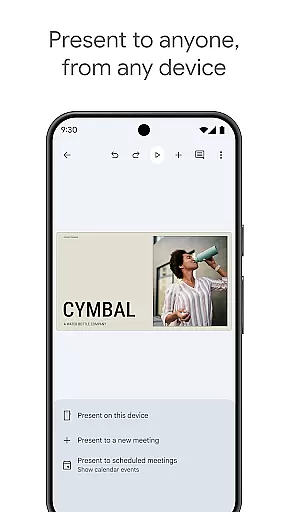
Another notable feature is the ability to present slides during video calls, which is automatically integrated with scheduled meetings. This functionality makes remote presentations smoother and more professional. Furthermore, the app's cross-platform support ensures that users can access their presentations from any device, providing unparalleled convenience and accessibility.
Google Slides excels in core task management by offering a comprehensive suite of tools designed to streamline the presentation creation process. The app allows users to create new presentations or edit existing ones with ease, providing essential functions such as adding and rearranging slides, formatting text and shapes, and inserting multimedia elements.
The collaborative nature of Google Slides significantly enhances productivity. Multiple users can work on the same presentation simultaneously, regardless of their location. This feature is particularly beneficial for teams spread across different regions, ensuring that everyone can contribute in real-time without any delays.
One of the standout aspects of Google Slides is its seamless integration with other Google Workspace applications. Users can easily share presentations and control permissions, deciding who can edit, view, or comment on the document. This level of access management ensures that sensitive information remains secure while still being accessible to authorized team members.
Additionally, Google Slides automatically saves all changes, eliminating the risk of losing important work due to unexpected interruptions. This auto-save feature, combined with the ability to work offline, provides users with a reliable and flexible environment to manage their presentation tasks efficiently.
Cross-device synchronization is a critical feature of Google Slides, ensuring that users have a consistent and reliable experience across various devices. Whether working on a PC, Mac, tablet, or smartphone, users can seamlessly transition between devices without any loss of data or functionality.
This synchronization capability is powered by Google's robust cloud infrastructure, which guarantees that every change made on one device is instantly reflected on all others. This means that users can start creating a presentation on their office computer and continue editing it on their mobile device while commuting, without missing a beat.
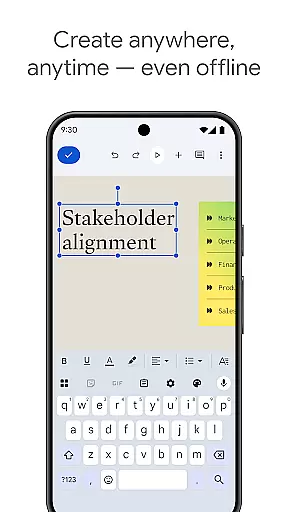
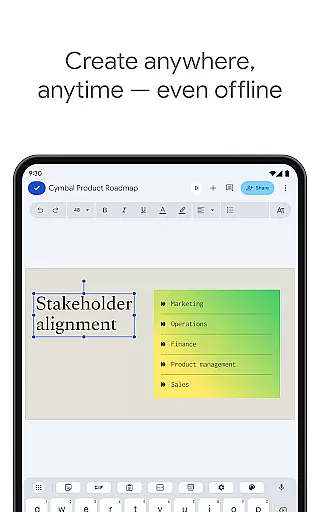
Google Slides also supports offline mode, allowing users to make edits even when they don't have an internet connection. Once the device reconnects to the internet, all changes are synced automatically, ensuring that the presentation is always up-to-date. This feature is particularly useful for professionals who travel frequently or work in areas with limited connectivity.
Furthermore, the app's compatibility with PowerPoint files adds another layer of convenience. Users can open, edit, and save PowerPoint files directly within Google Slides, making it easy to collaborate with colleagues who use different software. This cross-platform compatibility, combined with reliable synchronization, makes Google Slides a versatile tool for managing presentations across multiple devices.
User-friendly interface
Real-time collaboration
Automatic saving
Offline access
PowerPoint compatibility
Limited advanced features
Requires internet for full functionality
Fewer templates than competitors
No advanced animation options
Basic design tools

Absolutely the best CNC machinist speed and feed calculator around. fswizard.com
 4.60
4.60
Remotely view listen control and record cameras.
3.70
Secure, fast, open-source, Remote Desktop Client for Windows and Linux with SSH
4.60
aCalendar+ makes your day, week and month
4.70
PDF scanner & converter for files, photos, lottery, QR codes. One swipe away!
4.50
Functional QR scanner and barcode reader that requires little storage space.
4.60
* block pre-roll ads, pop-up and forced redirect ads * Samsung certification app
4.00
Great calculator for Android named one of USA TODAY's "25 Essential Apps".
4.90
Browse and view your photos and videos from the phone with photo & video hide.
4.10
Native client for Forgejo and Gitea
5.00
Protect and view your important info on your phone and tablet with eWallet®
4.80
App lock - lock apps with fingerprint, password, pin or pattern, protect privacy
4.70
A simple Whisper AI keyboard for reliable speech transcription and rewording
4.60
CalenGoo is a very flexible and feature-rich calendar app
4.40
Experience real multitasking on your Android!
4.00
Ultimate Virtual AI Character for immersive Roleplay Chat. Perfect Companion
3.90
Mega cloud explorer plugin for Solid Explorer
3.80
Ads Free App! Editor, Hide File, Copy, Move, Delete and Rename.. all facility av
1.70
IP Camera Viewer - Android TV : RTSP Surveillance camera viewer for Android TV
4.0


User Reviews