
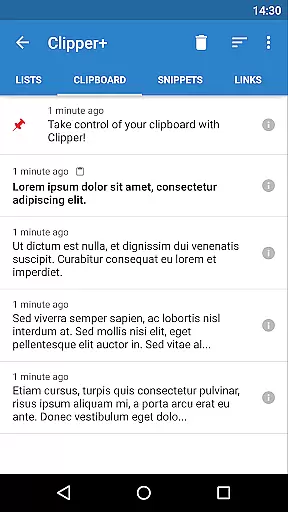
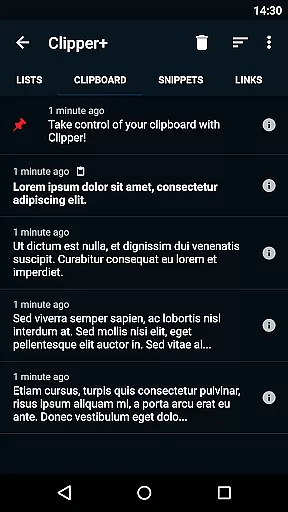
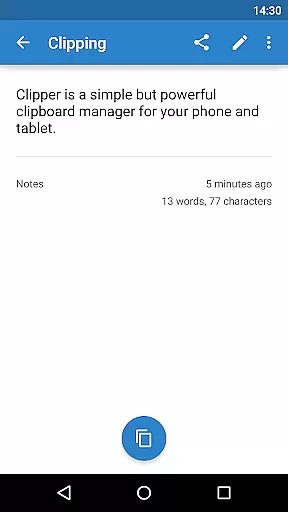
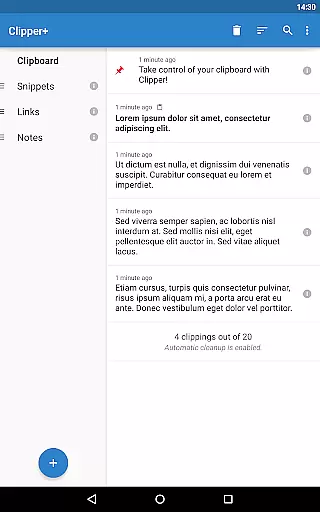
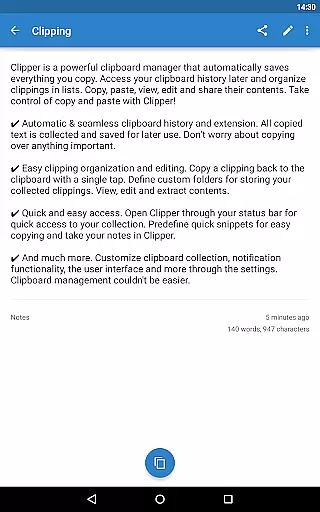
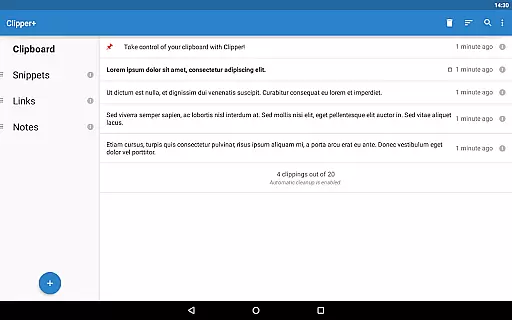
Clipper+: Clipboard Manager is a powerful productivity tool designed to enhance your clipboard experience. This application automatically saves everything you copy, allowing you to access, organize, and manage your collected clippings effortlessly. With features like unlimited clipping storage, dynamic values for custom snippets, and advanced search capabilities, Clipper+ ensures that you never lose important copied content again.
The app provides seamless integration with your device's clipboard, extending its functionality by saving all copied text for future use. You can easily organize clippings into lists, edit their contents, and even store frequently used pieces of text for quick access. Whether you're managing large volumes of text or need quick access to predefined snippets, Clipper+ offers an efficient solution to streamline your workflow.
Clipper+ is particularly useful for professionals who handle multiple documents and require quick access to various pieces of information. By taking control of your copy and paste operations, this app helps improve productivity and ensures that important data is always at your fingertips.
Clipper+ boasts a range of features that make it an indispensable tool for managing your clipboard efficiently. One of its standout features is the ability to store an unlimited number of clippings, ensuring that you never run out of space for your copied content. Additionally, the app allows you to disable automatic cleanup, preserving all your clippings until you decide to remove them manually.
Another innovative feature is the support for dynamic values, enabling you to insert the current date and time into your custom snippets. This is particularly useful for creating templates or notes that require up-to-date information. The app also includes a robust search function, allowing you to quickly find specific clippings among your collection.
Clipper+ offers new settings and options that give you greater control over how clippings are collected. You can choose to collect each clipping manually or automate the process entirely. Furthermore, the app is completely ad-free, providing a distraction-free environment for managing your clipboard. These features collectively ensure that Clipper+ stands out as a premier clipboard management solution.
Clipper+: Clipboard Manager excels in core task management by offering users an intuitive way to handle their clipboard history. The app automatically saves everything you copy, allowing for seamless organization and retrieval of text snippets.
With features like unlimited collected clippings and dynamic values, users can maintain a comprehensive library of copied content. This ensures that no important information is lost and that repetitive pieces of text are easily accessible for future use.
The app also provides powerful editing capabilities, enabling users to view, edit, and extract contents from their collected clippings. This level of control allows for efficient management of clipboard items, enhancing productivity.
By supporting custom folders and quick snippets, Clipper+ empowers users to define personalized workflows. This flexibility ensures that individuals can tailor the app to fit their specific task management needs.
While Clipper+: Clipboard Manager focuses primarily on single-device clipboard management, it offers reliable backup and restore functionalities. Users can import and export backups to internal storage or SD card, ensuring data safety and availability.
The app's design emphasizes ease of access and organization, allowing users to maintain a consistent clipboard library across different sessions. Although real-time cross-device syncing isn't its primary feature, the backup system provides peace of mind.
Clipper+ supports various permissions for photos, media, and files, which facilitates robust data management. These capabilities ensure that users can maintain their clipboard collections without worrying about data loss.
For those upgrading from Clipper Free, the Plus version installs as a separate application but includes data migration tools. This ensures a smooth transition while maintaining the integrity of collected clippings.
User-friendly interface
Unlimited clipping storage
Dynamic value insertion
Advanced search capabilities
Completely ad-free experience
Paid application
Separate installation from free version
Limited to text clippings
No cloud sync option
Requires manual data migration

AI Video AI Image Private LLM AI Browser Llama Gemma Ollama Connect LLM Studio
 4.4
4.4
The long-awaited modern gallery app for your Nextcloud server
4.70
Auto-shutoff Alarm with Sunrise, Sunset & Fixed Options.
3.50
Pwnagotchi companion app
4.20
All document reader, all in one file viewer read PDF, DOCX, XLS, PPT, TXT files.
4.60
A comprehensive suite of tools designed specifically for Lactation Consultants
4.3
Best Tool for the professionals Electrician, Electrical contractors, etc.
4.90
Scientific calculator for Android - looks and operates like the real thing!
4.90
Daily processing of PDF documents.
4.40
Seamlessly integrate data and reports to build your presentation to impress
4.80
Direct Chat without saving contacts & Dual WA Account on Single Device
4.70
Stay on top of your to-dos with Google Tasks, part of Google Workspace.
4.60
Calendar 2023 widget for Android. Appointment scheduler, planner, and reminder
4.60
Planet Free VPN - The best Fast Unlimited and Secure VPN Without Logs
4.50
Todo reminder
4.10
* block pre-roll ads, pop-up and forced redirect ads * Samsung certification app
4.00
⏰ Finally a timer app which can run multiple timers simultaneously on your watch
3.90
A Revolutionary All-in-One Artificial Intelligence Tools
3.80
All in one sketching tool. Technical and General drawing. Online Maps support.
3.70


User Reviews