
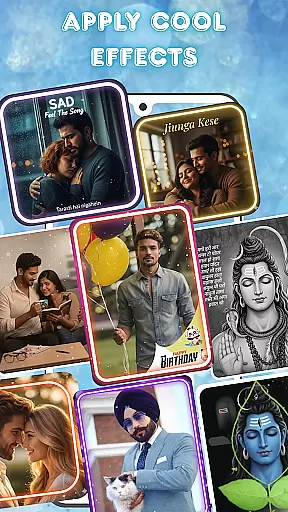

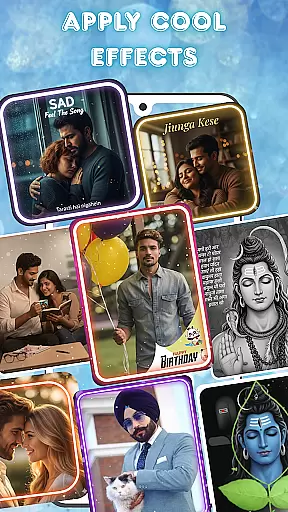

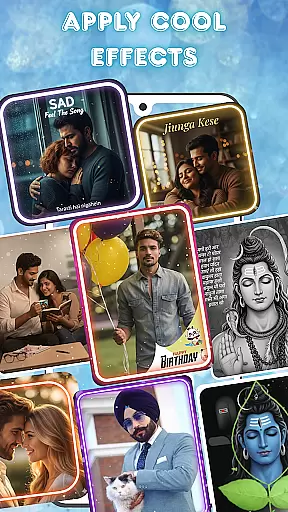

Photo and Music Video Creator is a versatile app designed to transform your photos into engaging video stories. With its user-friendly interface, the app allows users to create professional-quality slideshows and social media-ready videos effortlessly. Whether you're crafting a sentimental family montage or a trendy Instagram reel, this app provides all the necessary tools for seamless photo-to-video conversion.
The app stands out with its advanced photo editing capabilities, enabling users to enhance their images before incorporating them into videos. Additionally, it offers an intuitive video editing suite that includes smooth transitions, stylish filters, and customizable background music options. These features ensure that every project achieves a polished and professional finish. Available on mobile platforms, Photo and Music Video Creator is perfect for anyone looking to bring their cherished memories to life in dynamic video format.
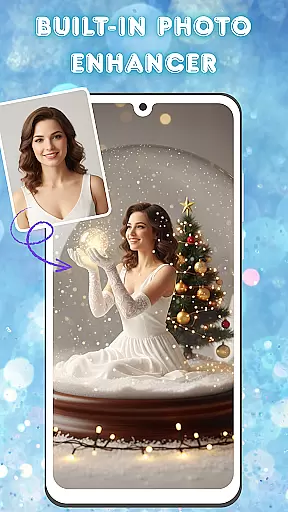
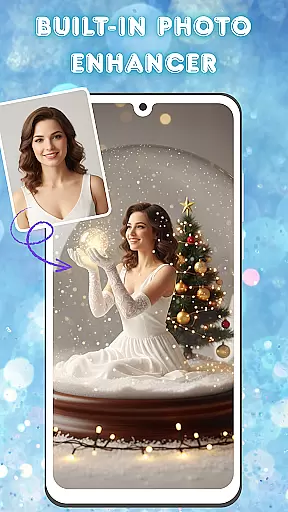
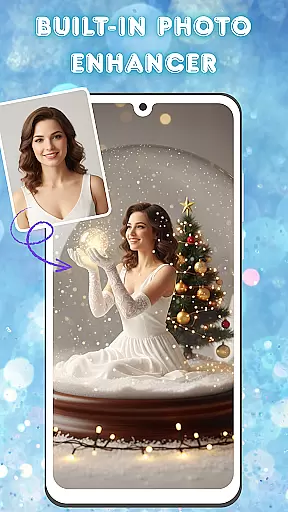
One of the standout features of Photo and Music Video Creator is its powerful photo-to-video conversion tool. This functionality allows users to turn static images into vibrant videos with just a few taps. The built-in photo enhancer provides advanced editing options such as brightness, contrast, and saturation adjustments, ensuring each image looks its best before being added to a video sequence.
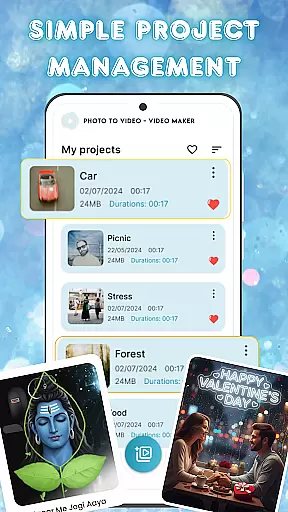
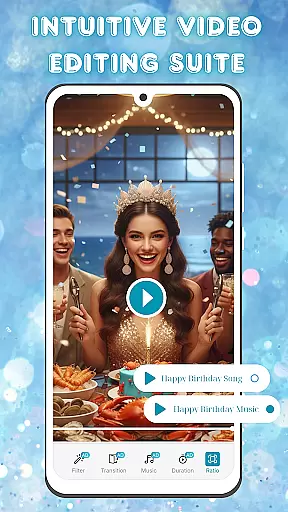
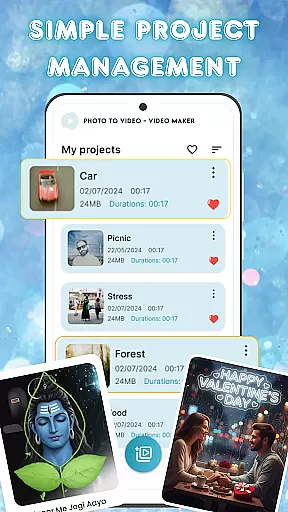
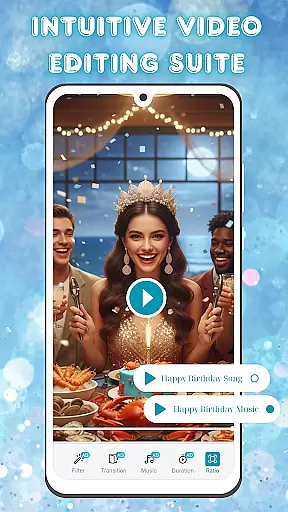
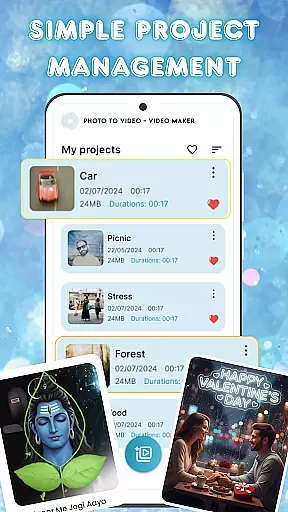
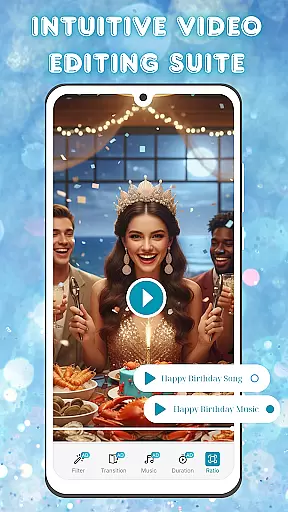
In addition to photo enhancement, the app boasts an intuitive video editing suite. Users can customize their videos with smooth transitions between scenes, apply stylish filters to achieve a desired aesthetic, and choose from a library of background music tracks to complement their visual narratives. The app also supports simple project management, allowing creators to organize and access multiple video projects easily from one centralized location. These comprehensive features make it easy for anyone to produce high-quality video content quickly and efficiently.
Video format compatibility is a crucial feature for any video editing application, ensuring that users can work with a wide range of file types without conversion hassles. Photo and Music Video Creator supports an extensive array of video formats, allowing creators to import and export projects in their preferred resolutions and codecs.
This app leverages advanced decoding technology to handle high-definition and 4K videos smoothly, providing consistent performance even with large files. The built-in format converter enables seamless transitions between different formats, making it easy to share creations on various platforms or devices.
For users, this means no more worrying about whether their video will be compatible with social media platforms or playback devices. They can focus on unleashing their creativity, knowing that the final output will meet all technical requirements and look stunning regardless of where it's viewed.
AI-powered editing features are revolutionizing how we approach video creation by automating complex tasks and offering intelligent suggestions. Photo and Music Video Creator incorporates cutting-edge AI tools that simplify the editing process while delivering professional-grade results.
The app's AI engine analyzes footage to recommend optimal cuts, transitions, and effects based on content type and style preferences. Its smart stabilization feature automatically corrects shaky recordings, while the intelligent color grading system enhances visual appeal with minimal user input.
These AI capabilities significantly reduce editing time, enabling both beginners and experienced creators to produce polished videos efficiently. By combining machine learning precision with intuitive controls, the app empowers users to transform their photo collections into engaging visual narratives with unprecedented ease.
User-friendly interface
Advanced photo editing
Stylish video filters
Easy project management
Versatile music library
Limited free features
Occasional ads
Premium subscription cost
Basic tutorial support
Device compatibility issues

The smartest M3U IPTV Player your playlists have ever seen.
 4.0
4.0
HD Video player all format, HD Videos, Cast & Subtitle. No annoying ads.
4.60
Video Player - Unlimited features, 30 days money back guarantee.
4.60
Powerful HD video player with support for all formats & subtitles.
4.5
Video player with powerful streaming playback and various convenient features.
2.10
Play and download HD videos from all sources — fast, simple, and all-in-one.
4.1
Connect EasyCap or UVC devices for recording and broadcast video/audio stream
3.60
Watch IPTV on your Android device
4.60
Browser + Remote for Roku to stream webvideos, online movies and livestreams
4.60
Play ALL formats in 4K & HD. Video downloader, MP3 player, Chromecast & more.
4.80
Snaptubè Video Downloader app allows to download videos and music in Snaptube. .
4.60
KineMaster, Your Ultimate Video Editor!
4.40
AirMirror Receiver - Screen mirroring/cast web videos to Android TV by AirPlay.
4.40
Fast & Private Video Downloader App. Save all videos easily from the Internet.
4.40
Powerful video player with advanced hardware acceleration and subtitle supports
4.20
Fast private browser with secure, seamless access & supported video downloads!
4.00
Connect 2 UVC devices for recording and broadcast video/audio stream
3.90
Cast to Smart TV, Fire TV. Cast video, photo - Fast & Stable!
3.90
Stream high quality video from your camera over NDI protocol
4.3


User Reviews